See Performance Faster
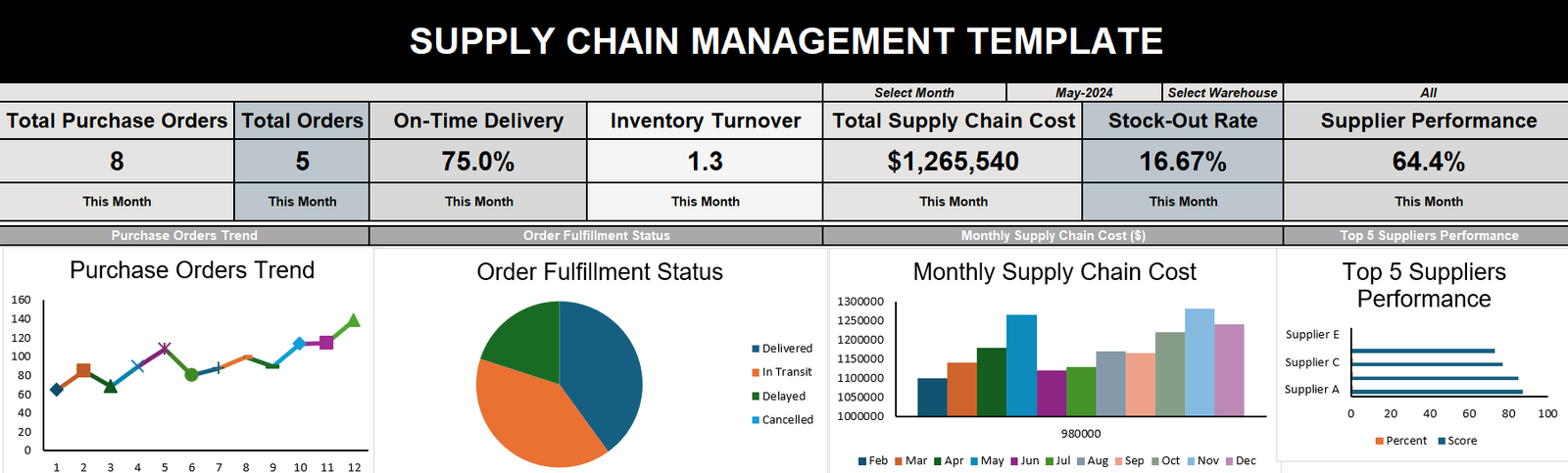
Bring operational data into visual KPI cards, charts, summaries and management action areas.
Turn supplier, purchasing, inventory, warehouse, freight, quality, risk and delivery data into one clear management view. Enter your operational data, monitor performance and report decisions with confidence.
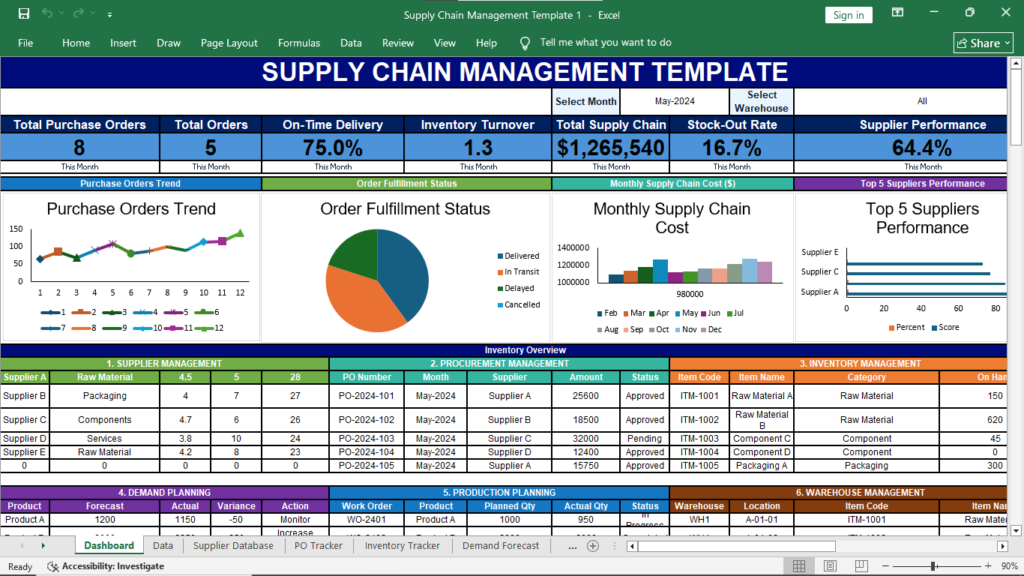
Bring operational data into visual KPI cards, charts, summaries and management action areas.
Spot delayed orders, low stock, supplier weakness, quality issues and critical risks before they grow.
Use a familiar Excel environment without adding an ERP subscription or complicated implementation project.
The workbook is designed to connect the major control points of a modern supply chain, from supplier records and purchasing to stock, transport, cost, quality and management reporting.
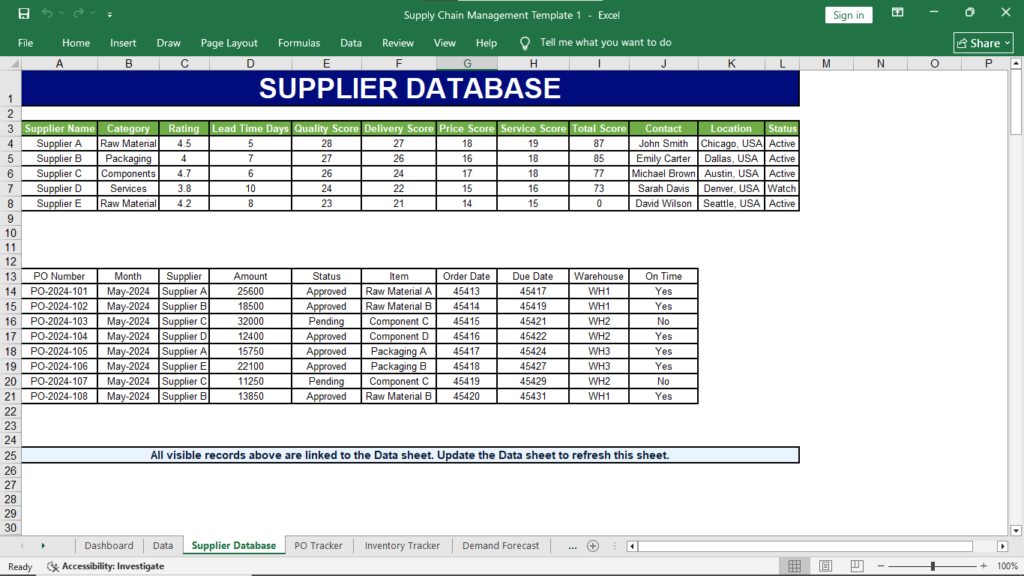
Maintain supplier information and compare quality, delivery, cost, service, lead time, reliability and overall status.
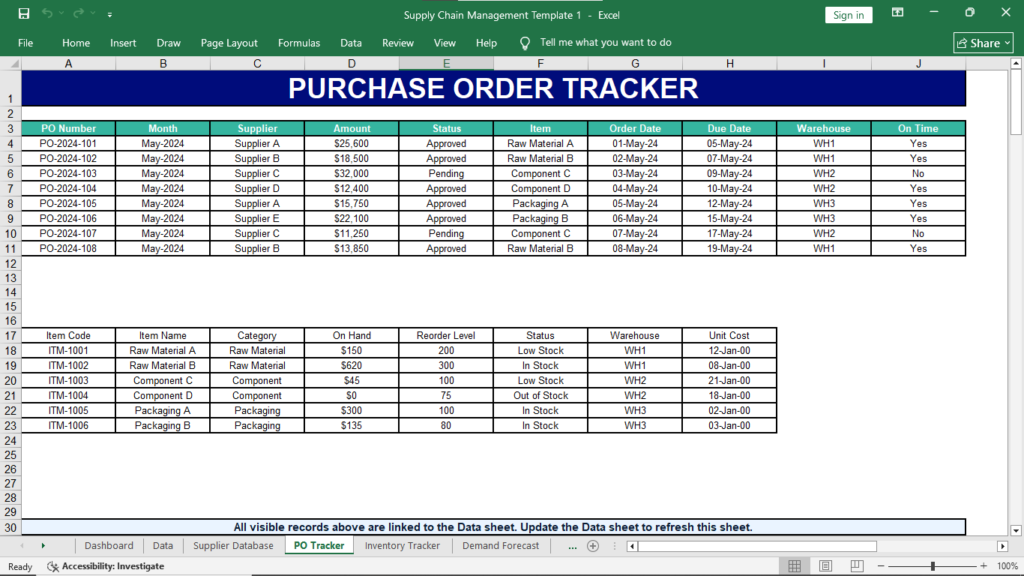
Track requests, approvals, commitments, supplier confirmation, delivery, receipt, delays and order closure.
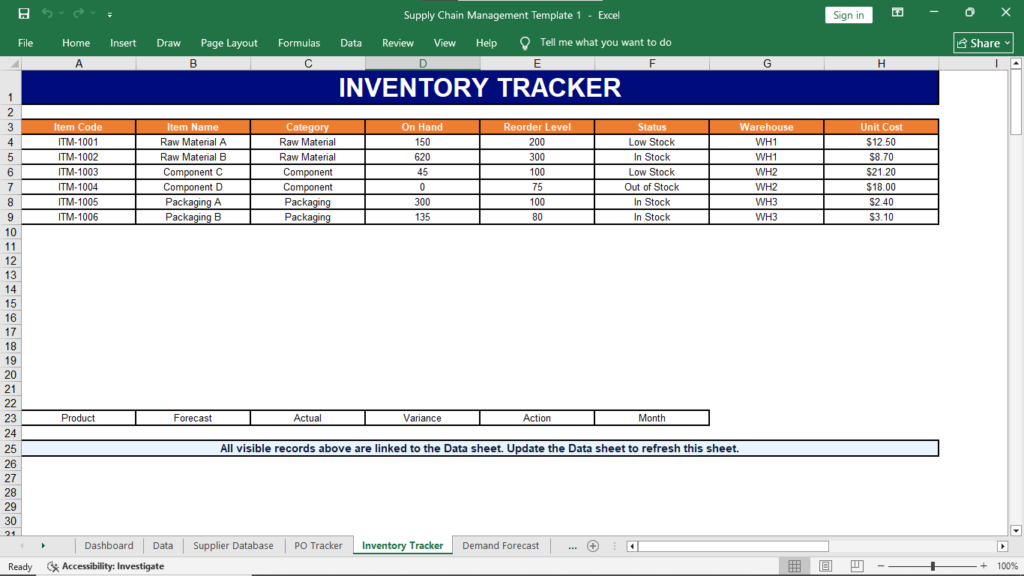
Monitor current quantity, reorder levels, stock-outs, item categories, warehouse positions and shortage exposure.
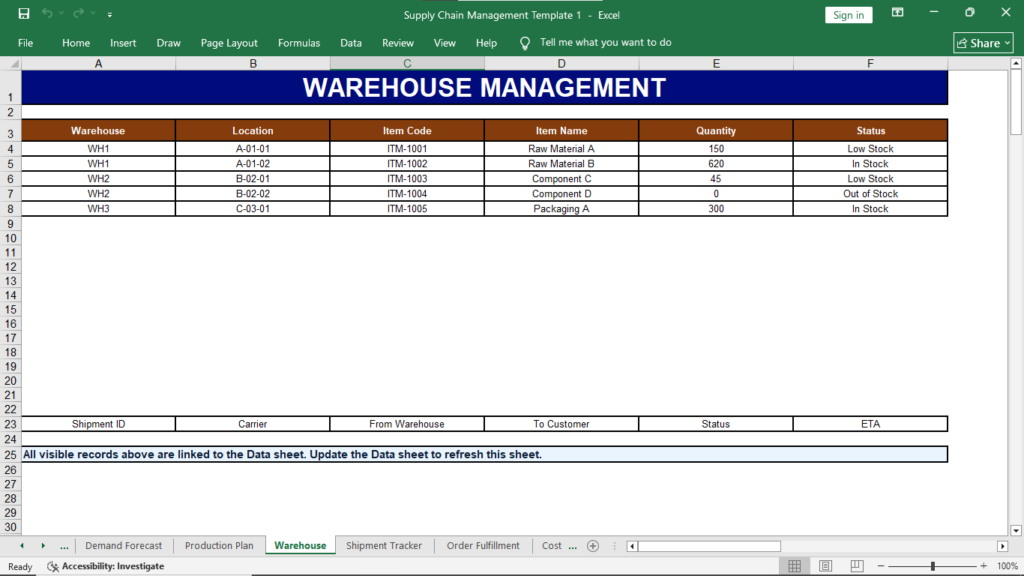
Review warehouse locations, stock allocation, item movement, storage details, capacity and fulfillment status.
Record dispatch dates, promised dates, delivery status, freight cost, carriers, transport delays and logistics progress.
Combine purchasing and freight costs with quality status, corrective actions, risk levels and management priorities.
Replace long spreadsheet reviews with a structured dashboard that brings orders, costs, stock, delays and risks together.
The workbook creates a practical rhythm for entering operational records, reviewing performance and focusing attention on the areas that need action.
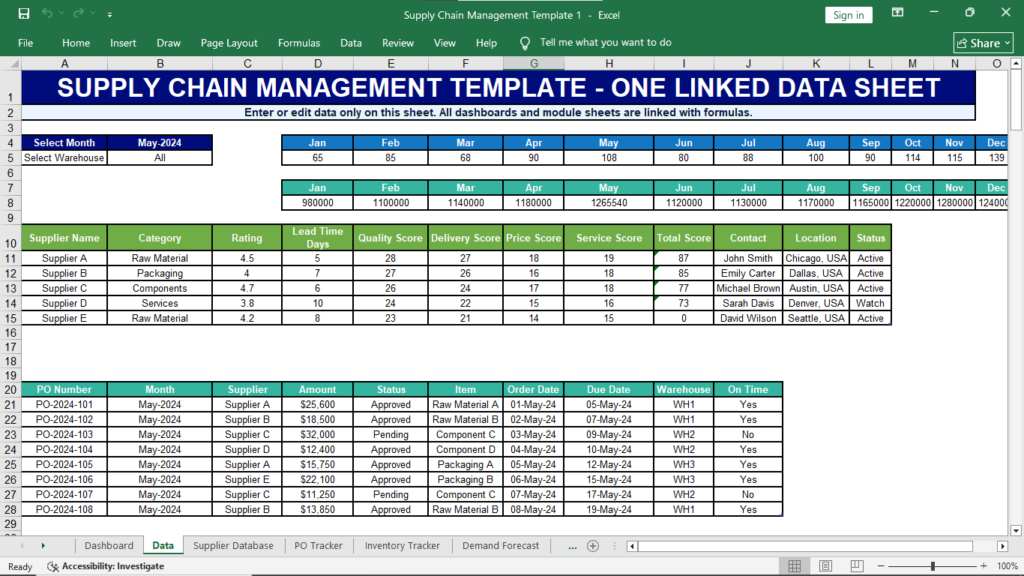
Add supplier, order, inventory, warehouse, shipment, cost, quality and risk information.
Update milestones, quantities, approvals, delivery progress and operational exceptions.
Use summary cards, tables and charts to understand current supply chain performance.
Assign priorities, owners, required actions and target dates for improvement.
Each worksheet supports a specific area of supply chain planning, monitoring, control or reporting.
Executive KPIs, charts and management summaries.
Central structured area for operational records.
Supplier categories, ratings, scores and contacts.
Purchase orders, approvals, due dates and delivery.
On-hand stock, reorder level, status and cost.
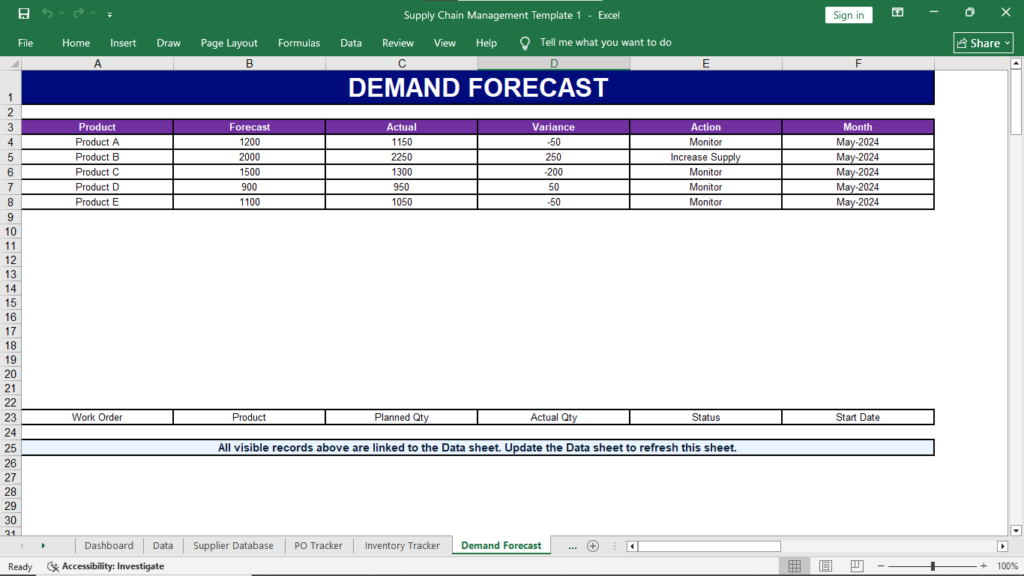
Forecast, actual demand, variance and action.
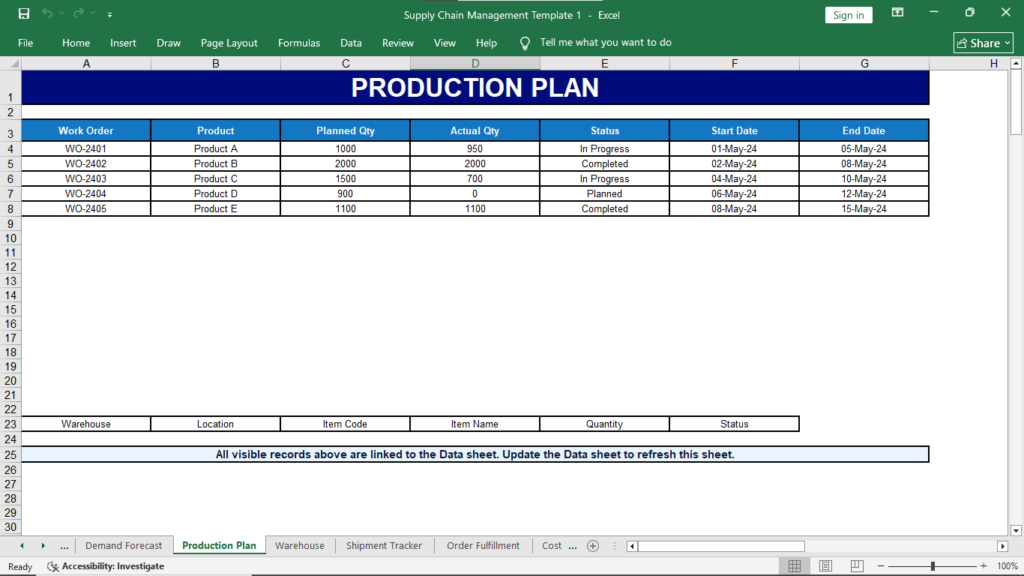
Work orders, planned output, actual output and status.
Warehouses, storage locations and available stock.
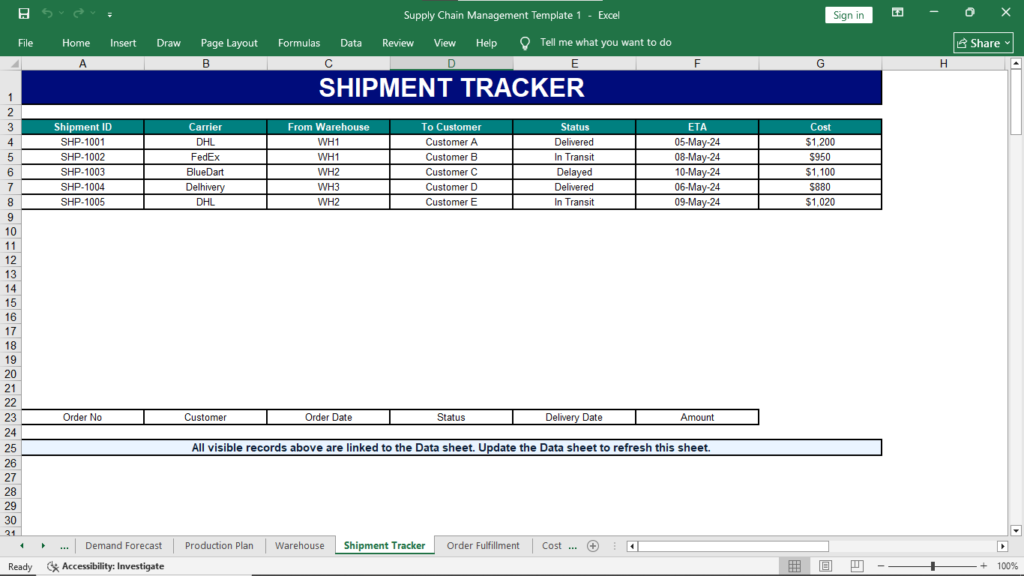
Carriers, dispatch, delivery, status and shipment cost.
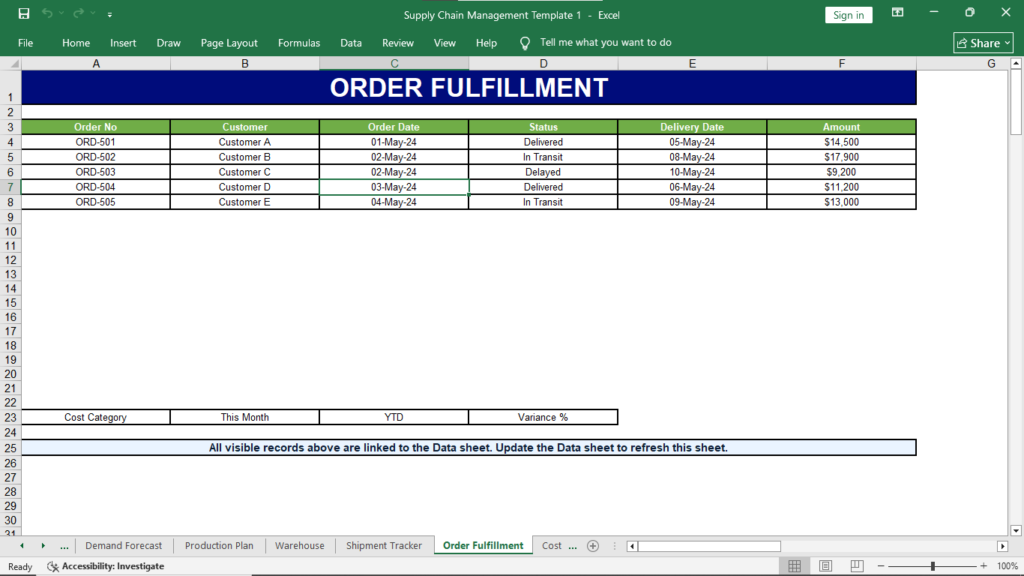
Customer orders, delivery progress and order amount.
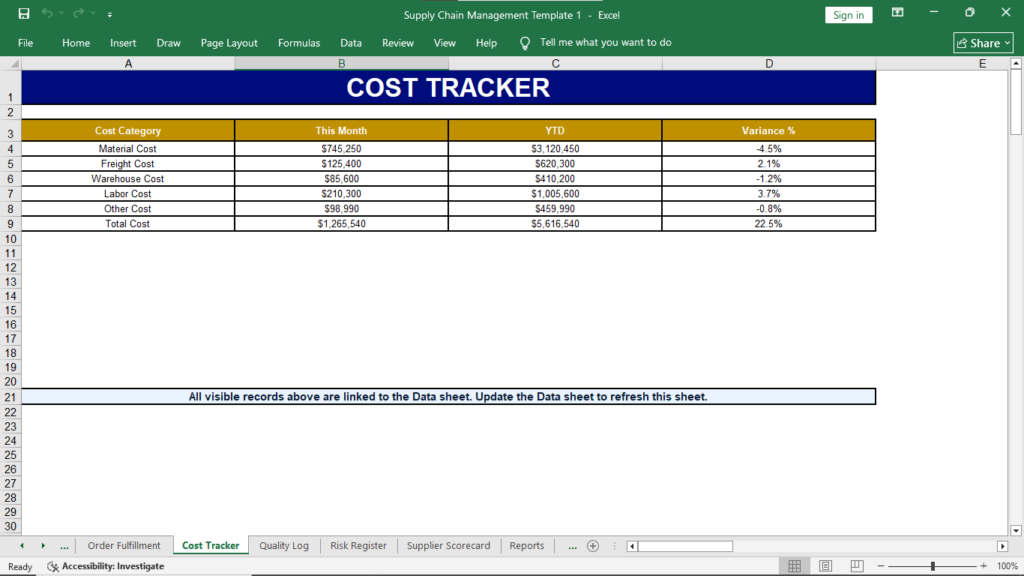
Monthly, YTD and variance analysis by cost category.
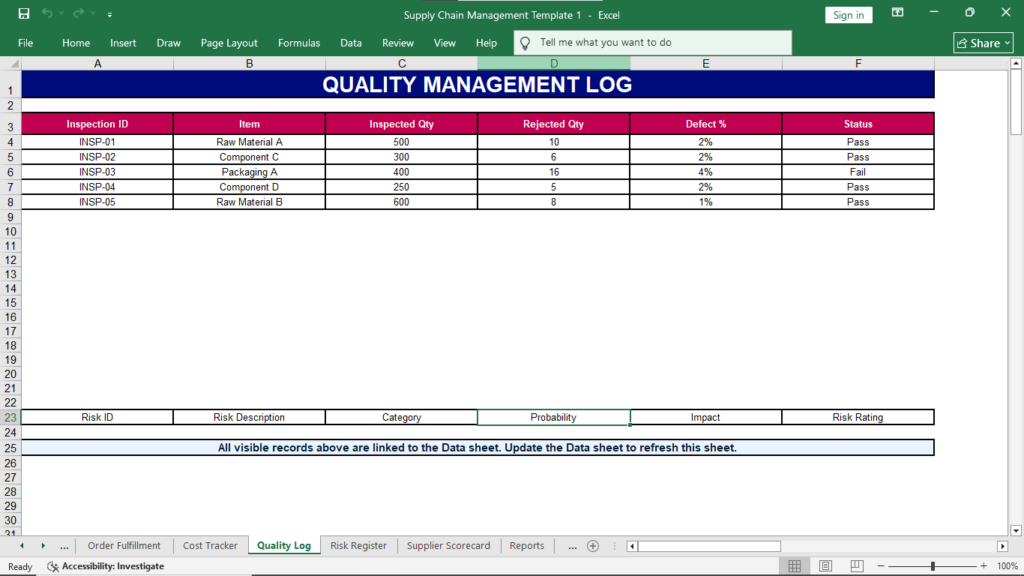
Inspections, rejected quantity, defects and results.
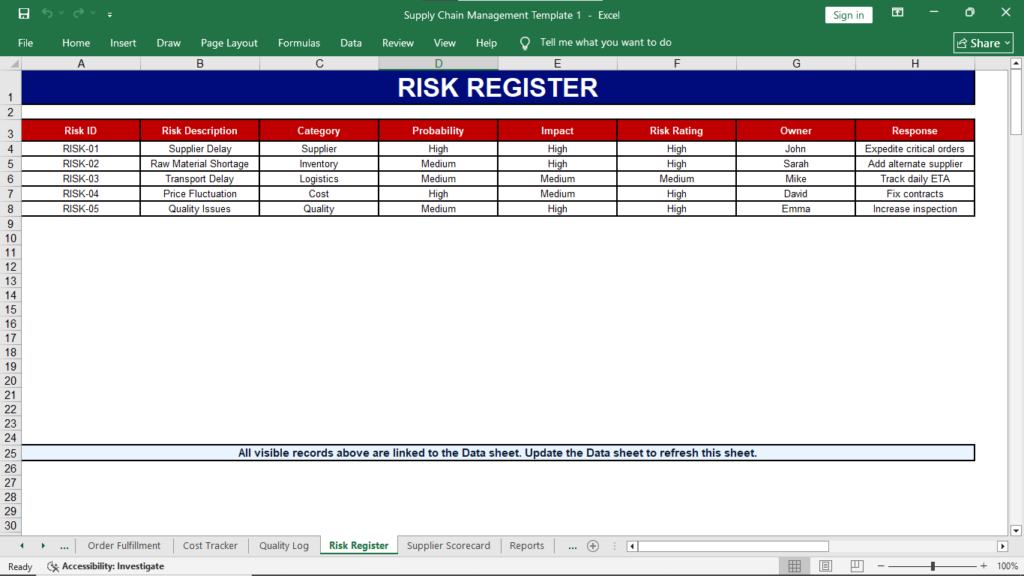
Risk category, probability, impact, owner and response.
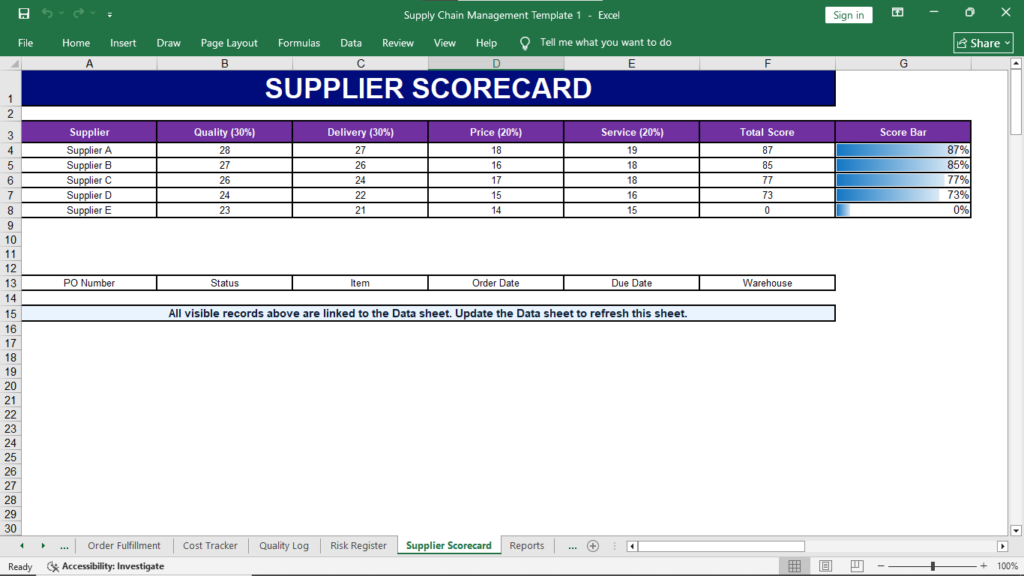
Weighted quality, delivery, price and service scoring.
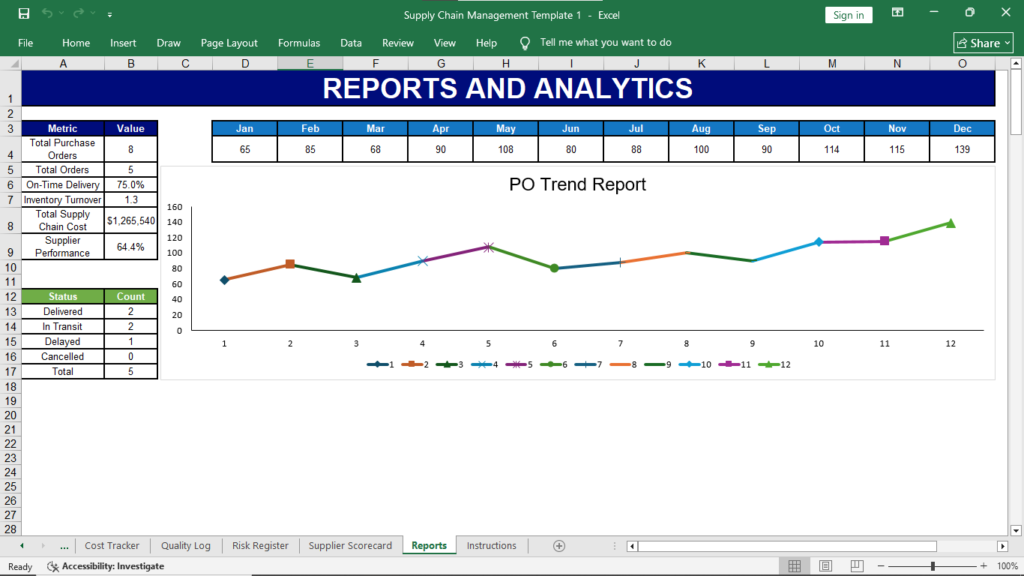
Management summaries and visual performance reporting.
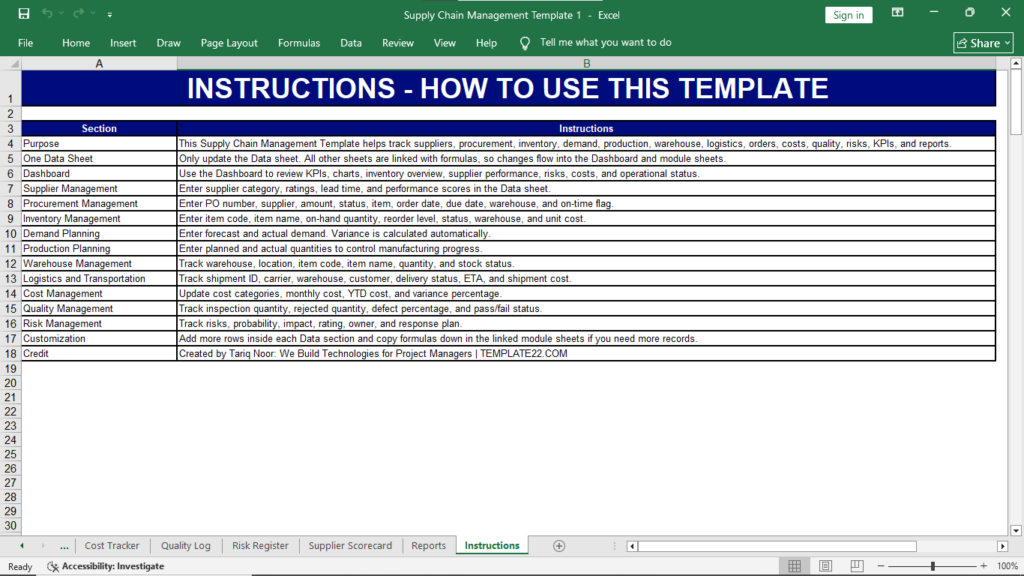
Step-by-step guidance for using and extending the file.
Click any image to enlarge it. The gallery shows different visual styles available for professional supply chain reporting.
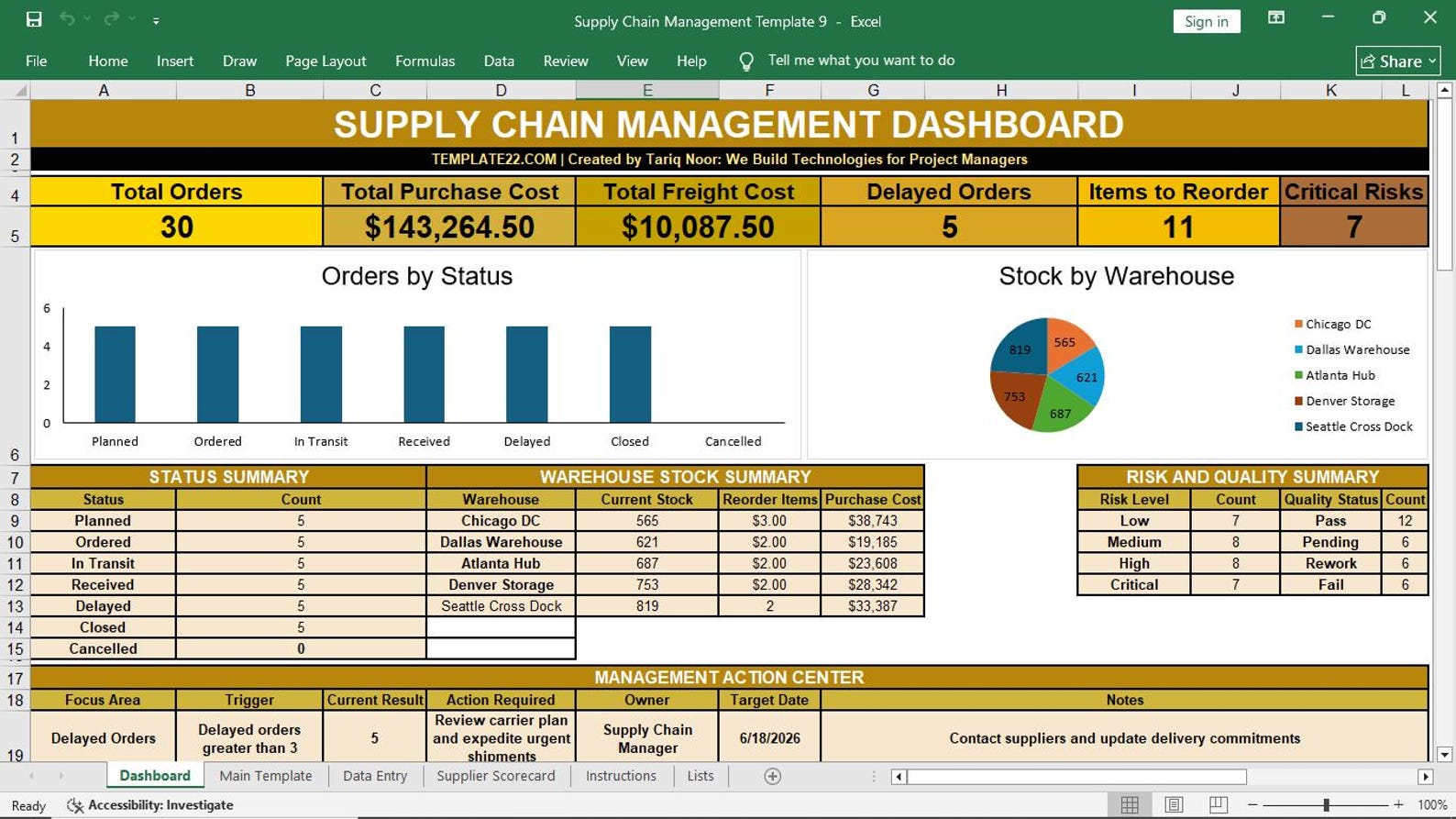 Click to enlarge
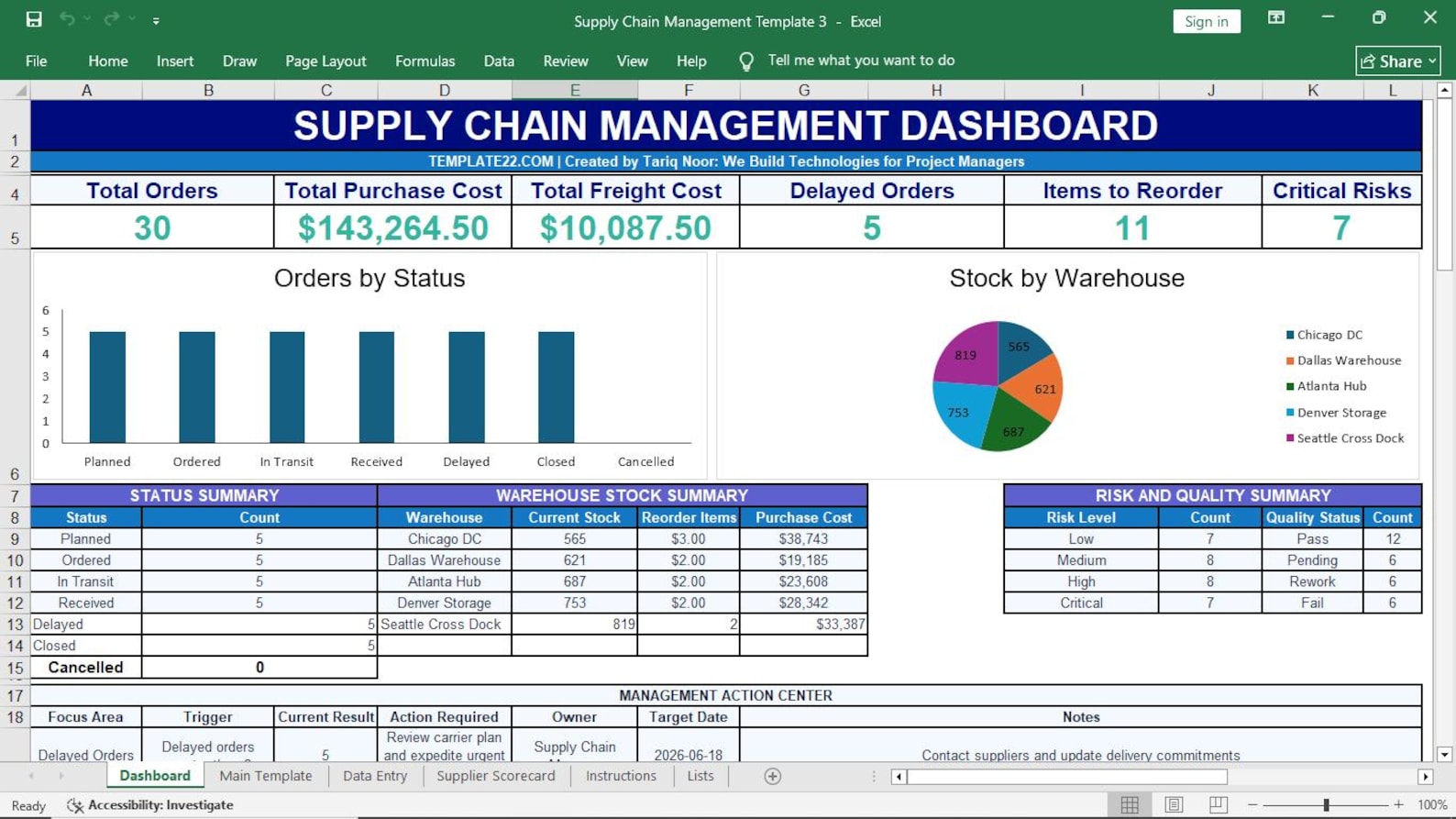 Click to enlarge
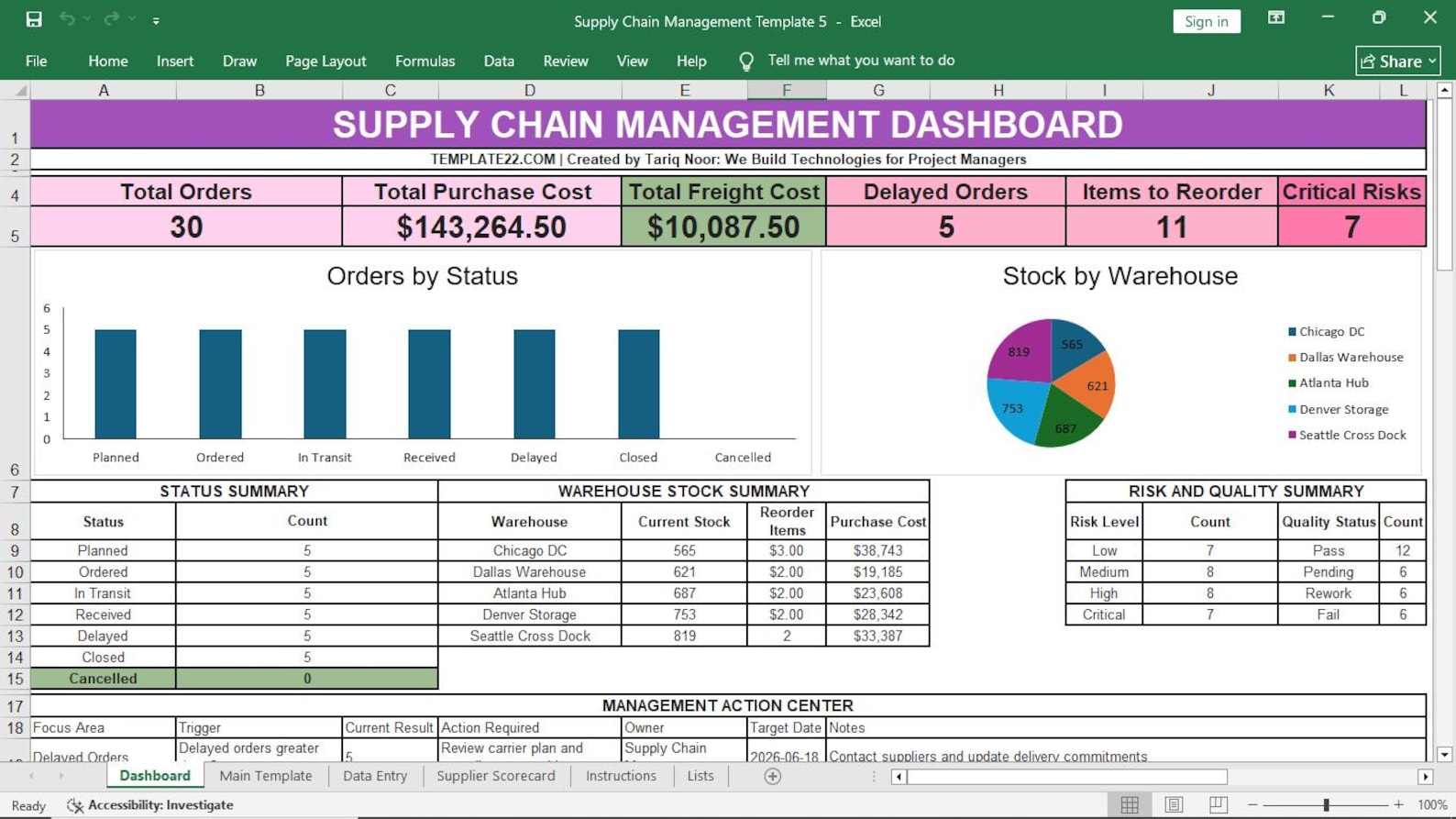 Click to enlarge
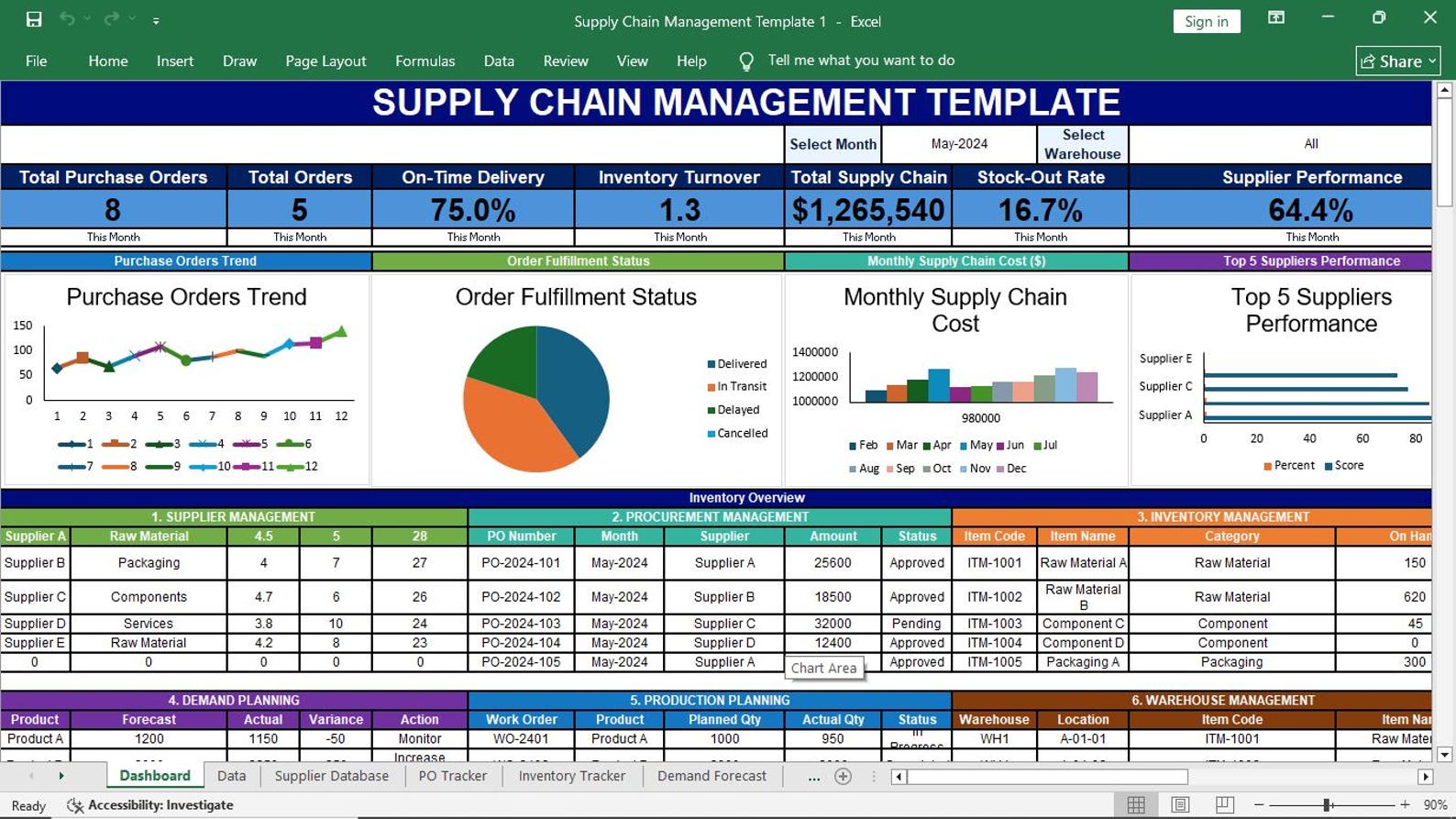 Click to enlarge
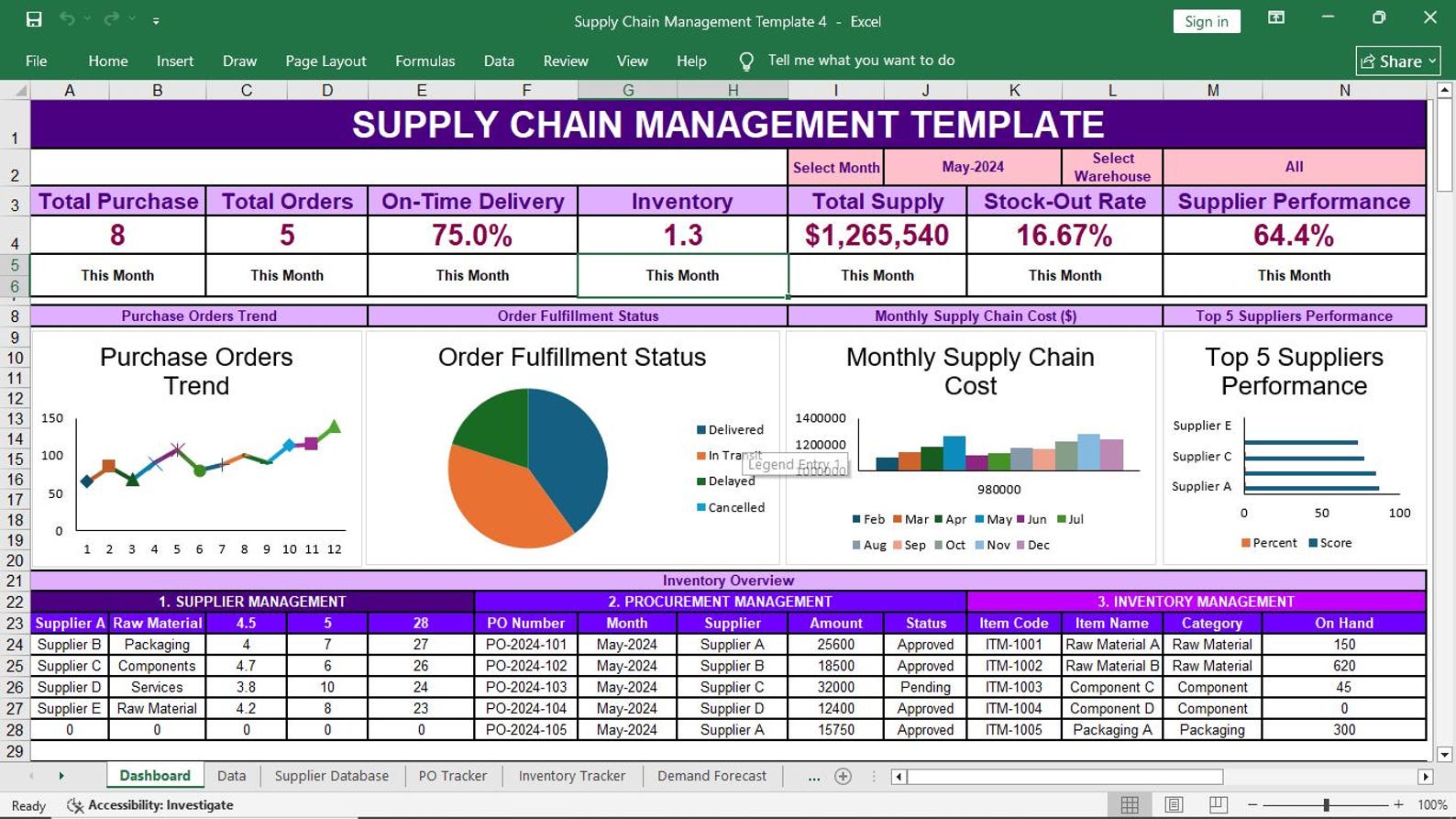 Click to enlarge
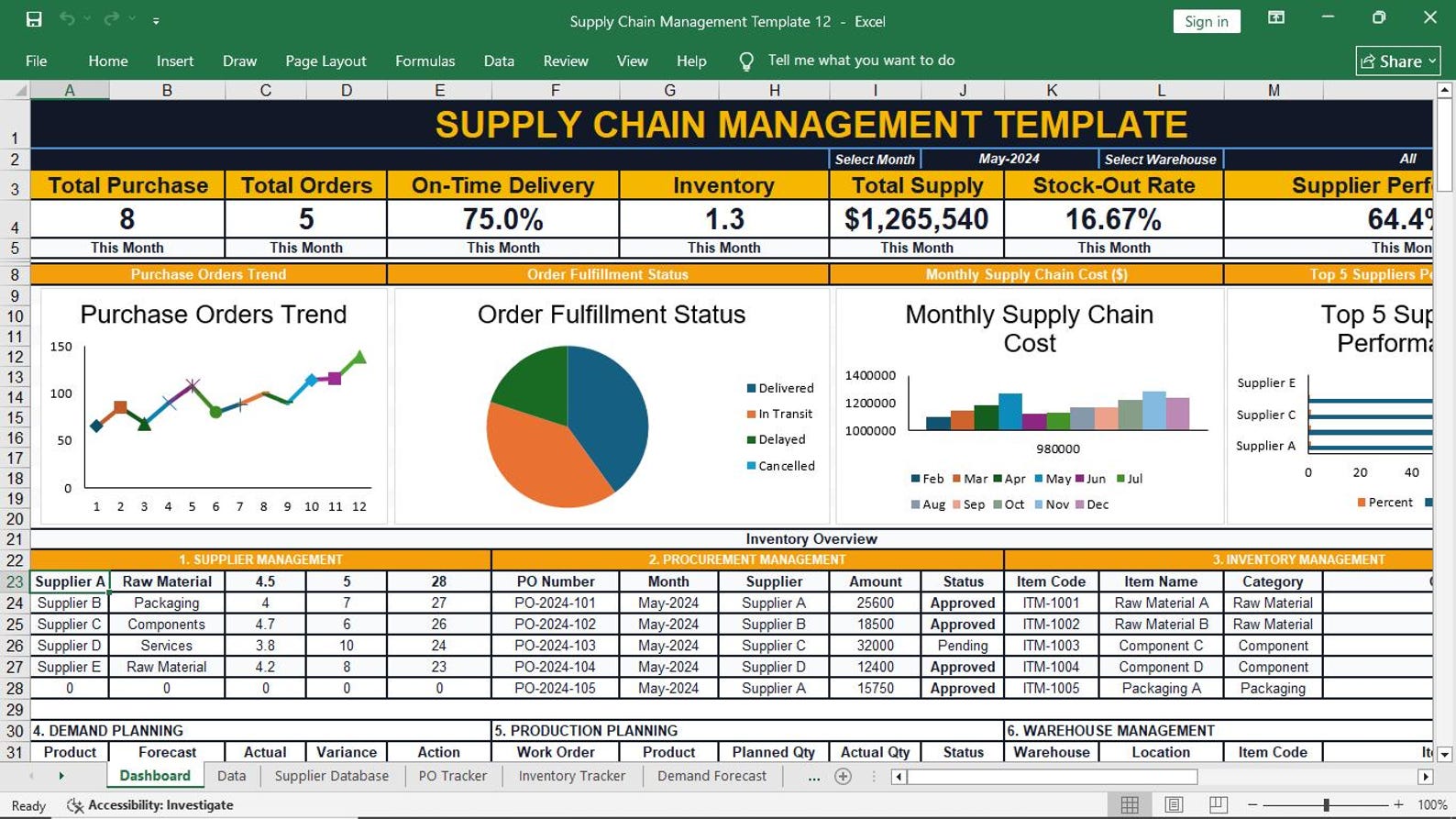 Click to enlarge
Use it across procurement, inventory, logistics, manufacturing and management reporting environments.
Monitor end-to-end performance and management priorities.
Control orders, suppliers, approvals, costs and delivery.
Track stock, locations, movement and reorder requirements.
Monitor shipments, carriers, dates, status and freight cost.
Connect supply, demand, production, inventory and vendors.
Review cost, risk, service and operational health quickly.
Start with a structured, editable Excel system instead of spending days building trackers, charts and reports from a blank workbook.
Important information about editing, software requirements, customization and use.
Yes. The workbook is designed for Microsoft Excel and can be customized to match your organization’s suppliers, items, warehouses, processes, reporting periods and operational requirements.
Yes. It includes an executive dashboard with KPI cards, charts, operational summaries and a management action area for key supply chain signals.
No ERP subscription is required. The product is built for Microsoft Excel, so users can work in a familiar spreadsheet environment.
Yes. You can extend the workbook with additional records and adapt its categories, rows, formulas and formatting to your business needs.
The product is delivered digitally through the checkout page. Access is provided after successful payment.
Yes. It can be adapted for manufacturing, construction, distribution, retail, logistics, procurement, warehousing and other operations that manage suppliers, orders and inventory.
Bring procurement, inventory, suppliers, logistics, costs and risks into one professional Excel management view.
Get the Dashboard for $49.99