Project Scope Management Templates in Excel
Plan, define, track, control, verify, and accept construction project scope with one professional Excel template pack. Manage WBS, deliverables, requirements, scope baseline, BOQ mapping, changes, variations, field notices, verification, and client acceptance from one organized system.
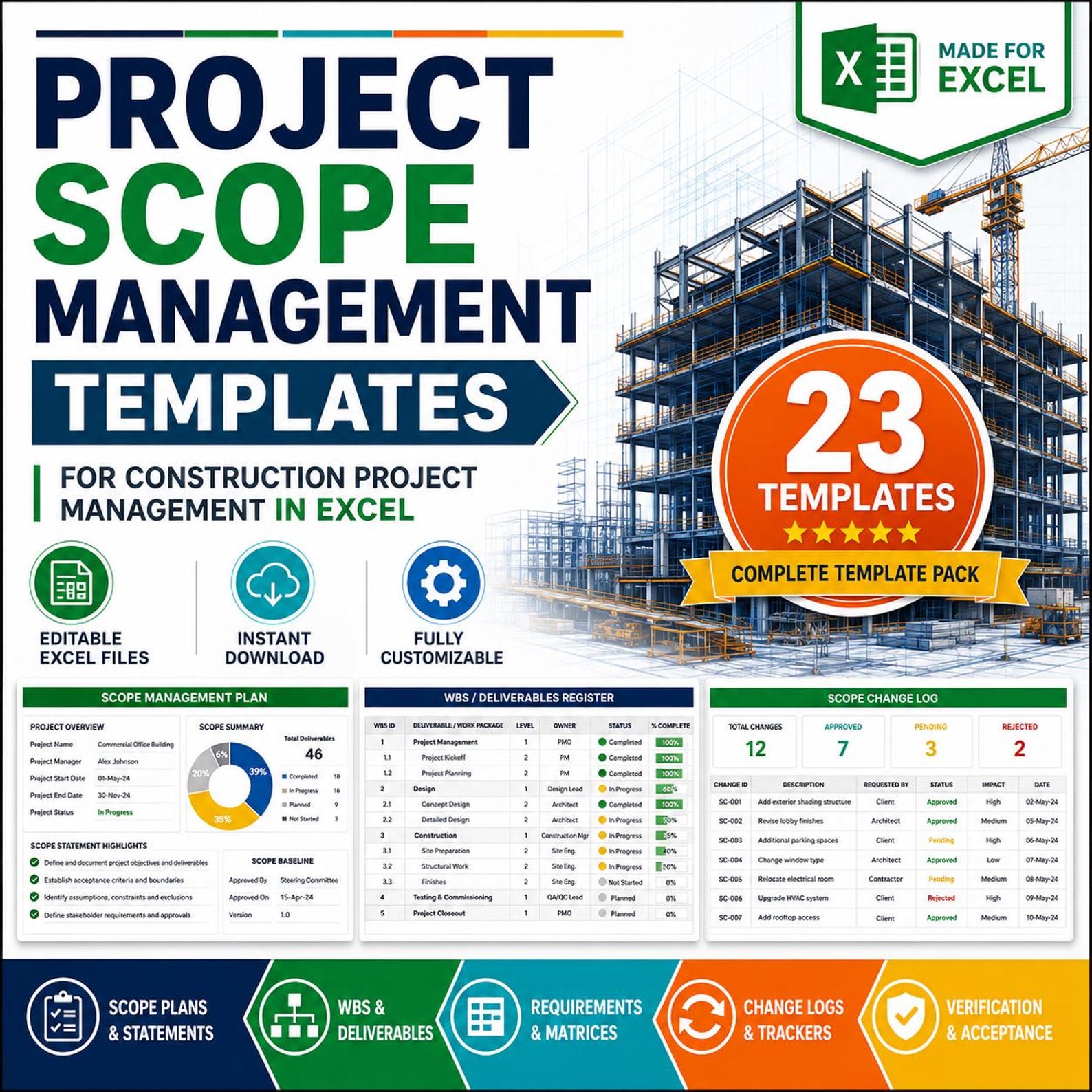
Scope Dashboard Excel Workbook
Everything You Need to Manage Construction Project Scope
This template pack is built for construction teams that need clear scope documentation, change control, professional tracking, and final acceptance records.
Scope Planning
Create a clear scope management plan, construction scope statement, scope baseline, and in-scope/out-of-scope list.
WBS & Deliverables
Break construction work into manageable sections using WBS, WBS dictionary, deliverables register, and requirements register.
Requirements Tracking
Track client requirements, functional requirements, technical requirements, and scope priorities in a structured Excel format.
Construction Area Control
Manage site areas, area handover scope, design scope, trade package scope, and BOQ scope mapping.
Change & Variation Control
Record scope change requests, scope change logs, variation trackers, and field change notices to reduce disputes.
Verification & Acceptance
Use scope verification checklists and acceptance forms to confirm completed work before handover and client approval.
23 Professional Sheets Included in the Template Pack
Scope Management Plan
Define how project scope will be planned, controlled, verified, and accepted.
Construction Scope Statement
Document construction project scope, objectives, exclusions, assumptions, and boundaries.
Scope Baseline Sheet
Record approved scope, WBS reference, deliverables, and acceptance criteria.
Work Breakdown Structure (WBS)
Break construction work into phases, areas, work packages, and tasks.
WBS Dictionary
Explain each WBS item with owner, description, deliverable, and control details.
Deliverables Register
Track deliverables, owners, target dates, status, and acceptance results.
Requirements Register
Record all project requirements and link them with scope, priority, owner, and status.
Client Requirements Matrix
Capture client requirements, priorities, responsible persons, and approval status.
Functional Requirements Log
Track functional scope requirements related to usage, operation, and performance.
Technical Requirements Log
Document specifications, standards, compliance needs, and technical requirements.
Scope Prioritization Matrix
Prioritize scope items by importance, urgency, project value, and impact.
In-Scope / Out-of-Scope List
Separate included and excluded work to avoid confusion and scope disputes.
Area Handover Scope Tracker
Track area-wise scope completion, inspections, handover, and pending items.
Design Scope Register
Manage design packages, design deliverables, review status, and responsibilities.
Trade Package Scope Sheet
Define subcontractor and trade package scope, exclusions, and responsibilities.
BOQ Scope Mapping Sheet
Connect BOQ items with scope items, work packages, and deliverables.
Site Area Scope Tracker
Monitor site area scope, completed work, remaining work, and status.
Scope Change Request Form
Submit and document scope change requests with reason, impact, and approval.
Scope Change Log
Track approved, rejected, and pending scope changes in one professional register.
Variation Scope Tracker
Manage construction variations, impact, status, approvals, and related notes.
Field Change Notice Log
Record field changes, site instructions, responsible persons, and closure status.
Scope Verification Checklist
Verify completed work against approved scope, BOQ, drawings, and criteria.
Scope Acceptance Form
Document formal acceptance by client, consultant, contractor, or project owner.
Stop Managing Construction Scope with Scattered Files
When scope information is hidden in emails, drawings, BOQs, meeting minutes, site instructions, and separate files, the project becomes difficult to control.
This Excel template pack gives your team one clear system to define scope, manage changes, track requirements, verify completed work, and support professional construction reporting.
- ✅ Reduce scope confusion and misunderstandings
- ✅ Control scope changes and variations
- ✅ Track requirements, deliverables, and work packages
- ✅ Improve client, consultant, contractor, and subcontractor coordination
- ✅ Connect BOQ items with approved scope
- ✅ Support handover, verification, and formal acceptance
Use the Template Pack in 4 Easy Steps
Enter your project details, define scope, track changes, and verify final acceptance with a professional Excel system.
Define Scope
Create the scope statement, scope baseline, WBS, and in-scope/out-of-scope list.
Track Requirements
Record client, functional, technical, BOQ, design, and trade package requirements.
Control Changes
Manage change requests, variation tracking, field changes, and scope change logs.
Verify & Accept
Use checklists and acceptance forms to confirm scope completion and approval.
Visual Preview Gallery
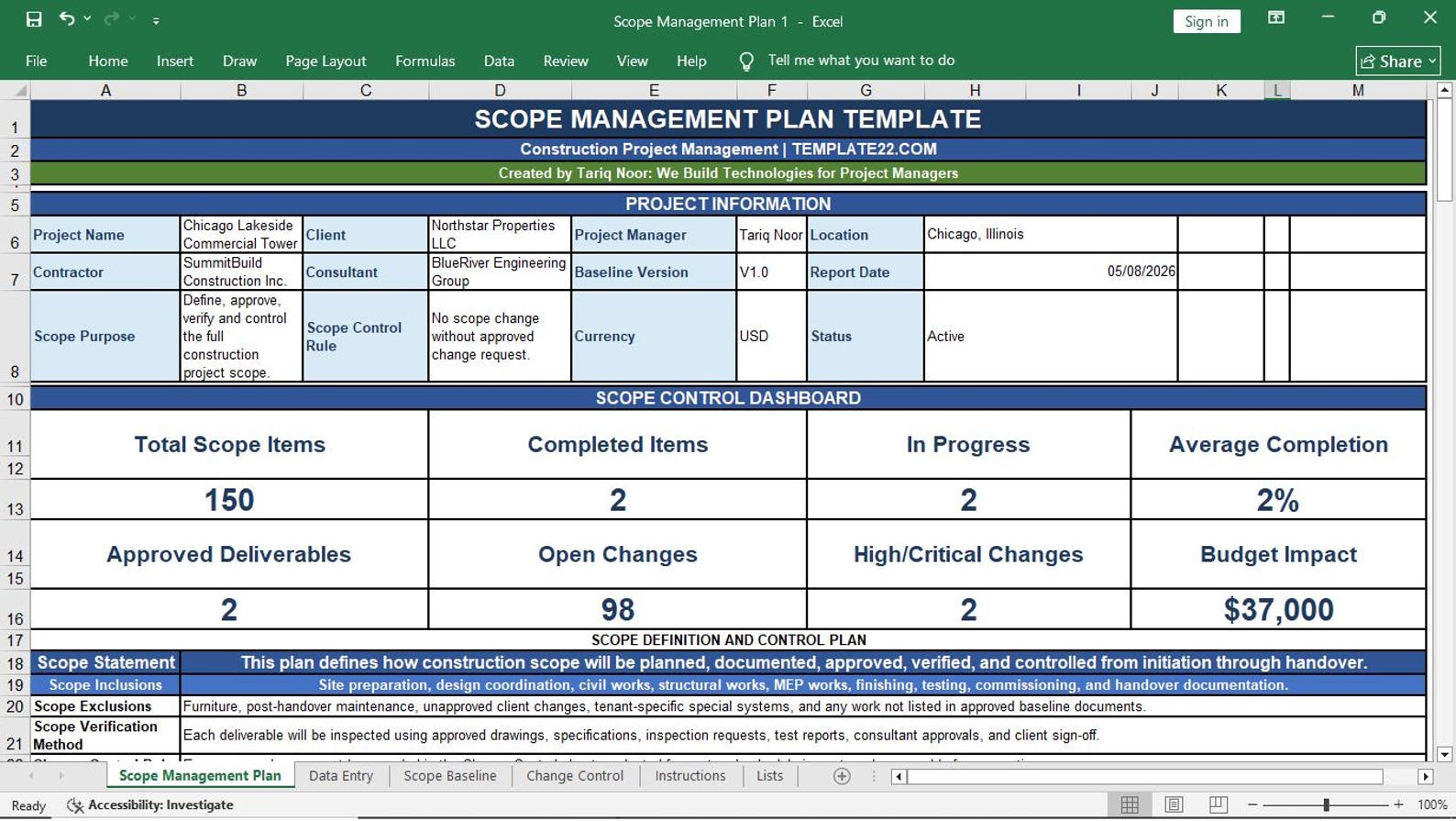
01. Scope Management Plan
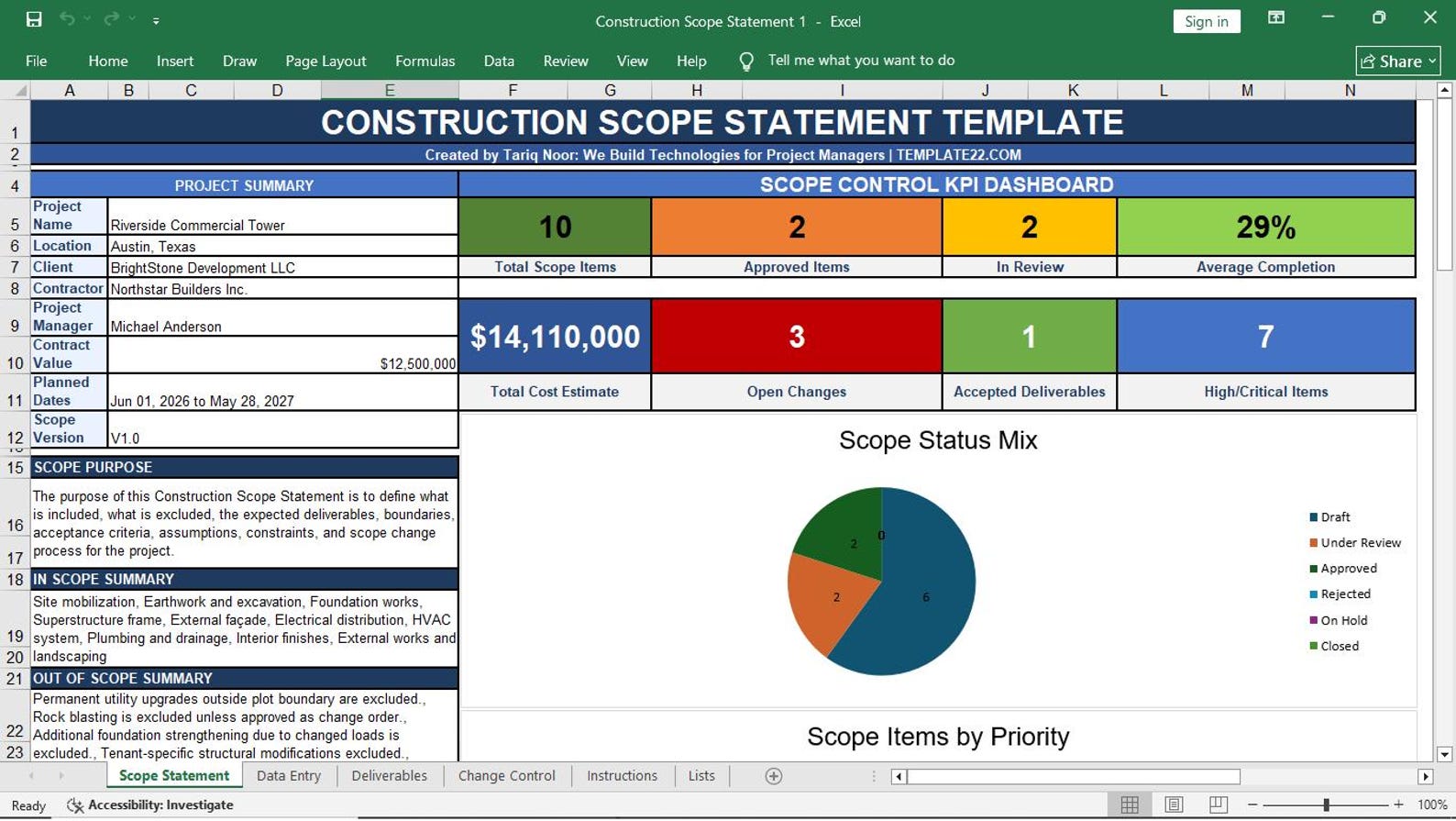
02. Construction Scope Statement
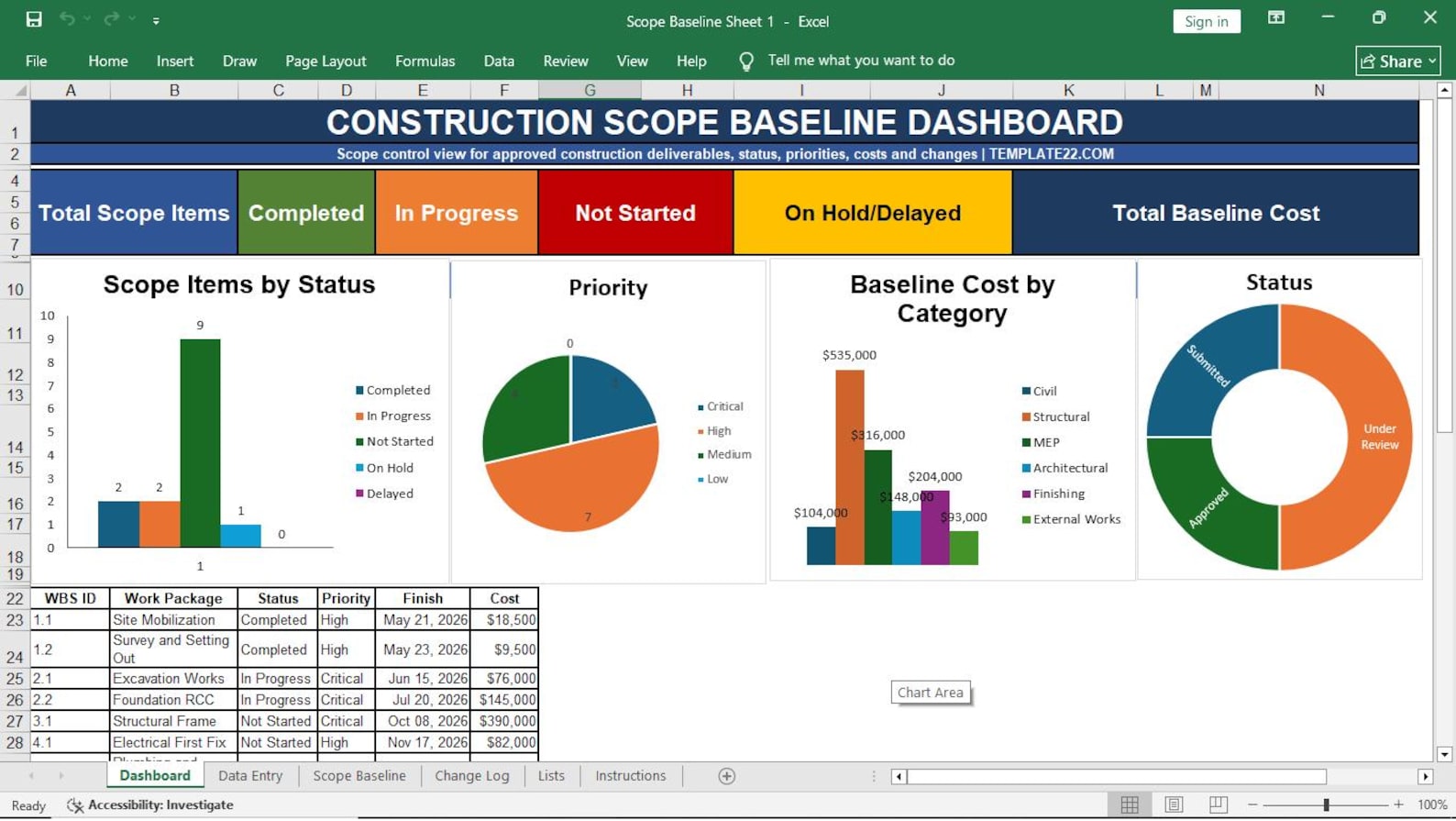
03. Scope Baseline Sheet
04. Work Breakdown Structure (WBS)
05. WBS Dictionary
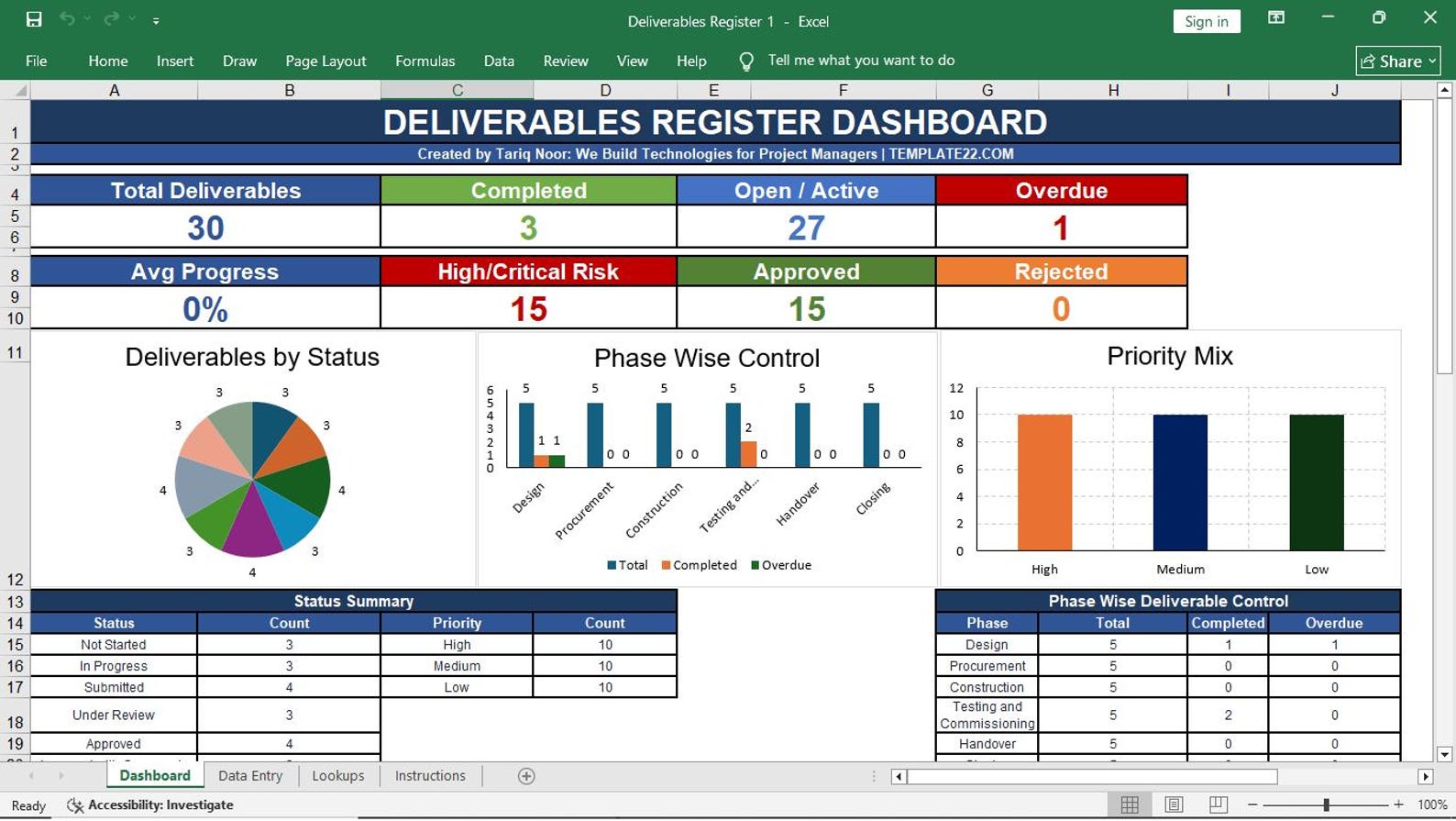
06. Deliverables Register
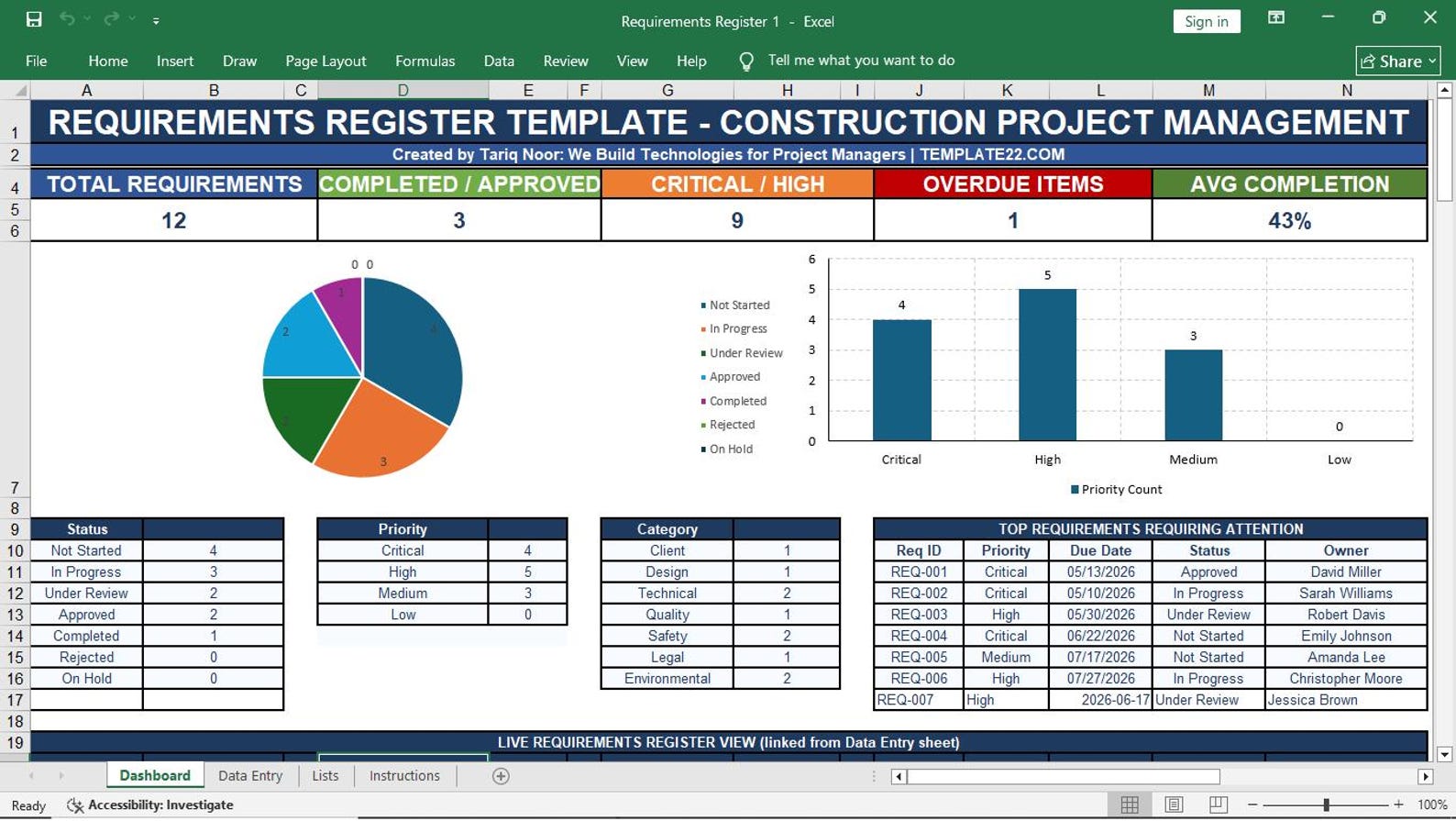
07. Requirements Register
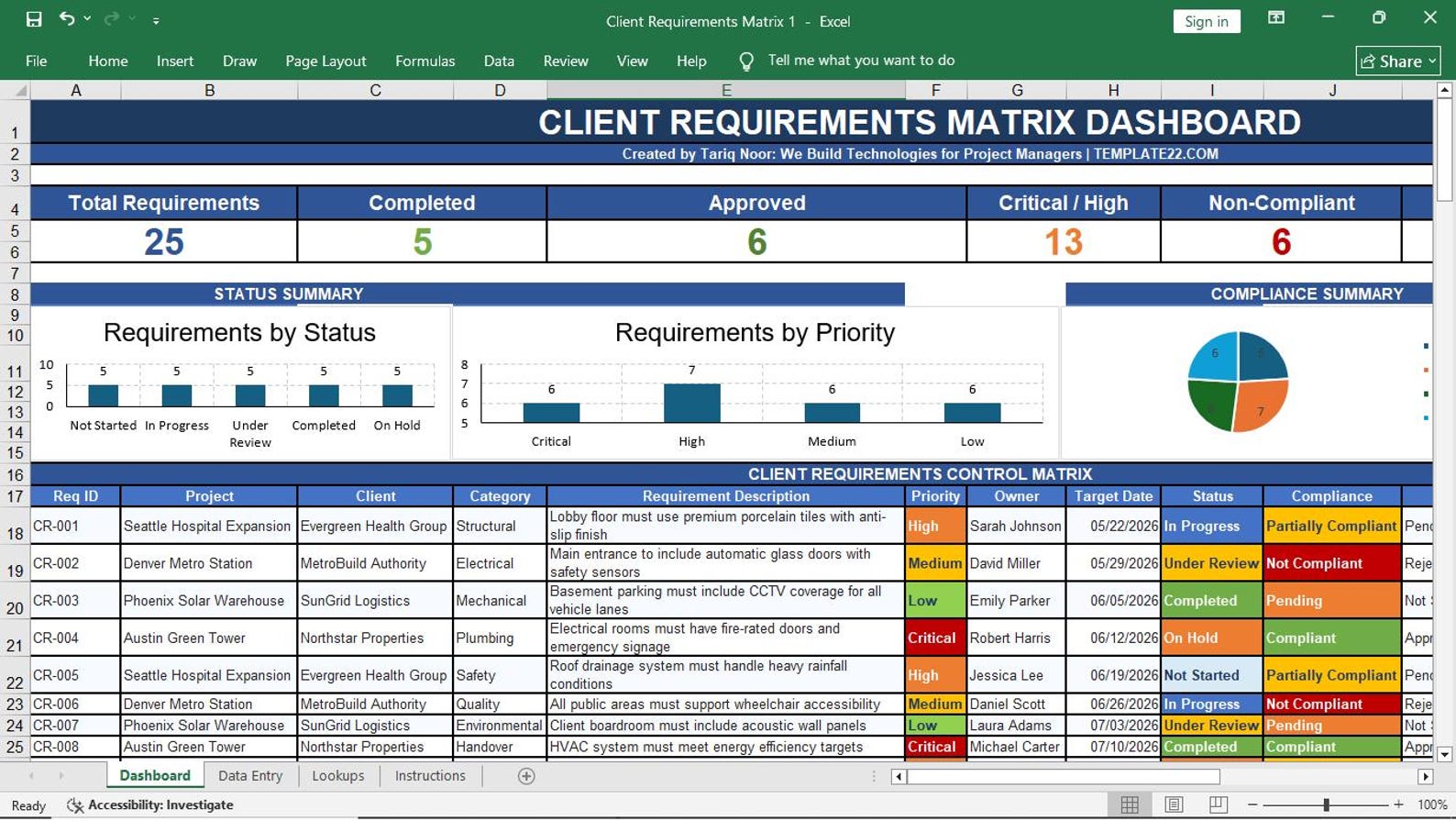
08. Client Requirements Matrix
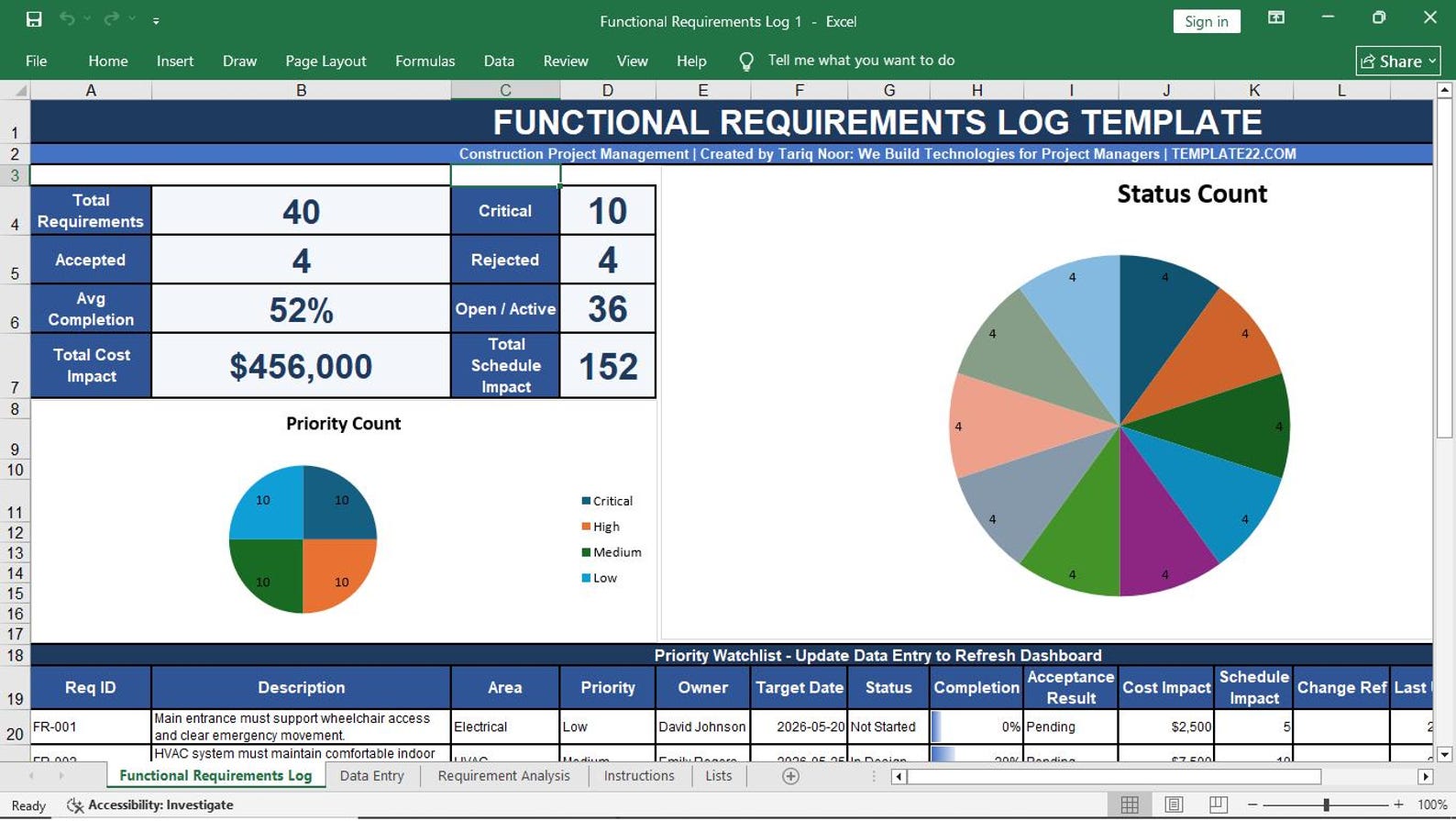
09. Functional Requirements Log
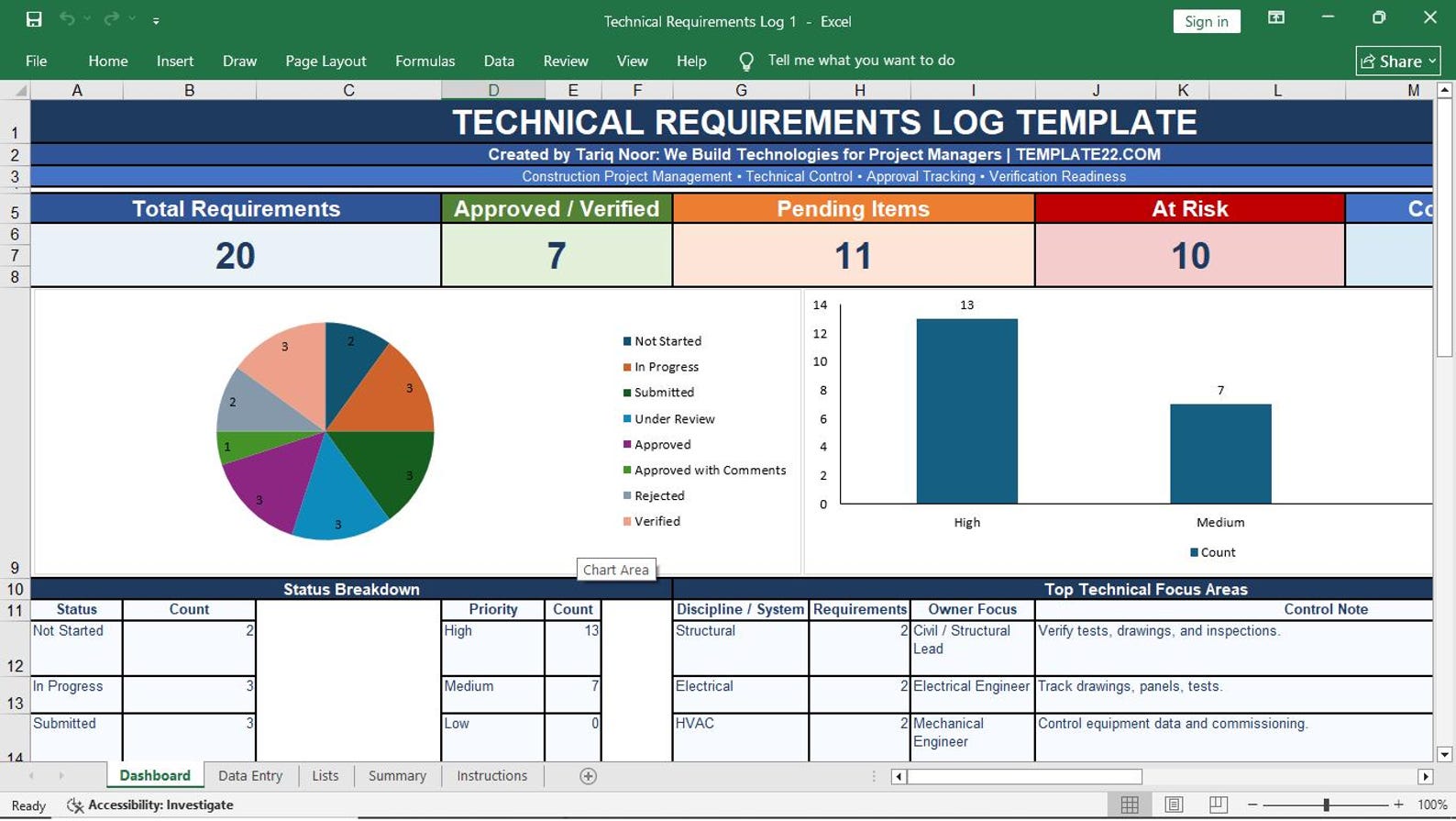
10. Technical Requirements Log
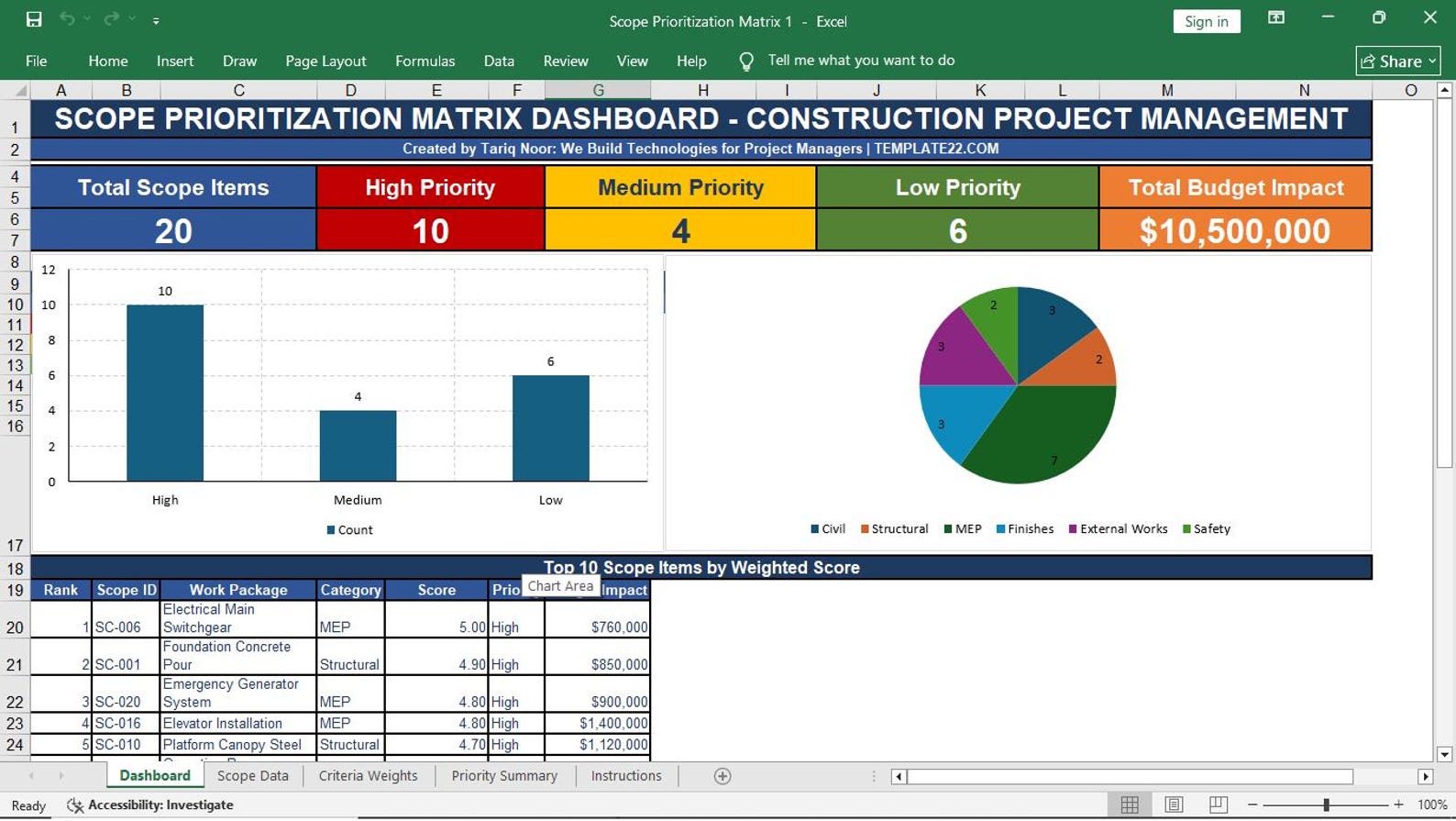
11. Scope Prioritization Matrix
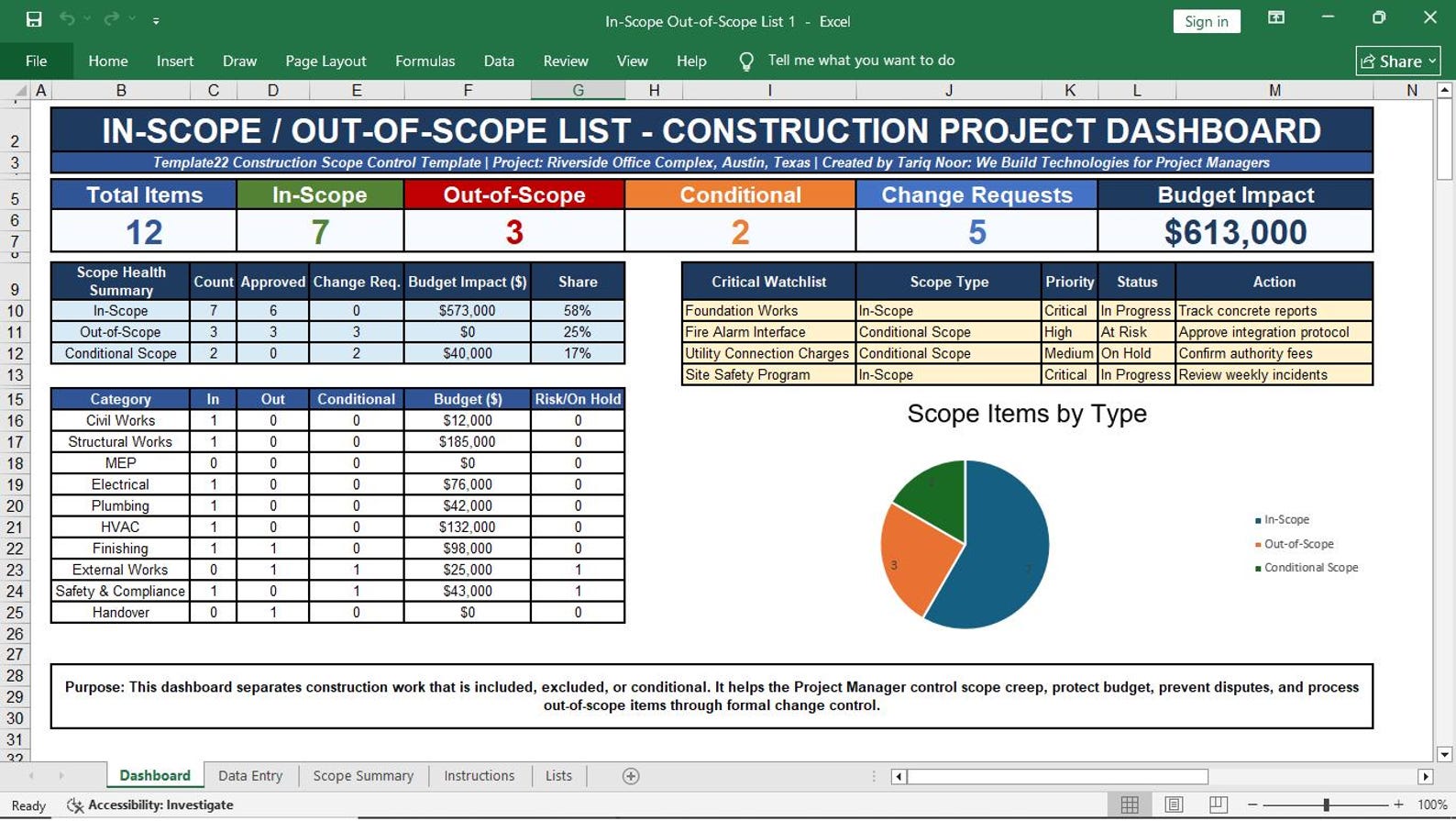
12. In-Scope / Out-of-Scope List
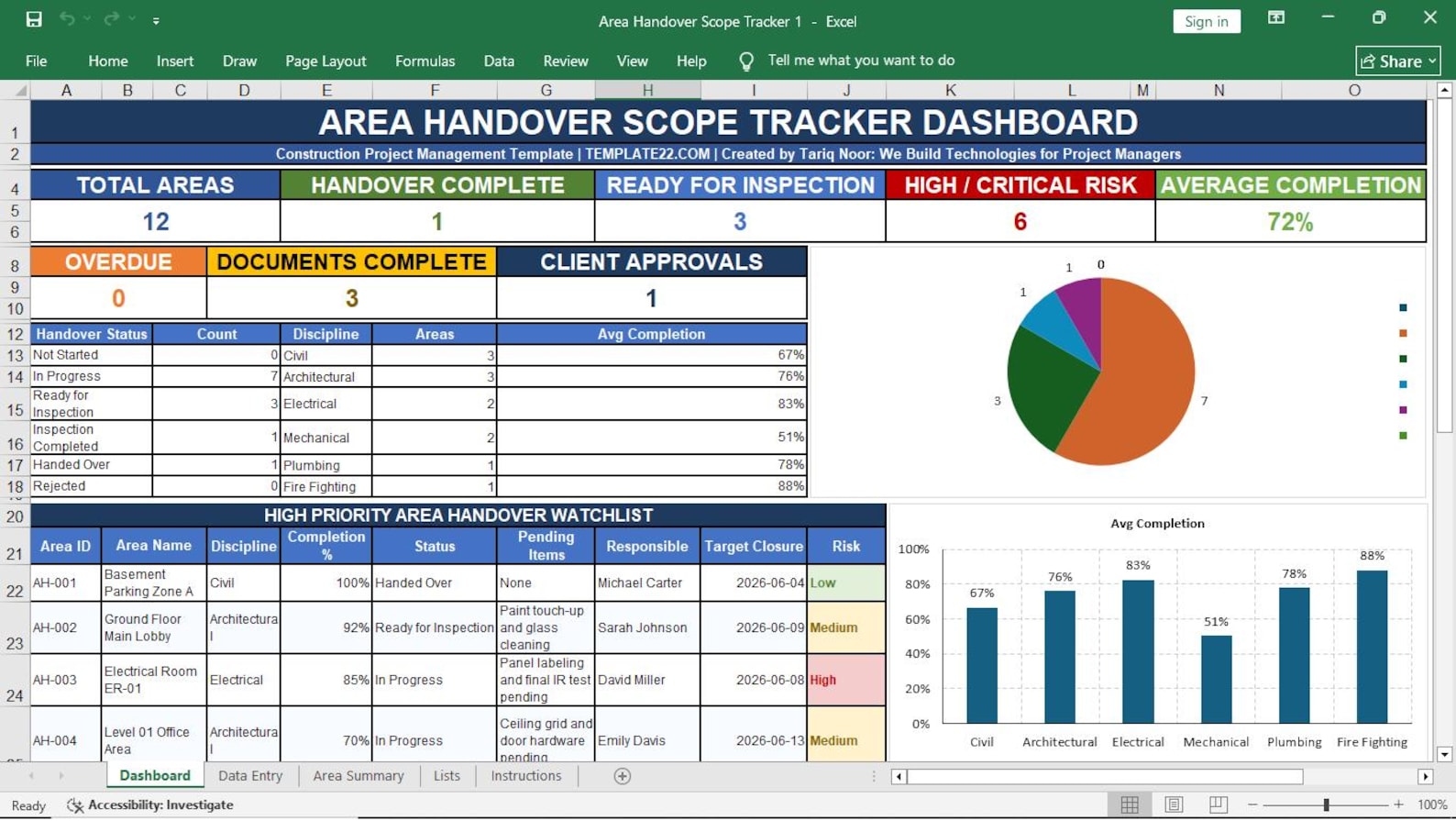
13. Area Handover Scope Tracker
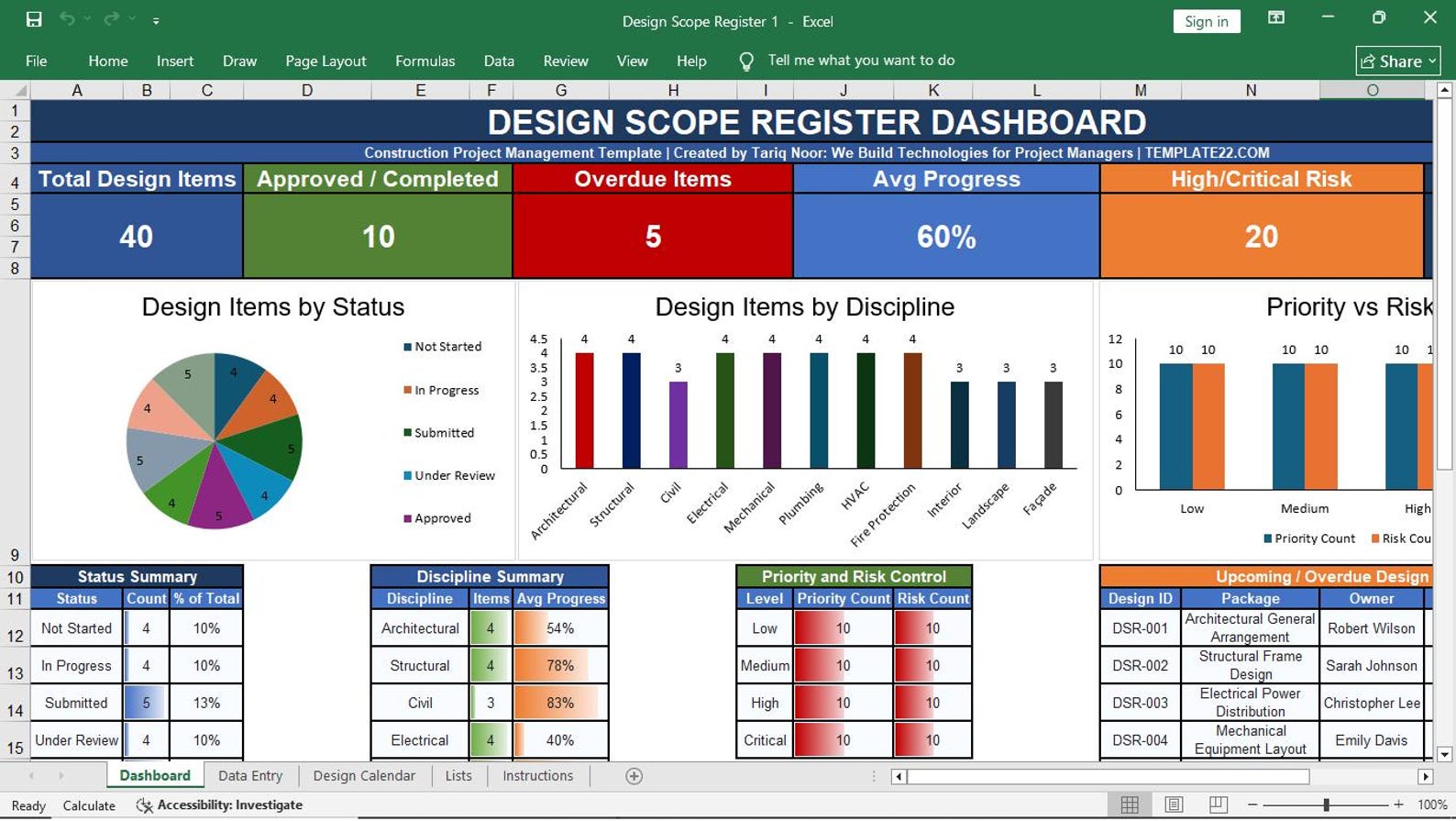
14. Design Scope Register
15. Trade Package Scope Sheet
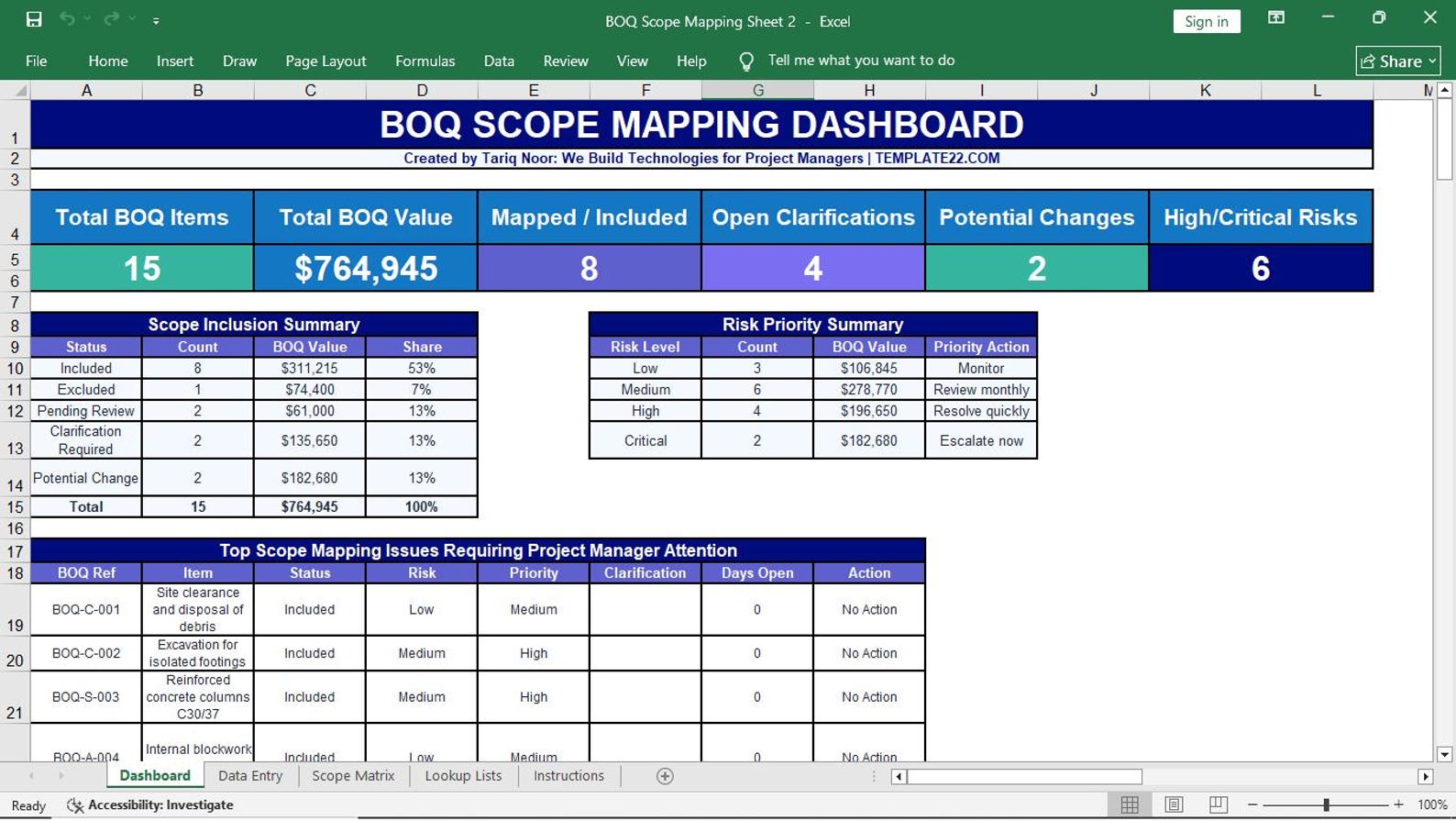
16. BOQ Scope Mapping Sheet
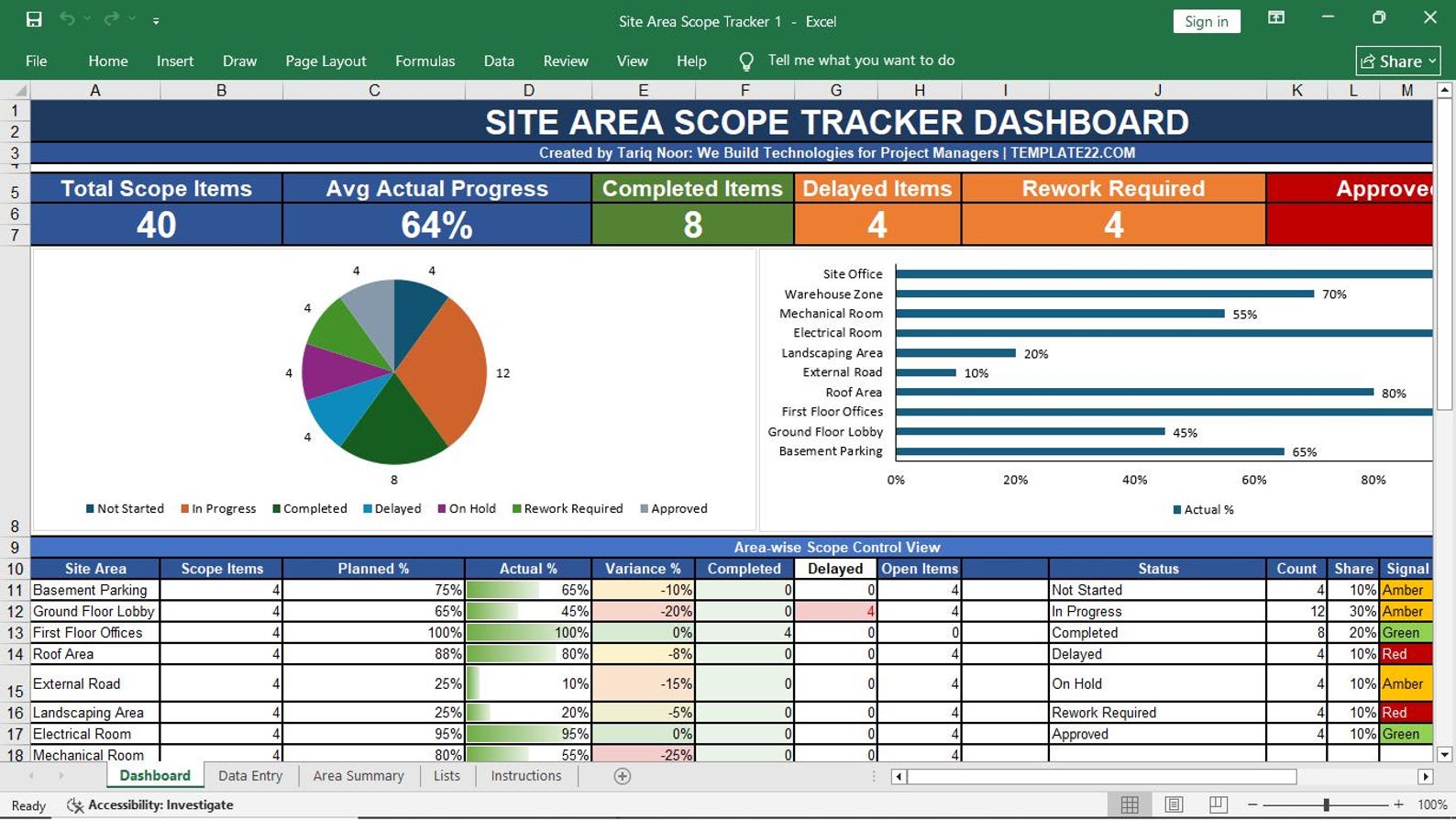
17. Site Area Scope Tracker
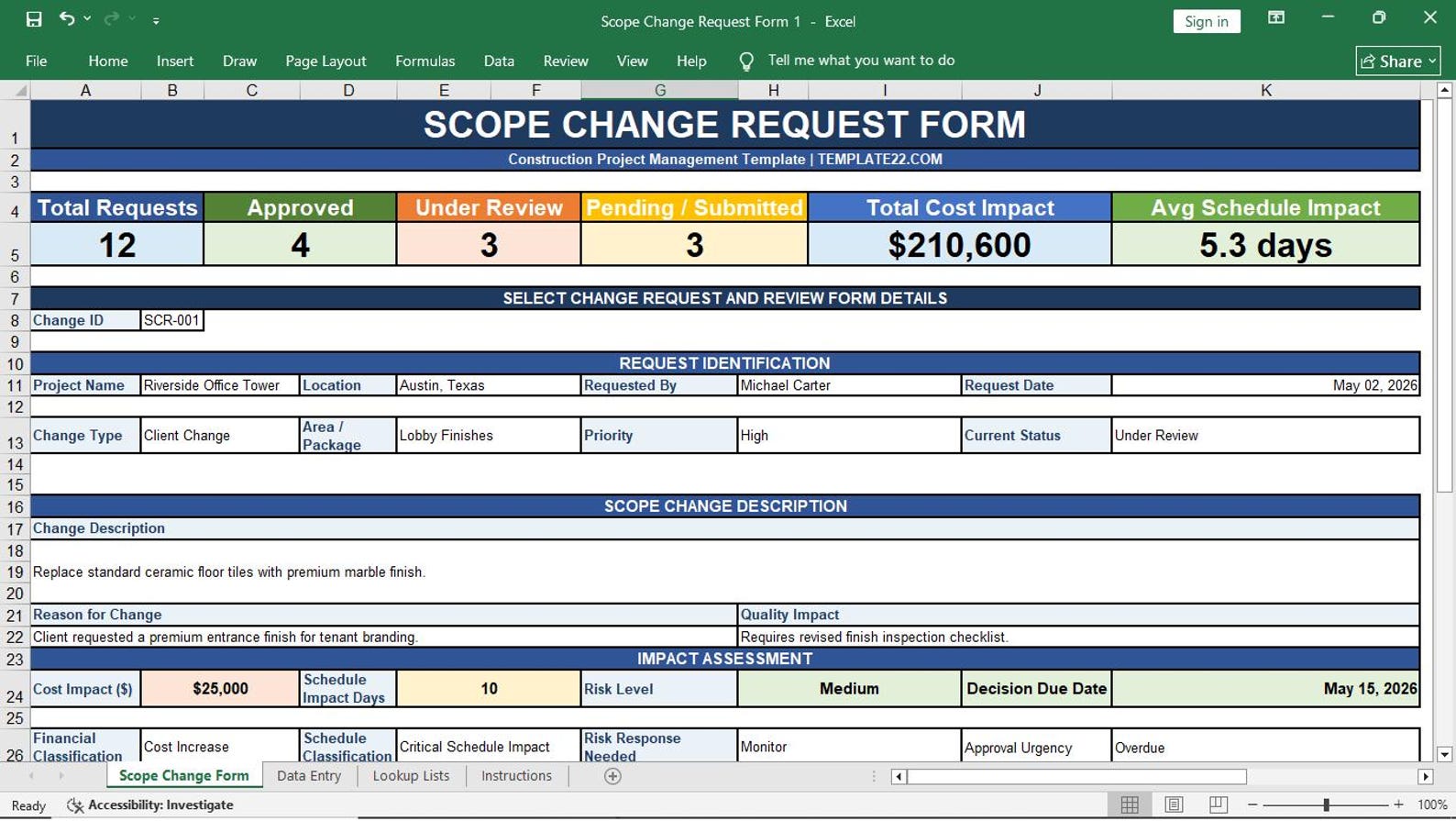
18. Scope Change Request Form
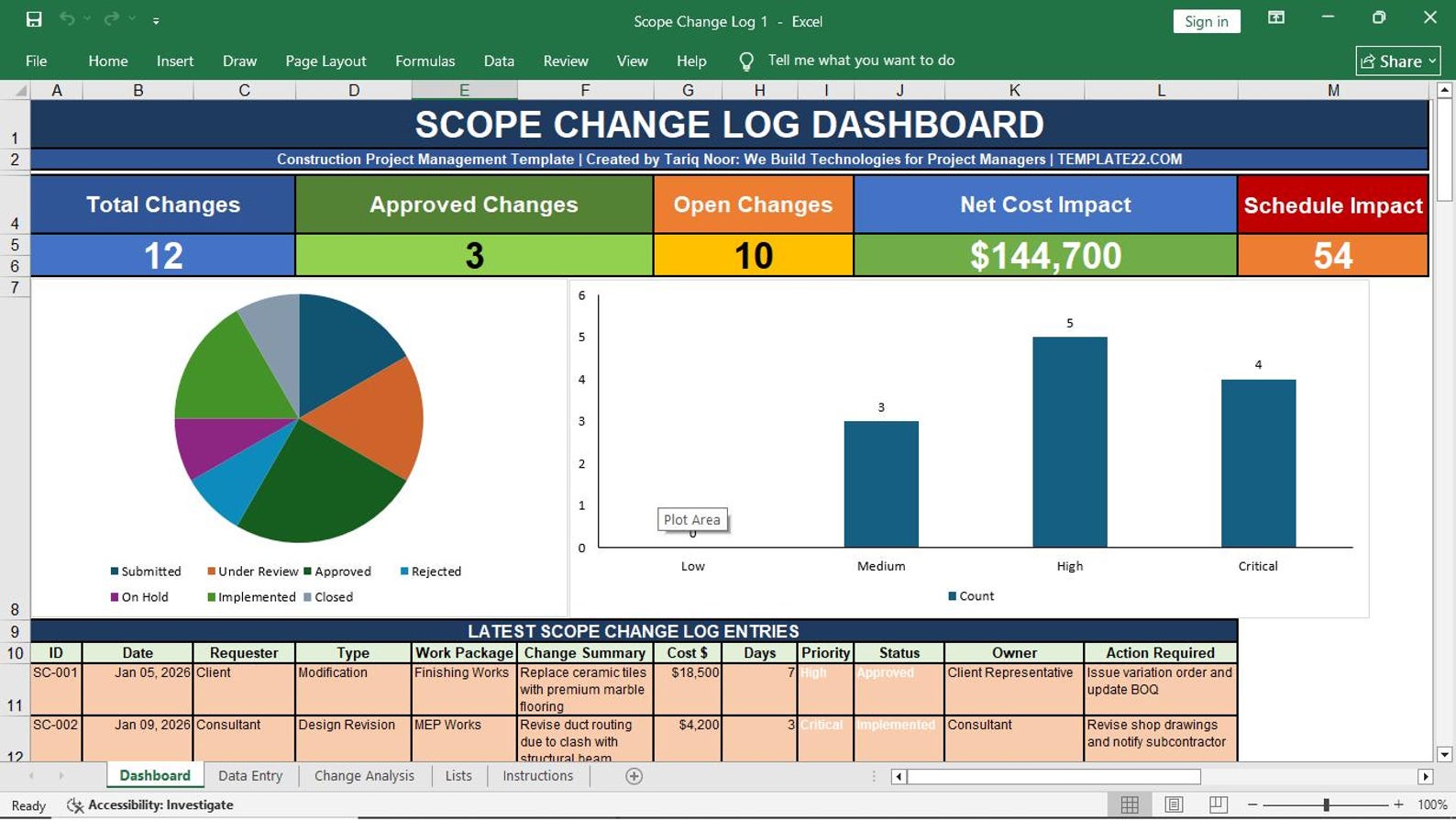
19. Scope Change Log
20. Variation Scope Tracker
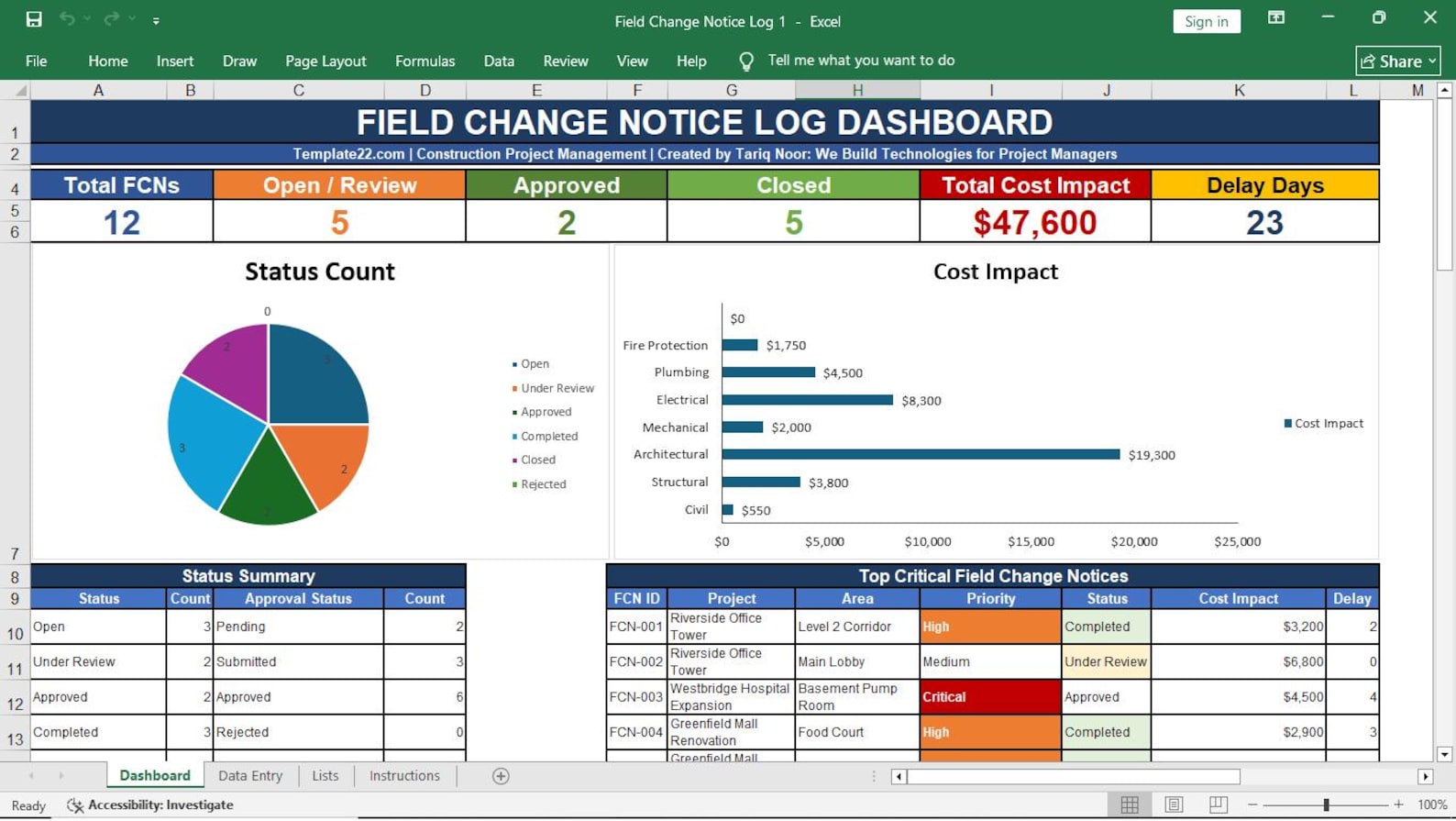
21. Field Change Notice Log
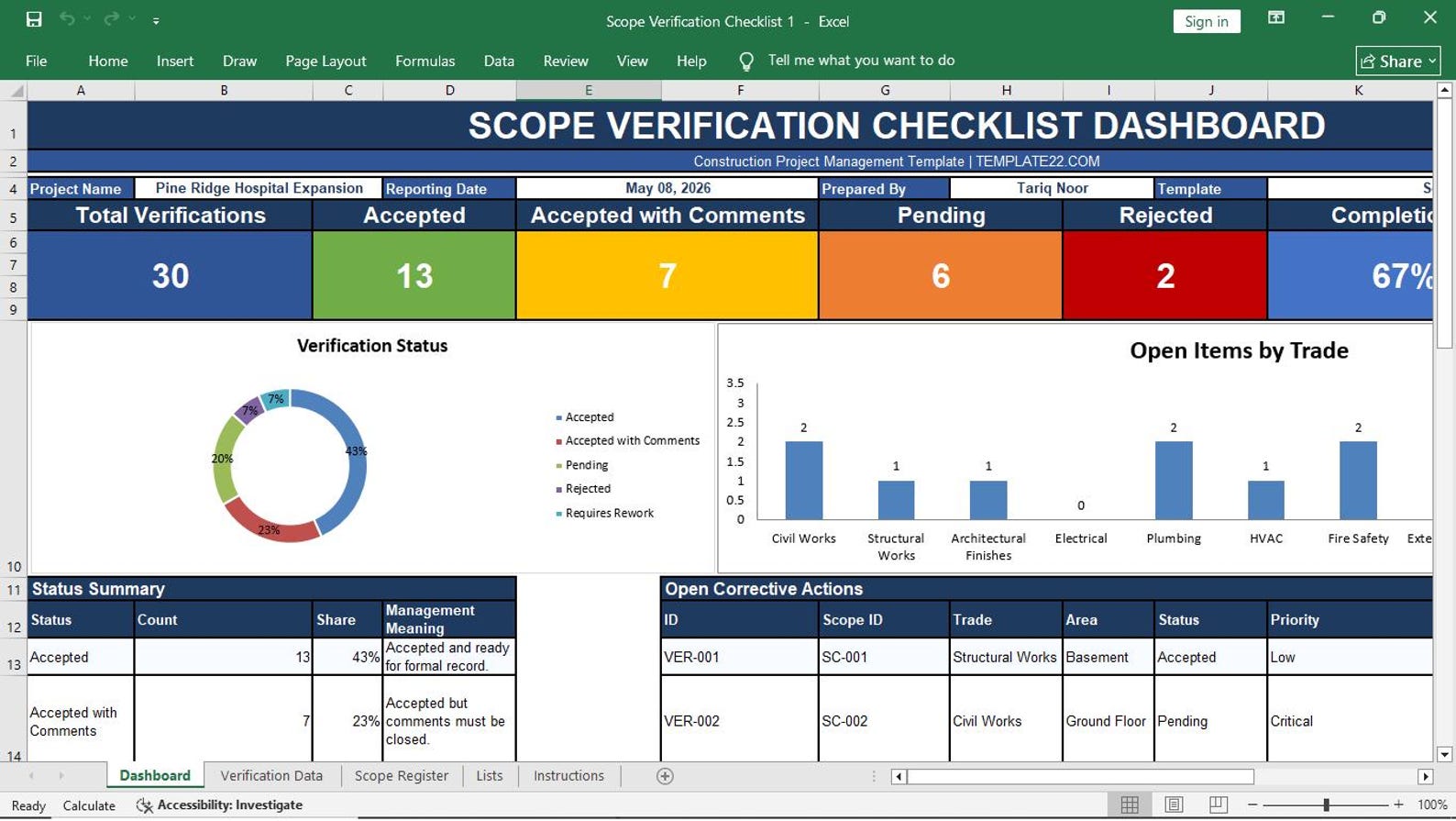
22. Scope Verification Checklist
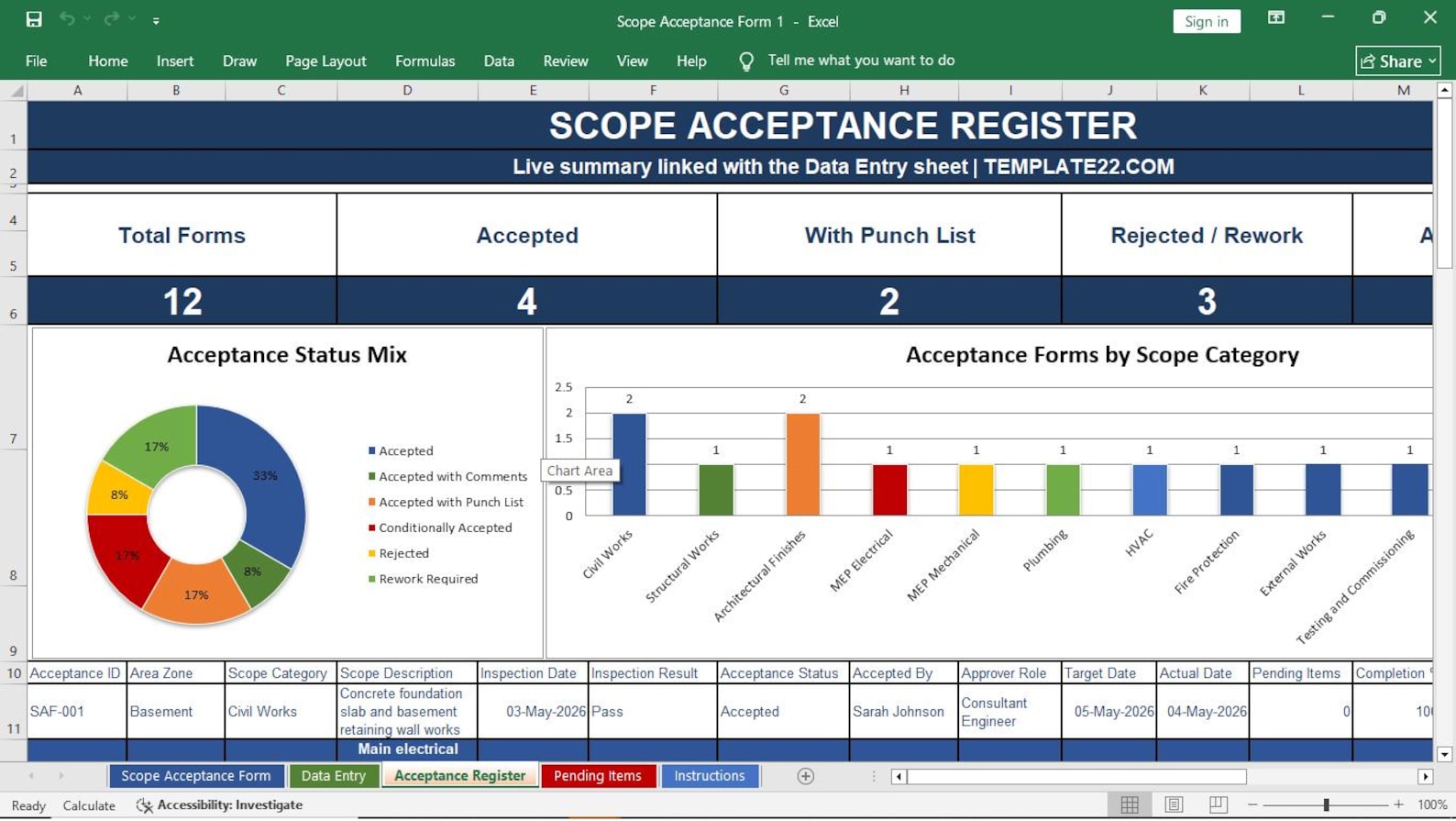
23. Scope Acceptance Form
Who Should Use This Excel Template Pack?
This template pack is designed for construction professionals who need better scope documentation, change tracking, and project control.
Construction Project Managers
Control project scope, changes, deliverables, verification, and client acceptance.
Contractors
Document scope responsibilities, trade packages, BOQ mapping, and site tracking.
Consultants
Review requirements, verify completed scope, track changes, and support approvals.
Site Engineers
Track area-wise scope, field changes, handover items, and pending work on site.
Quantity Surveyors
Connect BOQ items, variations, scope changes, and scope-related documentation.
Subcontractors
Define trade package scope, exclusions, deliverables, and acceptance requirements.
Get the Complete Project Scope Management Template Pack
Actual price is $99.99, but the special price right now is only $49.99.
Project Scope Management Templates in Excel
Get a ready-to-use, professional, colorful, and editable Excel template pack for construction project scope planning, tracking, control, verification, and acceptance.
Frequently Asked Questions
Simple answers before you buy the Project Scope Management Templates in Excel.
Is this template pack editable?
Yes. The templates are fully editable in Microsoft Excel. You can change text, colors, rows, columns, formulas, and layout as needed.
Do I need special software?
No. You only need Microsoft Excel. You do not need expensive construction software, cloud software, or monthly subscriptions.
Can I use this for construction projects?
Yes. This template pack is designed specifically for construction project management, contractors, consultants, engineers, and project teams.
Does it include WBS and scope change templates?
Yes. It includes Work Breakdown Structure, WBS Dictionary, Scope Change Request Form, Scope Change Log, Variation Scope Tracker, and Field Change Notice Log.
Can I add my company logo?
Yes. You can add your company logo, project name, client name, contractor name, consultant name, and project details.
Is this a physical product?
No. This is a digital product. No physical item will be shipped. After purchase, you can download and use the files.
