Project Planning Dashboard in Excel
Plan, track, control, and report your projects from one professional Excel workbook. Monitor tasks, milestones, budget, resources, risks, issues, stakeholders, changes, quality, procurement, actions, and executive project performance.
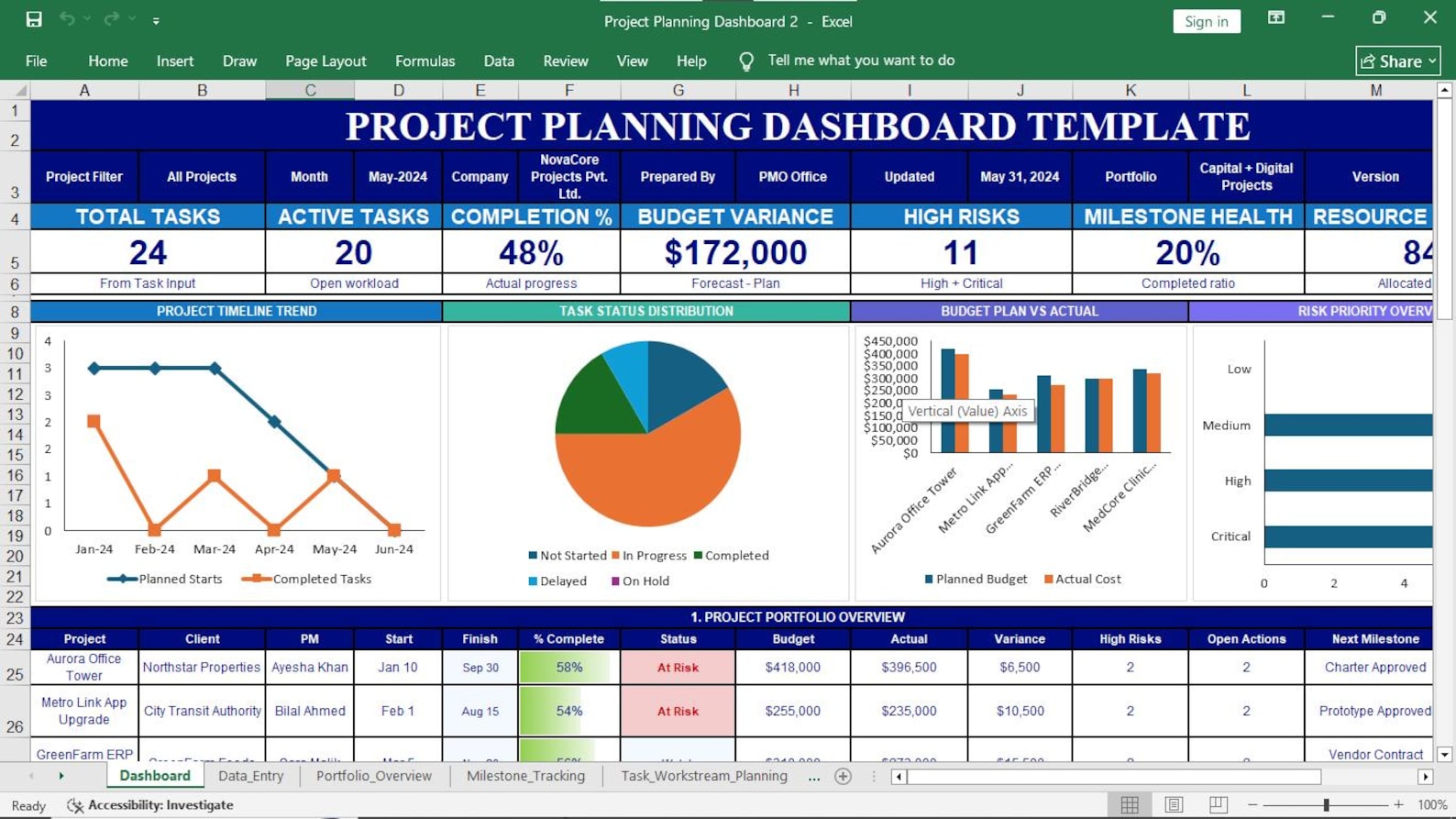
Everything You Need to Plan and Control Projects
Replace scattered spreadsheets with one structured project planning system. The workbook brings planning, monitoring, control, and reporting information into a professional Excel environment.
Executive Dashboard
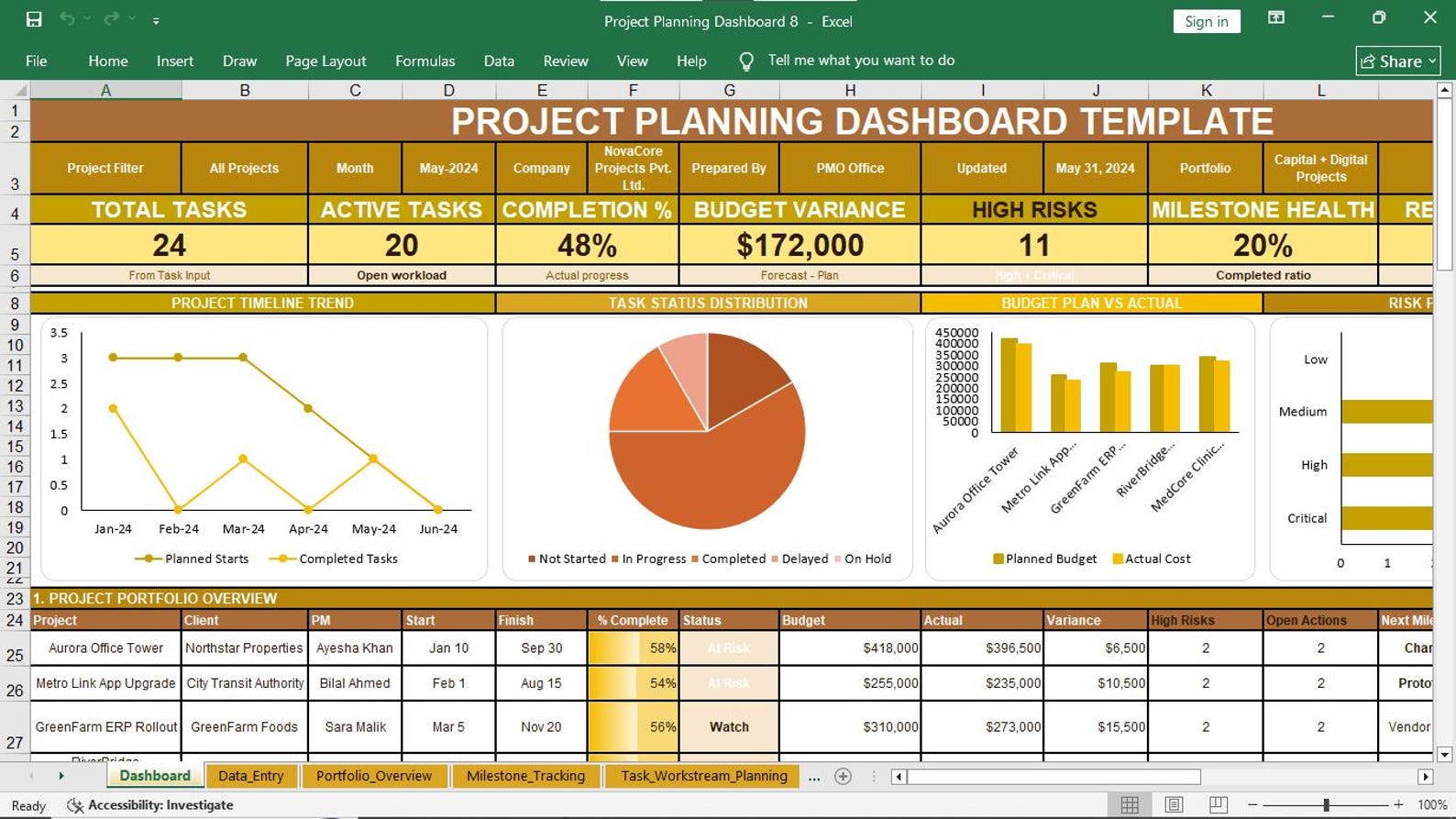
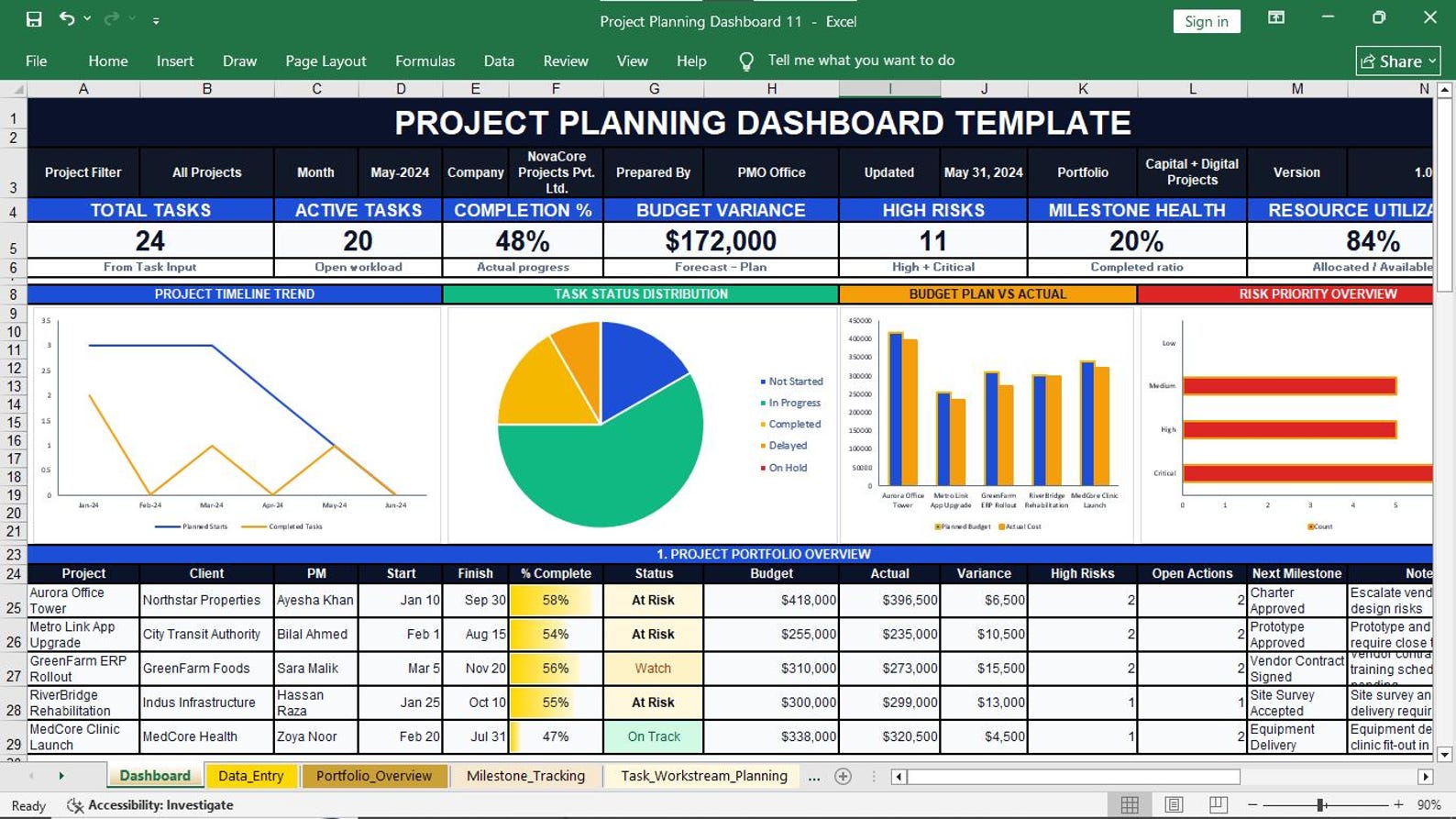
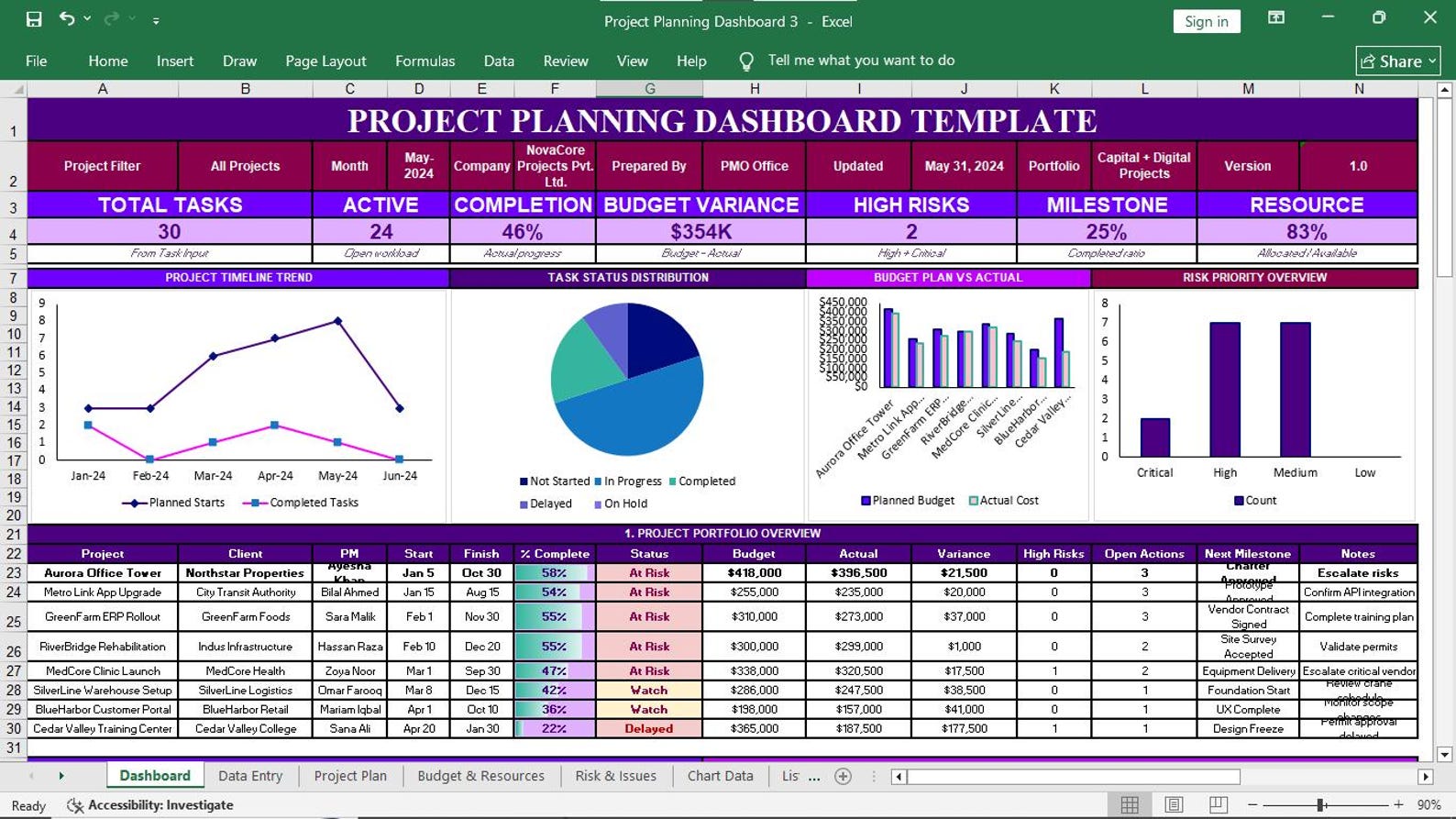
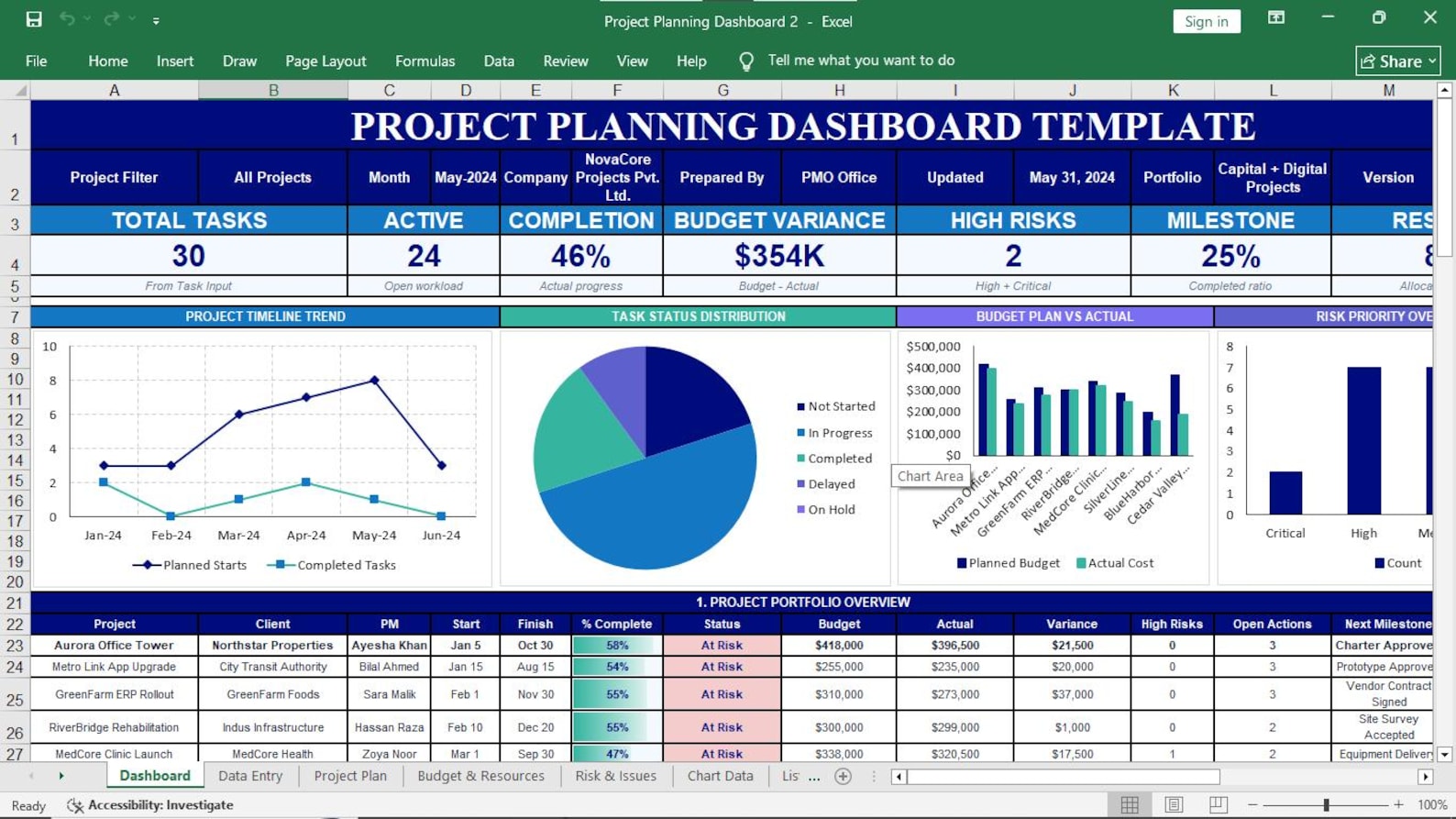
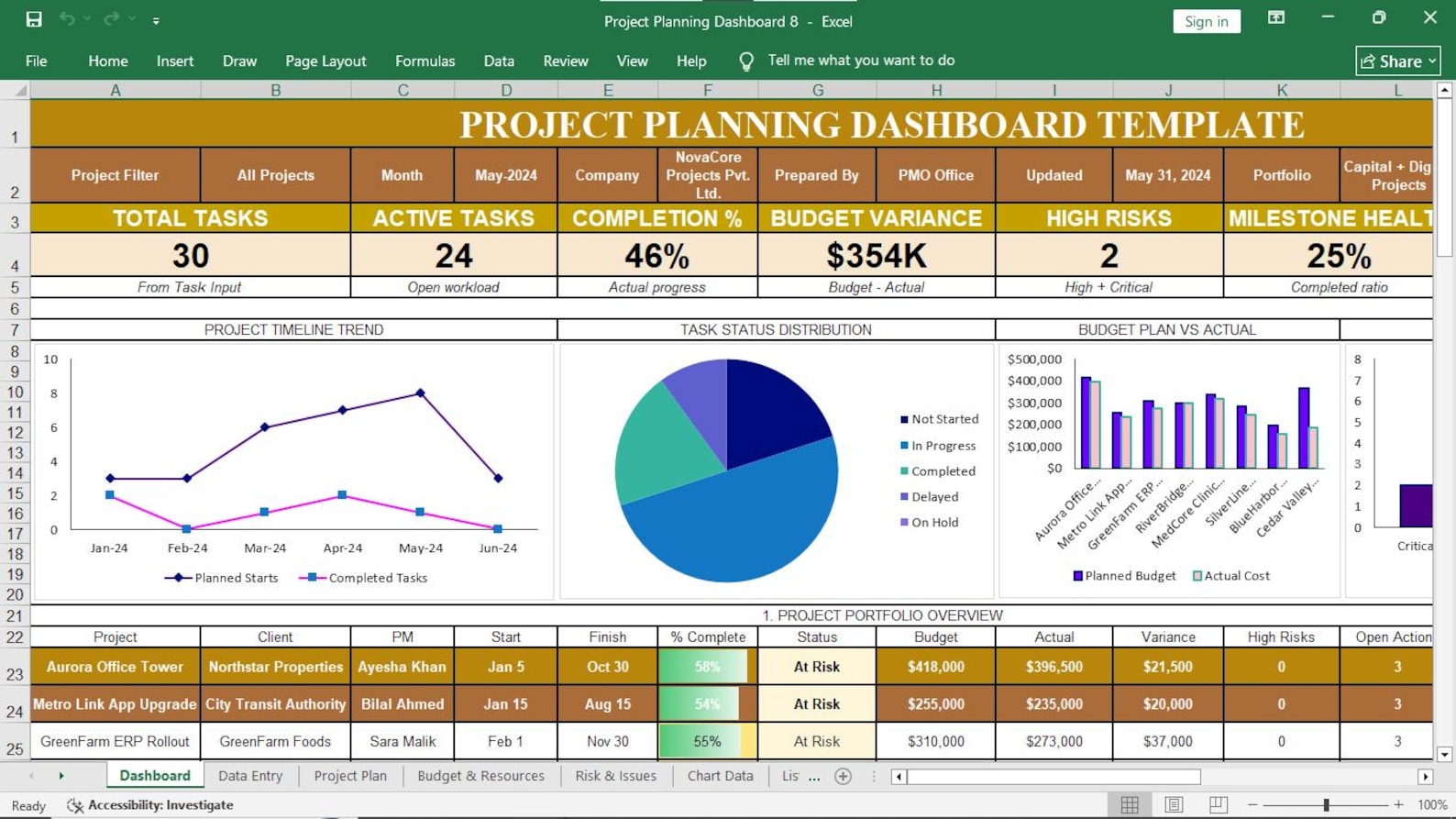
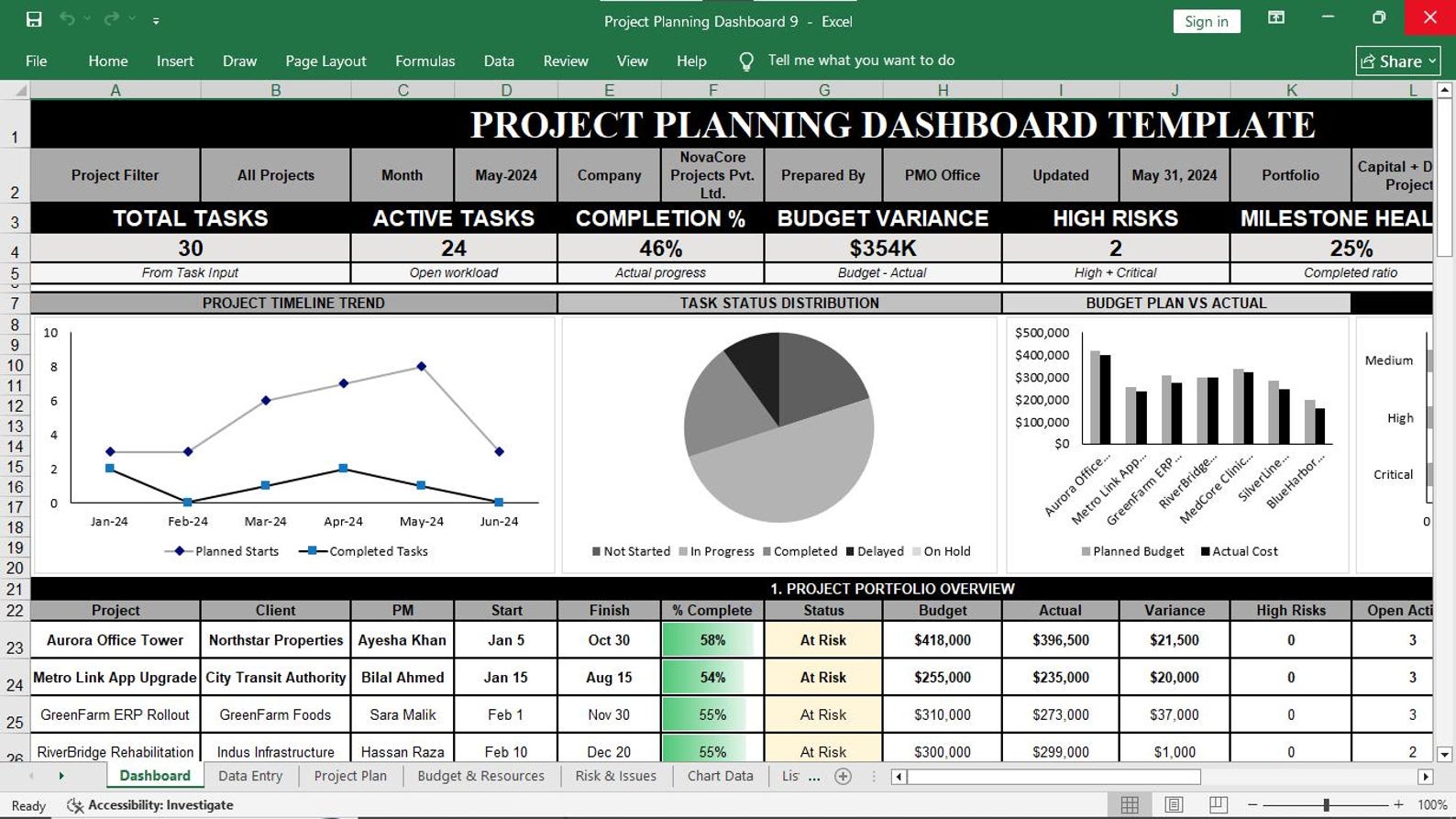
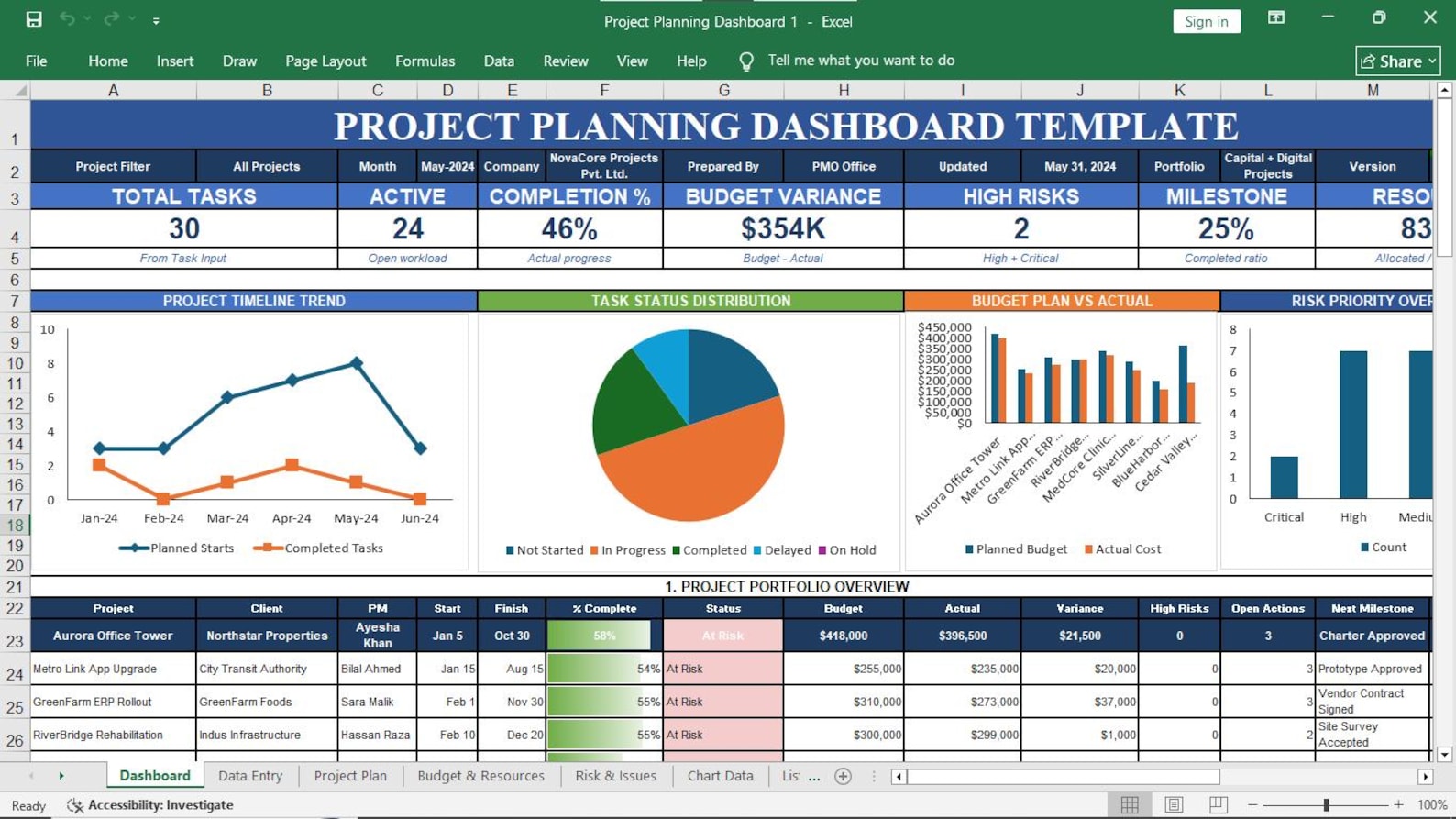
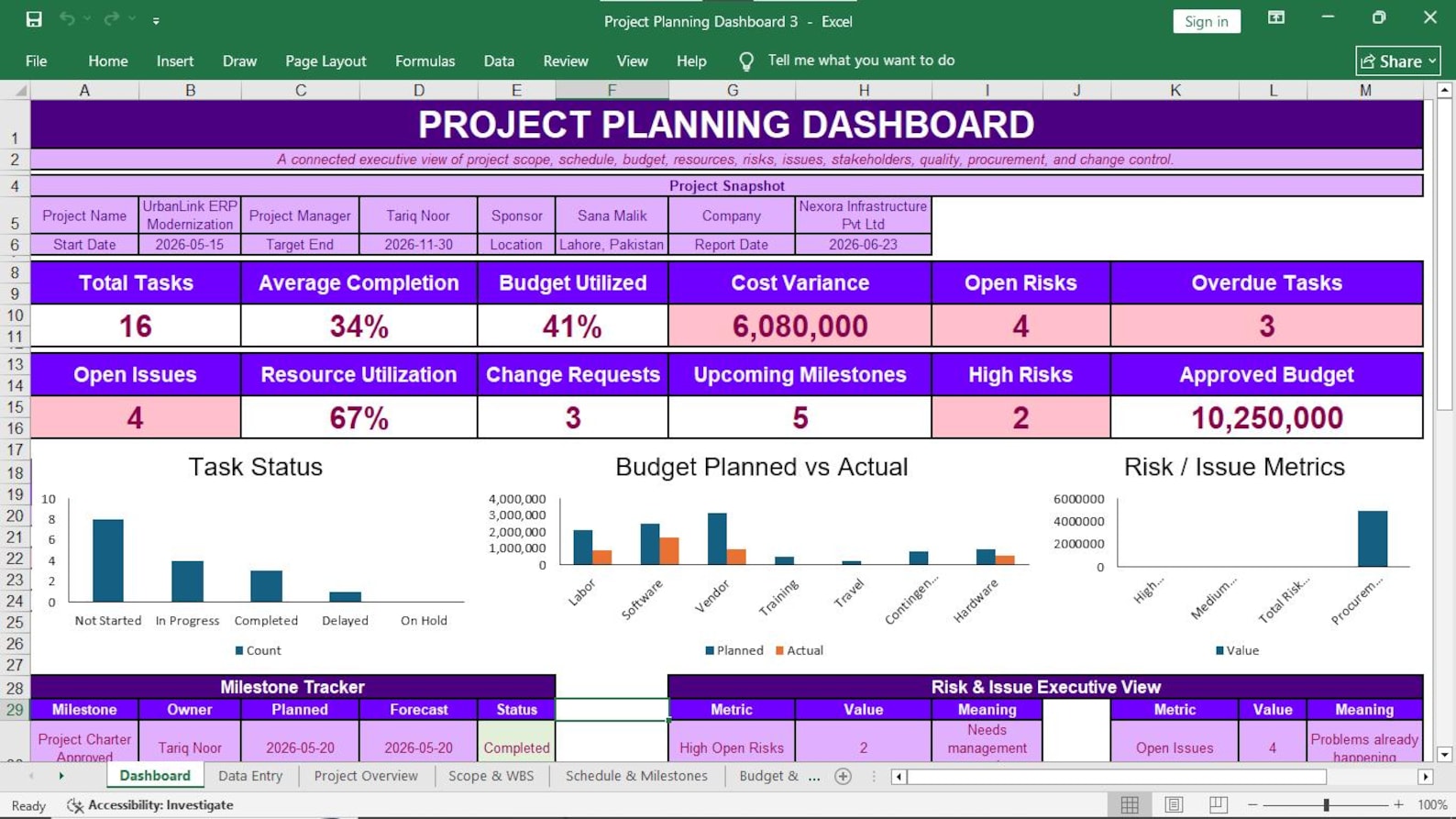
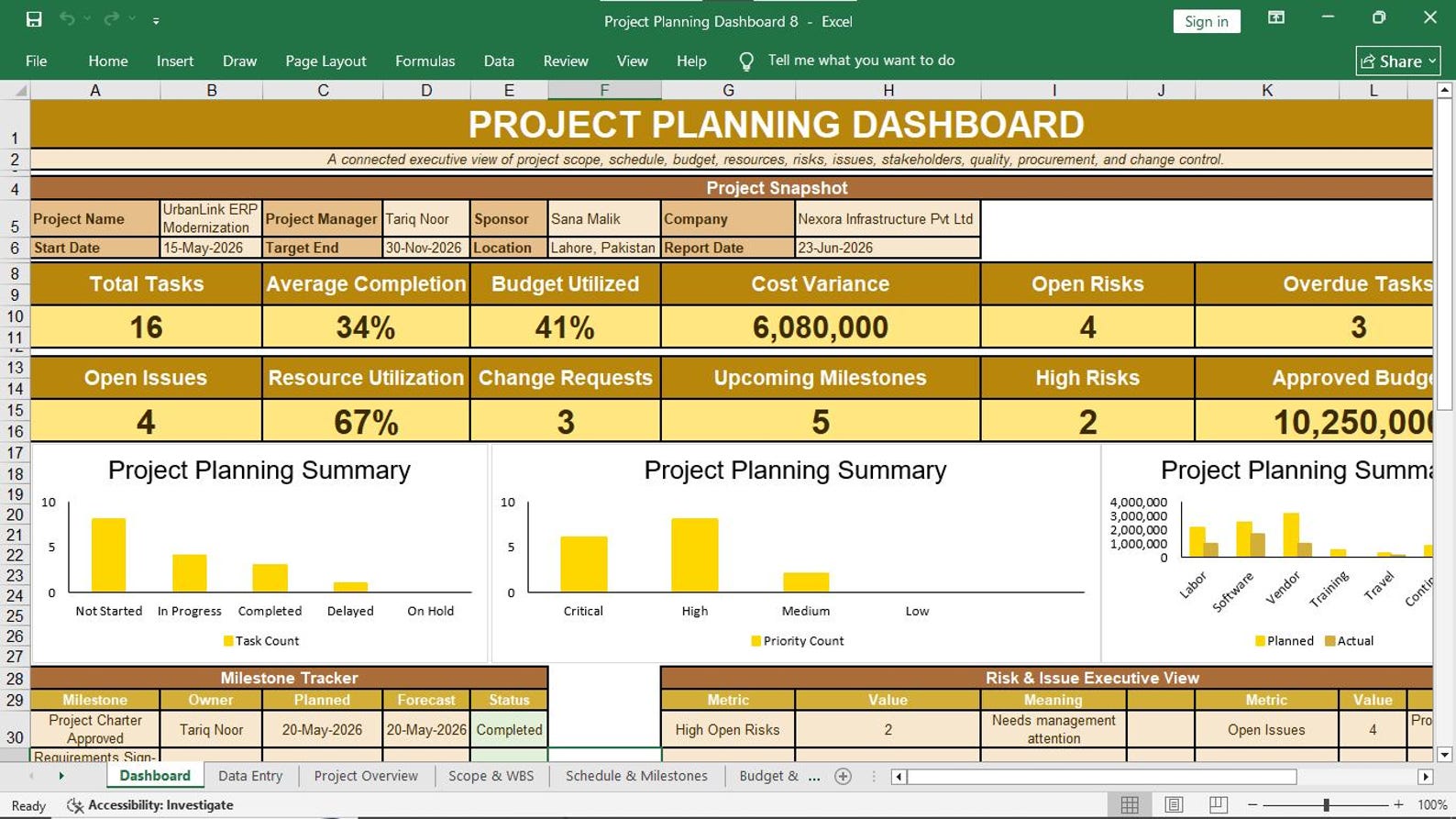
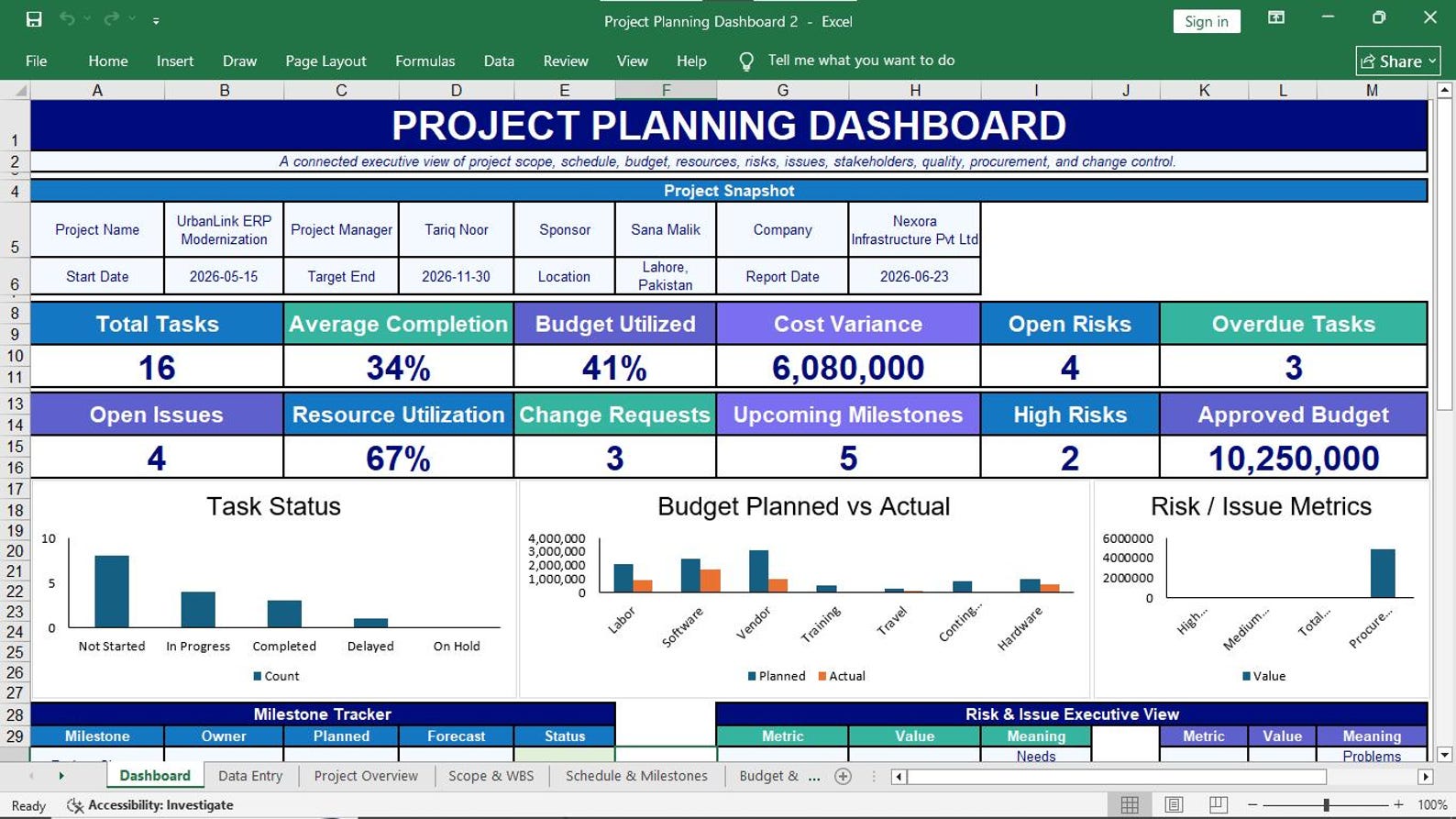
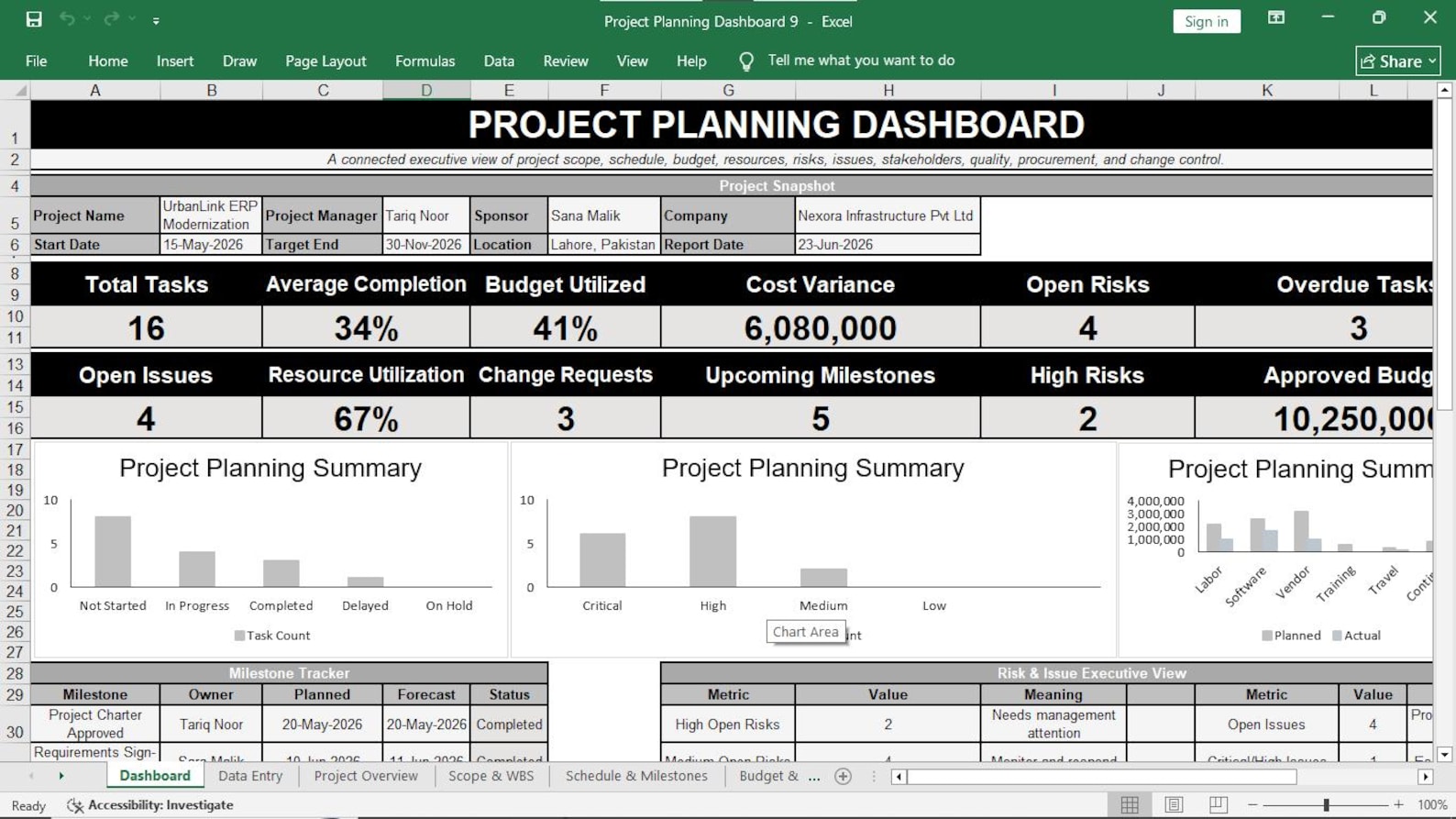
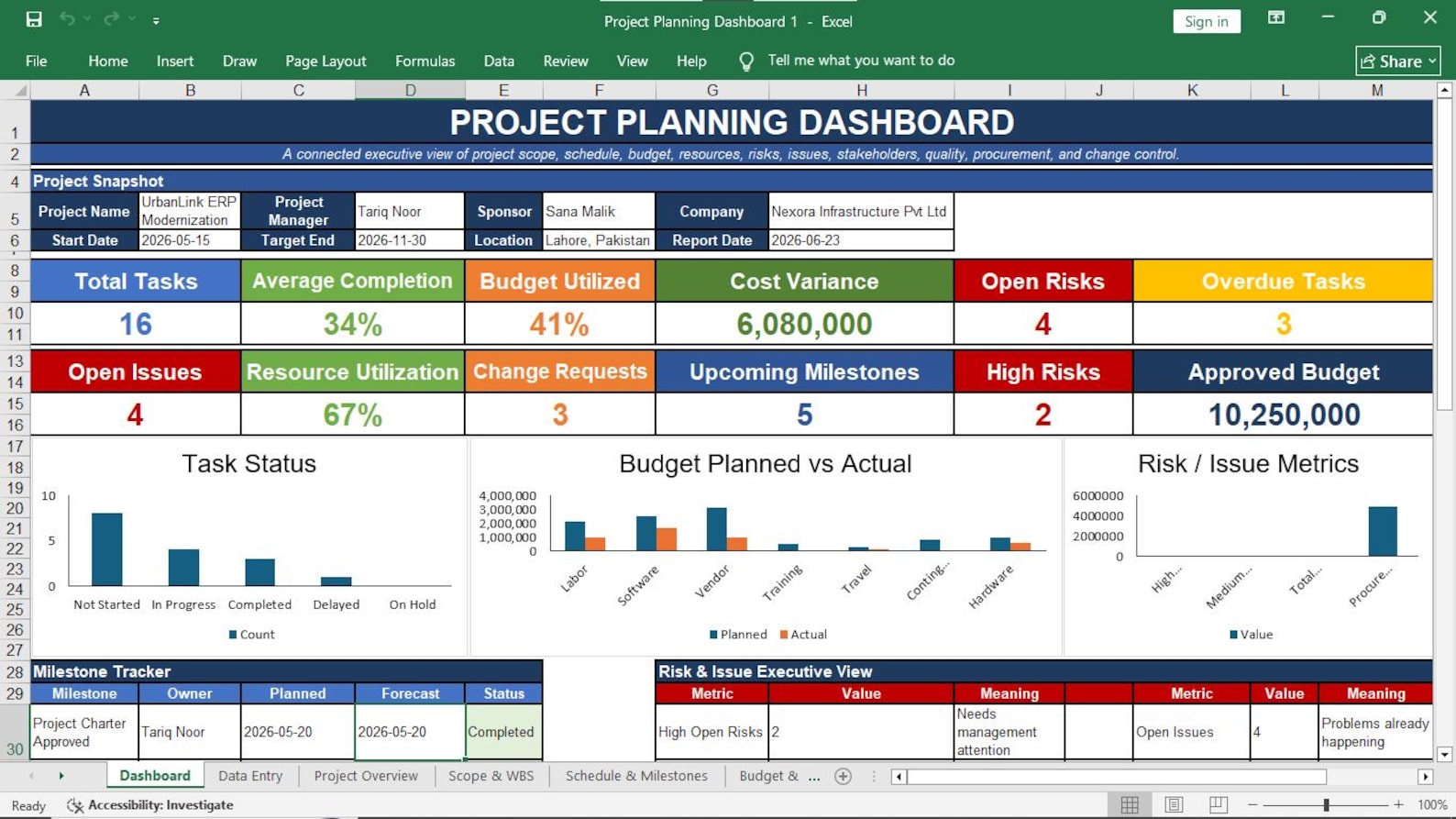
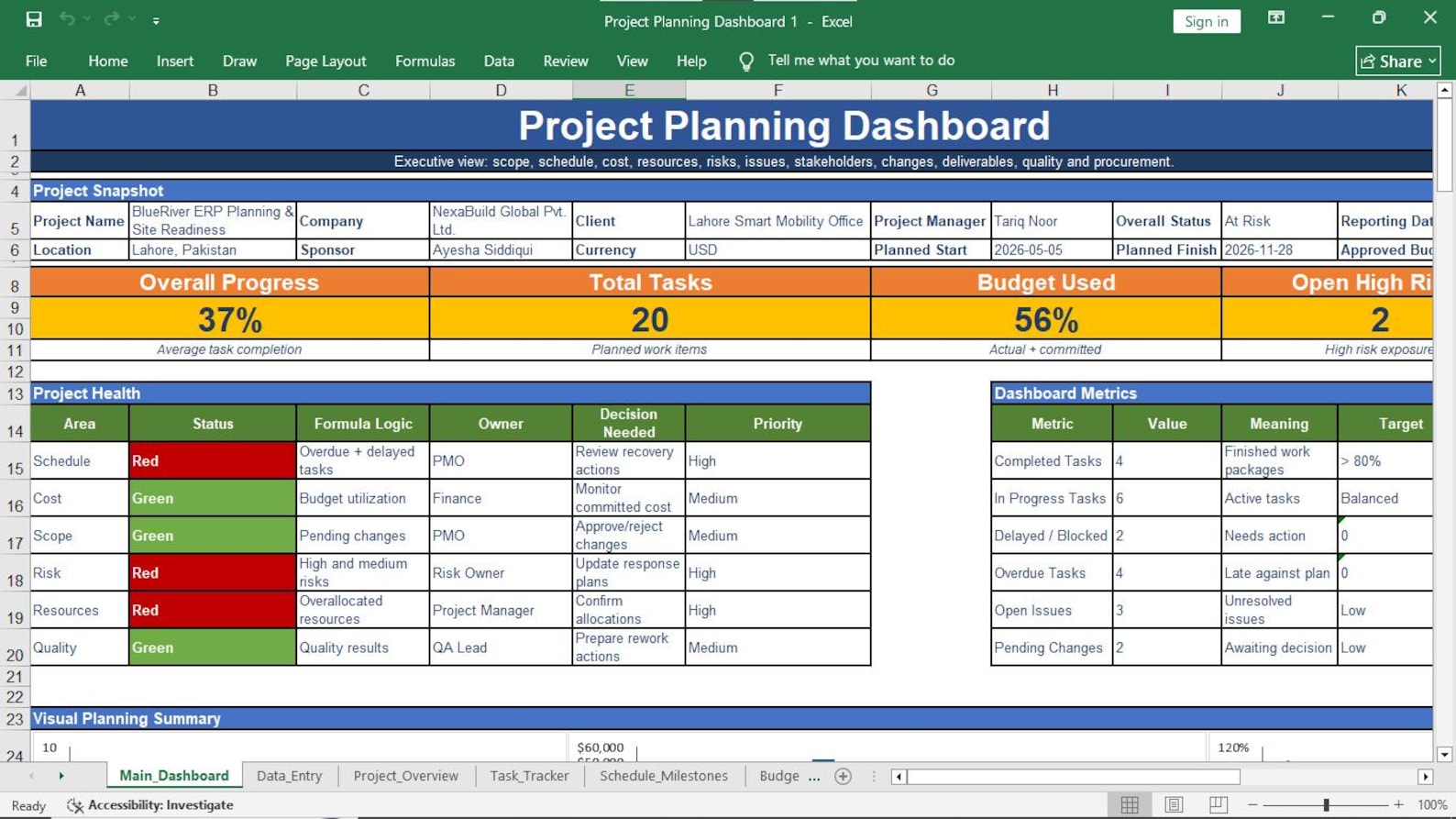
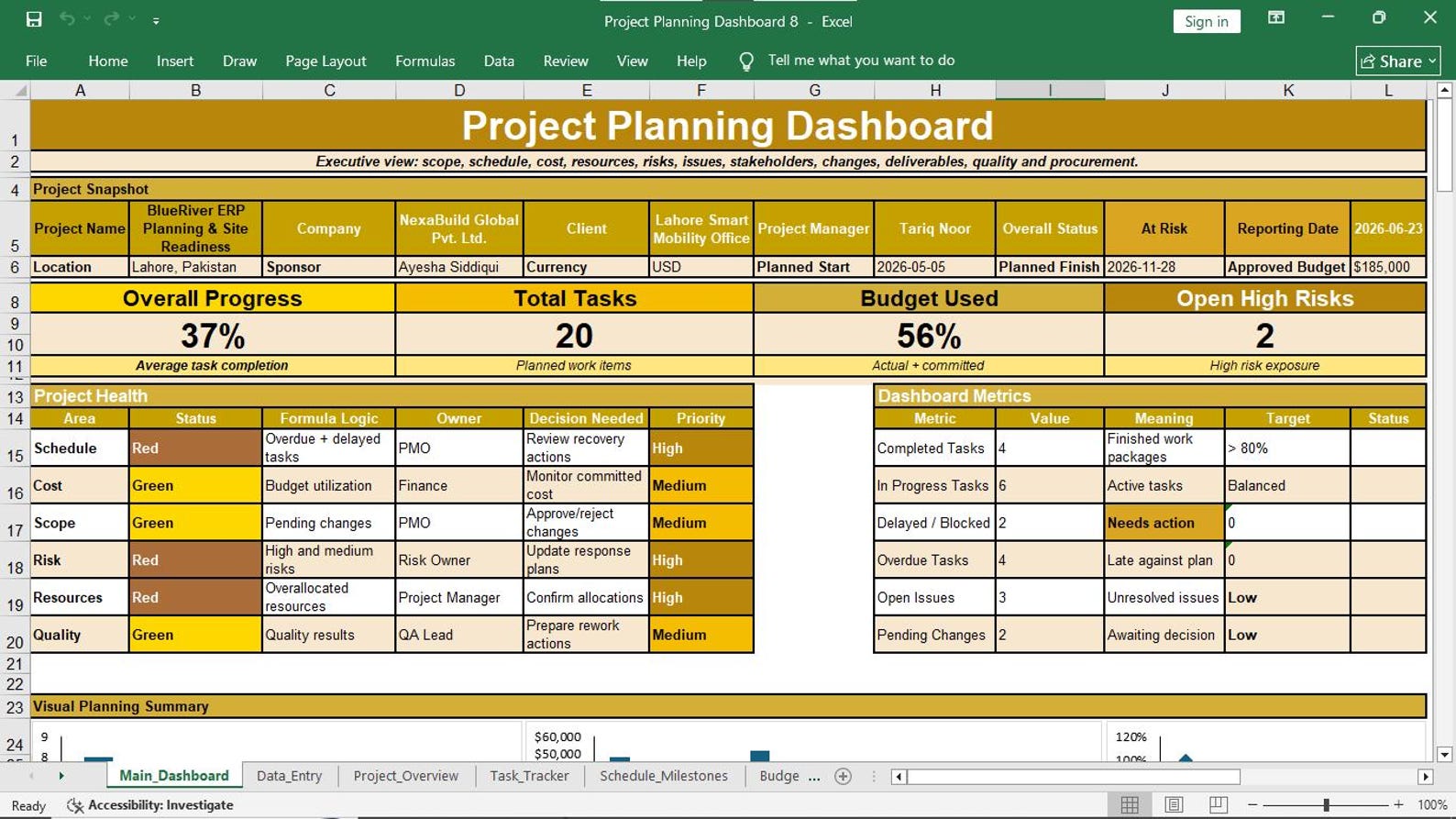
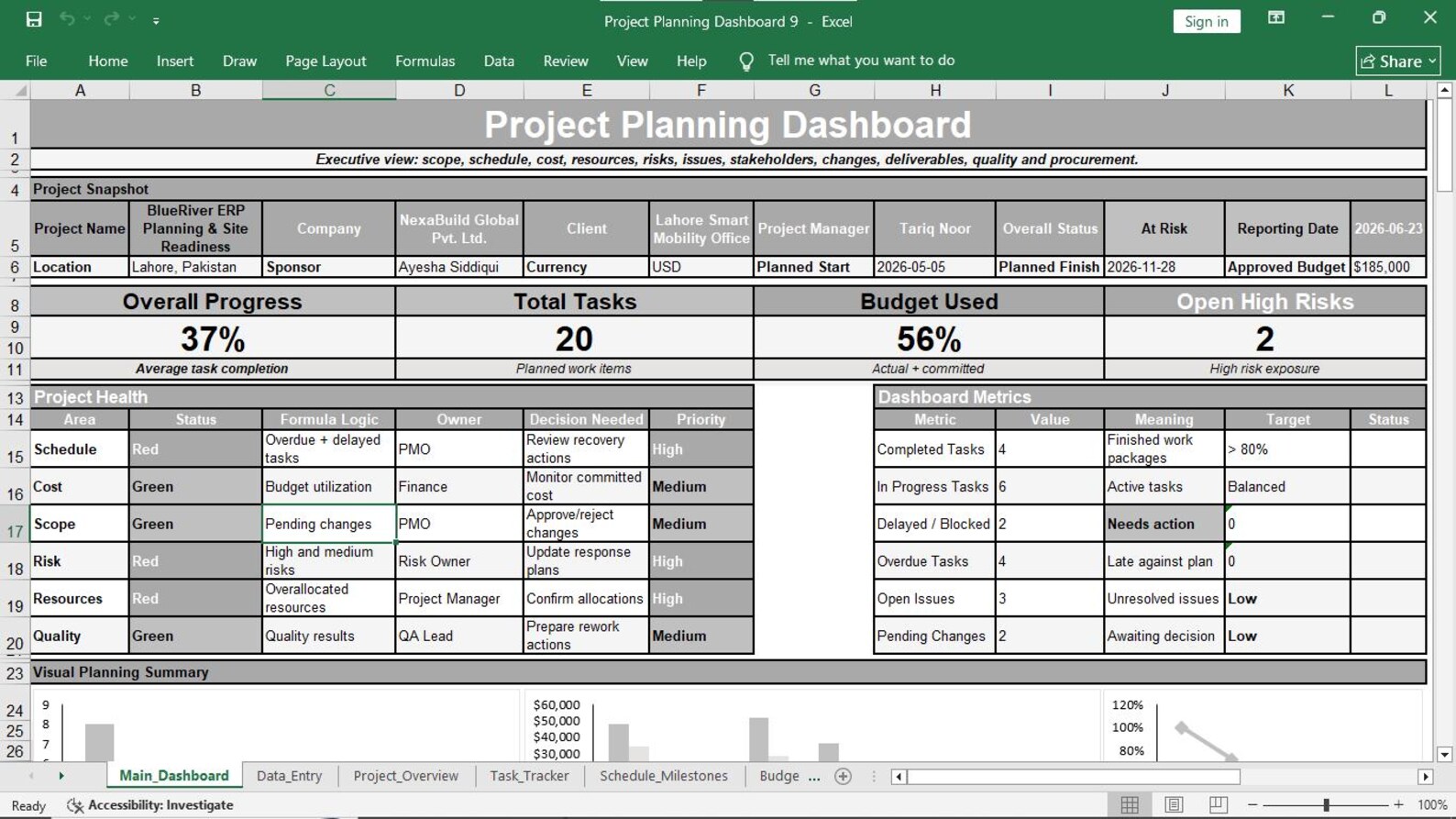
View task progress, milestone health, budget performance, risk exposure, resource utilization, and other key project indicators.
Task Planning
Organize tasks by project, workstream, owner, dates, priority, and current status for stronger accountability.
Milestone Tracking
Monitor important project milestones, completion dates, responsible owners, dependencies, status, and milestone health.
Budget Monitoring
Review planned budget, actual cost, forecast information, variance, and budget status in a structured format.
Risk & Issue Control
Record risks and issues, score priorities, assign owners, monitor responses, and track current status.
Resource Allocation
Compare available and allocated capacity, review utilization, and identify potential resource pressure.
See Project Performance from One Dashboard
Move from scattered data to a structured visual management view. Review the information that requires management attention without searching through multiple disconnected files.
Total and Active Tasks
Understand workload and current activity across your project portfolio.
Completion Percentage
Monitor overall progress and quickly identify projects requiring attention.
Budget Variance
Compare financial position and identify areas of potential cost pressure.
High & Critical Risks
Bring serious project threats to management attention earlier.
Milestone Health
See important checkpoints and identify milestones requiring action.
Resource Utilization
Understand capacity usage and possible workload imbalance.
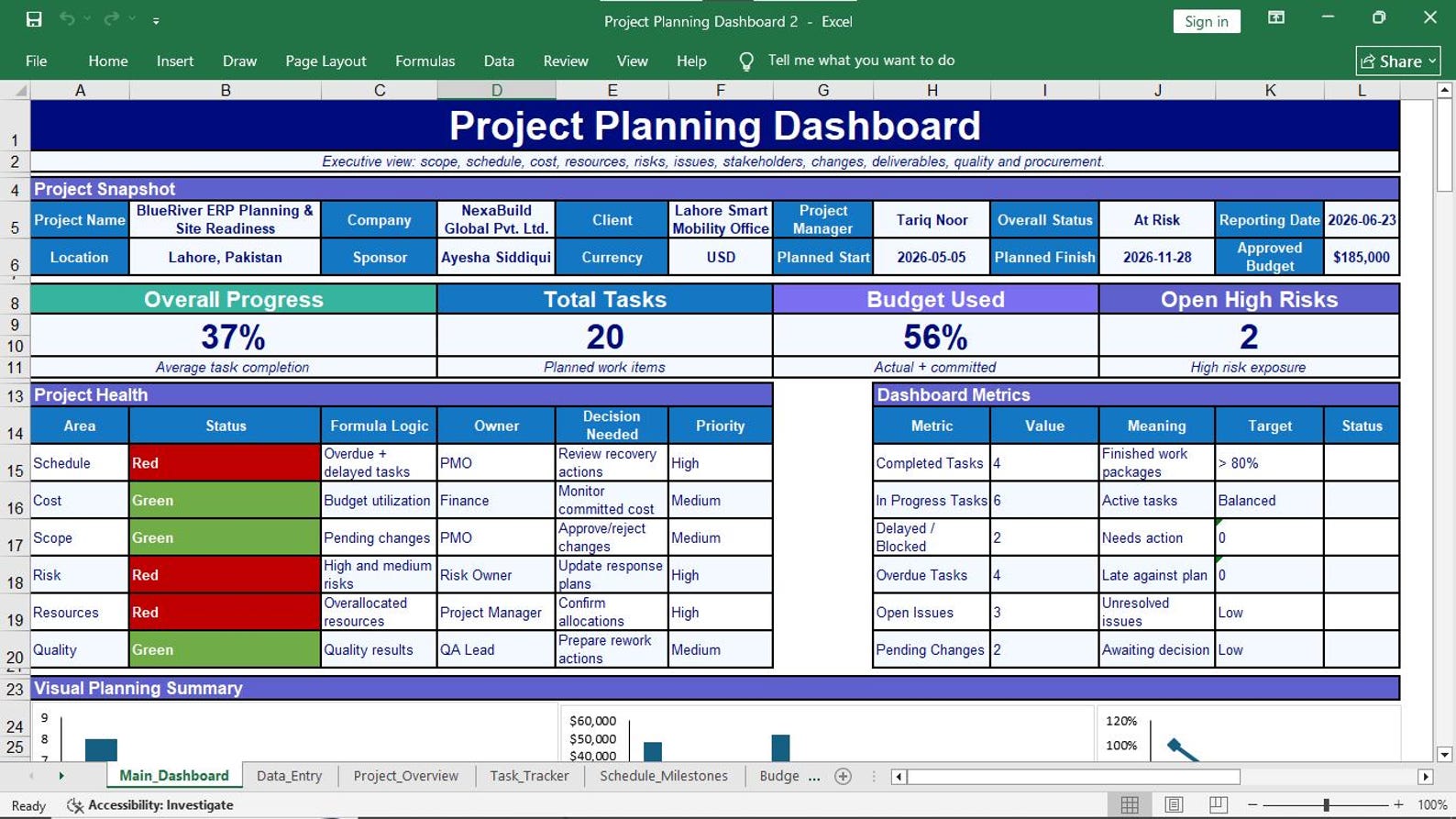
16 Professional Excel Sheets in One Workbook
The workbook is structured to support project planning, monitoring, control, reporting, decision-making, and day-to-day project coordination.
Executive Project Planning Dashboard
Visual management overview of critical project KPIs and status.
Central Data Entry Center
Structured location for managing core project information.
Project Portfolio Overview
Review projects, owners, dates, progress, cost, status, and next milestones.
Milestone Tracking
Monitor critical checkpoints, milestone dates, ownership, and health.
Task & Workstream Planning
Organize activities, responsible owners, timelines, priority, and status.
Budget Snapshot
Review planned budget, actual cost, forecast, and variance.
Resource Allocation
Monitor available hours, allocated hours, utilization, and capacity.
Risk & Issue Management
Record threats, problems, priorities, owners, responses, and status.
Action & Communication Tracker
Follow responsibilities, due dates, actions, and communication records.
Stakeholder Register
Organize stakeholder influence, interest, engagement, and communication needs.
Change Log
Track requests, cost impact, schedule impact, decisions, approvals, and status.
Deliverables & Quality Tracker
Monitor outputs, acceptance requirements, quality status, approvals, and defects.
Procurement & Vendor Tracker
Manage vendors, packages, delivery dates, cost, status, and performance.
Dashboard Calculation Engine
Supporting calculation area used for dashboard reporting and analysis.
Lookup Lists
Structured lists supporting consistent selections and workbook organization.
Instructions & User Guide
Guidance to help users understand and work with the template correctly.
Turn Project Data into Management Action
The purpose of project reporting is not to create more files. It is to help managers understand performance, recognize problems, make decisions, and keep the project moving.
Save Reporting Time
Keep key project management information in an organized workbook instead of rebuilding reports from scattered sources.
Improve Visibility
View tasks, milestones, costs, risks, resources, and project status through structured management views.
Find Problems Earlier
Bring delayed activities, serious risks, cost pressure, and resource concerns into management focus.
Improve Accountability
Connect work, actions, milestones, and risks with responsible owners and due dates.
Support Better Decisions
Use dashboard indicators and supporting registers during project reviews and management meetings.
Create Project Discipline
Give your project team a structured system for planning, tracking, controlling, and reporting important information.
From Data Entry to Better Project Decisions
Use a simple project management rhythm: maintain information, review progress, identify pressure points, and take action.
Enter Project Data
Add and maintain project information using the structured data and tracker sheets.
Update Status
Maintain tasks, milestones, budget, resources, risks, actions, and other control data.
Review Performance
Use dashboard information and registers to understand current project conditions.
Take Action
Focus management attention on issues, decisions, risks, delays, and financial pressure.
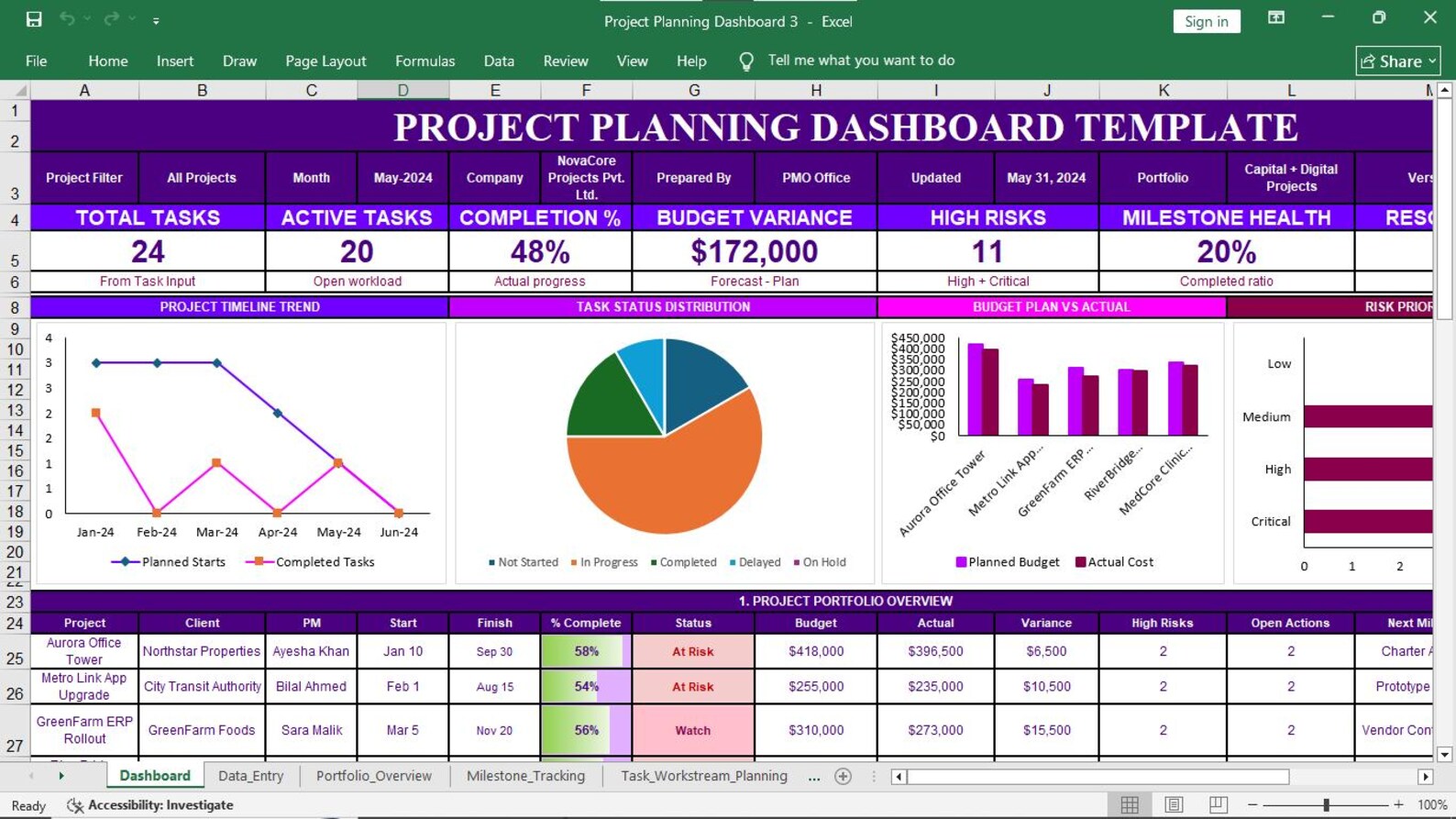
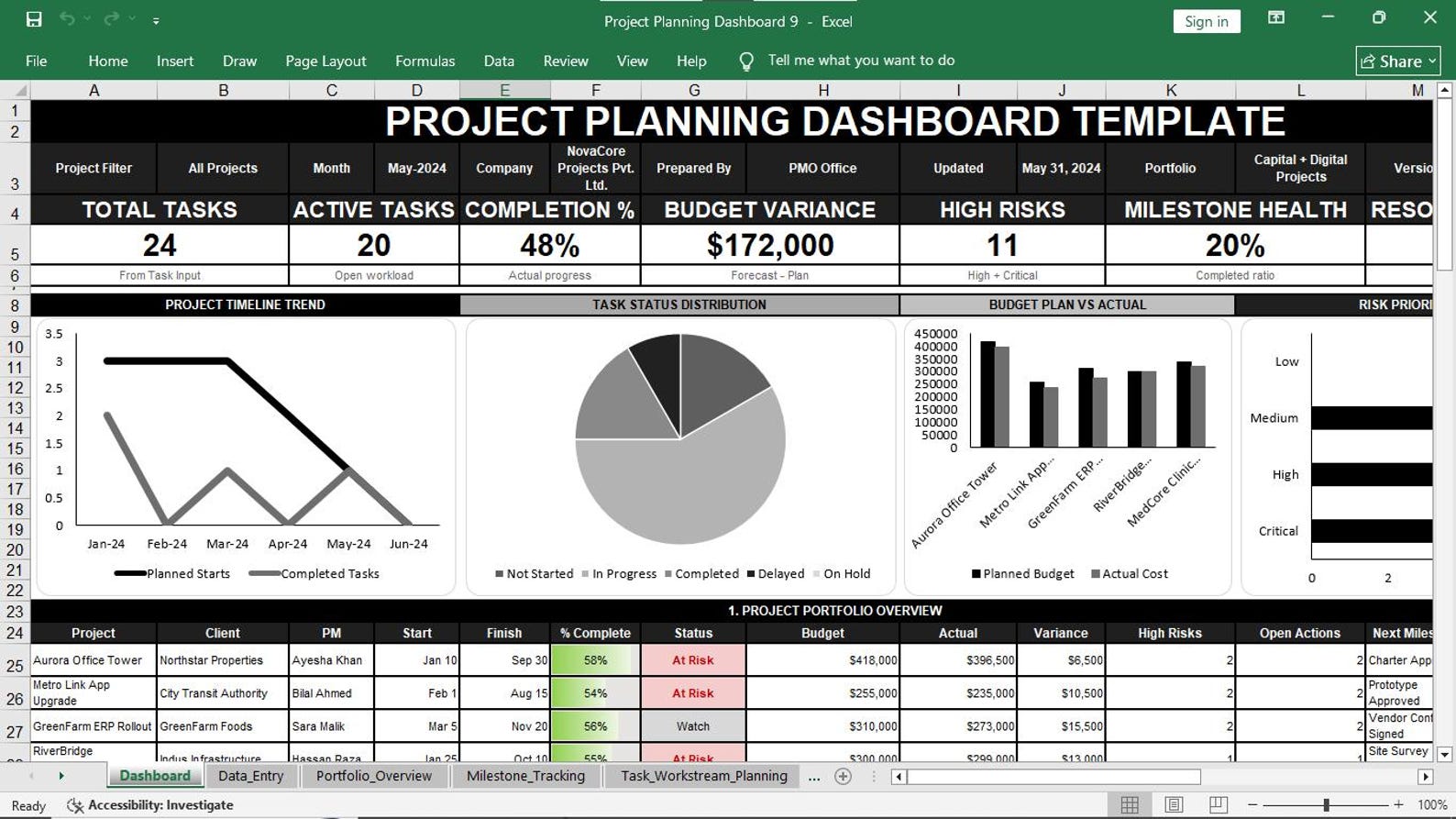
Visual Preview Gallery
Explore the dashboard, planning sheets, management trackers, and project control areas included in the workbook.
Manage the Areas That Decide Project Performance
Effective project control requires more than a task list. This workbook supports multiple management areas that interact throughout the project lifecycle.
Keep important activities and project checkpoints visible.
- Task ownership
- Start and finish dates
- Milestone health
- Priority tracking
Understand planned and actual financial performance.
- Planned budget
- Actual cost
- Forecast information
- Variance monitoring
Create a structured view of threats and active problems.
- Risk scoring
- Priority level
- Responsible owner
- Response tracking
Monitor allocation and understand workload pressure.
- Available hours
- Allocated hours
- Utilization visibility
- Capacity review
Improve engagement planning and follow-up.
- Stakeholder influence
- Interest analysis
- Communication needs
- Action follow-up
Track project changes and important delivery controls.
- Change impact
- Deliverable acceptance
- Quality status
- Vendor tracking
Who Should Use This Project Planning Dashboard?
Designed for professionals who need a structured and practical project planning and control environment inside Microsoft Excel.
Project Managers
Plan work, review performance, track risks, monitor costs, and communicate project status.
PMO Teams
Create structured project visibility and support portfolio-level coordination and management review.
Construction Professionals
Support planning, milestones, budget monitoring, resources, risks, stakeholders, quality, and procurement.
IT Project Teams
Track workstreams, tasks, milestones, resources, issues, risks, changes, and deliverables.
Program & Portfolio Managers
Review multiple projects and bring critical performance information into one organized system.
Consultants & Business Teams
Use a professional project control framework for client work, internal initiatives, and improvement projects.
Use a Familiar Tool for Serious Project Control
Build a stronger project management process without forcing your team into an unnecessarily complicated reporting environment.
📝 Editable
Adapt workbook content to suit your project environment and management process.
📊 Visual
Use dashboards, indicators, structured trackers, and management summaries.
🧩 Organized
Bring multiple areas of project planning and control into one workbook.
🚀 Practical
Focus on running the project rather than spending hours building a system from zero.
Project Planning Dashboard Template in Excel
Get a professional project planning, monitoring, control, and reporting workbook designed for serious project management work.
Complete Excel Project Planning System
Professional Workbook • Executive Dashboard • Multiple Control Sheets
- Executive Project Planning Dashboard
- 16 professional Excel worksheets
- Project portfolio overview
- Task and milestone tracking
- Budget monitoring
- Resource allocation planning
- Risk and issue management
- Stakeholder management
- Change tracking
- Deliverables and quality control
- Procurement and vendor tracking
- Instructions and user guidance
Get the Complete Template
Start building a stronger project planning and control process today.
BUY NOW — $49.99Frequently Asked Questions
Important information about the Project Planning Dashboard Template in Excel.
Stop Managing Projects Through Scattered Files
Bring project tasks, milestones, budgets, resources, risks, issues, stakeholders, changes, quality information, procurement tracking, and executive reporting into one professional Excel workbook.
Get Project Planning Dashboard — $49.99