Executive Command Center
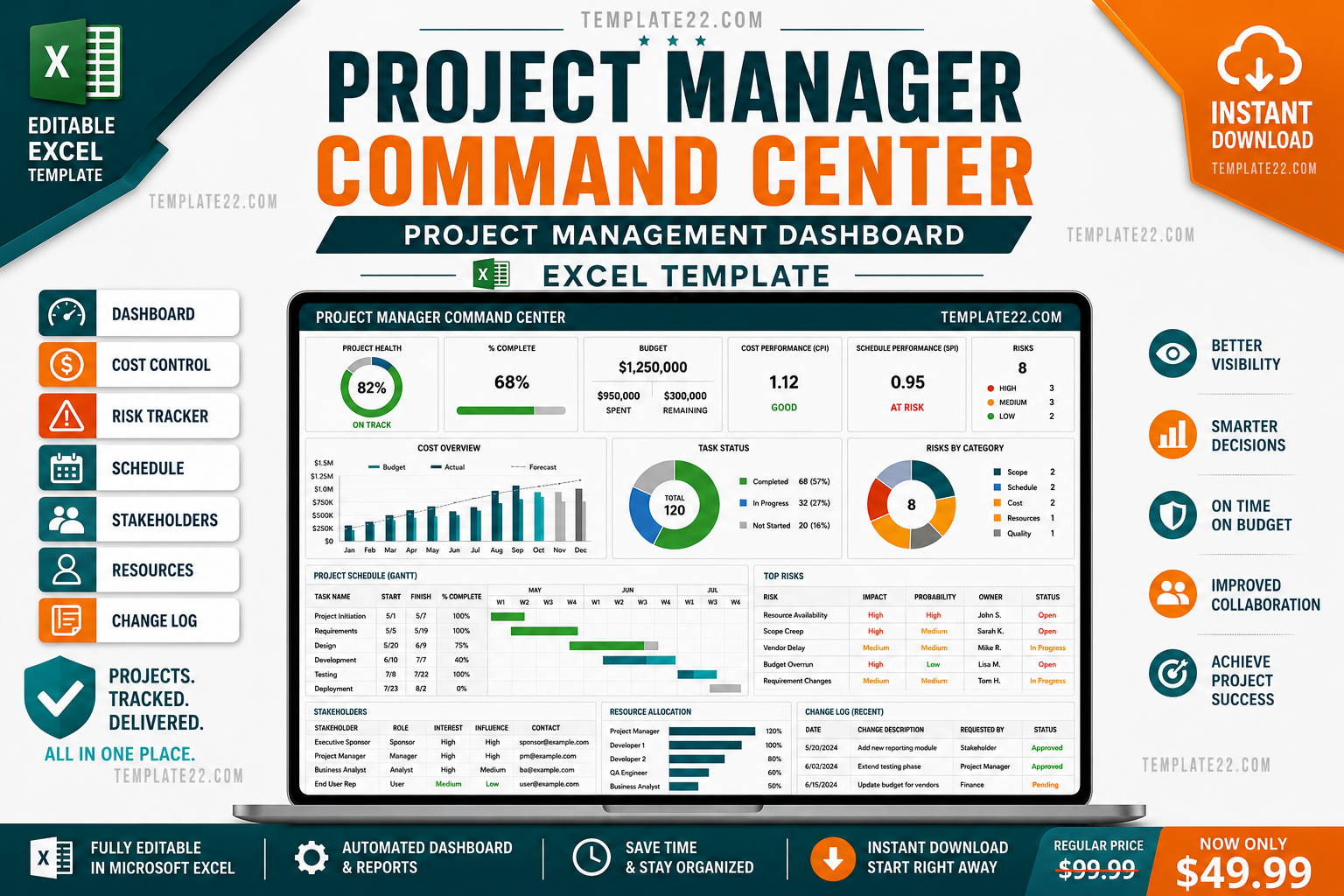
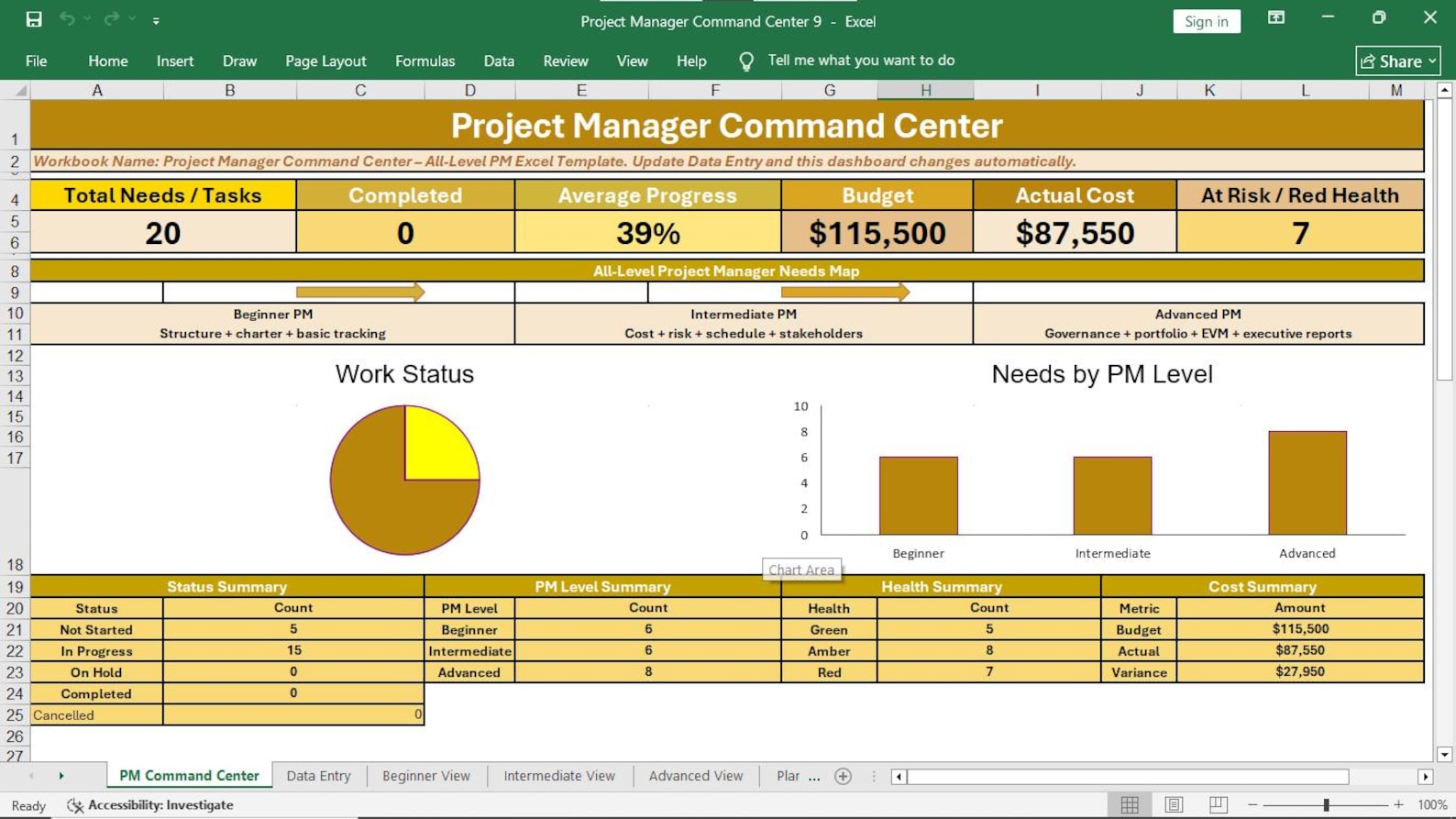
View project progress, total budget, actual cost, project health, risks, completion status, and management information in one place.
Plan, track, control, monitor, and report your complete project from one professional Excel workbook. Manage schedule, cost, risk, issues, stakeholders, resources, RACI, change requests, decisions, lessons learned, project closing, and executive reporting from one connected system.
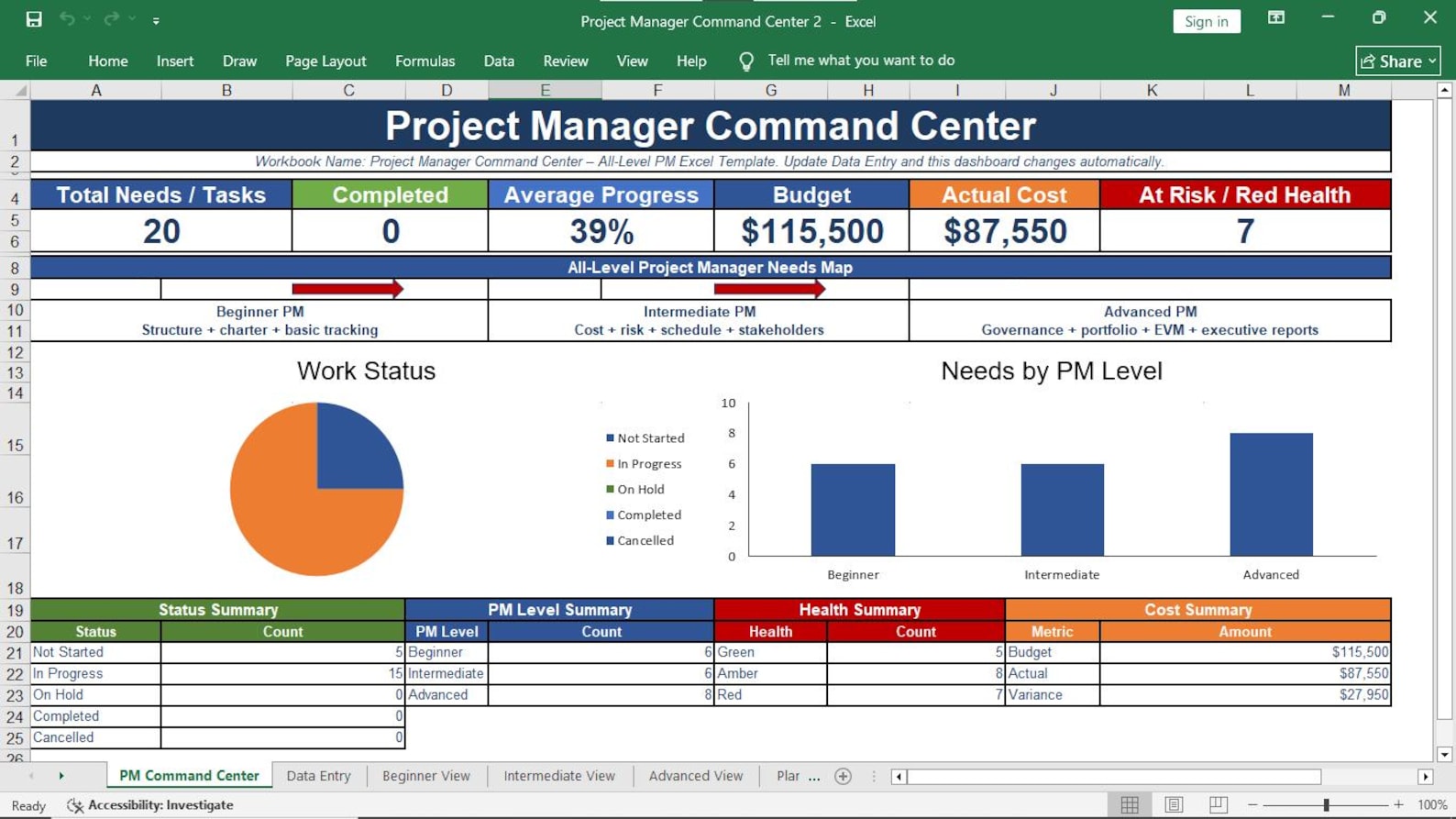
One organized Excel system for project planning, execution, monitoring, control, reporting, decision-making, and closure.
View project progress, total budget, actual cost, project health, risks, completion status, and management information in one place.
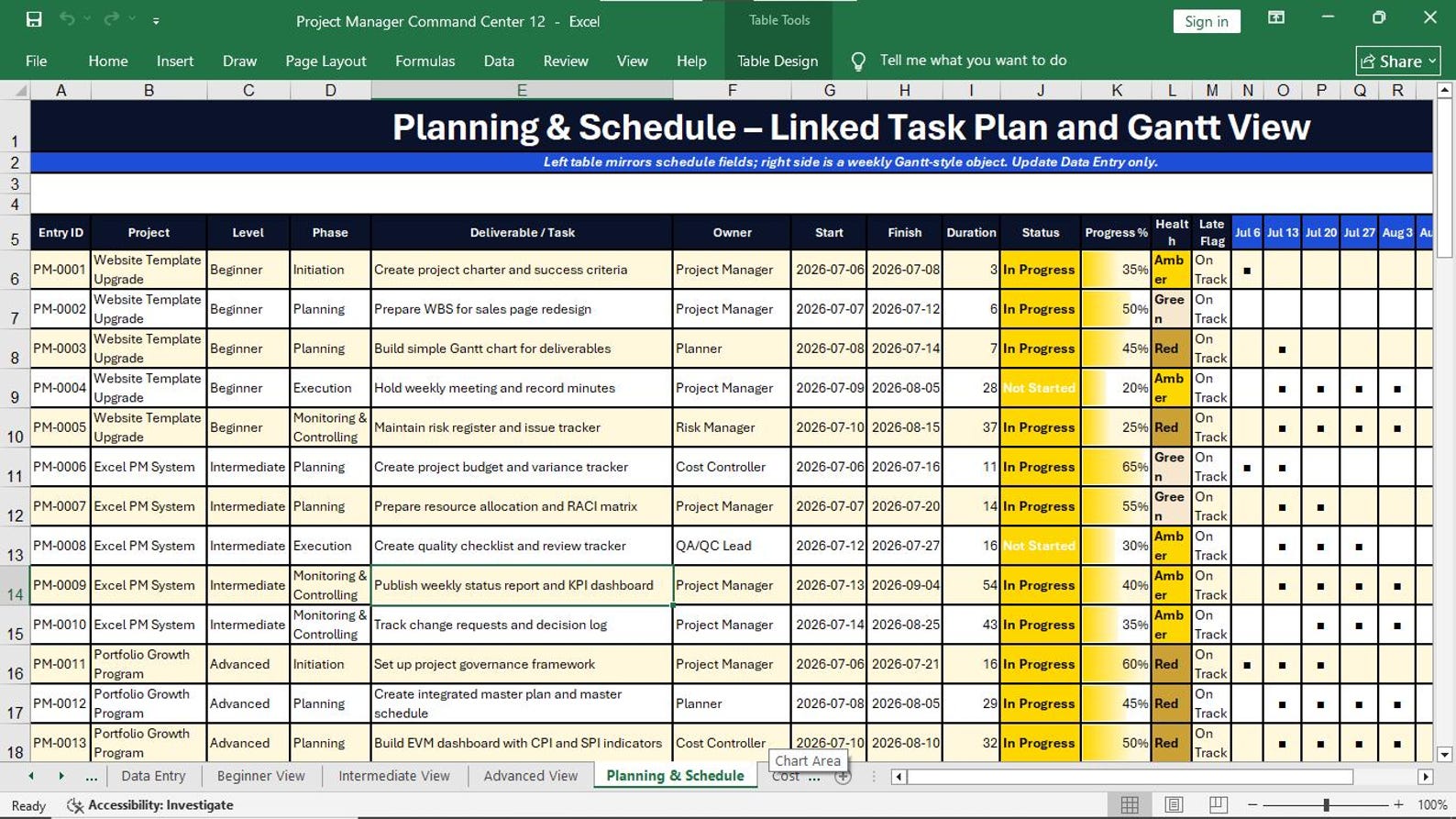
Monitor tasks, owners, start dates, finish dates, duration, progress, project phase, health, and late items.
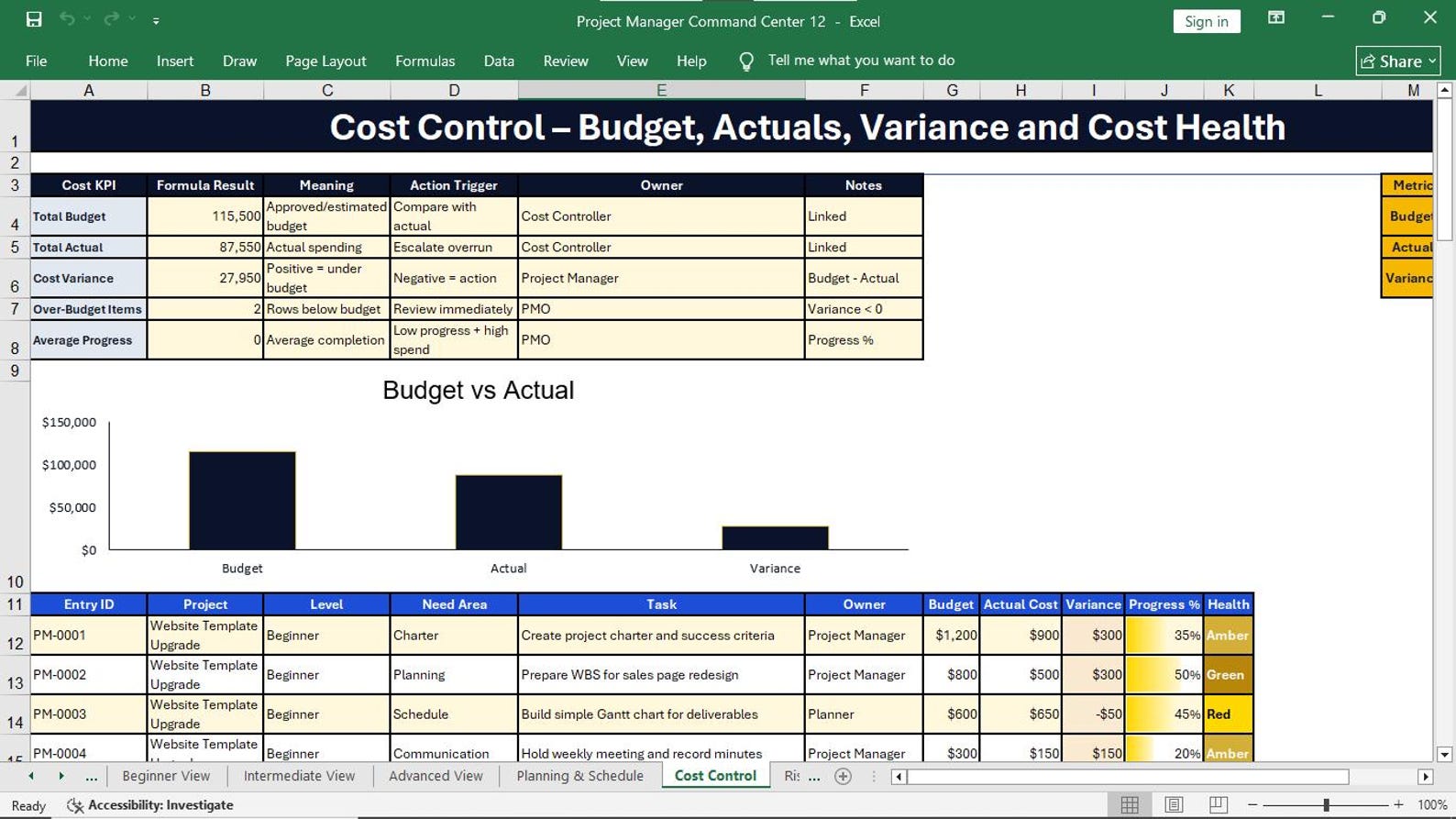
Track budget, actual cost, cost variance, budget performance, over-budget activities, and project financial health.
Record probability, impact, score, risk level, issues, action owners, due dates, next actions, and status.
Keep stakeholders, communication needs, RACI roles, responsibilities, action items, and due dates organized.
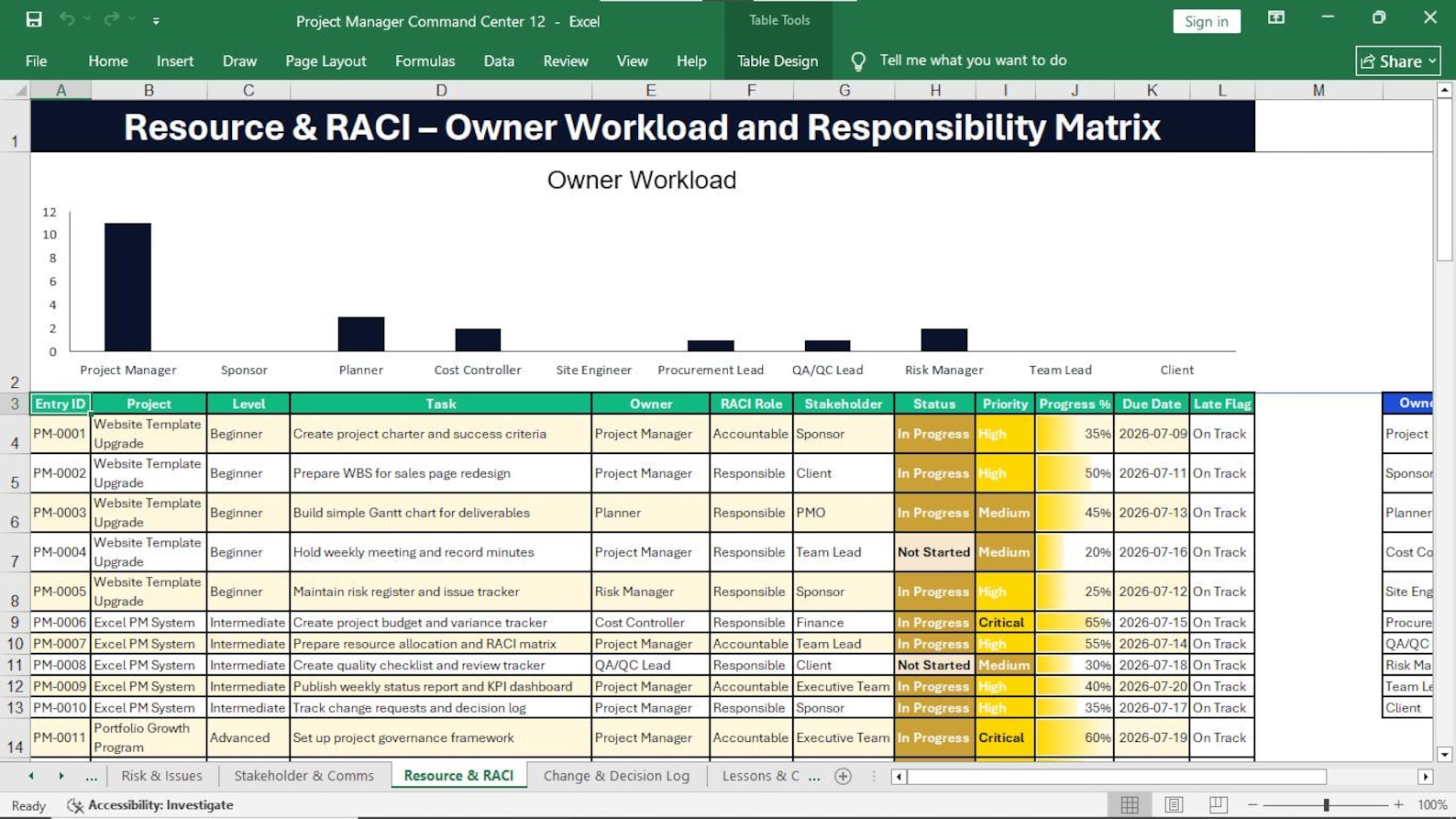
Monitor resource ownership, workload, task responsibilities, allocation, priorities, progress, and accountability.
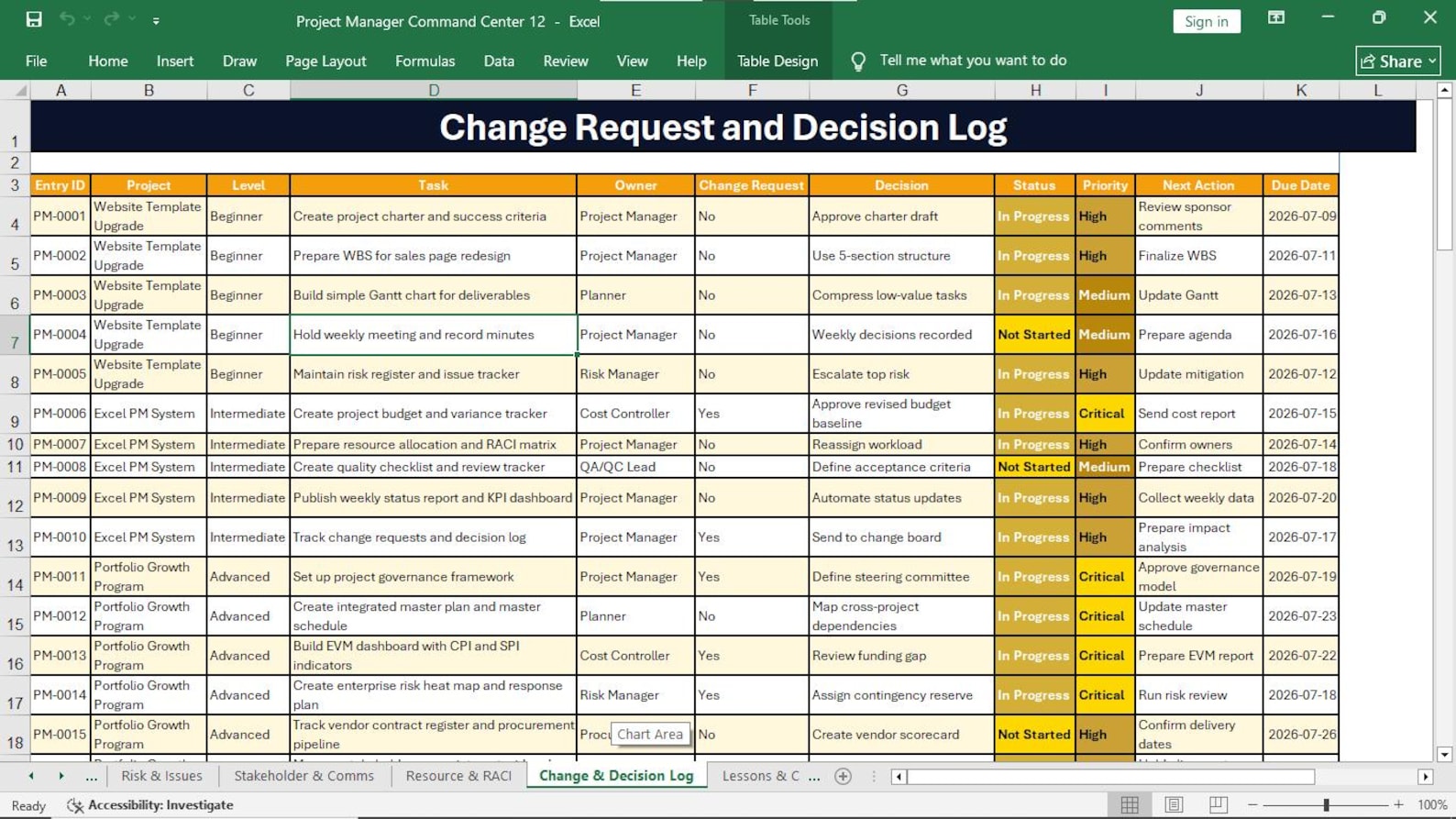
Record important change requests with ownership, priority, status, decisions, actions, and due dates.
Keep important management decisions visible and organized instead of losing them inside meetings and email conversations.
Capture project experience and manage acceptance, financial approval, risk transfer, sign-off, benefits, and archiving.
Enter and manage project information through an organized workbook designed for different project management responsibilities and control needs.
Get Complete WorkbookExecutive visual overview of project status, progress, cost, risk, and overall project health.
The core structured sheet for entering and maintaining project management information.
A focused view for fundamental planning, task control, ownership, actions, status, and due dates.
Stronger control of schedule, cost, communication, stakeholders, quality, resources, and change.
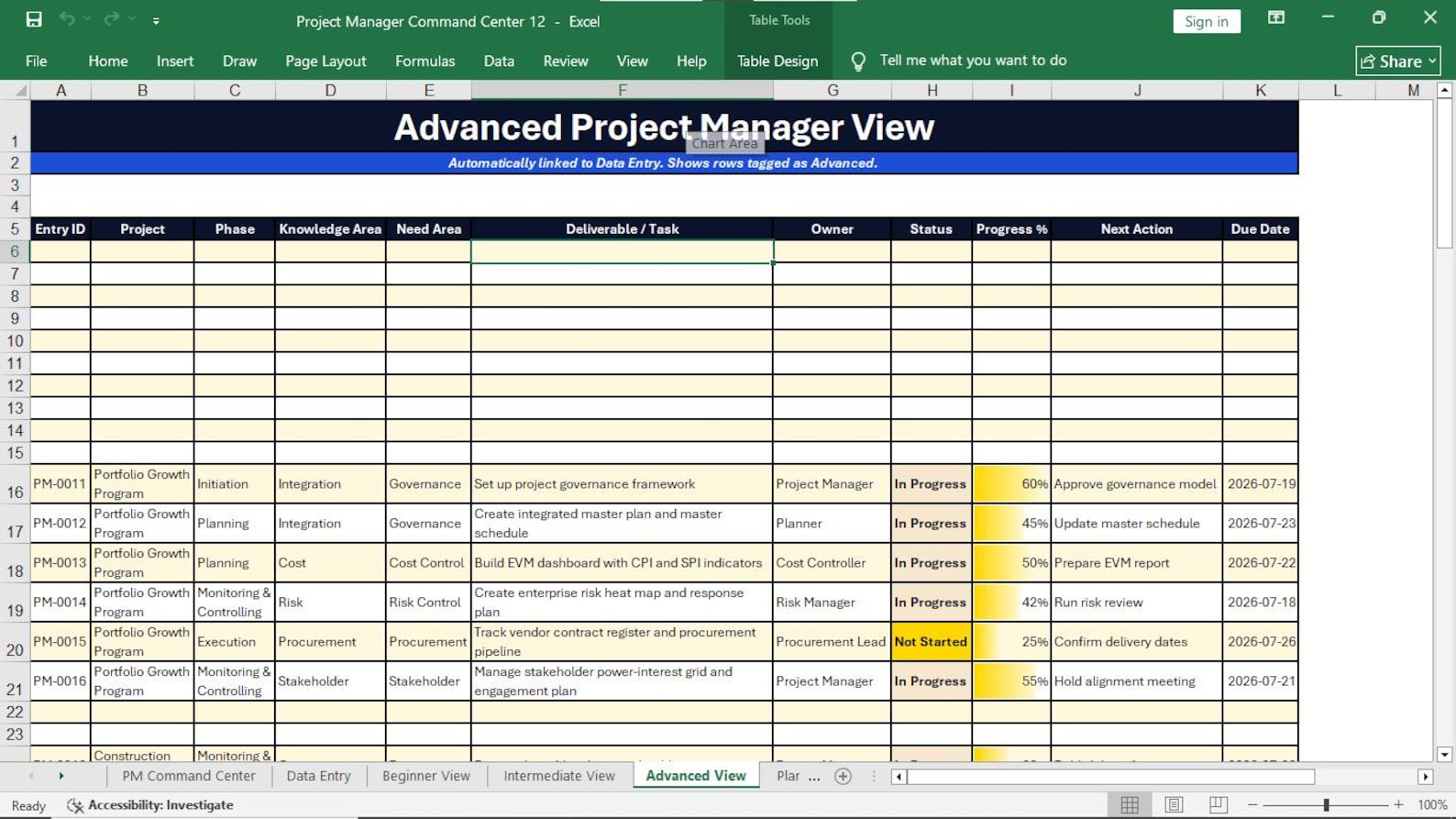
Higher-level governance, integrated planning, strategic risk, executive reporting, and benefit control.
Manage dates, duration, tasks, deliverables, phases, progress, status, health, and schedule visibility.
Review total budget, actual spending, cost variance, budget performance, and over-budget items.
Evaluate probability, impact, risk score, issues, next actions, action owners, and status.
Keep project stakeholders and communication-related actions organized and visible.
Track owners, responsibilities, workload, priorities, task progress, and accountability.
Maintain a visible record of important project changes, decisions, ownership, and follow-up actions.
Capture experience and support formal project handover, acceptance, approval, sign-off, and archiving.
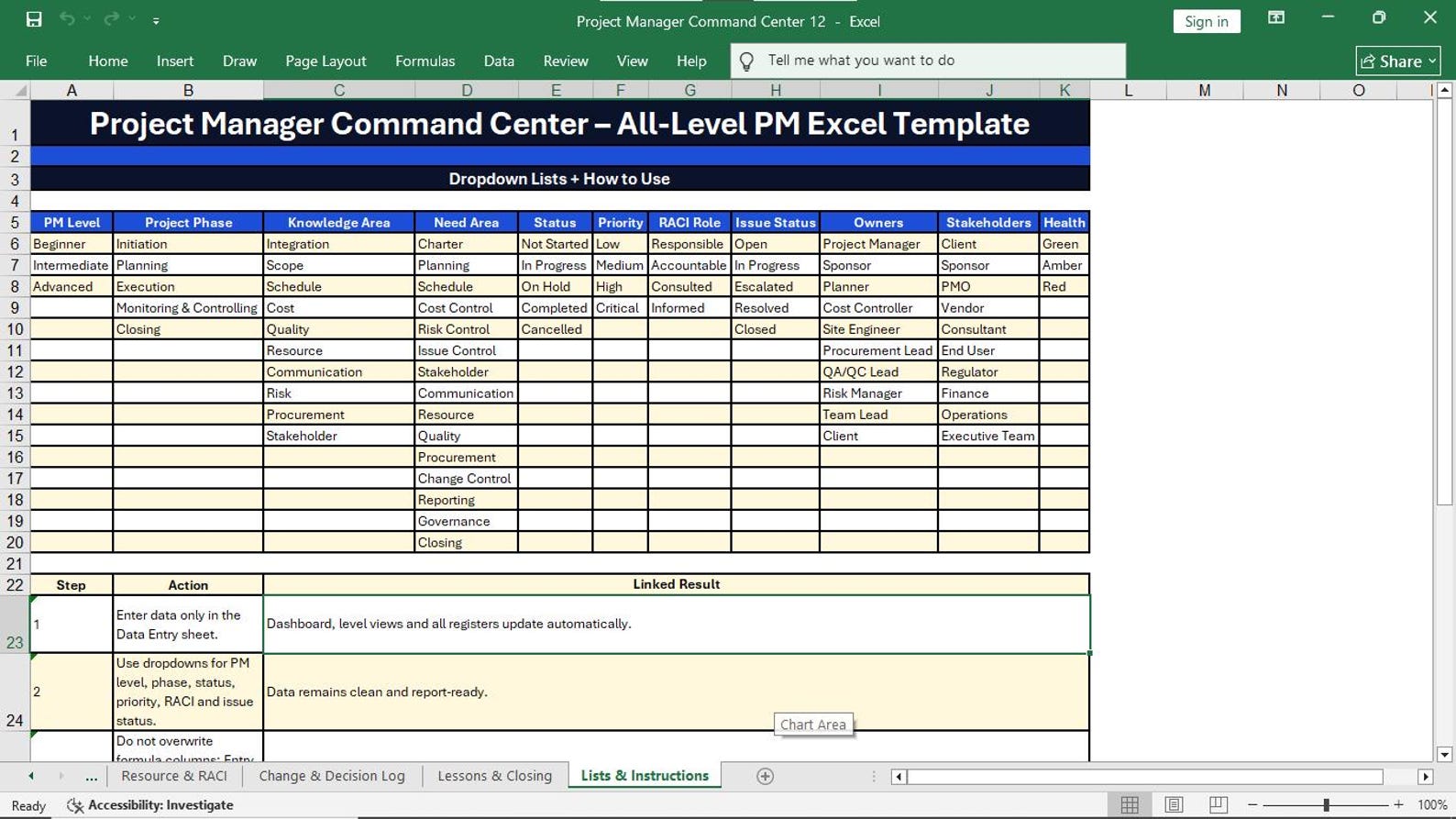
Supporting lists and guidance designed to improve consistency and ease of workbook use.
Different project managers need different levels of information. This workbook includes dedicated views to support different levels of responsibility.
Build confidence with essential project management controls.
Improve control of multiple project management areas.
Manage broader governance and strategic control requirements.
Your schedule should not be isolated from your costs. Your risks should not disappear inside another spreadsheet. Your actions should not be buried in meeting notes. Your decisions should not be lost in emails.
The Project Manager Command Center brings essential project management information together in one professional Excel workbook.
Use a structured process to organize project information, monitor performance, identify problems, and support better decisions.
Add project activities, dates, owners, budget, cost, progress, status, priority, risks, issues, and actions.
Monitor schedule, progress, actual cost, risk exposure, responsibilities, due dates, and project health.
Use the Command Center and PM-level views to examine project performance from the right management perspective.
Focus management attention on late activities, budget problems, risks, decisions, and critical next actions.
Replace each picture link below with your final product screenshots, dashboard previews, sheet views, and promotional images.
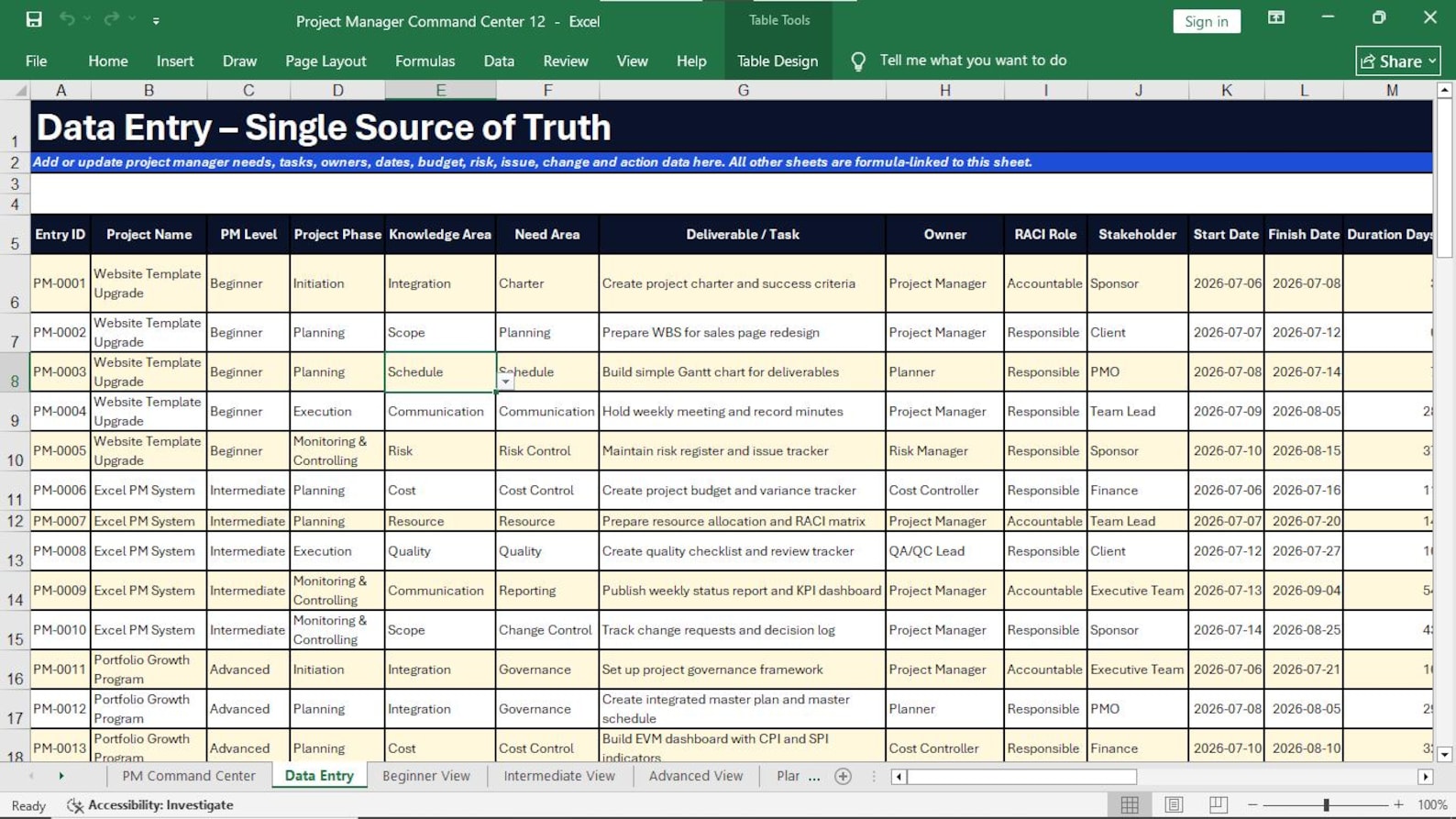
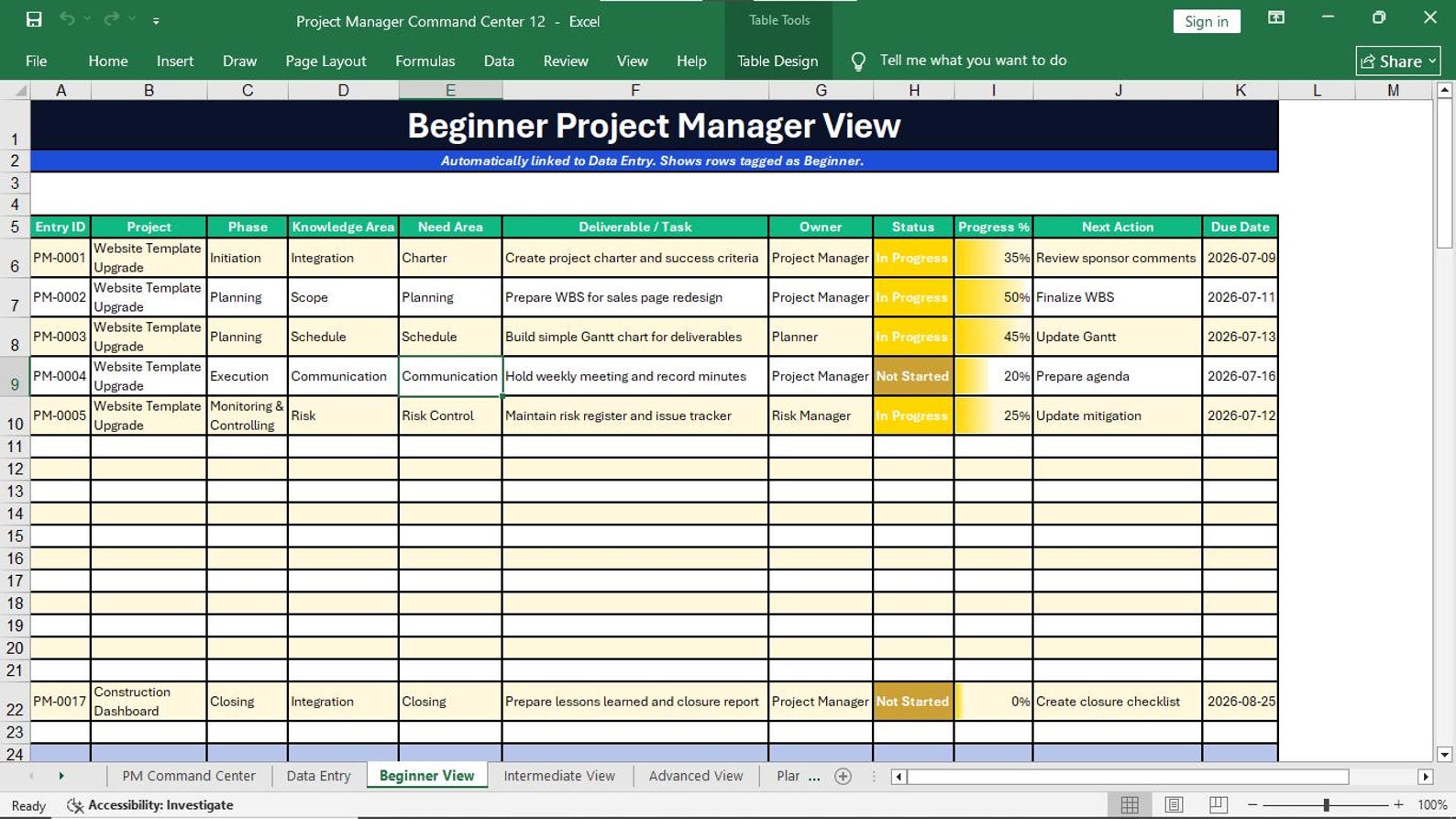
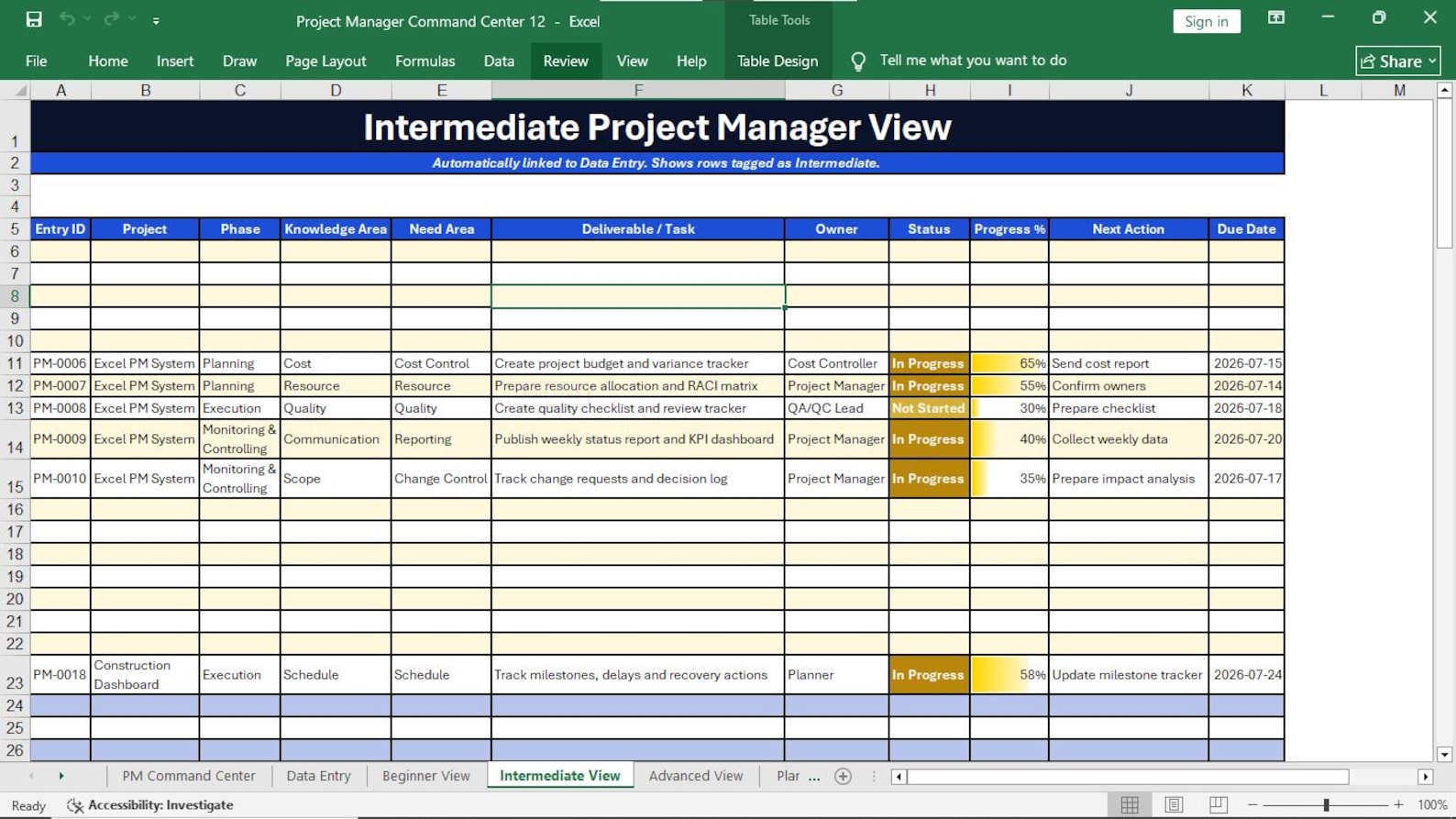
Designed for professionals who want better project visibility, organized project information, and stronger management control.
Manage planning, schedule, cost, risk, issues, teams, stakeholders, and project reporting.
Track technical projects, requirements, schedules, priorities, risks, resources, changes, and actions.
Improve structured project reporting and standardized management visibility.
Organize tasks, ownership, due dates, communication items, actions, and supporting project information.
Control schedules, activities, technical coordination, resources, cost, risk, and status reporting.
Use a professional project management workbook to support client planning, reporting, and control.
Manage projects in Excel without starting from a blank spreadsheet or building every tool manually.
Understand how project information can be organized across multiple management control areas.
Use higher-level project views for governance, executive reporting, strategic risk, and decision support.
Use a structured Excel workbook to manage your project information, monitor performance, and create better project visibility without starting every project control tool from a blank spreadsheet.
Get a professional, organized, and editable project management workbook designed to support project planning, tracking, control, monitoring, reporting, and closure.
Instant digital product. No physical item will be shipped.
Important information before purchasing your Project Manager Command Center.
Replace scattered project tracking with one organized Excel workbook built to give project managers stronger visibility across schedule, cost, risks, resources, stakeholders, actions, changes, and project performance.