Baseline Management & Change Control Executive Dashboard
Track project baselines, control change requests, monitor cost and schedule performance, manage risks, follow actions, and support executive decisions from one professional Excel workbook.
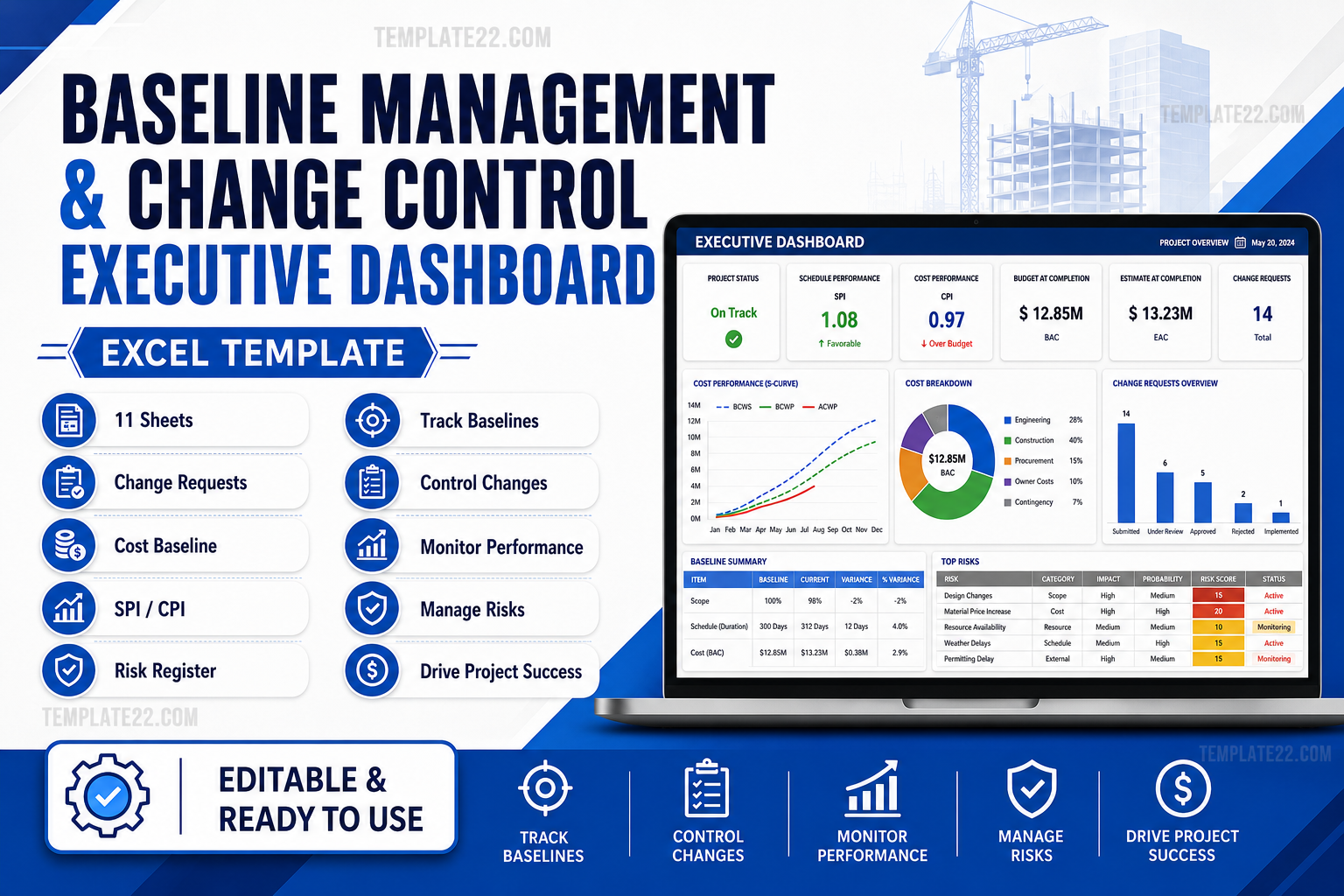
Everything You Need for Baseline and Change Control
Built for Project Managers, PMO professionals, project controls teams, construction teams, consultants, engineers, and business leaders who need stronger project visibility and control.
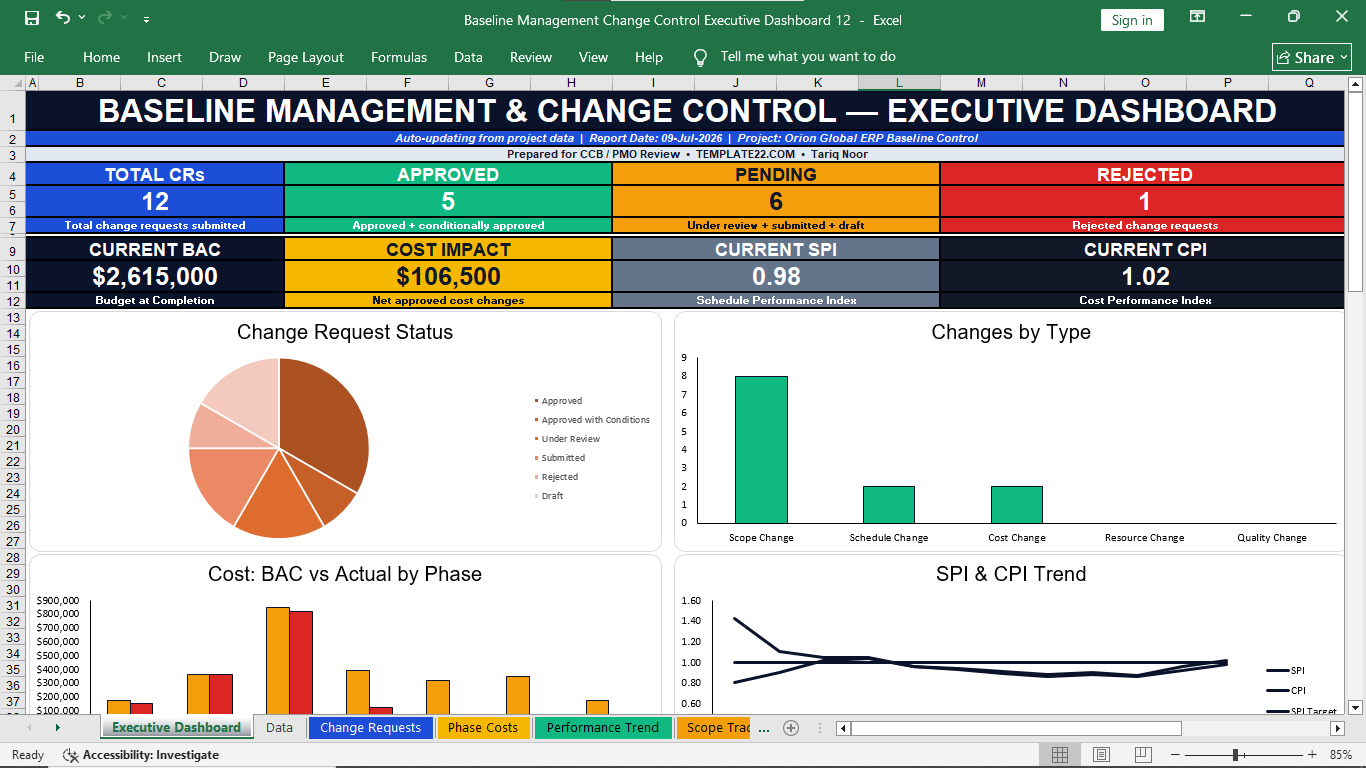
Executive Dashboard
Review change request status, cost baseline position, SPI, CPI, scope progress, risk levels, actions, and management decisions.
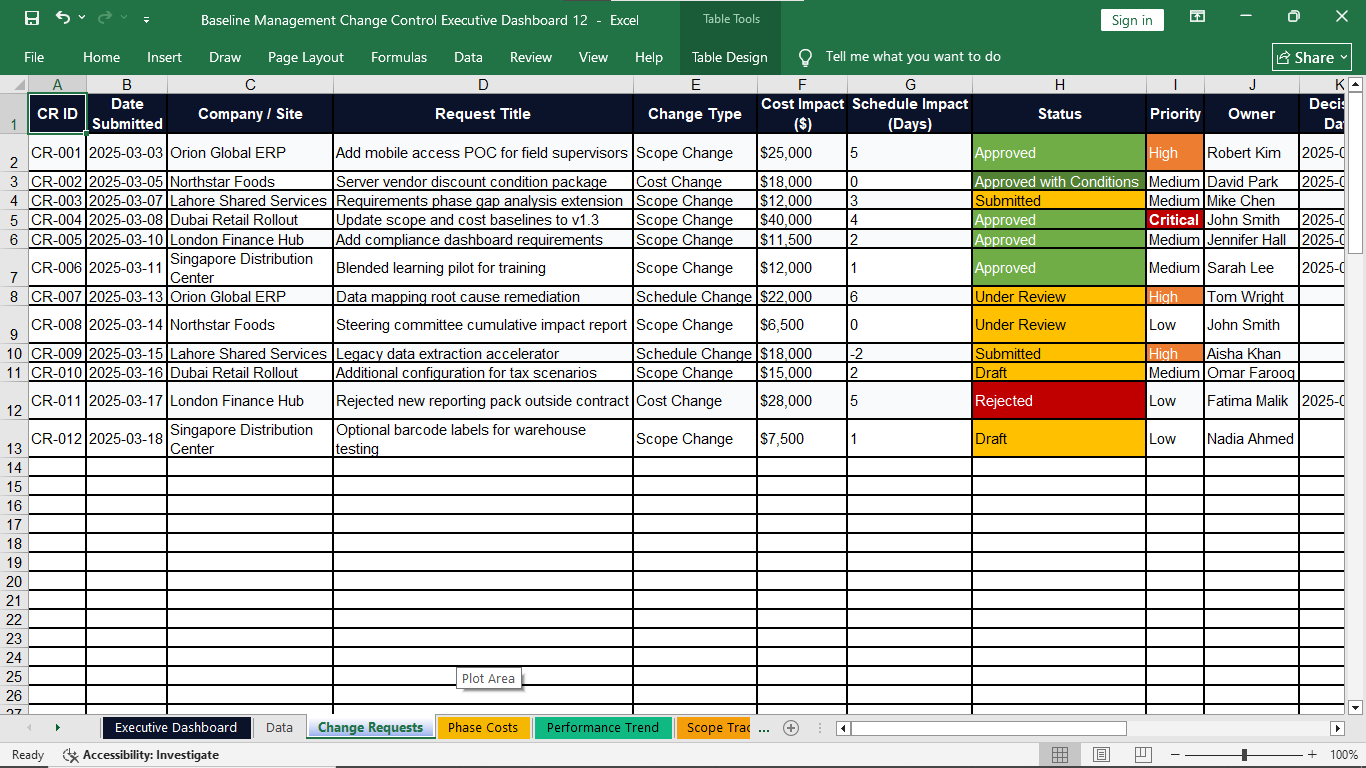
Change Request Control
Track each request from submission through review, approval, rejection, implementation, and baseline update.
Cost Baseline Tracking
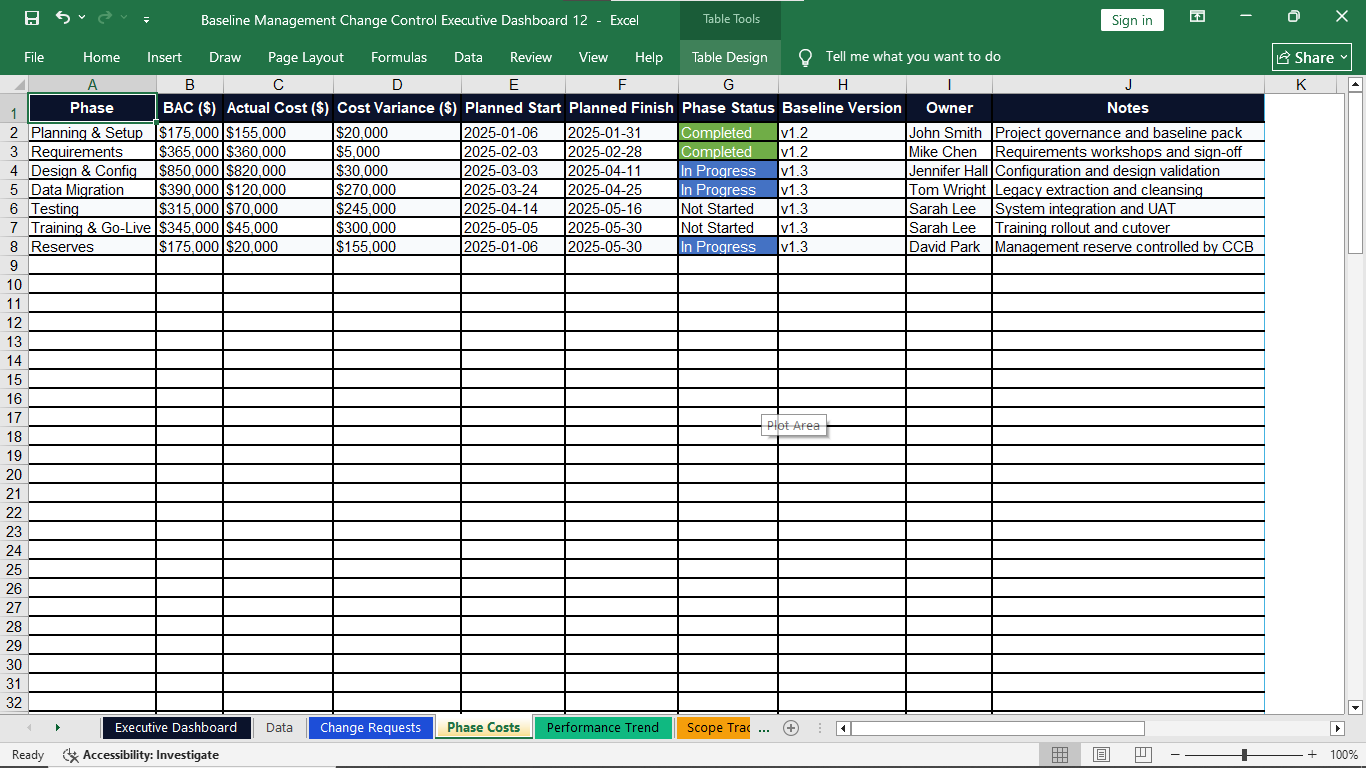
Compare Budget at Completion, actual cost, cost variance, approved impact, and project phase performance.
SPI & CPI Monitoring
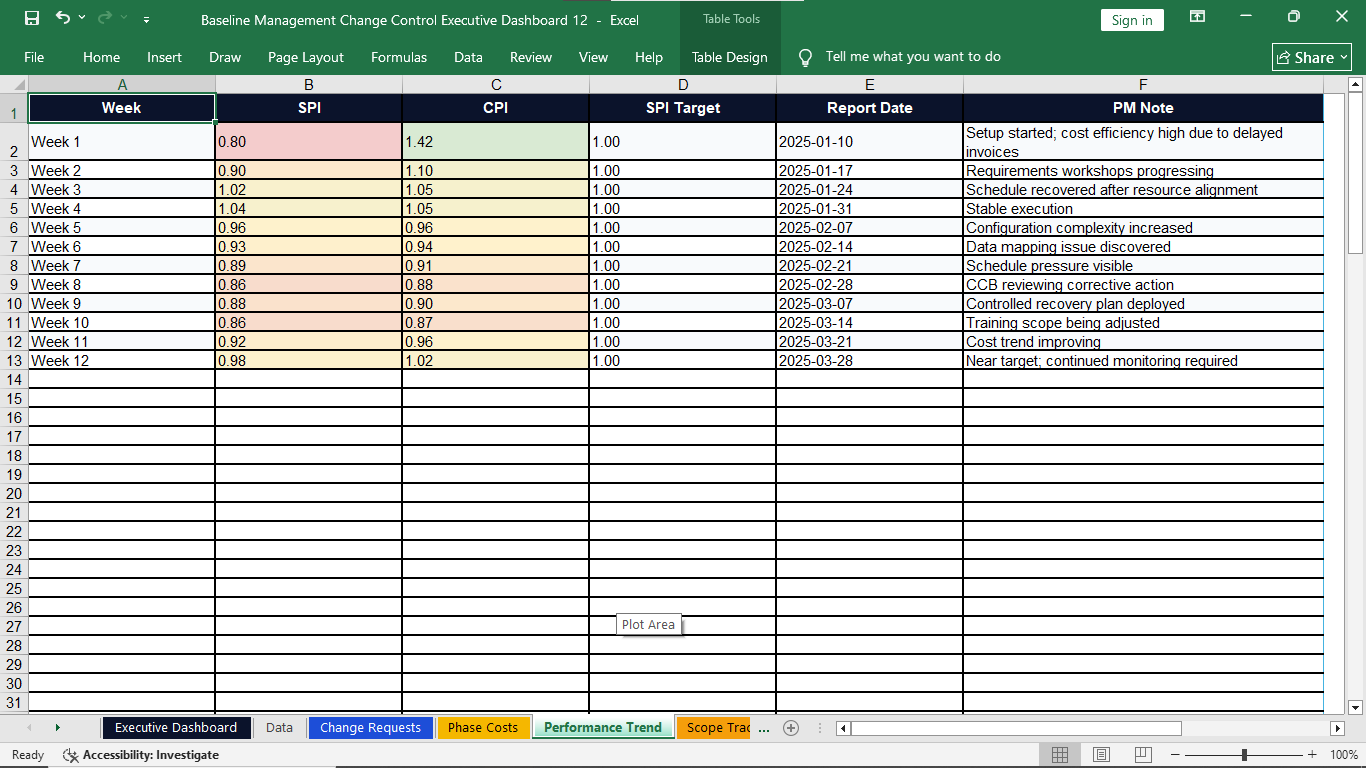
Monitor schedule and cost performance trends over time and bring performance information into executive review.
Risk Register
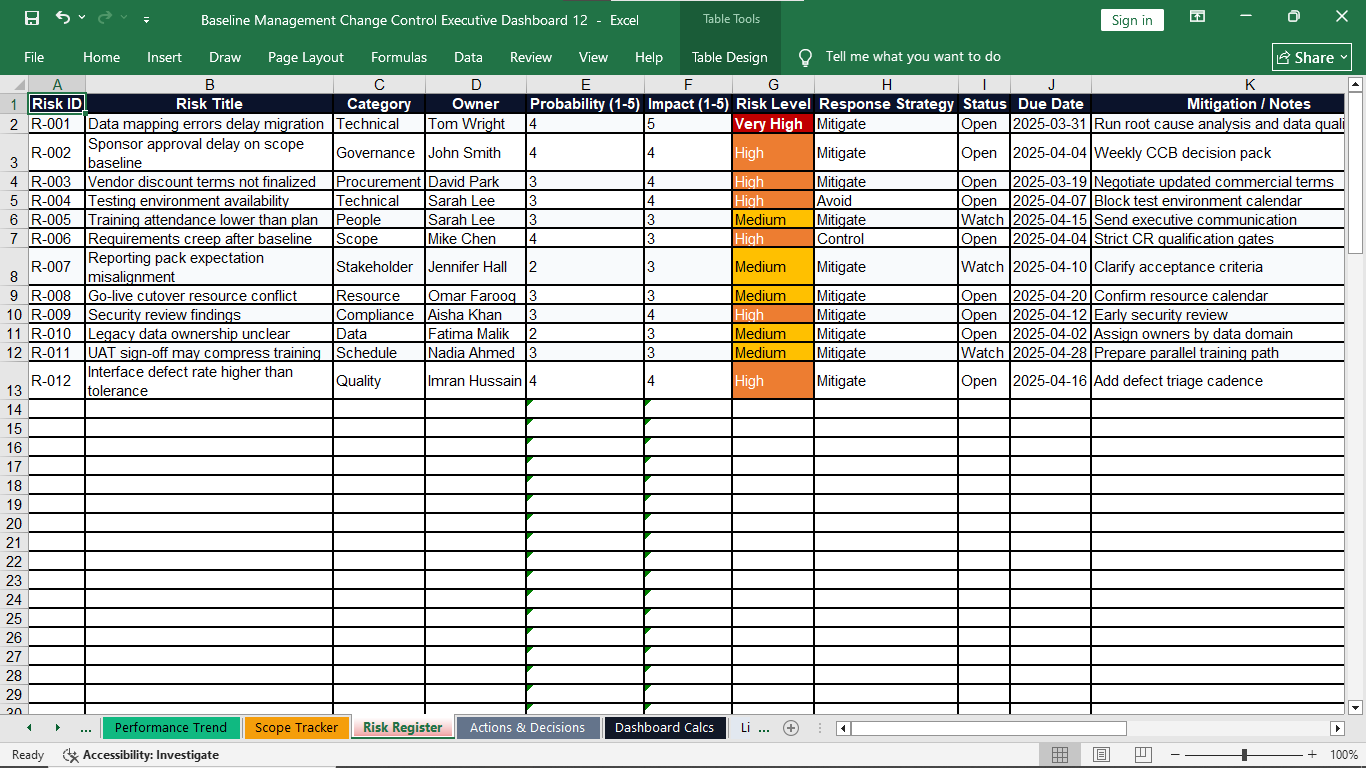
Track probability, impact, risk level, response strategy, due date, owner, mitigation action, and current status.
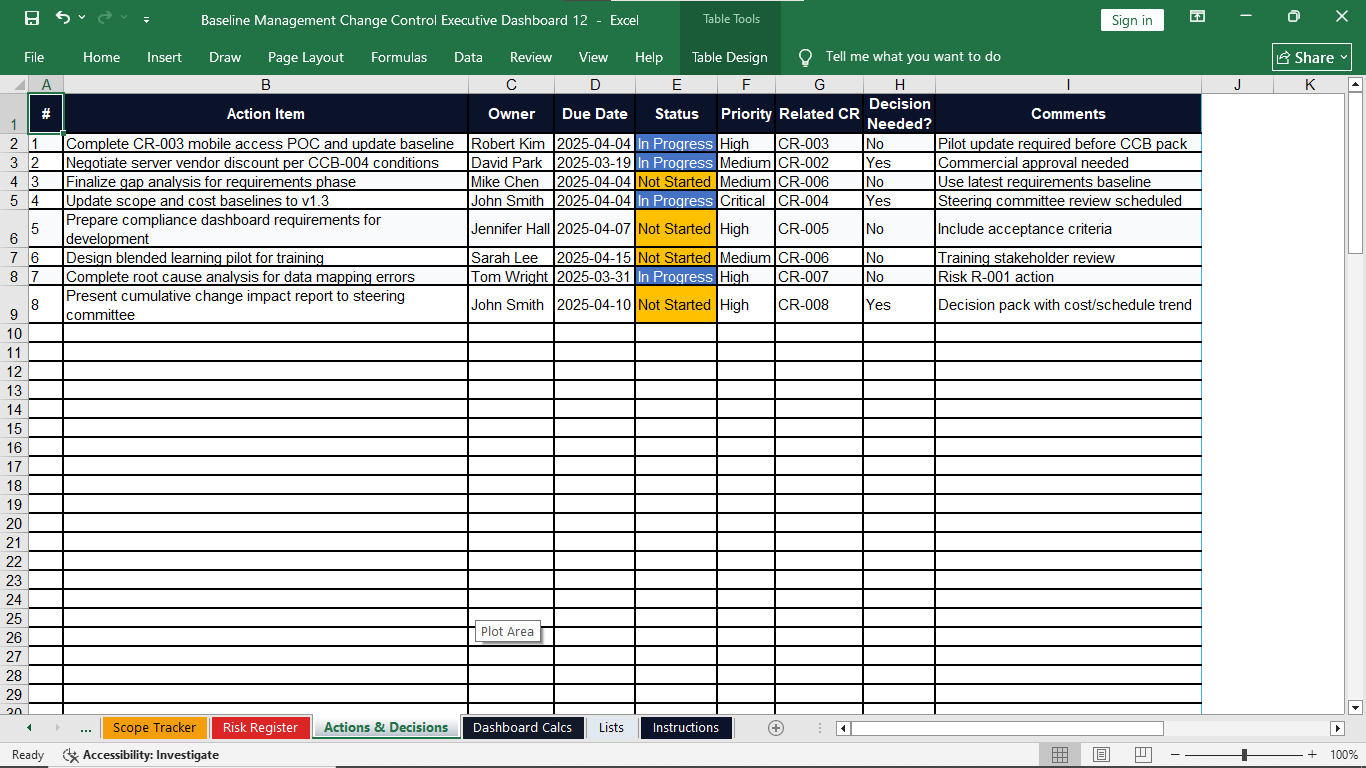
Actions & Decisions
Assign owners, due dates, priority, status, related change requests, decision requirements, and follow-up comments.
11 Professional Sheets in One Connected Workbook
The workbook is organized to help you enter, review, analyze, and present critical project control information in one place.
Executive Dashboard
Management overview of change, cost, performance, scope, risks, actions, and decisions.
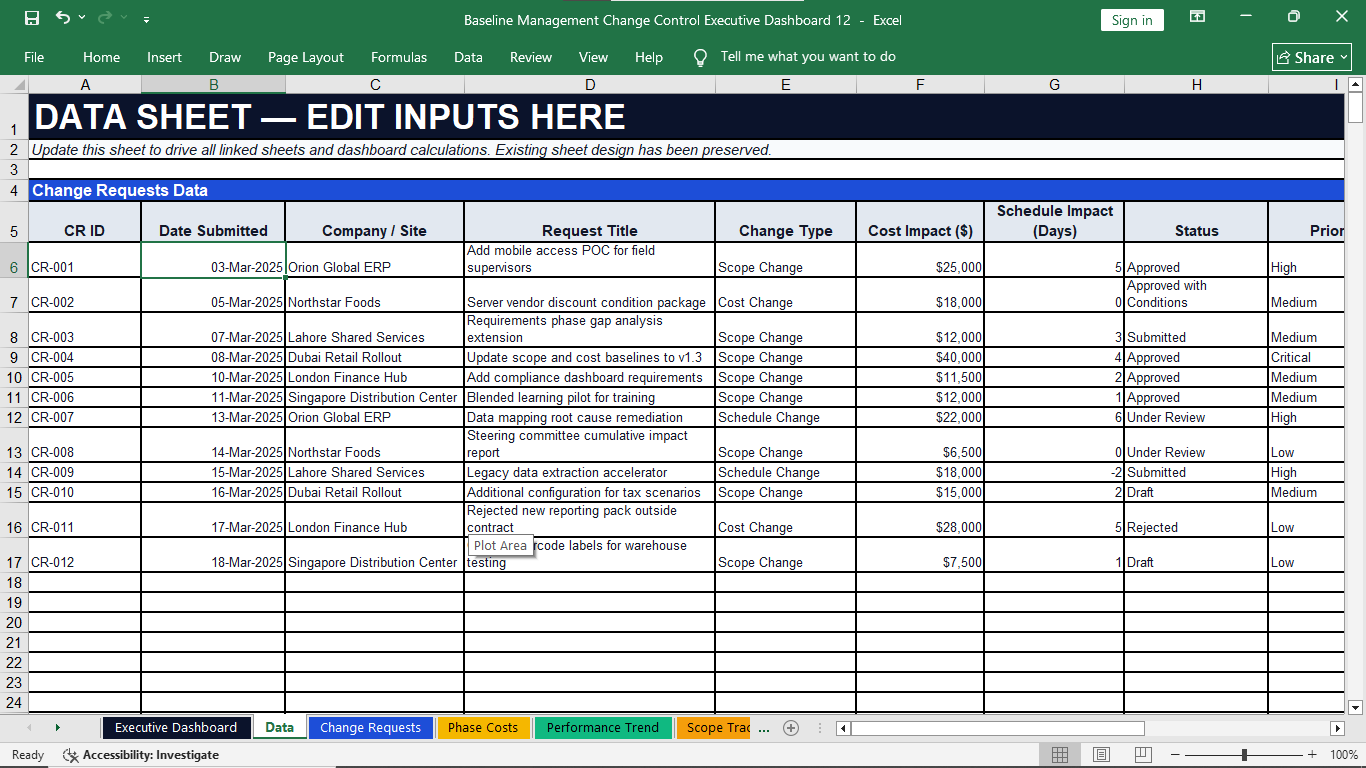
Data
Central project data structure supporting organized entry and linked reporting.
Change Requests
Track request details, impacts, priority, status, owner, decision date, and baseline update status.
Phase Costs
Manage BAC, actual cost, variance, phase dates, status, baseline version, owner, and notes.
Performance Trend
Record reporting dates, SPI, CPI, targets, trends, and Project Manager notes.
Scope Tracker
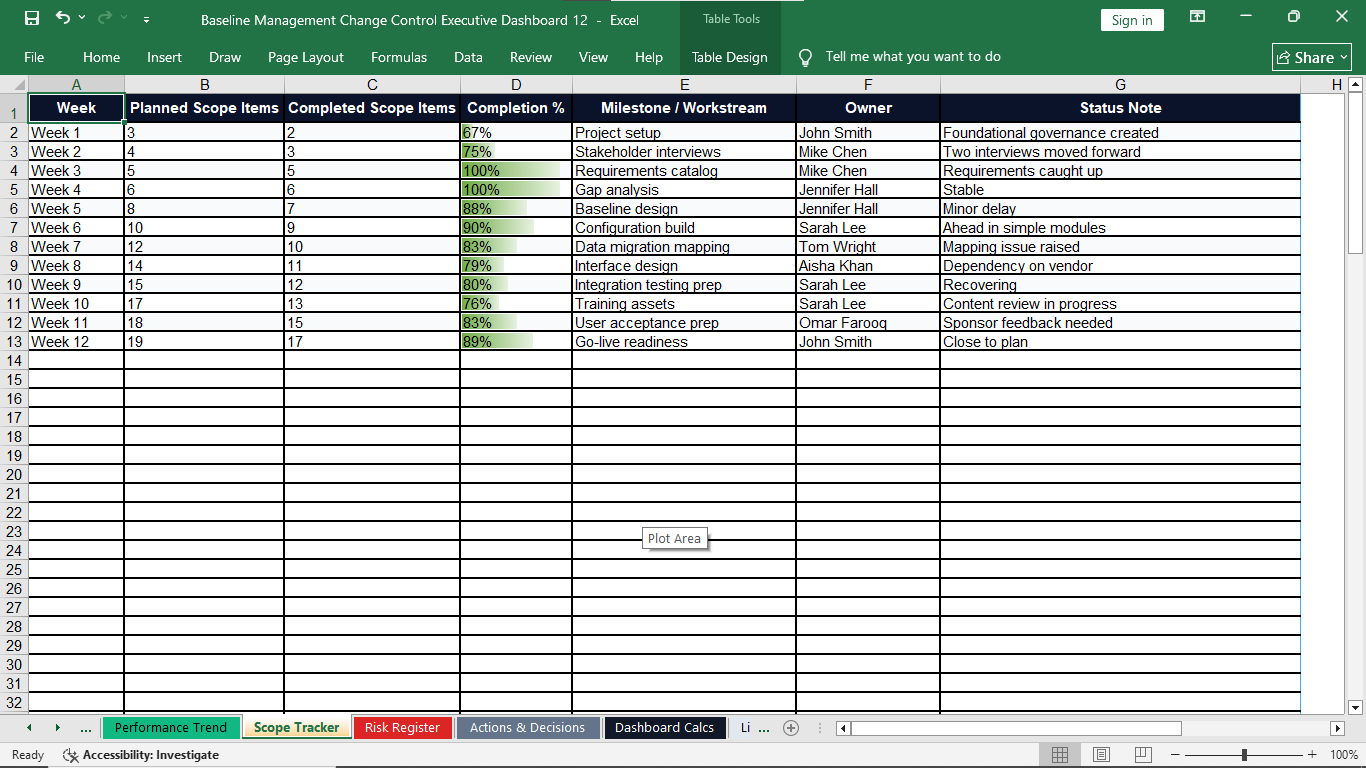
Compare planned scope items with completed scope items and monitor percentage completion.
Risk Register
Manage risk title, category, owner, probability, impact, level, response, status, and actions.
Actions & Decisions
Track action items, owner, due date, priority, decision needs, related changes, and comments.
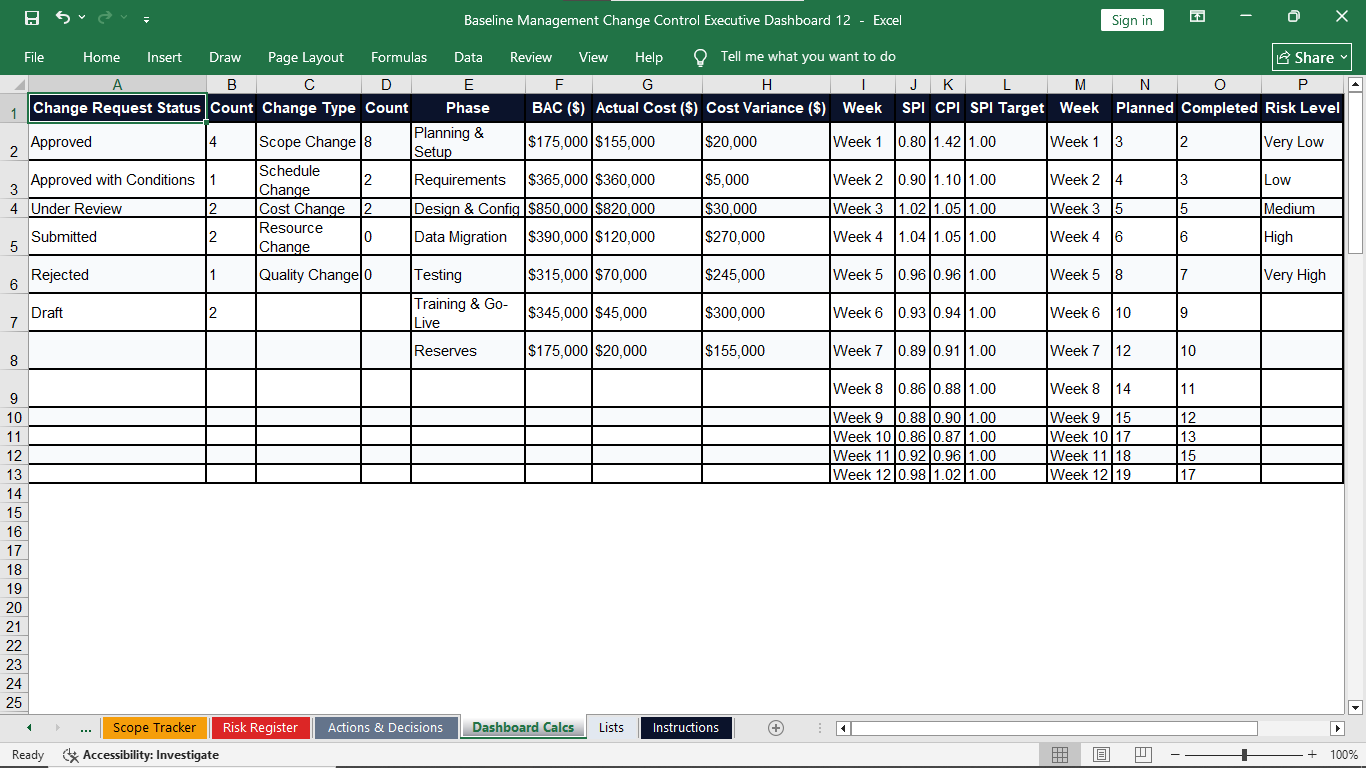
Dashboard Calcs
Calculation layer supporting KPI cards, summaries, counts, and executive reporting.
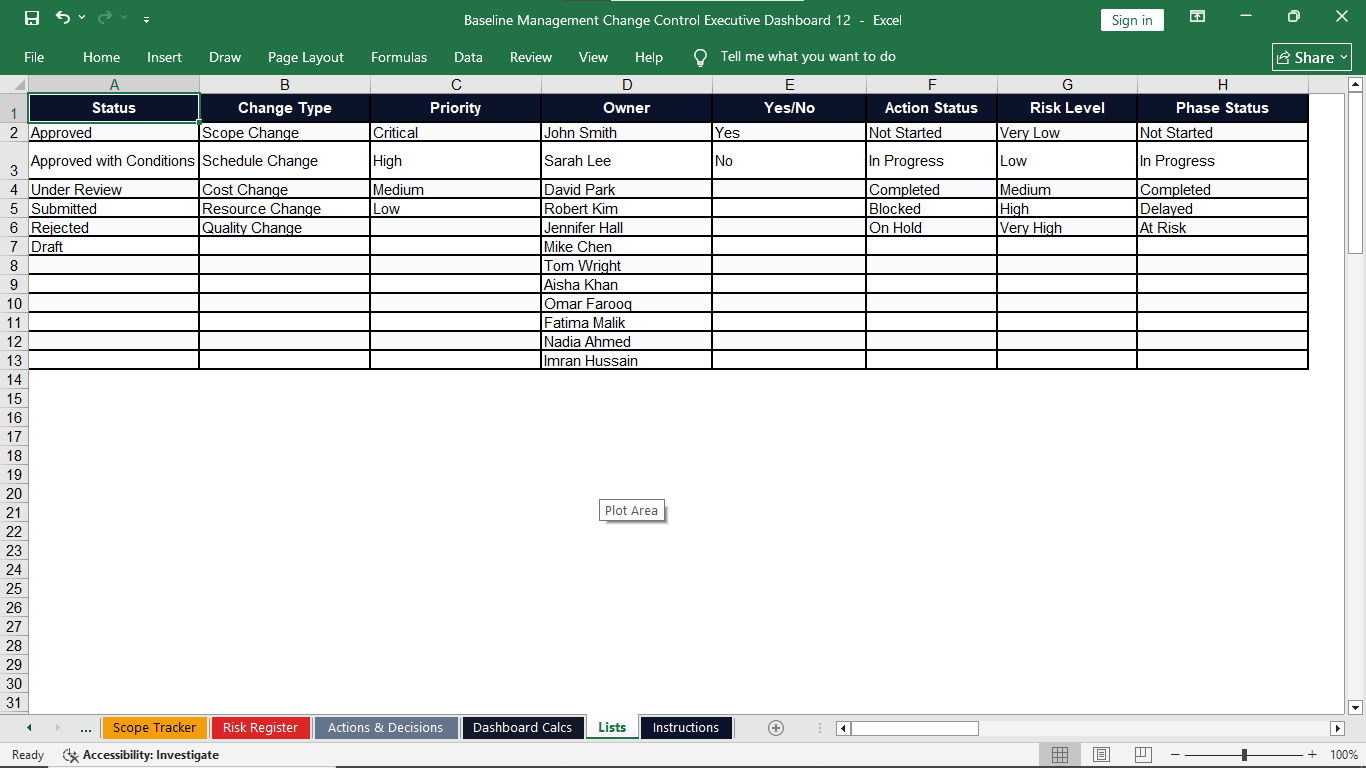
Lists
Editable dropdown values for statuses, priorities, owners, categories, and project control fields.
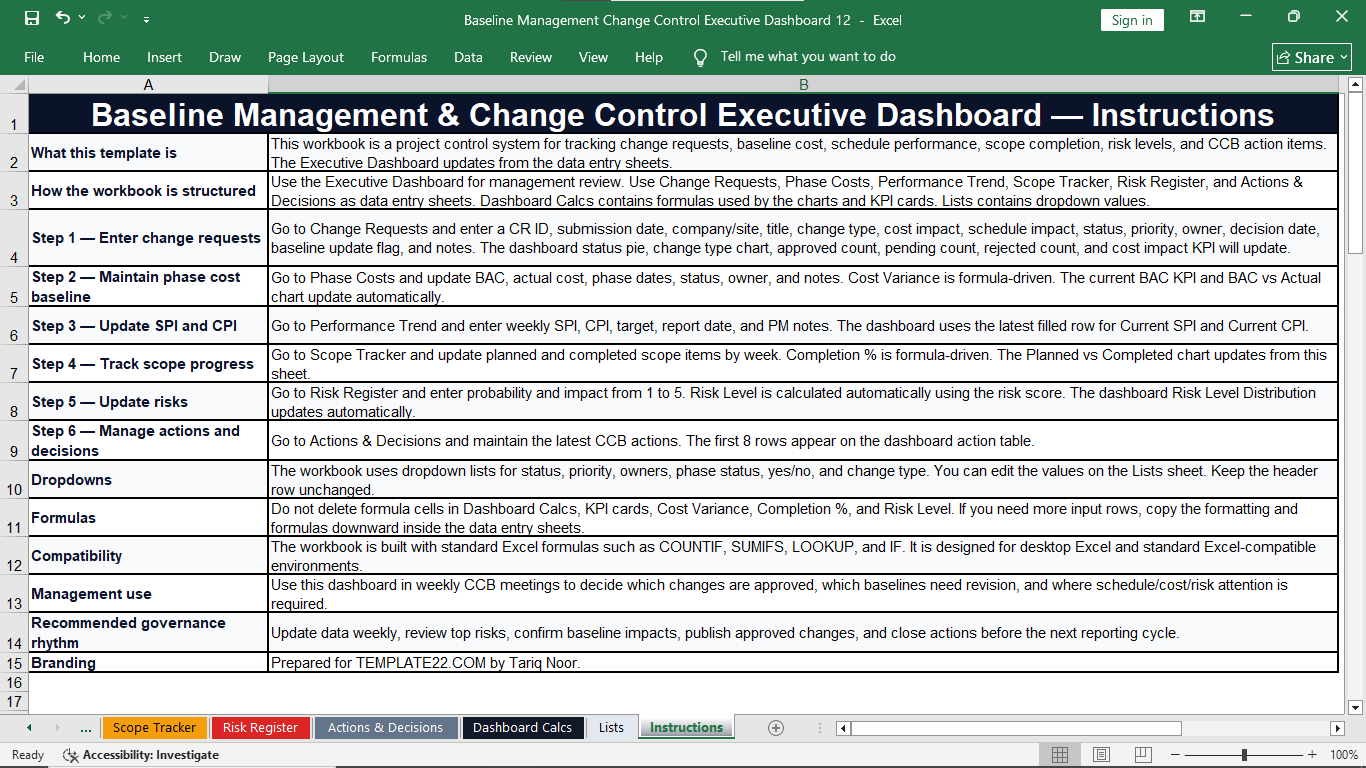
Instructions
Built-in guidance for entering data, updating information, and using the workbook correctly.
Small Uncontrolled Changes Can Create Big Project Problems
A scope adjustment can increase cost. A delayed approval can affect the schedule. An unresolved risk can create a corrective action. A decision without follow-up can become an issue.
Scope Changes
See how change requests connect with scope commitments and baseline updates.
Cost Impact
Review approved cost impacts, BAC, actual cost, and cost variance information.
Schedule Performance
Track SPI trends and schedule-related impacts in an organized reporting structure.
Management Decisions
Keep actions, owners, due dates, priorities, and decisions visible for follow-up.
From Project Data to Better Decisions in Four Steps
Use one repeatable workflow for regular project control and management reporting.
Enter Data
Add change requests, phase cost data, performance figures, scope progress, risks, actions, and decisions.
Track Progress
Monitor request status, baseline position, cost variance, SPI/CPI, scope completion, risk status, and overdue actions.
Review Dashboard
Use the Executive Dashboard to see key project indicators and areas that may need management attention.
Make Decisions
Use organized project information to support CCB, PMO, steering committee, and executive decisions.
Visual Preview Gallery
Who Should Use This Excel Template?
Designed for professionals who need practical control over project changes, baselines, performance, risks, and decisions.
Project Managers
Control project change, performance, risks, scope progress, and management actions from one workbook.
PMO Teams
Standardize project reporting and strengthen baseline governance and portfolio oversight.
Project Controls Teams
Monitor cost, schedule, performance trends, baseline changes, and variance information.
Construction Teams
Manage scope changes, cost impact, schedule impact, risks, approvals, and project actions.
Engineering Teams
Track technical changes, baseline revisions, risks, decisions, and phase-level project costs.
Consultants & Advisors
Use a structured Excel framework for client reporting, reviews, governance, and decision support.
Turn Project Information into Management Control
Give your team one organized framework for regular review, project governance, reporting, and decision-making.
⏱ Save Reporting Time
Reduce repeated manual reporting by keeping related project control information in one organized workbook.
💰 Improve Cost Visibility
Review BAC, actual cost, variance, and approved change impacts with stronger visibility.
📅 Monitor Performance
Track SPI and CPI trends and support regular management review of cost and schedule performance.
🎯 Protect the Baseline
Create a disciplined process for evaluating, approving, rejecting, implementing, and recording changes.
⚠️ Strengthen Risk Management
Connect risk ownership, probability, impact, response strategy, due dates, and mitigation action.
👥 Improve Accountability
Assign clear owners, priorities, due dates, statuses, decisions, and follow-up responsibilities.
Flexible for Many Project Environments
Adapt the workbook for project controls, governance, and reporting across different types of work.
Review. Decide. Update. Control.
Use the workbook as the center of a disciplined project control rhythm. Keep project facts visible, connect changes with their impacts, and make follow-up responsibilities clear.
Build a Strong Weekly Project Control Rhythm
Baseline Management & Change Control Executive Dashboard in Excel
Get a professional, colorful, editable Excel workbook for project baseline management, change control, performance monitoring, risk management, and executive reporting.
Take Control Before Small Changes Become Big Problems
Bring change requests, cost baseline, performance trends, scope progress, risks, actions, and decisions into one structured project control workbook.
Complete Excel Template
- Editable Excel workbook
- Executive dashboard
- 11 organized project control sheets
- Formula-driven calculations
- Editable dropdown lists
- Built-in instructions sheet
- Suitable for multiple industries
Built for Practical Spreadsheet-Based Project Control
Use the workbook as a structured project management and reporting tool for your own project information.
Editable
Update project names, owners, categories, statuses, dates, costs, risks, and other project information.
Formula-Driven
The workbook uses organized spreadsheet calculations to support KPI cards, summaries, and tracking.
Instructions Included
A dedicated instructions sheet helps users understand the workbook structure and recommended usage.
Frequently Asked Questions
Simple answers before you buy the Baseline Management & Change Control Executive Dashboard.
Yes. You can update the workbook with your project information and adjust editable content according to your working requirements.
The workbook contains 11 organized sheets, including the Executive Dashboard, Data, Change Requests, Phase Costs, Performance Trend, Scope Tracker, Risk Register, Actions & Decisions, Dashboard Calcs, Lists, and Instructions.
Yes. The workbook includes an Executive Dashboard that brings together important project control indicators and management information.
Yes. The change request tracker supports request details, type, cost impact, schedule impact, status, priority, owner, decision date, baseline update status, and notes.
Yes. The Performance Trend sheet is designed to record and monitor Schedule Performance Index and Cost Performance Index values over reporting periods.
No. It can be adapted for construction, engineering, IT, ERP, manufacturing, consulting, infrastructure, transformation, and other project environments.
No. This is a digital Excel product. No physical item is shipped.
Every Project Changes. The Difference Is How You Control It.
Replace scattered tracking with one organized Excel workbook for baseline management, change control, cost and schedule performance, scope progress, risks, actions, and decisions.
Get the Template for $39.99