Project Resource Management Templates in Excel | Construction Project Management
Premium Excel Templates for Construction Project Resource Planning, Tracking, Control & Reporting
Complete Excel-Based Construction Resource Management System

Project Resource Management Templates in Excel

Plan, allocate, track, and control construction labor, equipment, materials, subcontractors, crew productivity, daily labor reports, attendance, overtime, fuel consumption, resource loading, competency, training, and cost loading in one professional Excel template pack.

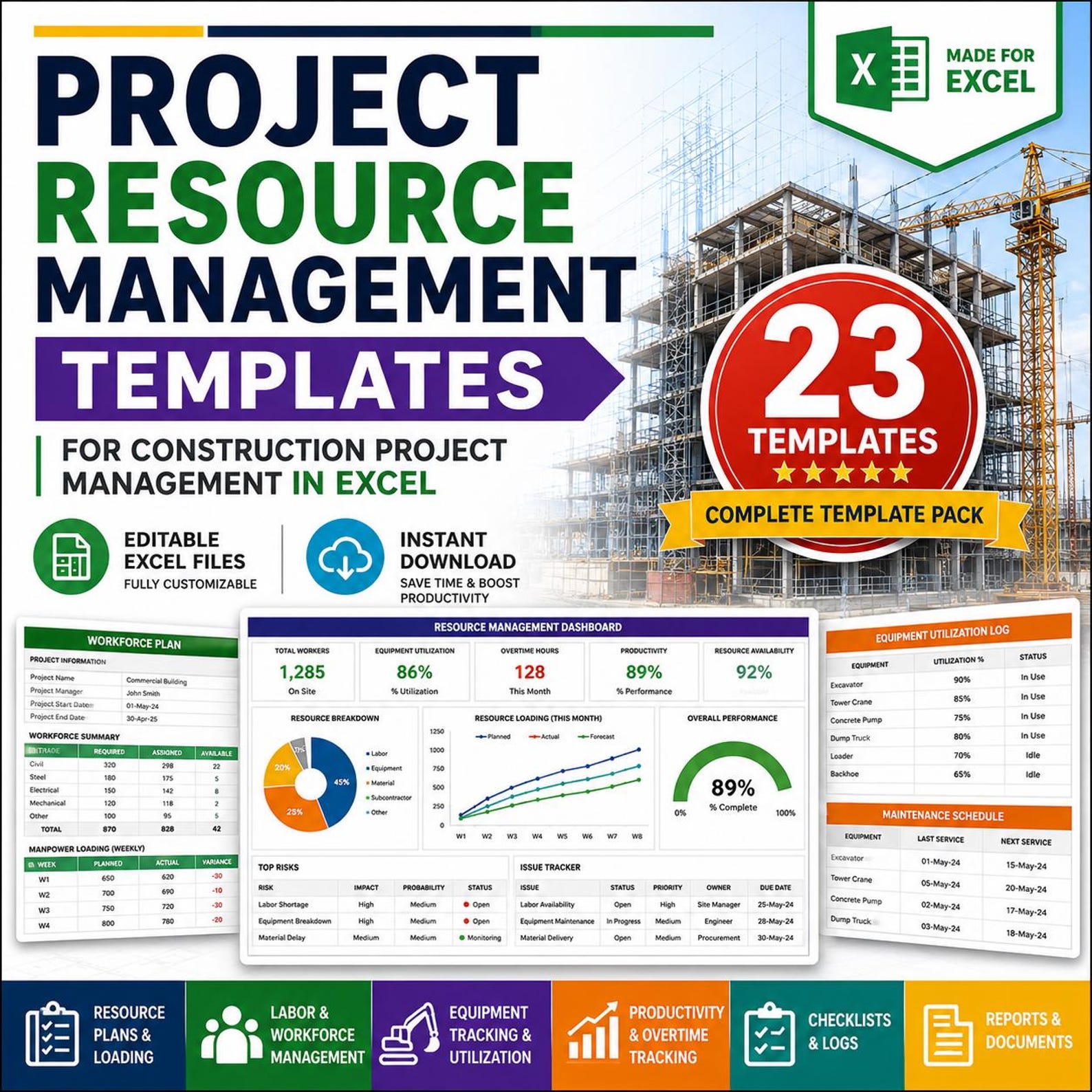
23 Excel Templates Fully Editable Construction Focused Instant Download

Project Resource Management Excel Pack

Project Resource Management Templates in Excel
92% Resource Availability
86% Equipment Utilization
89% Crew Productivity
128 Overtime Hours

Everything You Need to Manage Construction Resources

This template pack is designed for construction project managers, planning engineers, site managers, project control teams, contractors, subcontractors, and construction companies.

👷

Labor Planning

Plan workforce requirements, labor allocation, crew planning, attendance, daily reporting, and overtime control.

🏗️

Equipment Management

Track equipment resource plans, allocation, plant utilization, maintenance logs, and fuel consumption.

📊

Resource Loading

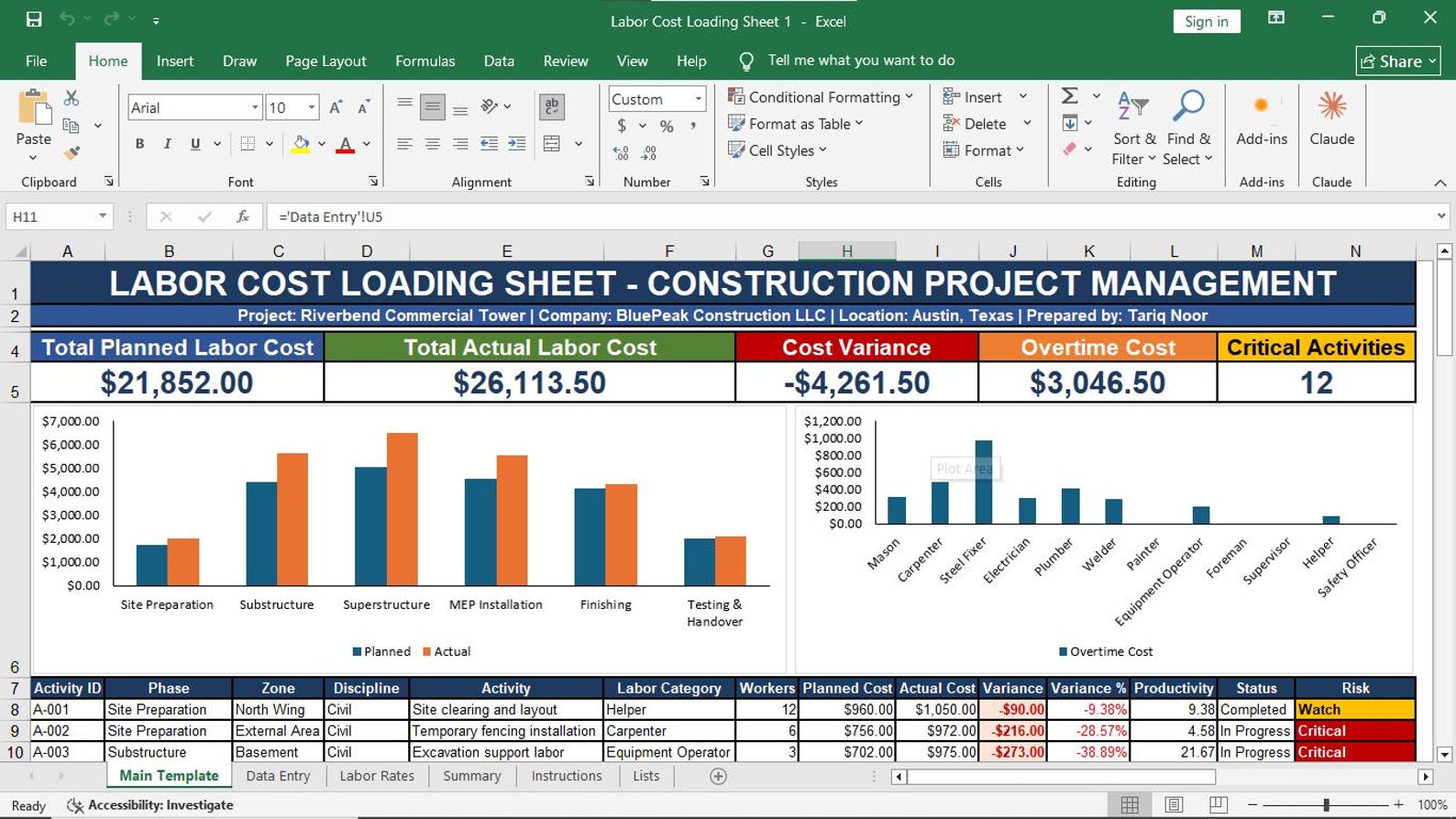
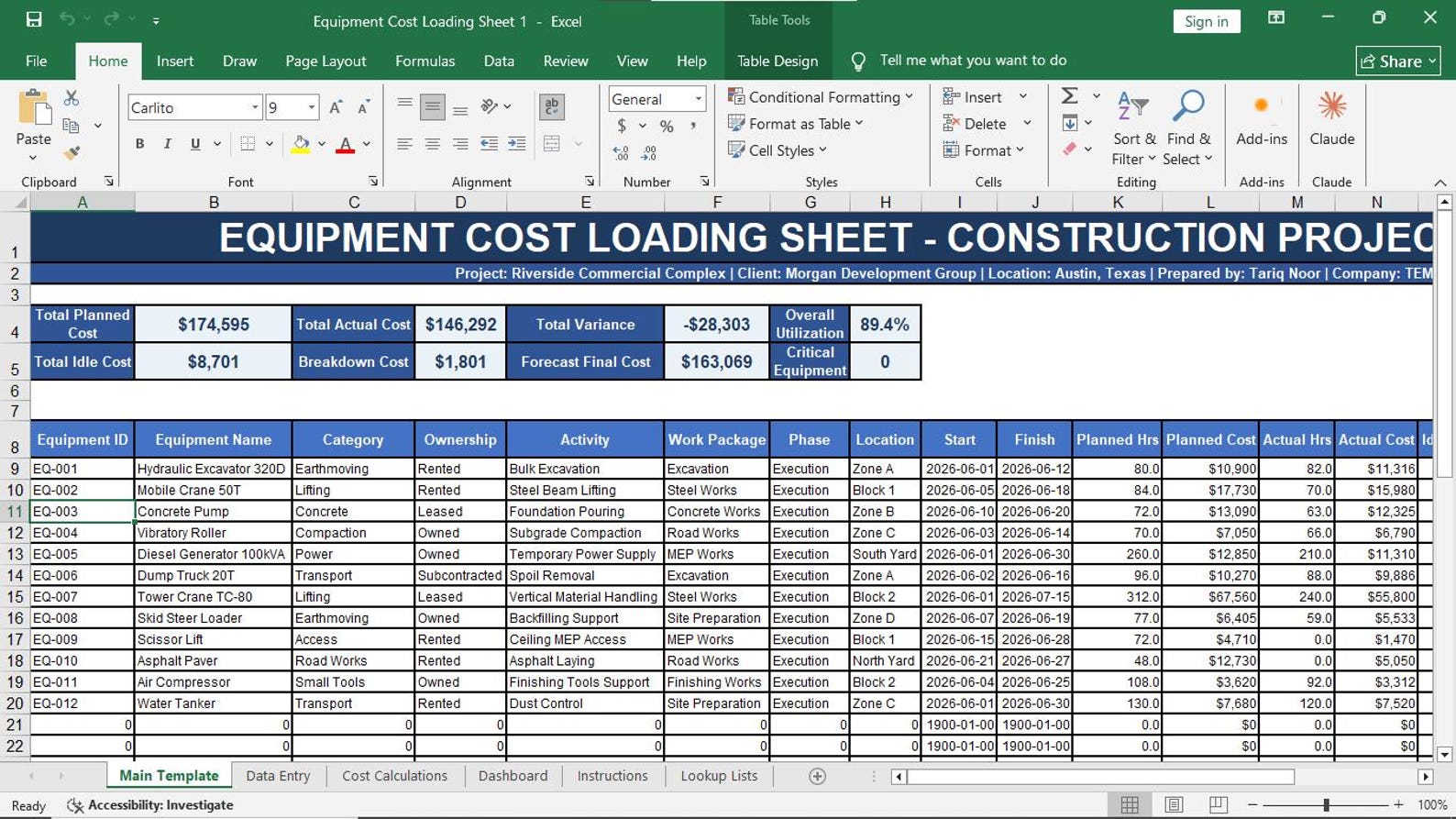
Manage resource loading plans, resource histograms, labor cost loading, and equipment cost loading.

📅

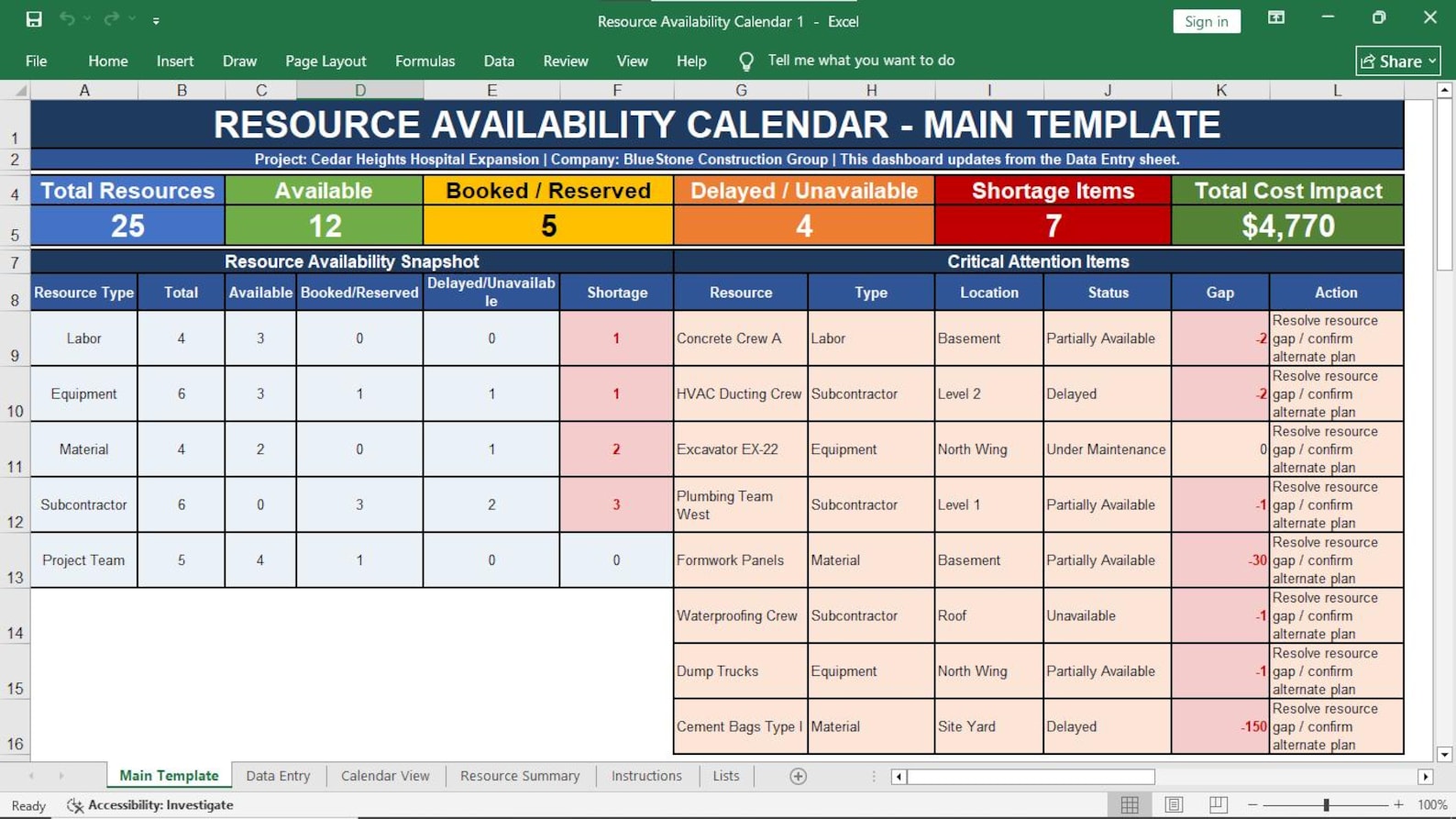
Availability Calendar

See when labor, equipment, materials, and subcontractor resources are available, assigned, or unavailable.

🎓

Competency & Training

Track employee skills, certifications, competency levels, training needs, and training completion status.

💰

Cost Control Support

Support project cost control by monitoring labor cost loading, equipment cost loading, overtime, and utilization.

23 Professional Excel Templates Included

The workbook pack is organized to help you manage all major construction resource management areas.

01

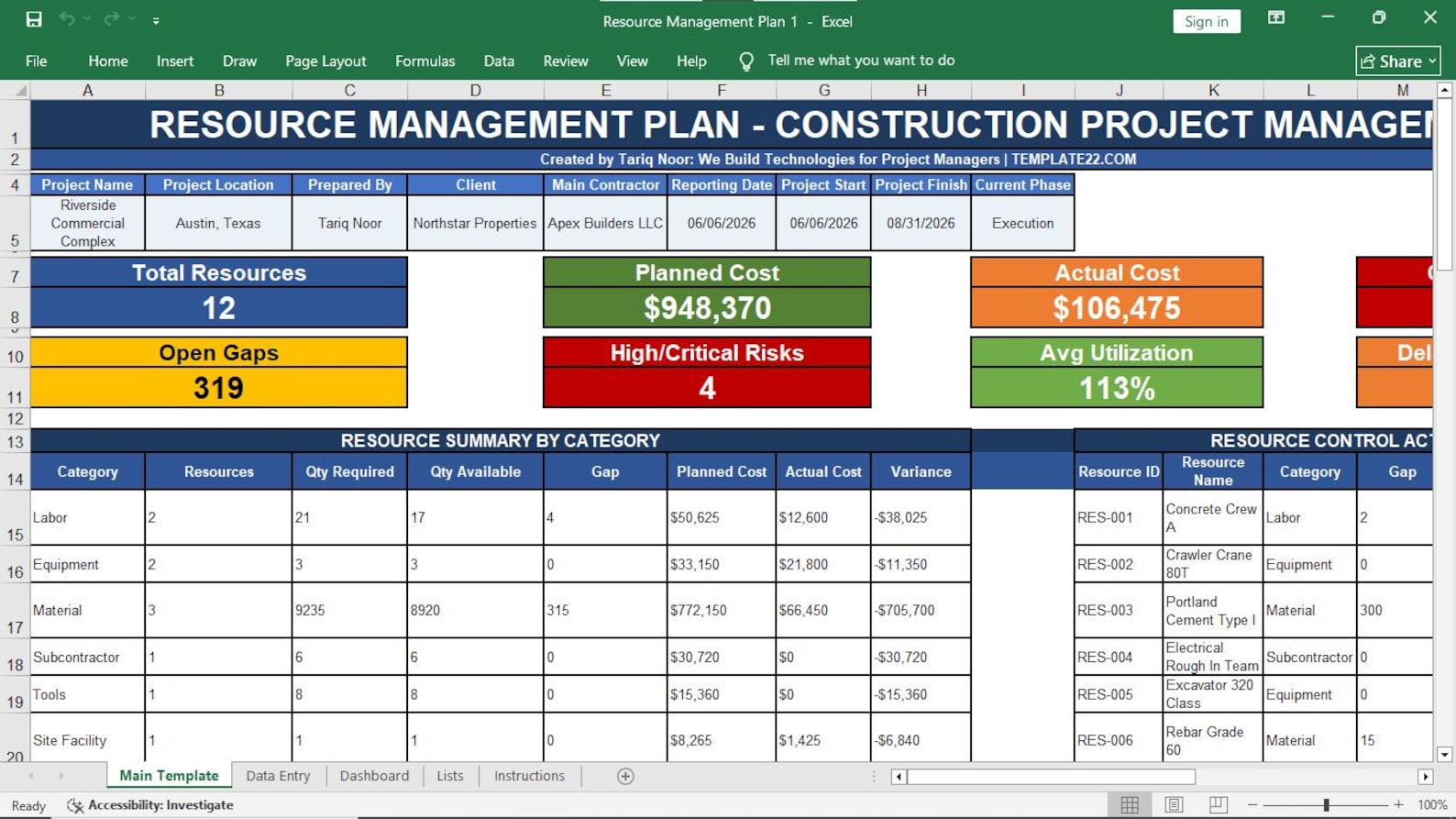
Resource Management Plan

Define how resources will be planned, acquired, assigned, monitored, and controlled.

02

Resource Requirements Matrix

Identify required labor, equipment, materials, and subcontractors by activity or work package.

03

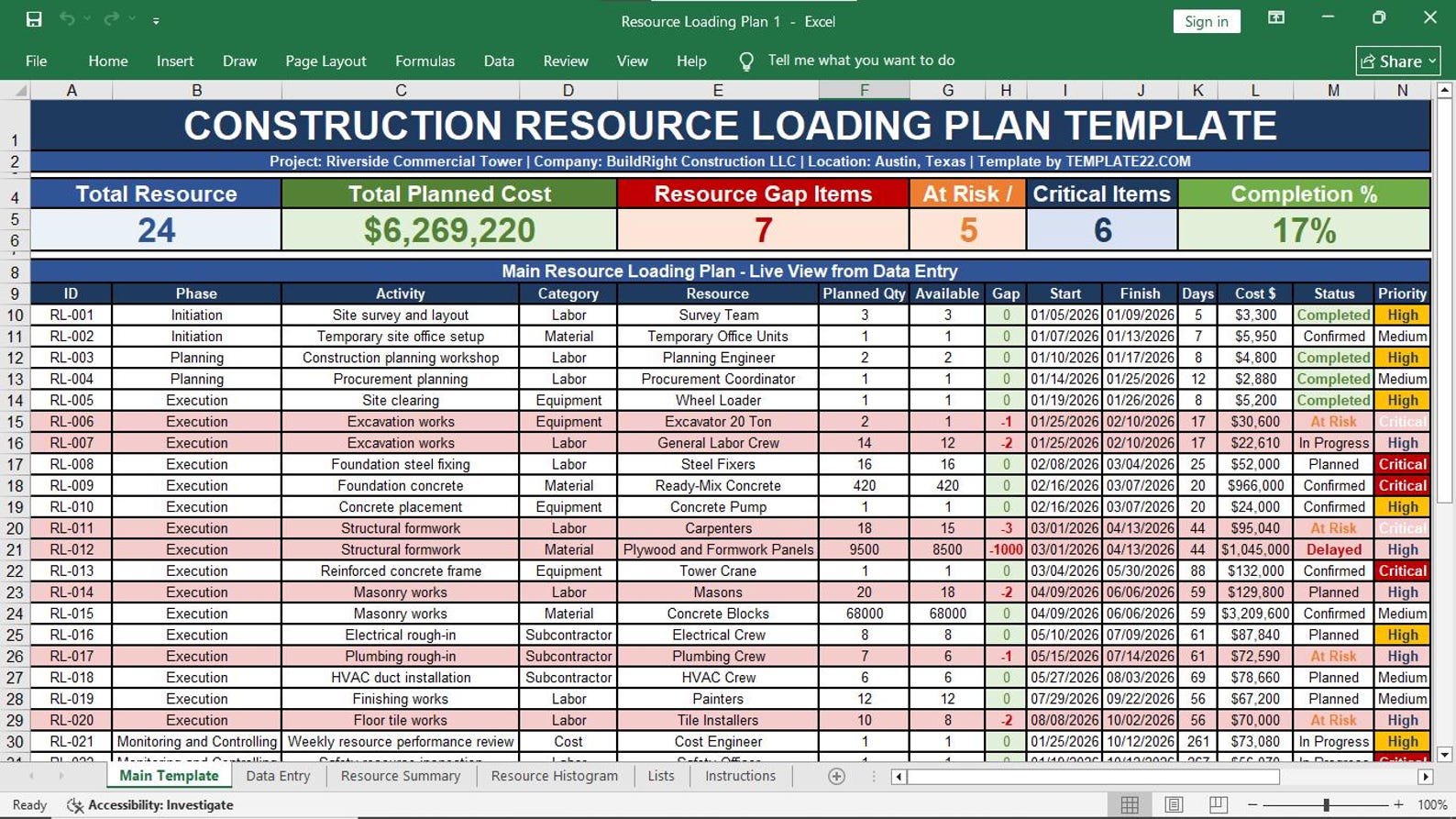
Resource Loading Plan

Plan resource demand across days, weeks, months, activities, and project phases.

04

Workforce Plan

Plan manpower requirements, trade categories, assigned workers, and workforce availability.

05

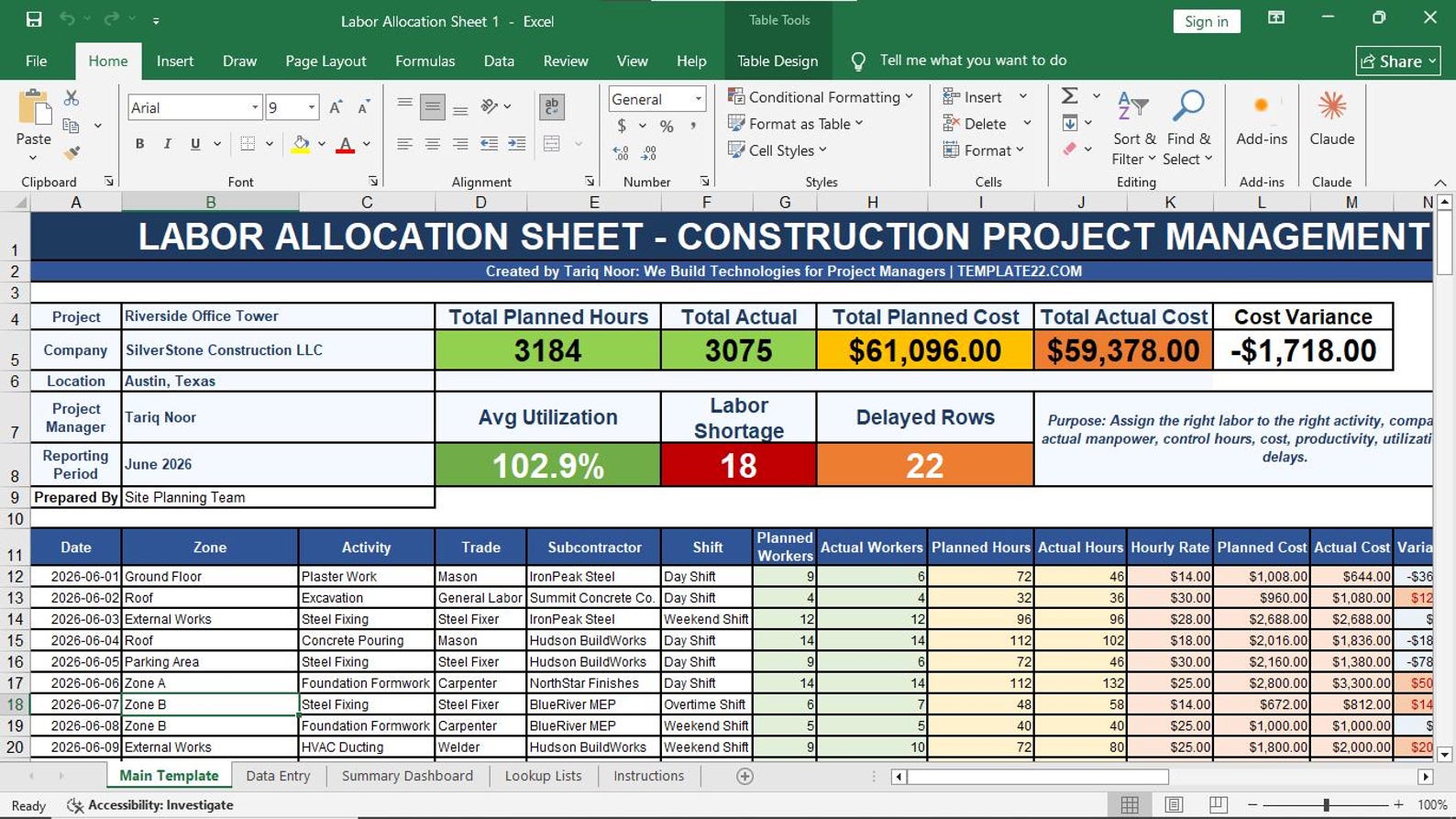
Labor Allocation Sheet

Assign labor to activities, work zones, shifts, supervisors, and project locations.

06

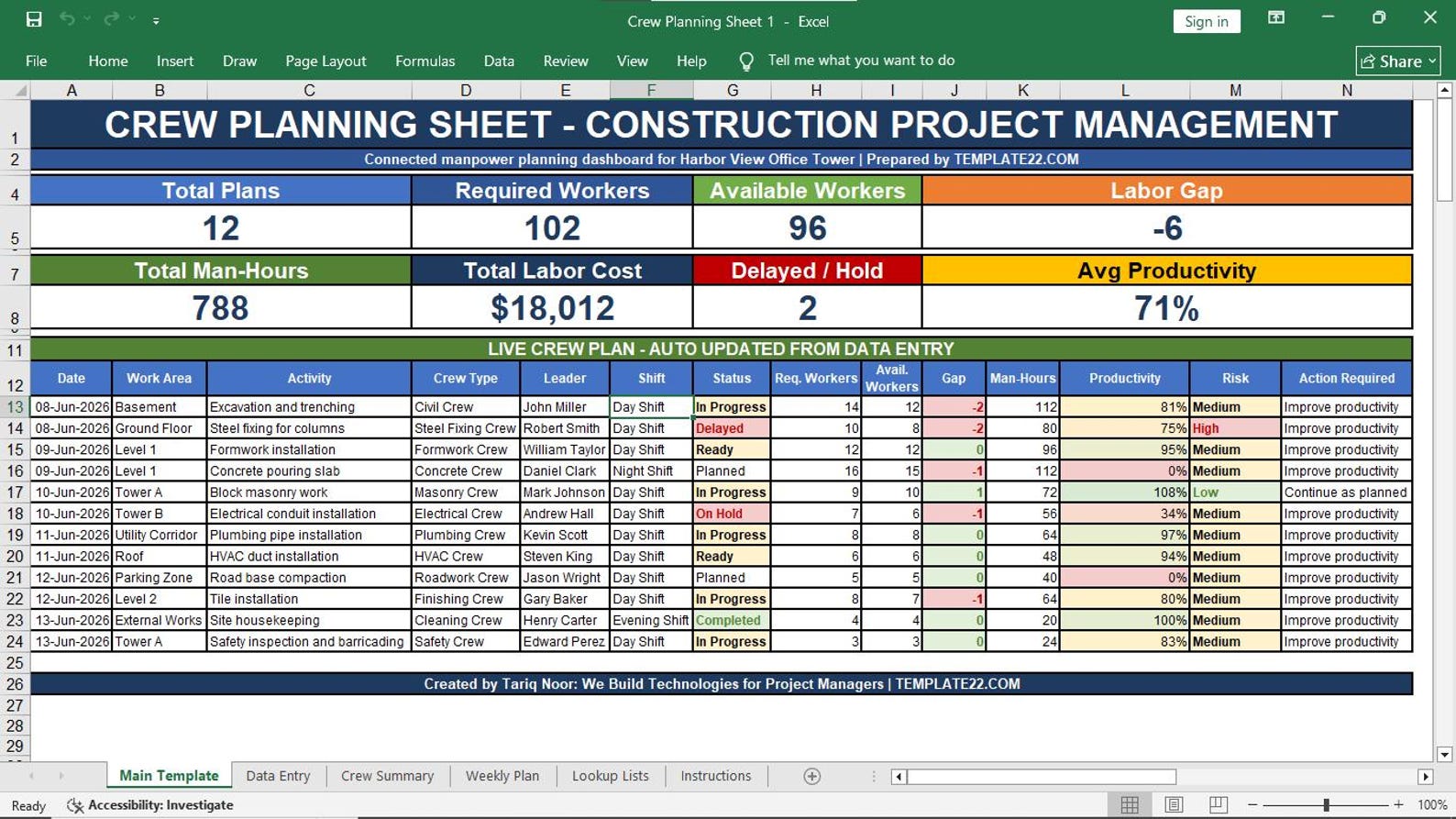
Crew Planning Sheet

Organize crews by trade, supervisor, project area, planned output, and working dates.

07

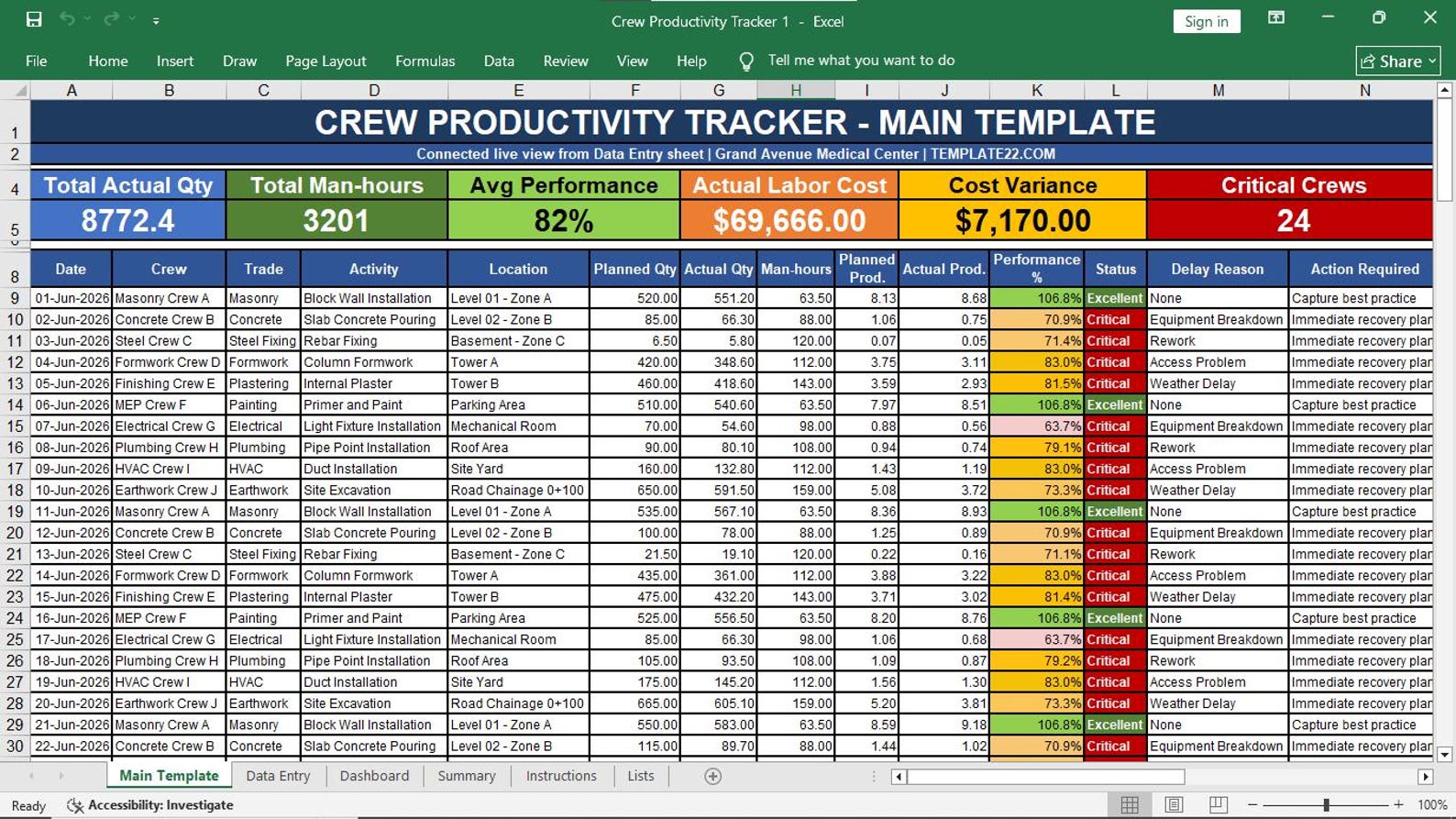
Crew Productivity Tracker

Track planned output, actual output, productivity percentage, and performance variance.

08

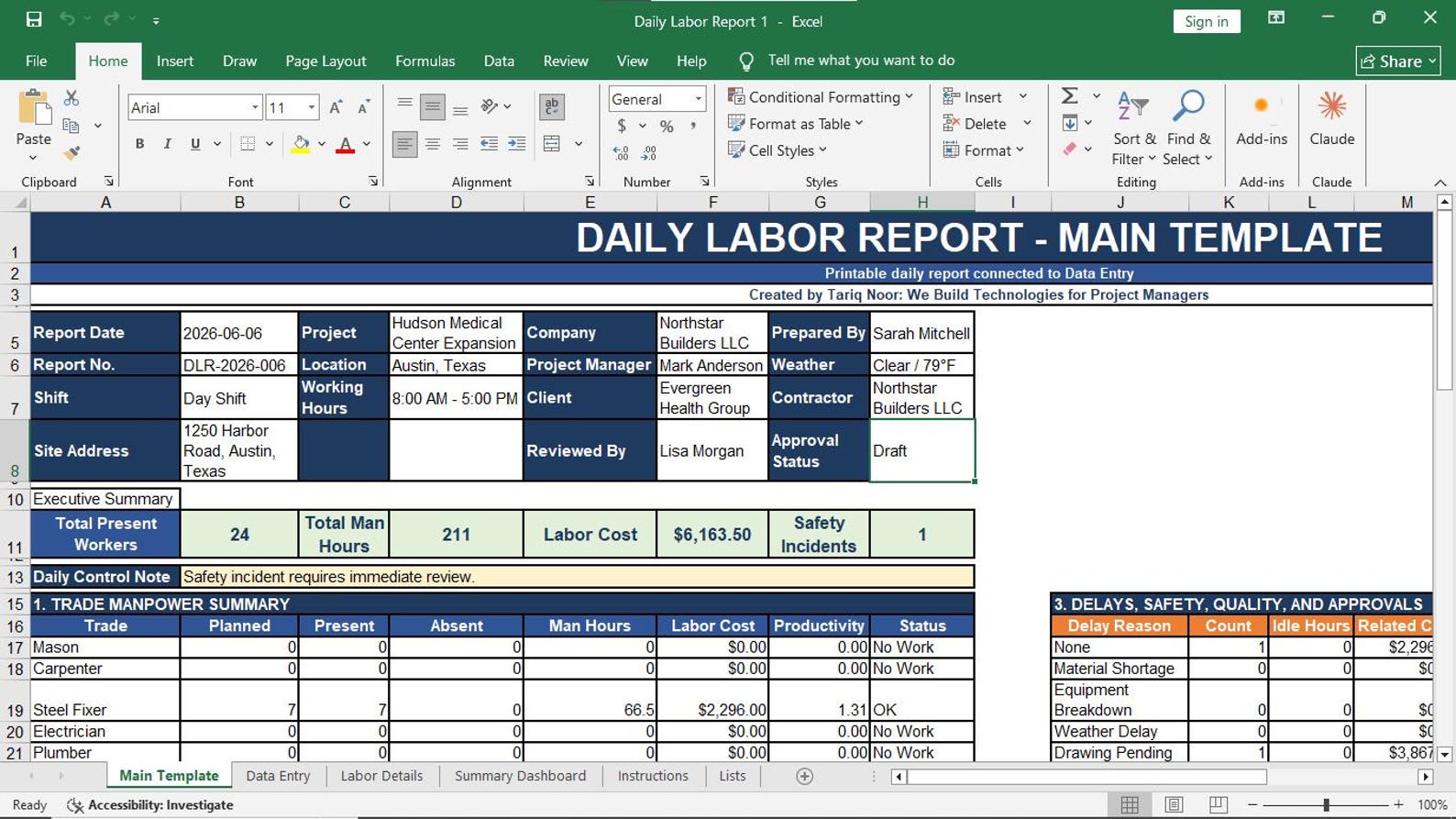
Daily Labor Report

Record daily manpower, work hours, performed activities, site location, and daily progress.

09

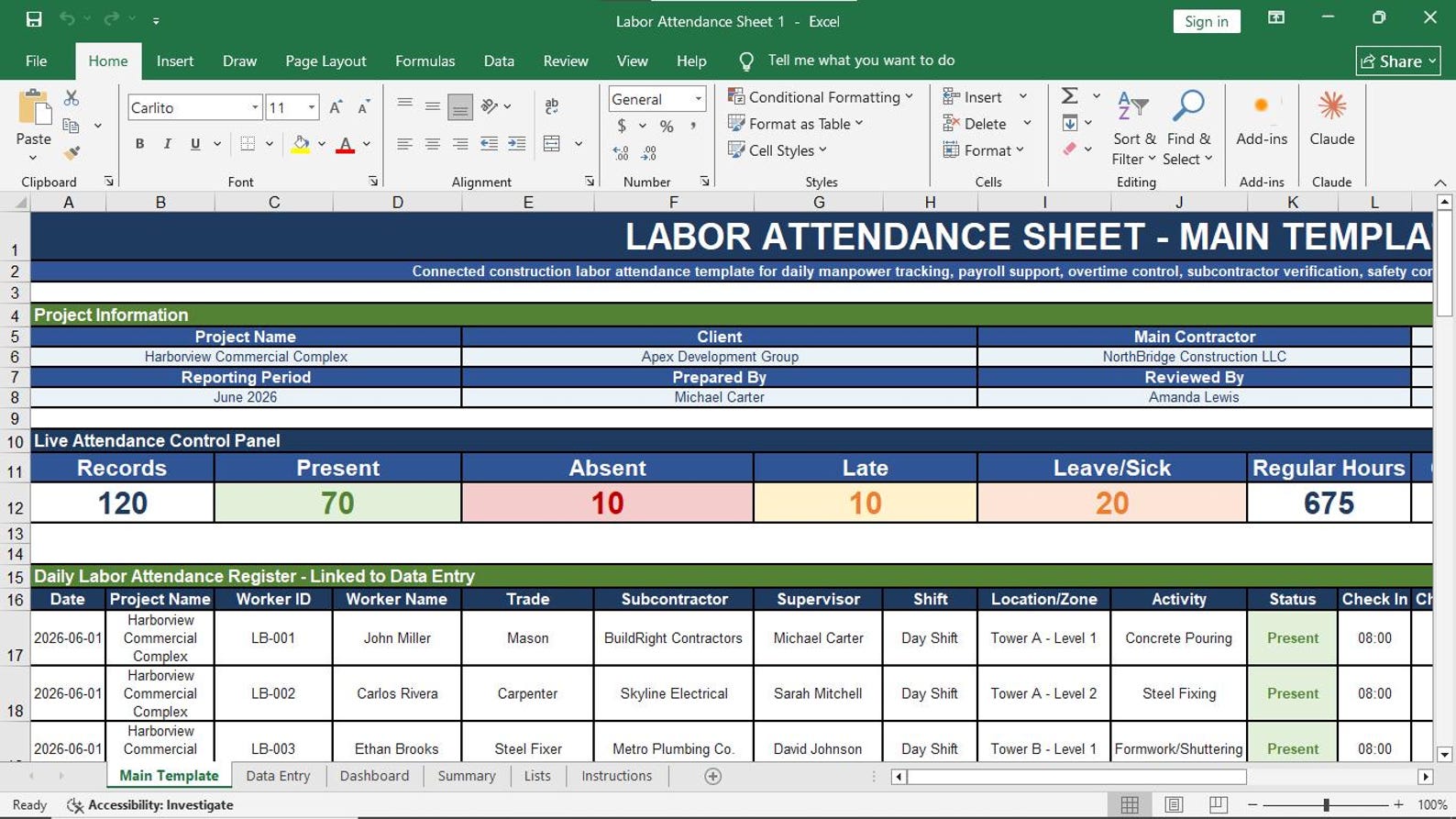
Labor Attendance Sheet

Track attendance, absence, shifts, working hours, and labor availability status.

10

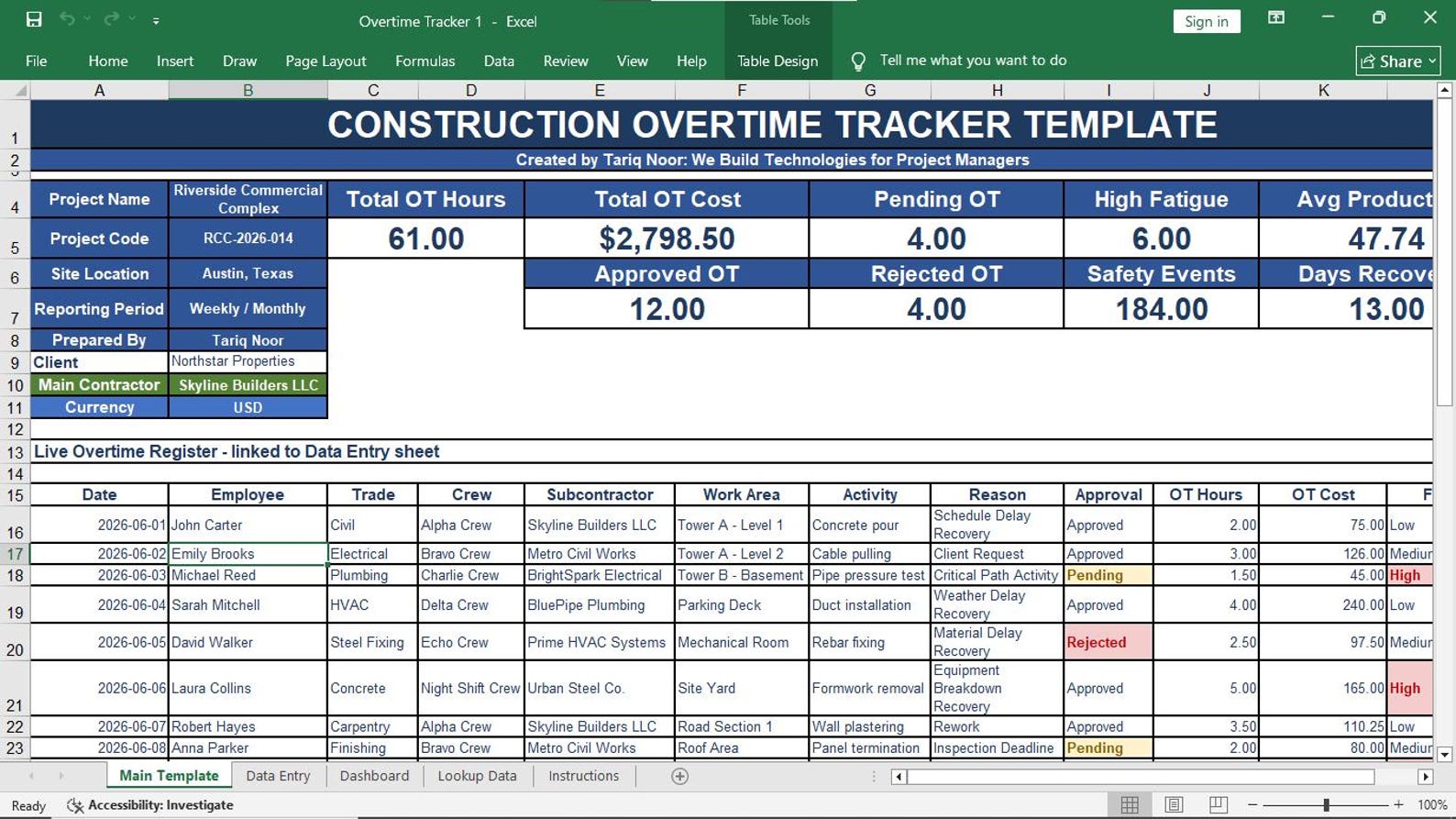
Overtime Tracker

Monitor overtime hours, reasons, approvals, responsible owners, and cost impact.

11

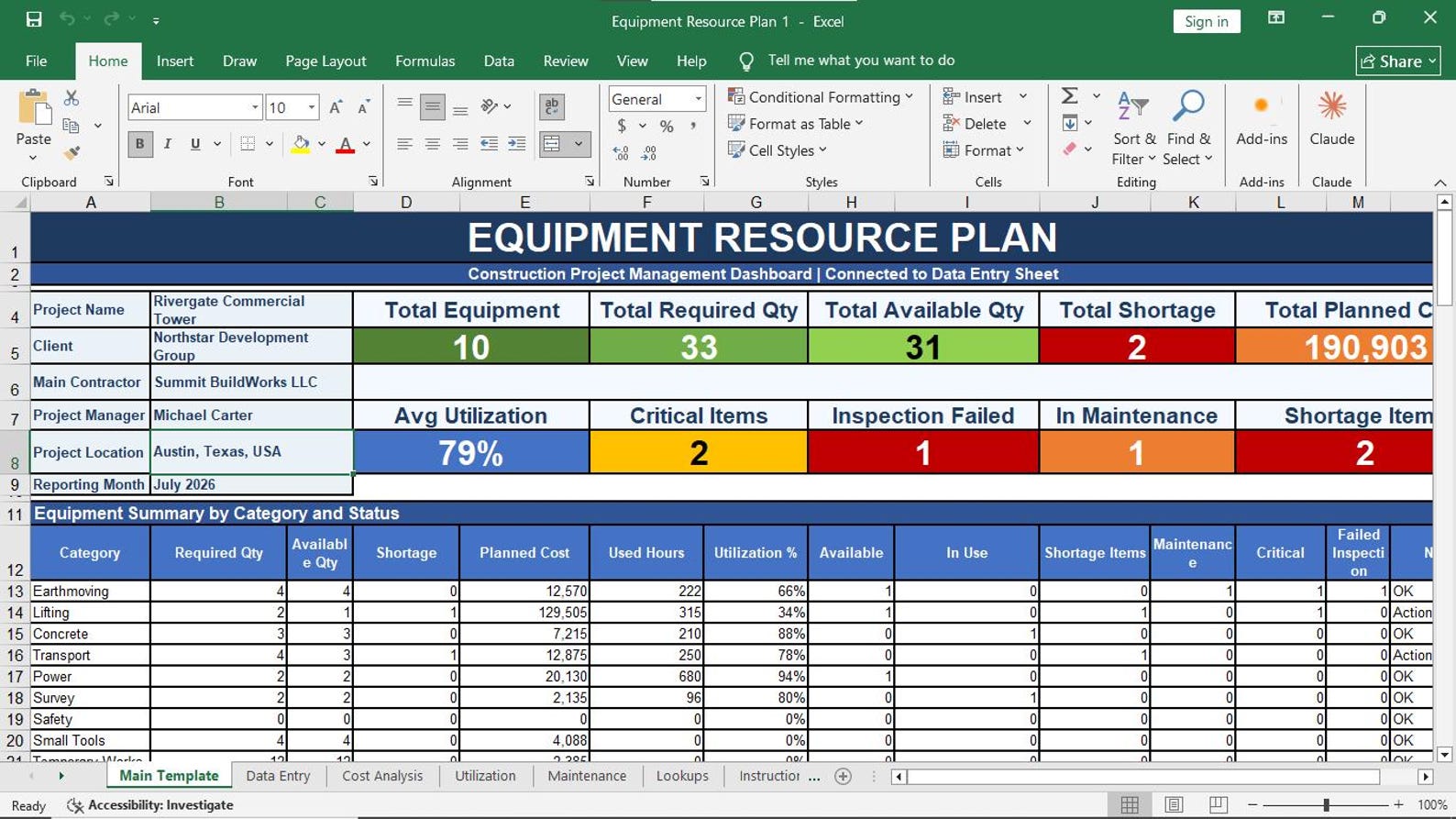
Equipment Resource Plan

Plan required equipment, machinery, tools, operators, availability, and usage period.

12

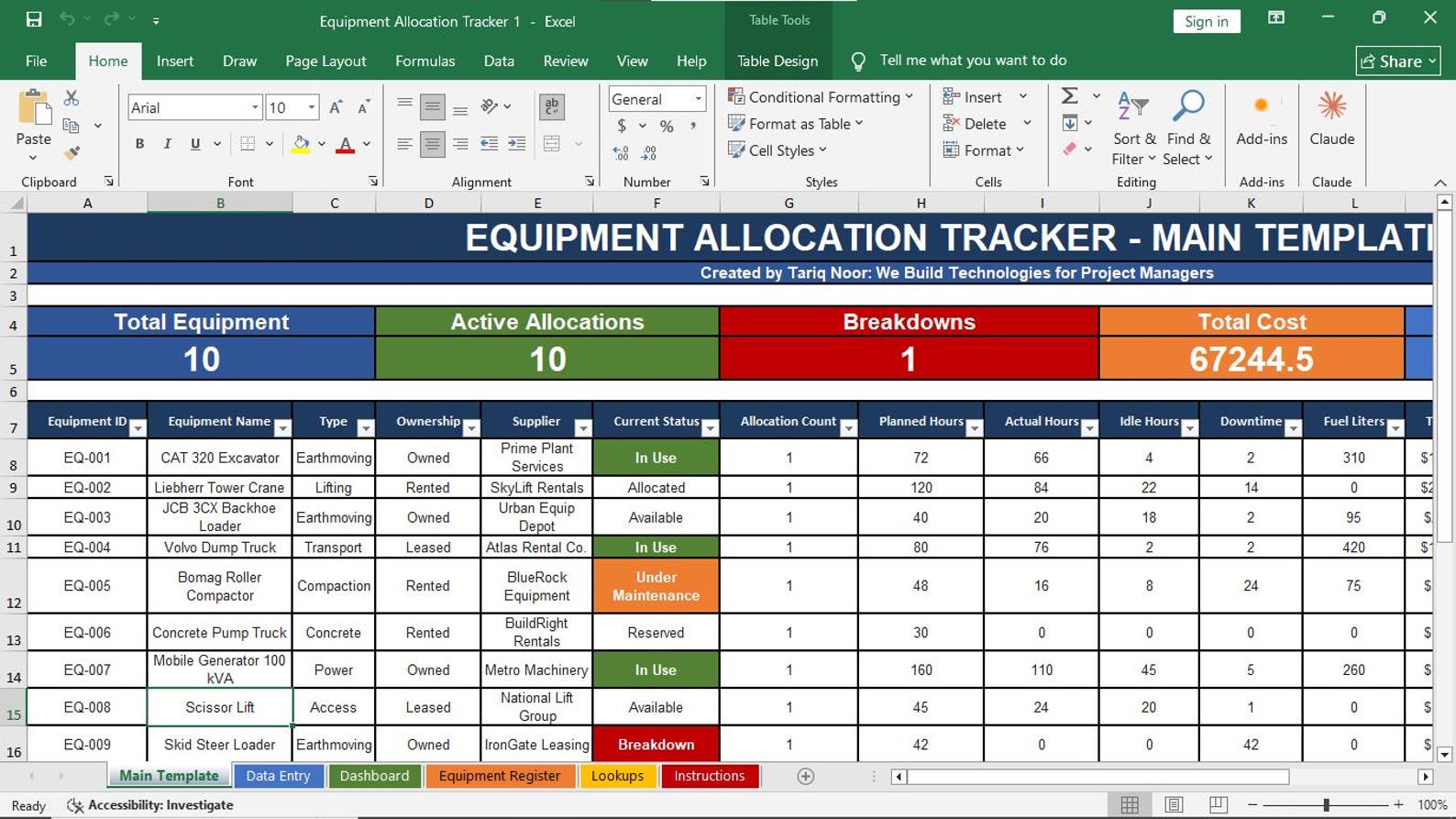
Equipment Allocation Tracker

Track equipment assignment, site location, activity usage, date range, and responsible person.

13

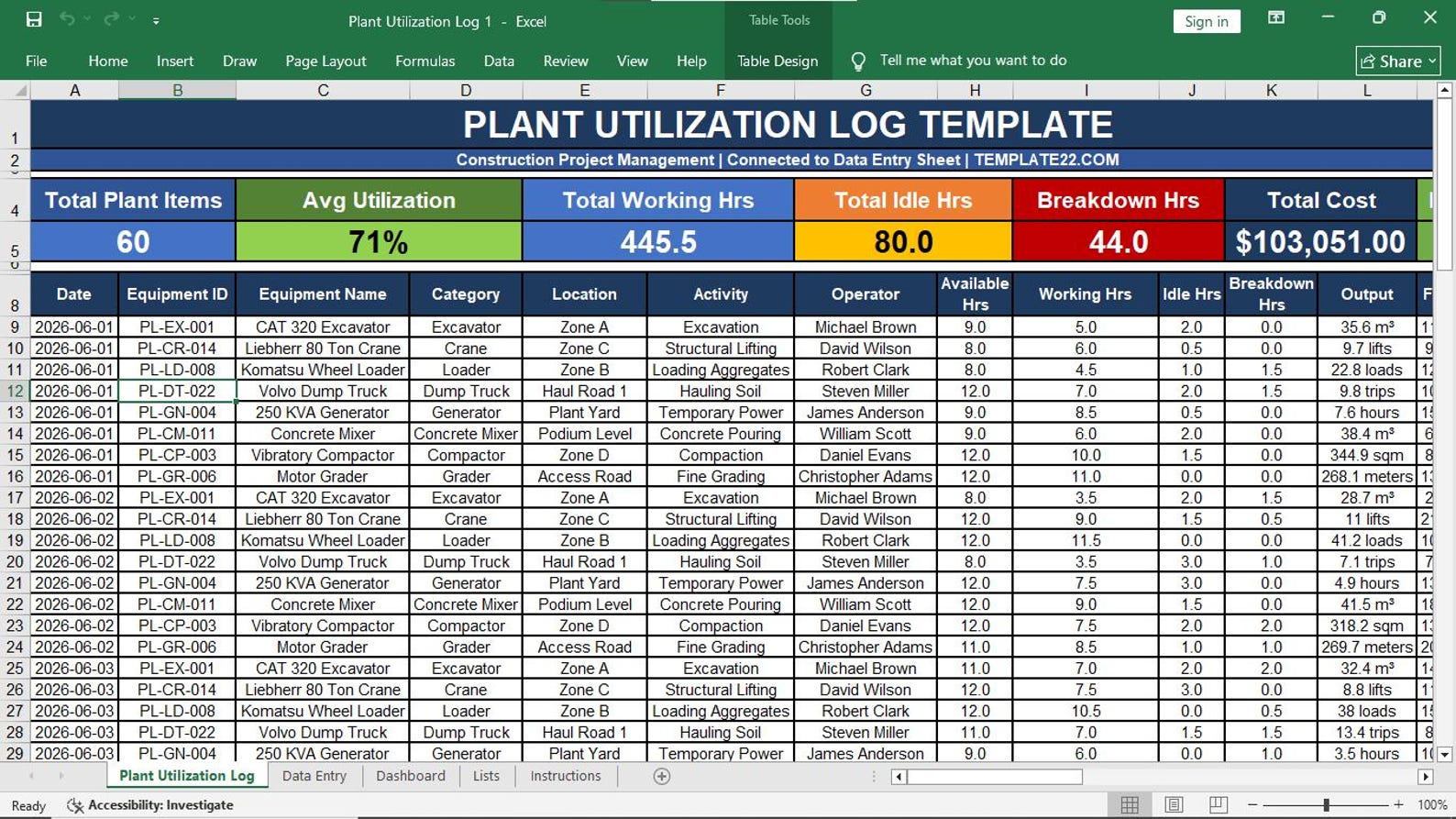
Plant Utilization Log

Monitor plant working hours, idle hours, utilization percentage, and performance status.

14

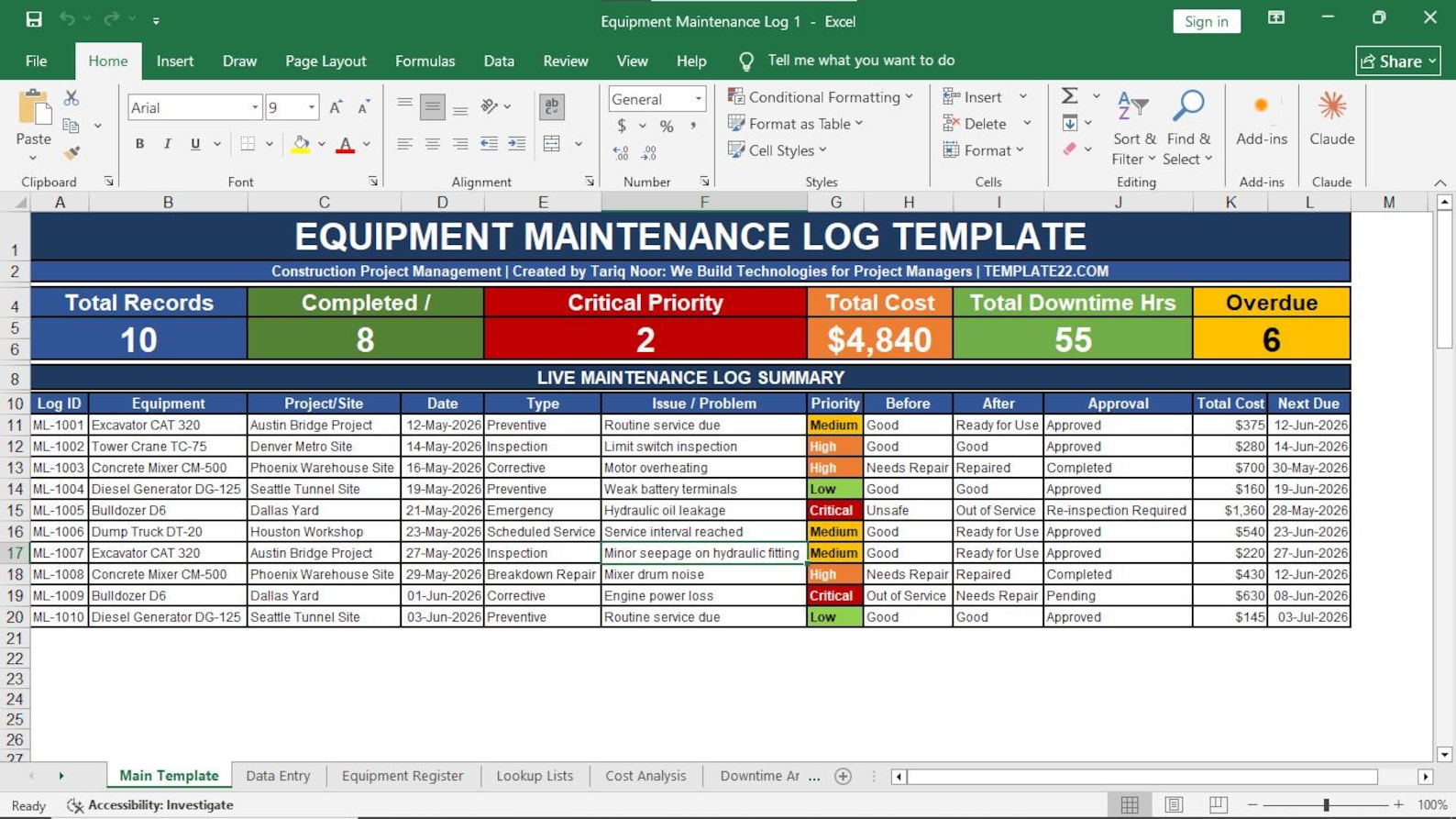
Equipment Maintenance Log

Record maintenance dates, breakdowns, repairs, service status, and next maintenance date.

15

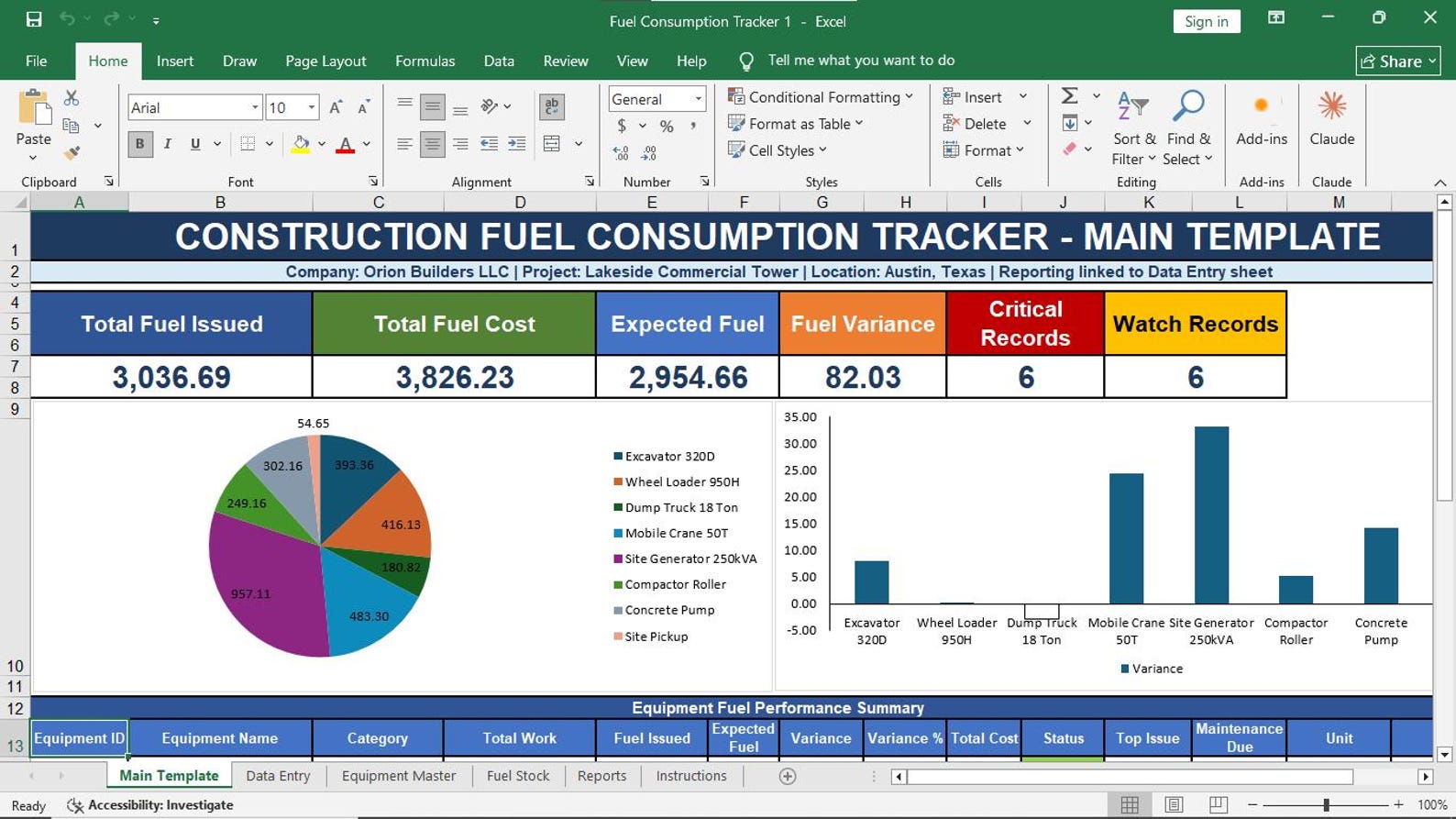
Fuel Consumption Tracker

Track fuel usage by equipment, operator, date, location, quantity, rate, and cost.

16

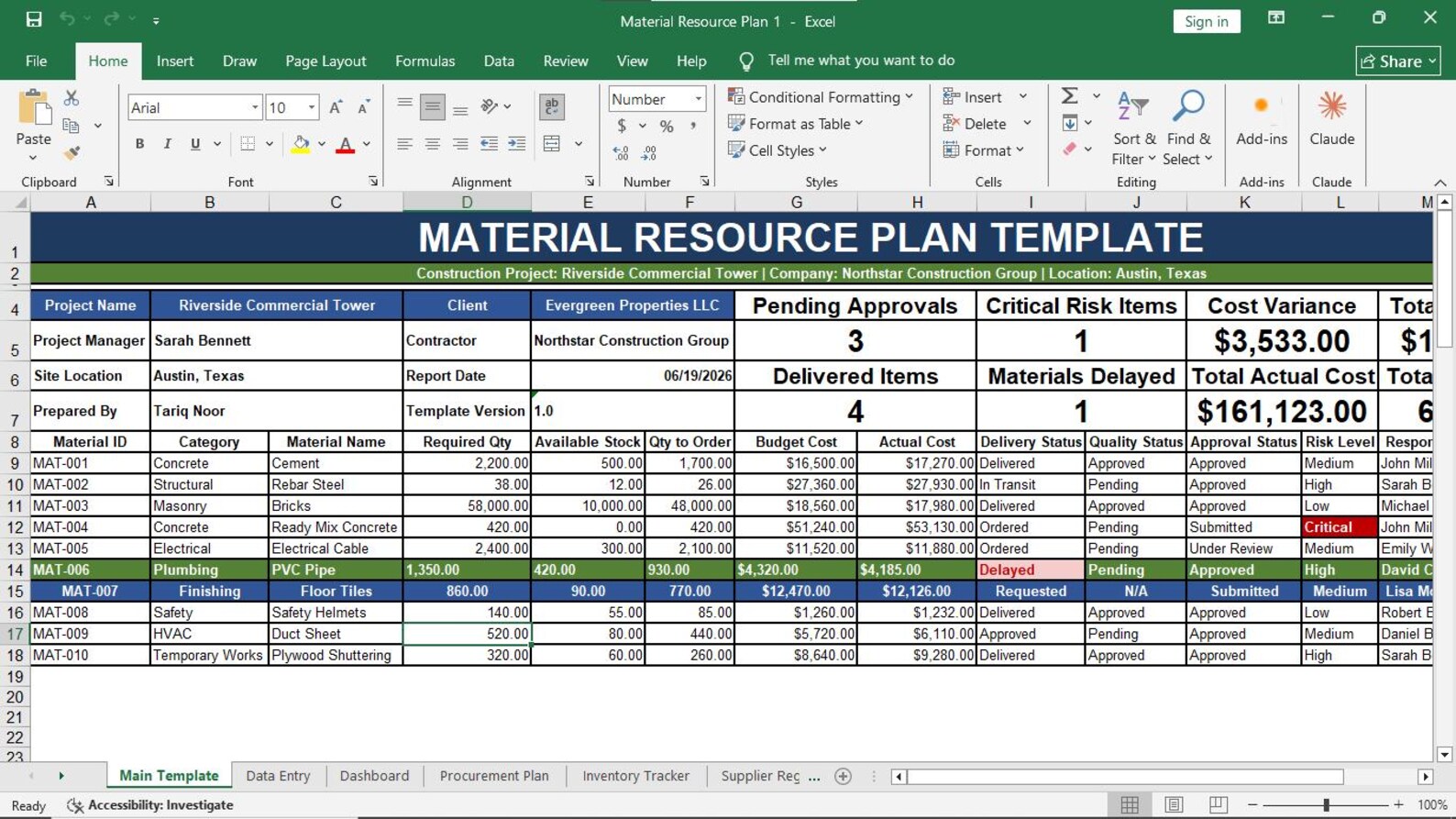
Material Resource Plan

Plan material needs, quantities, delivery dates, required dates, and availability.

17

Resource Availability Calendar

View resource availability by date, team, equipment, material, or subcontractor category.

18

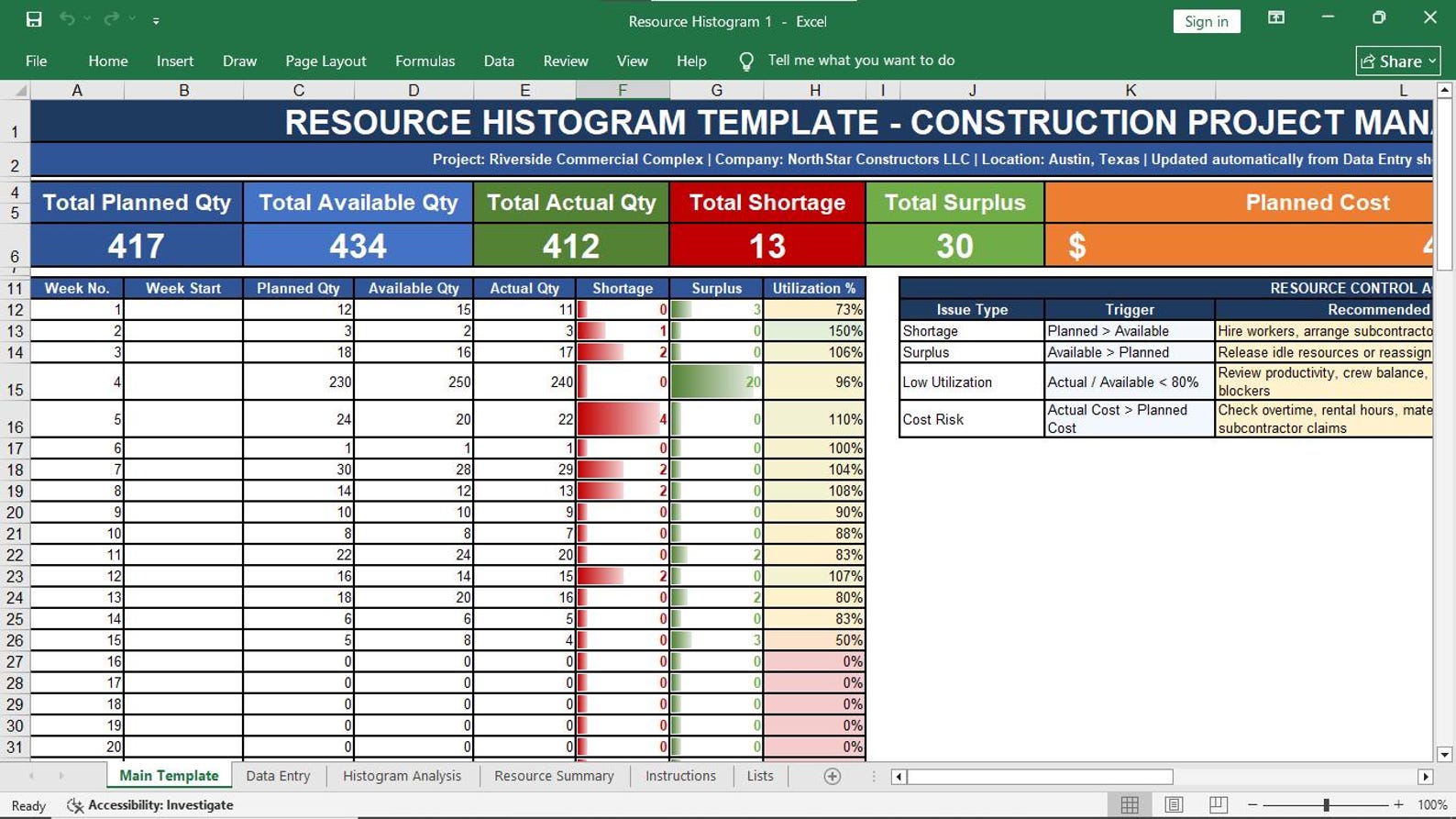
Resource Histogram

Visualize resource demand and loading across project periods for better forecasting.

19

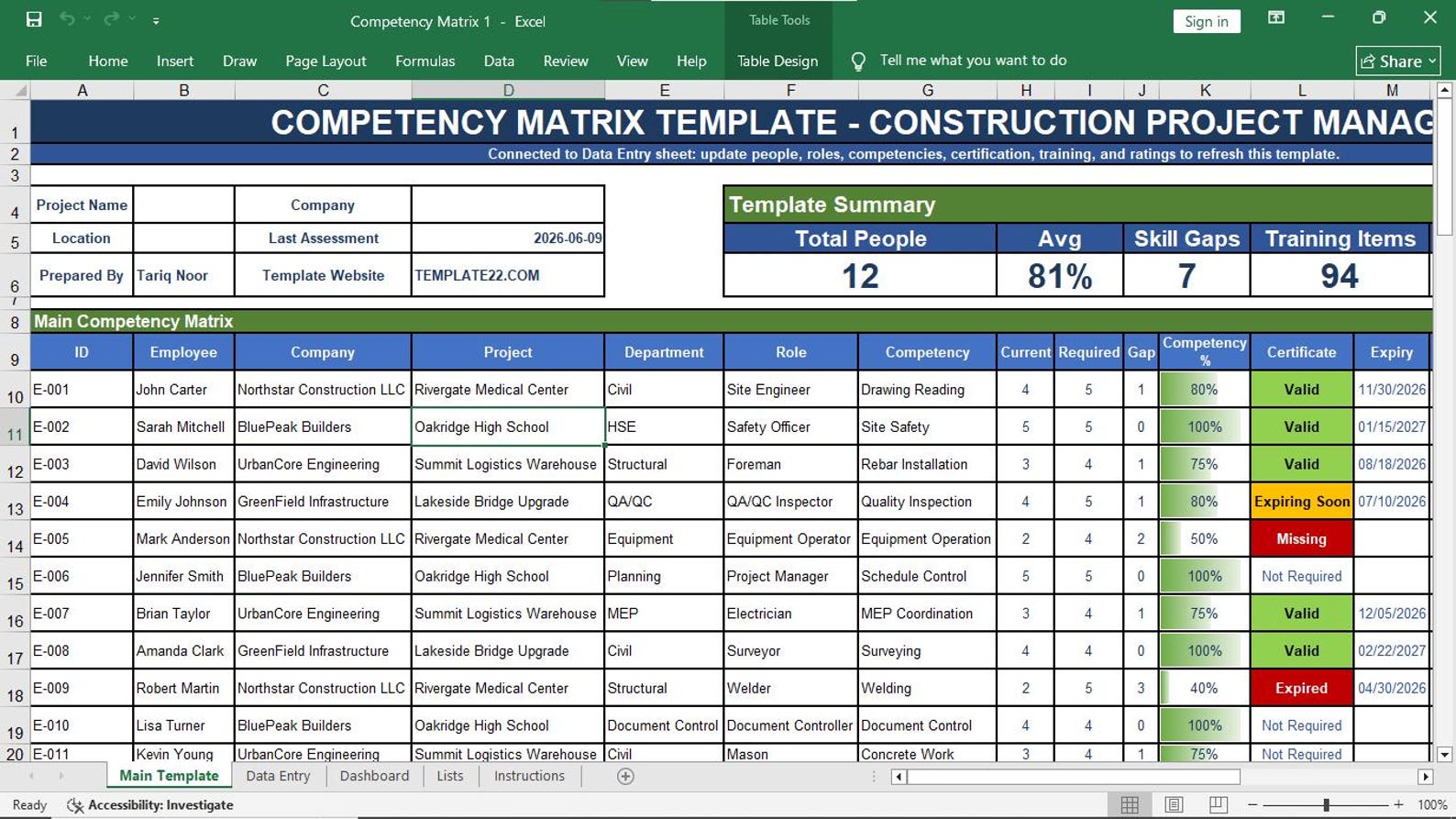
Competency Matrix

Track worker skills, competency levels, role requirements, certificates, and gaps.

20

Training Matrix

Manage training requirements, completed training, pending training, and future training needs.

21

Subcontractor Resource Tracker

Track subcontractor manpower, equipment, assigned work, progress, and performance.

22

Labor Cost Loading Sheet

Plan and monitor labor cost loading across activities, work packages, and project periods.

23

Equipment Cost Loading Sheet

Track equipment cost loading, utilization cost, budget impact, and planned versus actual cost.

Stop Managing Construction Resources with Scattered Files

When labor data is in one file, equipment records are in another file, attendance is in paper registers, fuel is tracked manually, and overtime is calculated separately, construction resource control becomes slow and risky.

This Excel template pack gives your project team a structured resource management system to improve visibility, reduce confusion, track performance, and support better project decisions.

  • Save hours of manual resource tracking and reporting
  • Improve labor, crew, equipment, and material visibility
  • Control overtime, attendance, productivity, and utilization
  • Track fuel consumption, maintenance, and equipment allocation
  • Manage competency, training, and subcontractor resources
  • Use Excel without expensive software or monthly subscriptions
Construction Resource Management Excel Template Preview

Use This Template Pack in 6 Practical Steps

Enter your data, plan resources, assign teams, track performance, review gaps, and control cost.

01

Enter Project Data

Add project name, activities, dates, labor, equipment, materials, subcontractors, and cost data.

02

Plan Resource Needs

Use requirements matrix, workforce plan, equipment plan, and material resource plan.

03

Assign Resources

Allocate labor, crews, equipment, and subcontractors to activities, locations, and supervisors.

04

Track Daily Performance

Monitor labor attendance, daily labor reports, productivity, overtime, and equipment usage.

05

Review Availability

Check resource calendars, histograms, training gaps, competency gaps, and subcontractor status.

06

Control Resource Cost

Use labor and equipment cost loading sheets to support cost control and project forecasting.

pics

Visual Preview Gallery

Who Should Use This Excel Template Pack?

This template pack is useful for professionals who want a practical, editable, and affordable resource management system inside Microsoft Excel.

👔

Project Managers

Manage project resources, labor, equipment, productivity, subcontractors, and resource cost control.

📅

Planning Engineers

Plan resource loading, availability, workforce requirements, equipment needs, and project schedules.

🏢

Construction Companies

Use a professional resource control system for civil, building, infrastructure, and EPC projects.

🏗️

Site Teams

Track daily labor, attendance, overtime, crew output, equipment use, fuel, and site resource performance.

🤝

Contractors

Control manpower, plant, equipment, subcontractor resources, and work package assignments.

📊

Project Control Teams

Support reporting, productivity tracking, resource forecasting, cost loading, and management reviews.

Project Resource Management Templates in Excel

Get a professional, colorful, editable, and construction-focused Excel template pack for resource planning, tracking, control, and reporting.

Complete Project Resource Management Template Pack

$99.99 $49.99
Limited-Time Price — Save $50 Today
23 Excel Templates Editable Excel Files Instant Download Construction Focused No Monthly Fee
  • Resource Management Plan, Requirements Matrix, Loading Plan, and Workforce Plan
  • Labor Allocation, Crew Planning, Productivity Tracker, Daily Labor Report, and Attendance Sheet
  • Overtime Tracker, Equipment Plan, Equipment Allocation, Plant Utilization, and Maintenance Log
  • Fuel Consumption, Material Resource Plan, Availability Calendar, Resource Histogram, and Training Matrix
  • Subcontractor Tracker, Labor Cost Loading Sheet, and Equipment Cost Loading Sheet
Buy This Excel Template

Frequently Asked Questions

Simple answers before you buy the Project Resource Management Templates in Excel.

Is this template pack editable?

Yes. The Excel templates are editable. You can change text, colors, rows, columns, formulas, headings, and layouts according to your needs.

Do I need special software?

No. You only need Microsoft Excel. You do not need ERP software, cloud software, or any monthly subscription.

Is this suitable for construction projects?

Yes. This pack is designed for construction project management, including labor, equipment, materials, subcontractors, productivity, attendance, overtime, and cost loading.

Can I add more project data?

Yes. You can add more workers, equipment, materials, subcontractors, activities, dates, costs, and project records as needed.

Is this a digital product?

Yes. This is a digital Excel template product. No physical item will be shipped.

Is it suitable for beginners?

Yes. Basic Microsoft Excel knowledge is enough to start using the templates and customize them for your project.

TEMPLATE22.COM

High-Quality Project Management, Construction Management, Business Management & Excel Templates

Project Resource Management Templates in Excel

Buy Now for $49.99

Terms       License      Contact Us      About Us

LinkedIn      Twitter      Facebook      YouTube