Project Integration Management Templates in Excel
Plan, coordinate, control, and report your construction project with 23 professional Excel templates. Manage project charters, business cases, execution plans, governance, baselines, change control, decisions, dependencies, dashboards, executive reports, lessons learned, and project closure from one organized system.
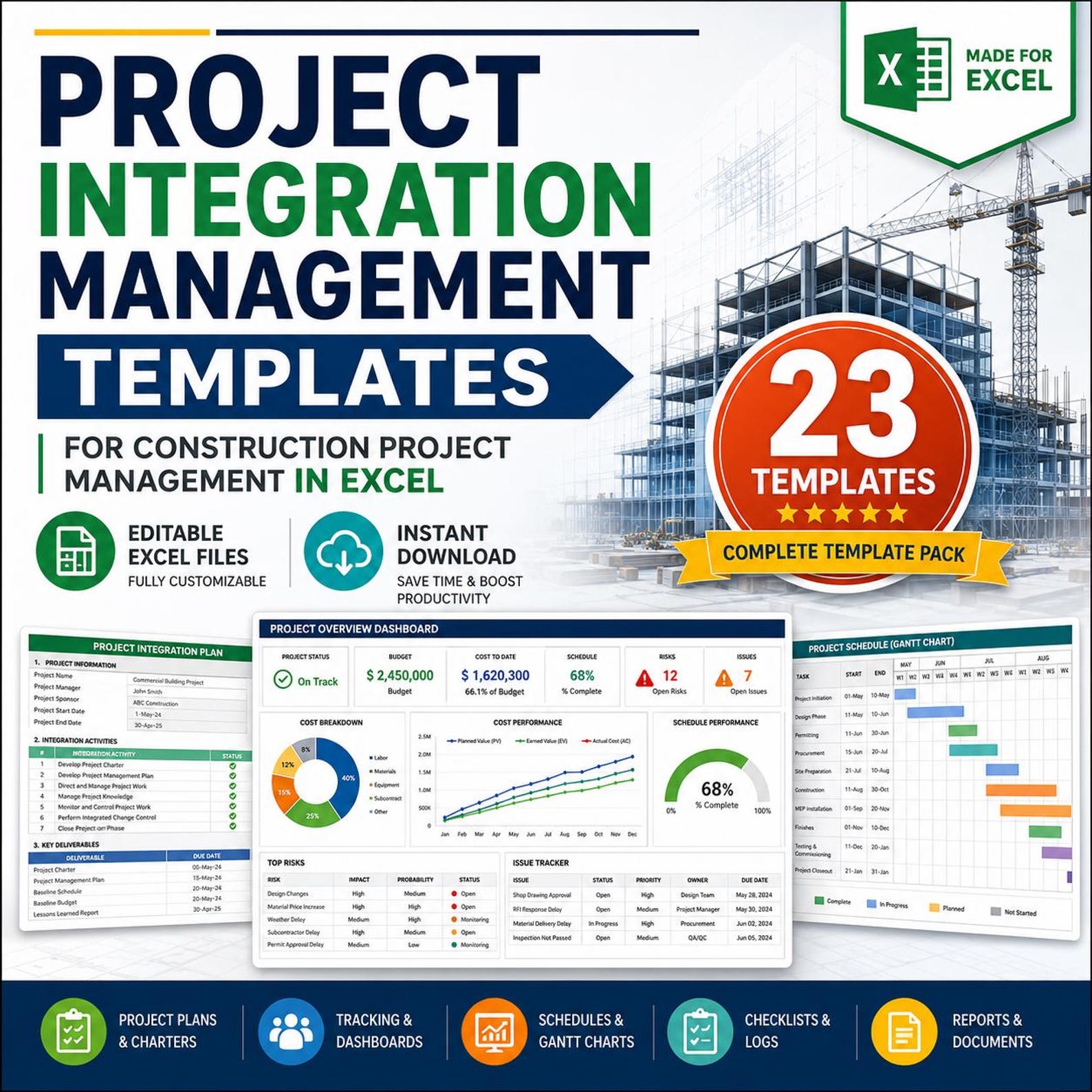
Everything You Need to Manage Construction Project Integration
This template pack is built for construction project managers who want clear documentation, better coordination, stronger change control, and professional reporting in Excel.
Project Initiation Documents
Create a strong project foundation with the construction project charter, business case, objectives register, and success criteria sheet.
Integrated Planning
Organize the project management plan, construction management plan, execution plan, integrated master plan, and schedule summary.
Governance & Approvals
Manage project governance, phase gates, approvals, decision-making, responsibilities, and escalation control.
Change & Baseline Control
Track changes, manage baselines, control project scope movement, and record change decisions in a structured way.
Logs & Registers
Document assumptions, constraints, dependencies, action items, decisions, lessons learned, and project closure records.
Dashboard & Reporting
Use the project dashboard and executive summary report to present project status clearly to management, clients, and stakeholders.
23 Professional Templates Included
Each template is designed to support a specific part of project integration management for construction projects.
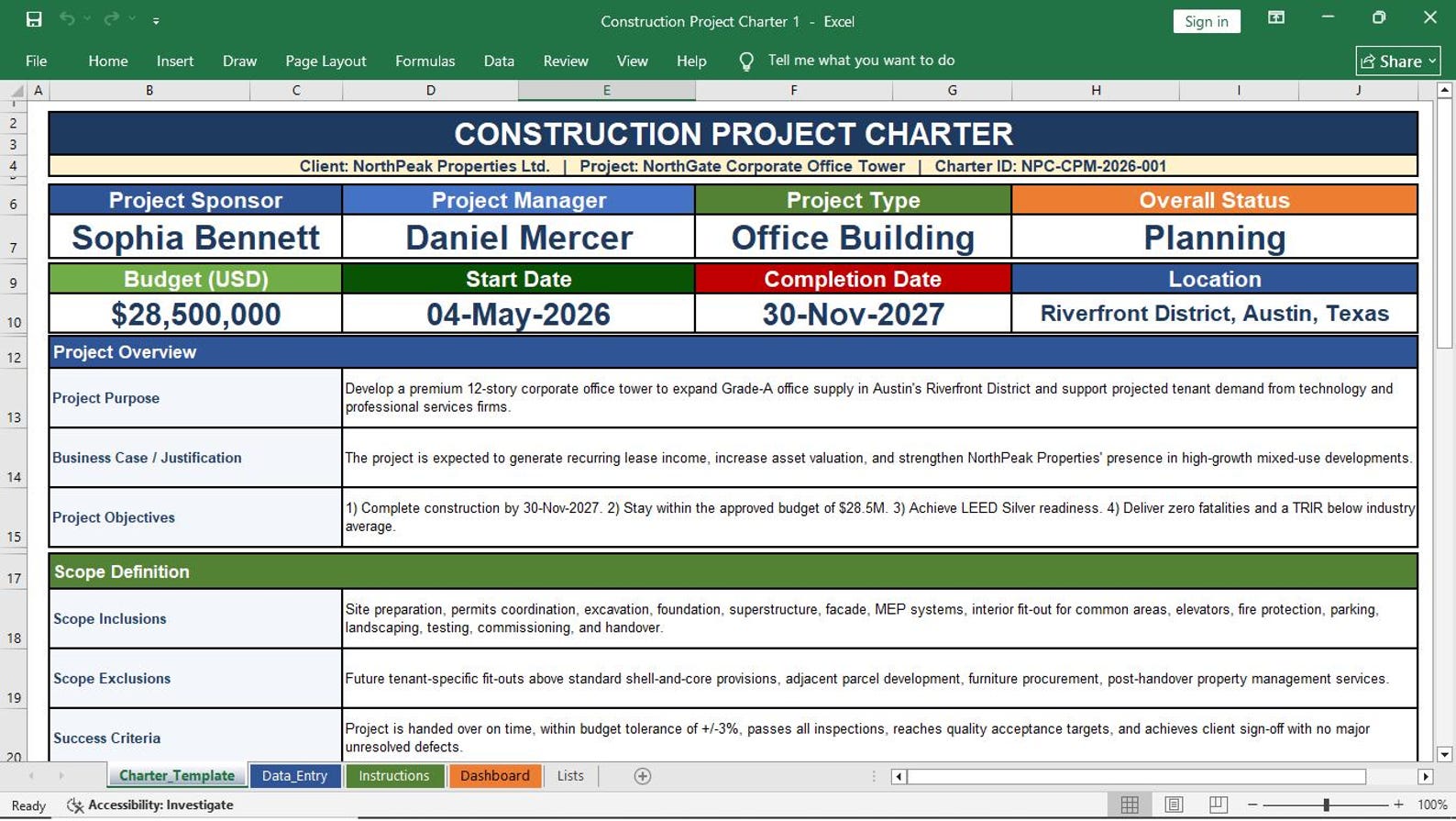
Construction Project Charter
Define project purpose, sponsor, scope overview, objectives, assumptions, constraints, milestones, and approval authority.
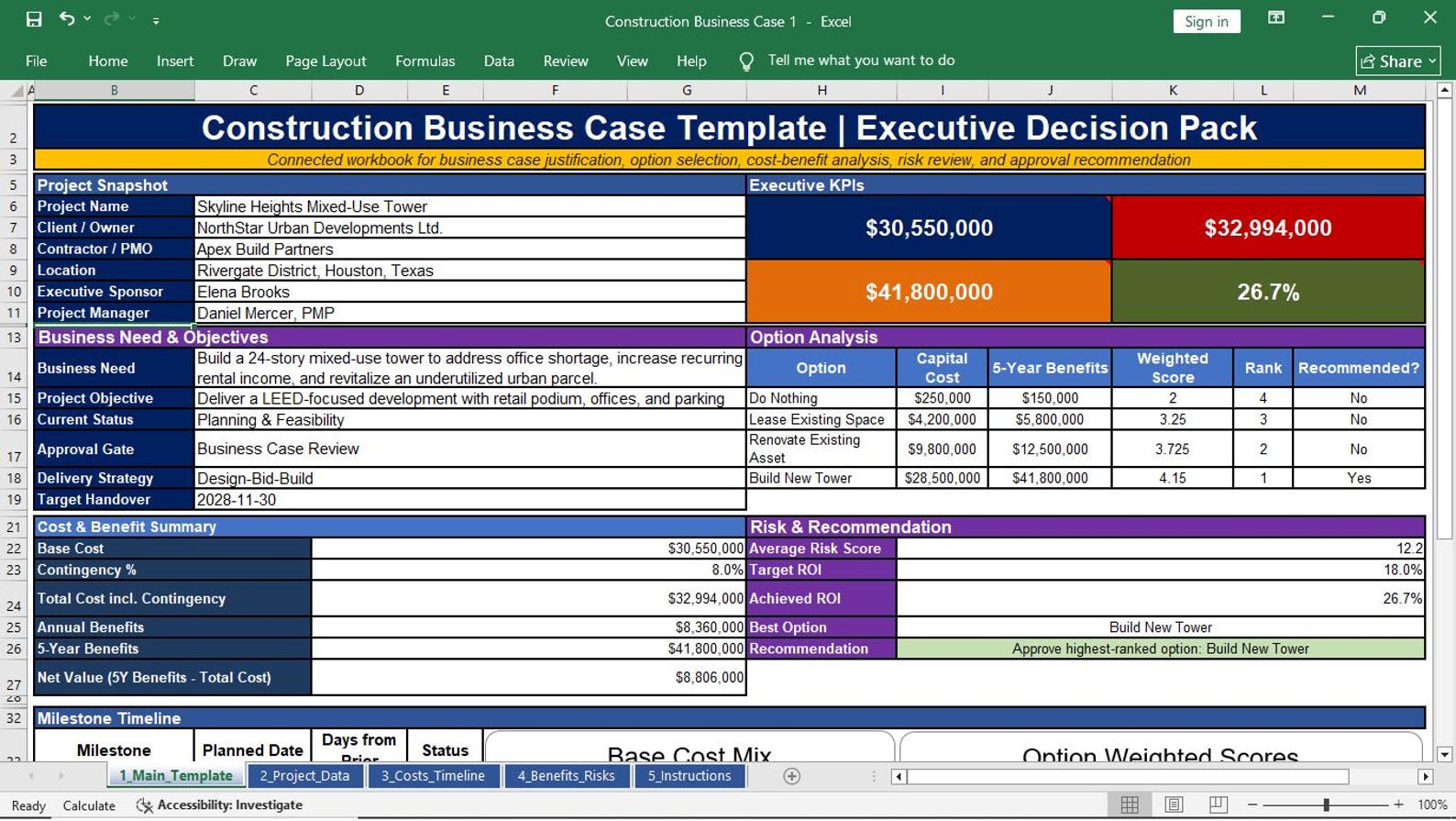
Construction Business Case
Explain project justification, benefits, cost logic, strategic need, risk overview, and approval recommendation.
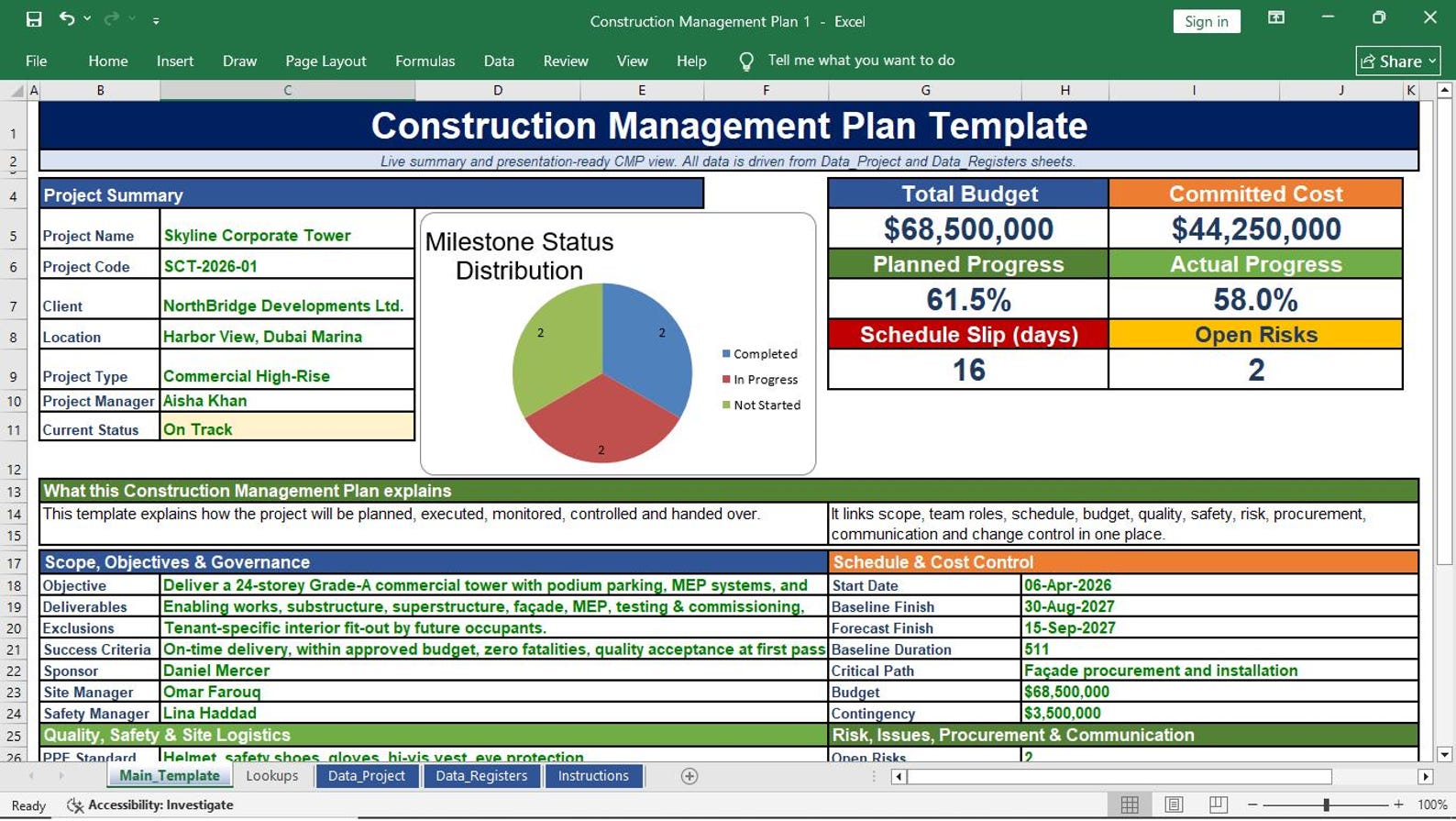
Project Management Plan
Document the overall approach for scope, schedule, cost, quality, resources, communication, risks, procurement, and stakeholders.
Construction Management Plan
Organize construction methodology, site coordination, work packages, responsibilities, controls, inspections, and execution standards.
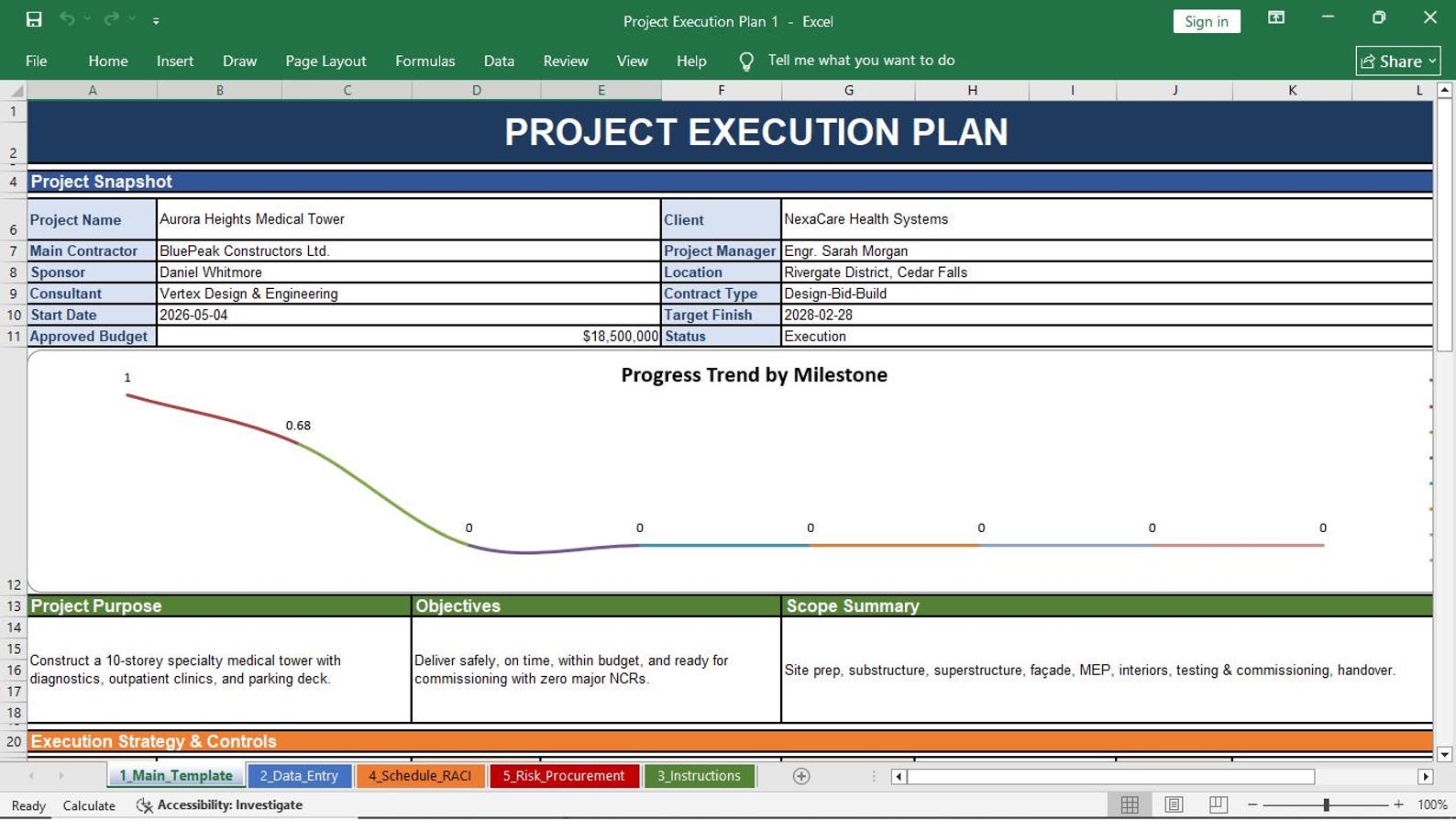
Project Execution Plan
Plan how the project will be executed, monitored, controlled, reported, and handed over during the construction lifecycle.
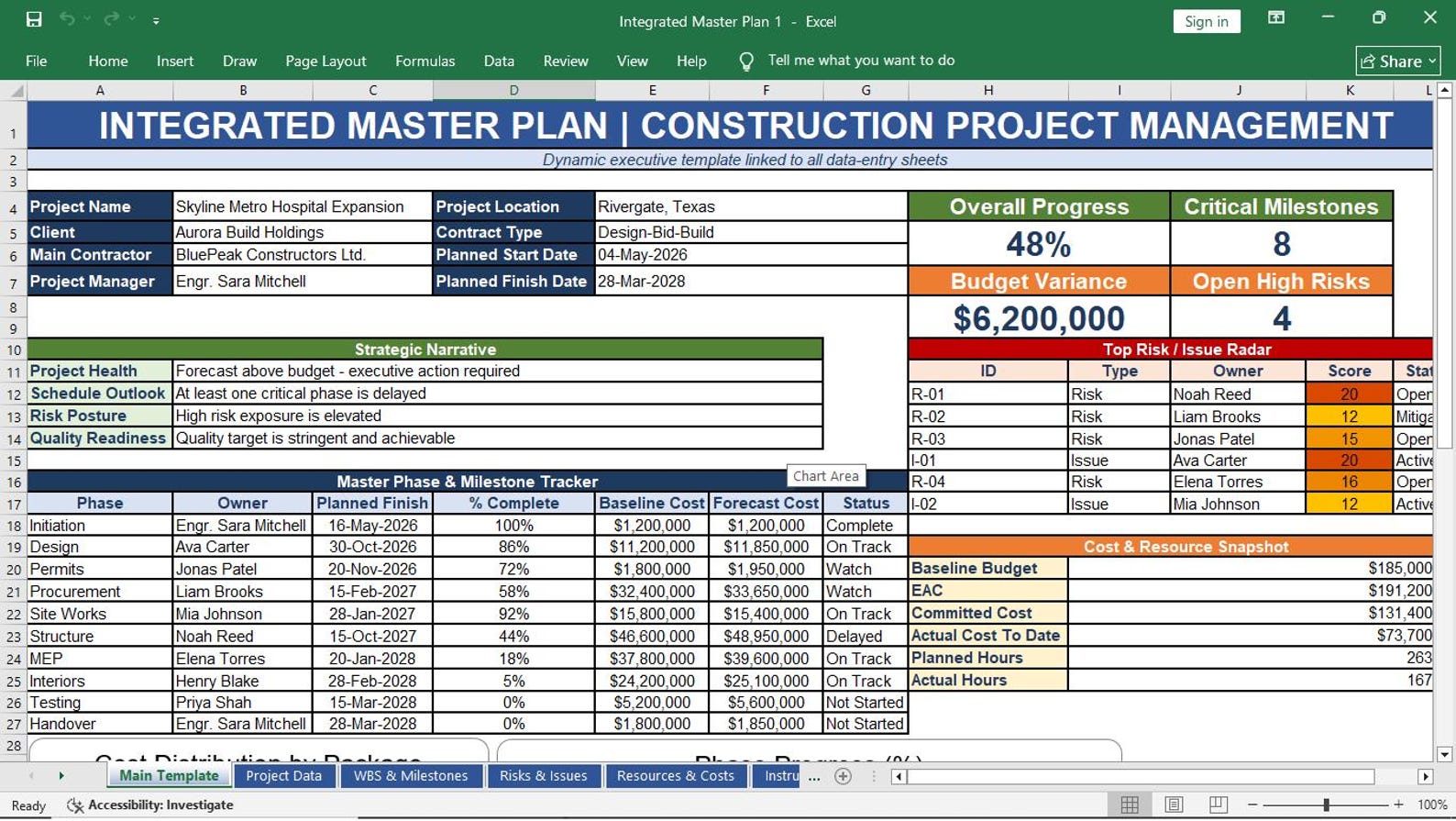
Integrated Master Plan
Connect major project phases, deliverables, responsibilities, milestones, dependencies, and control points in one integrated plan.
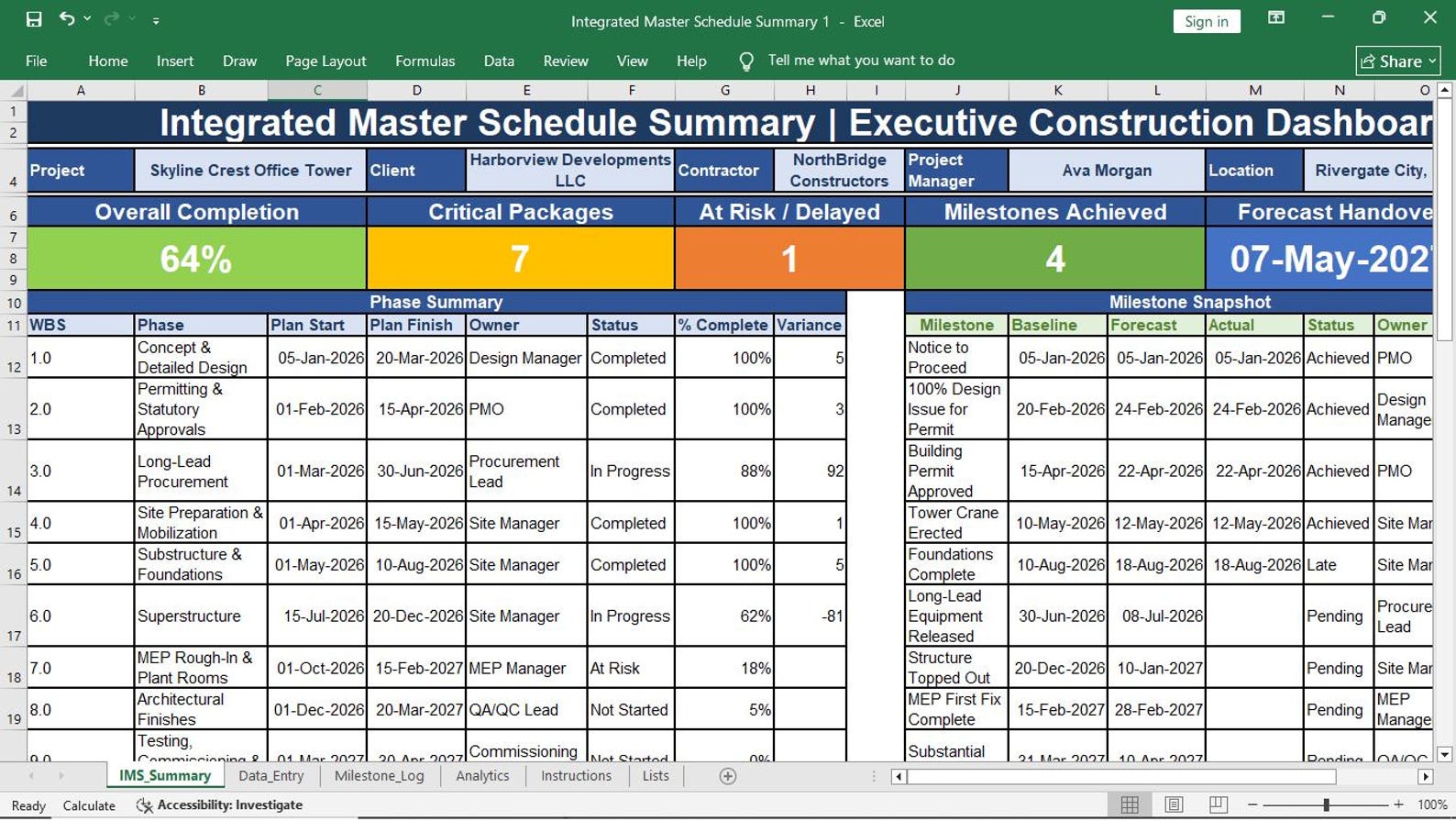
Integrated Master Schedule Summary
Summarize key schedule milestones, phases, deliverables, start dates, finish dates, progress status, and schedule remarks.

Project Governance Framework
Define governance roles, approval levels, escalation paths, meeting structure, reporting flow, and decision authority.
Project Objectives Register
Track project objectives, success measures, owner, target date, current status, and alignment with business goals.
Project Success Criteria Sheet
Define what success means for scope, cost, schedule, quality, safety, client satisfaction, handover, and business value.
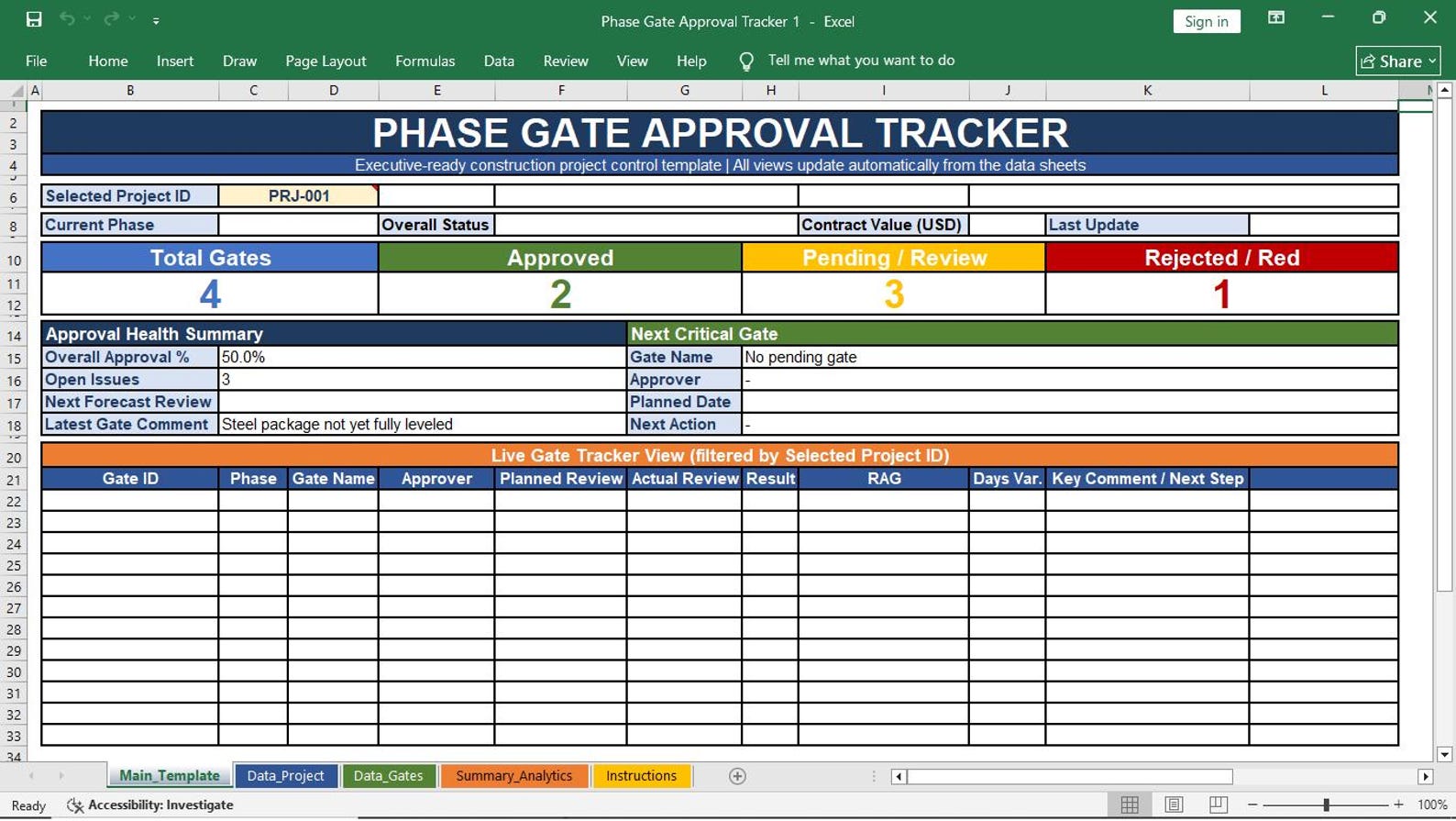
Phase Gate Approval Tracker
Monitor approval gates between project phases, required documents, approvers, decision status, conditions, and next actions.
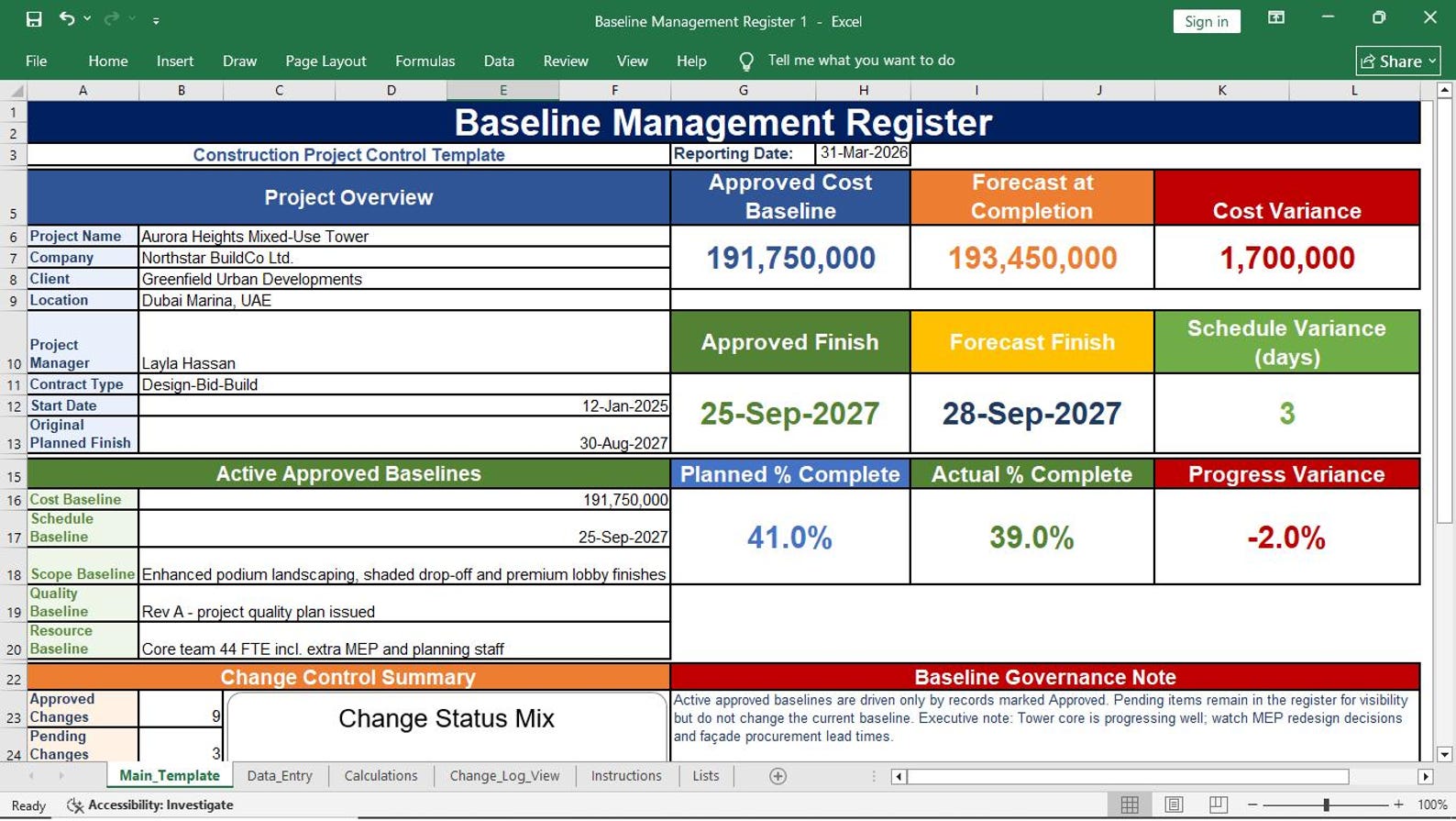
Baseline Management Register
Track approved scope, schedule, cost, and performance baselines with version control and approval history.
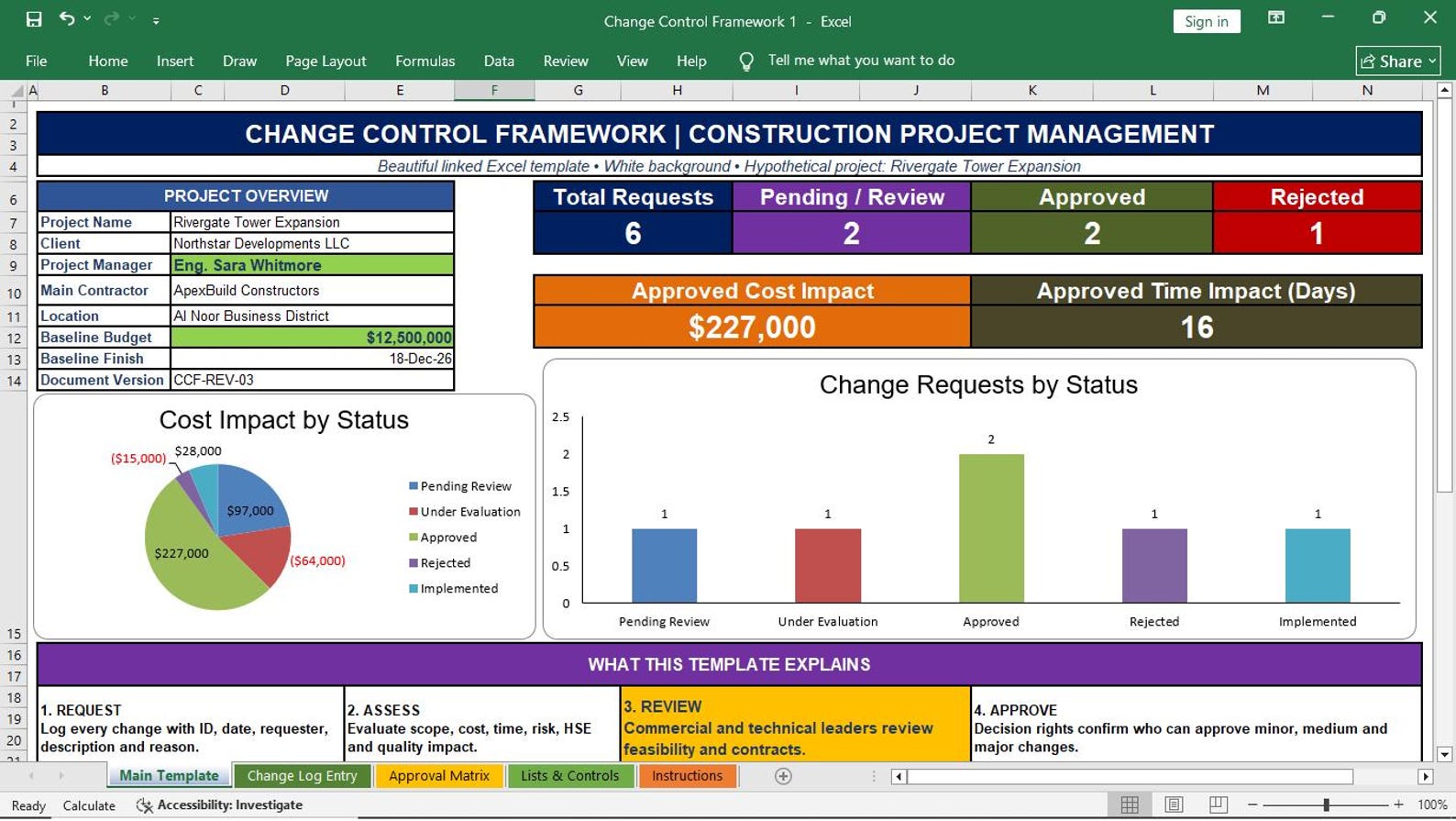
Change Control Framework
Document change request flow, review process, impact assessment, approval authority, decision status, and implementation tracking.
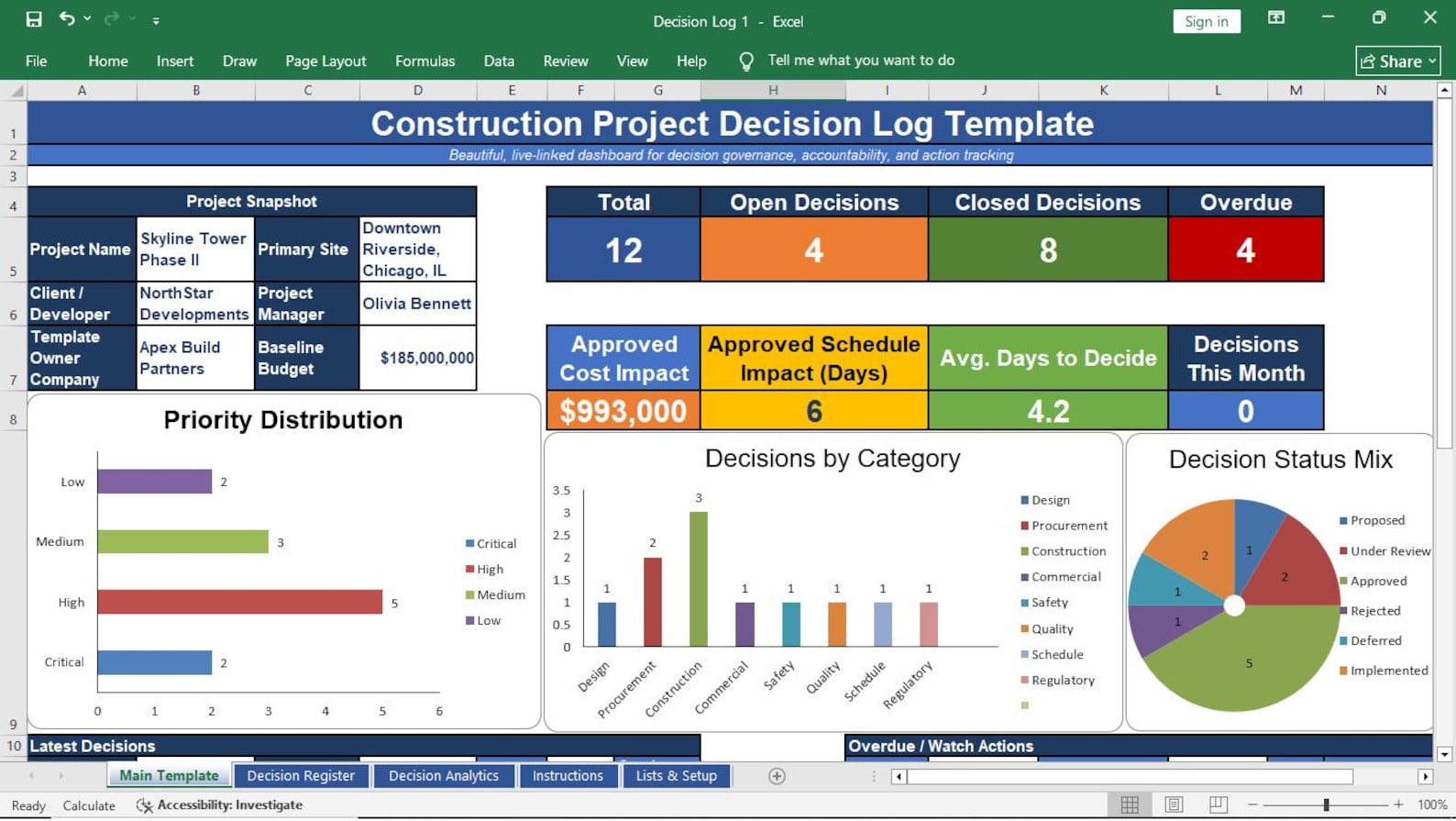
Decision Log
Record key project decisions, decision owners, dates, reasons, impacts, approvals, and follow-up actions.
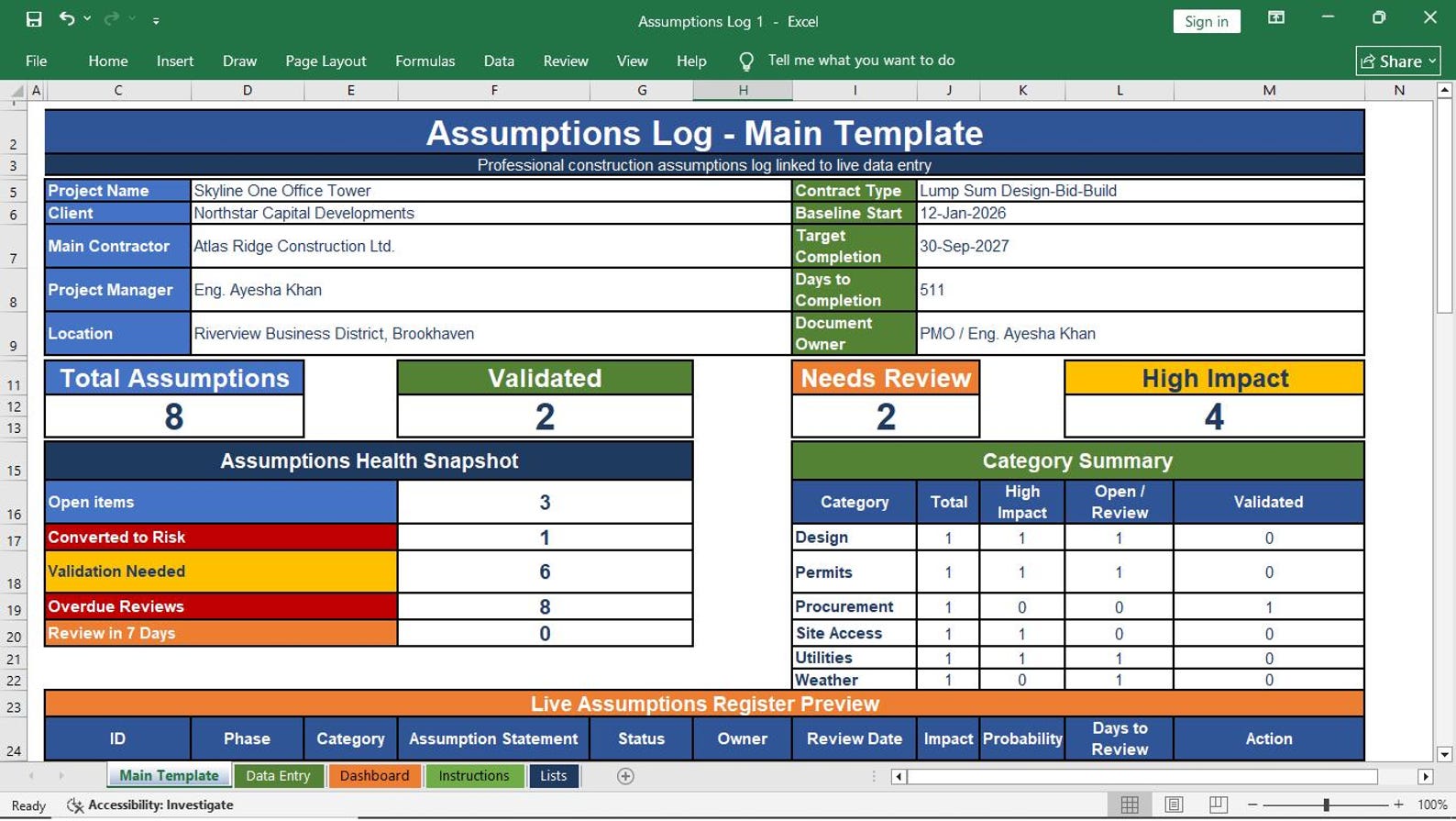
Assumptions Log
Capture assumptions, validation status, impact, owner, due date, risk connection, and resolution notes.
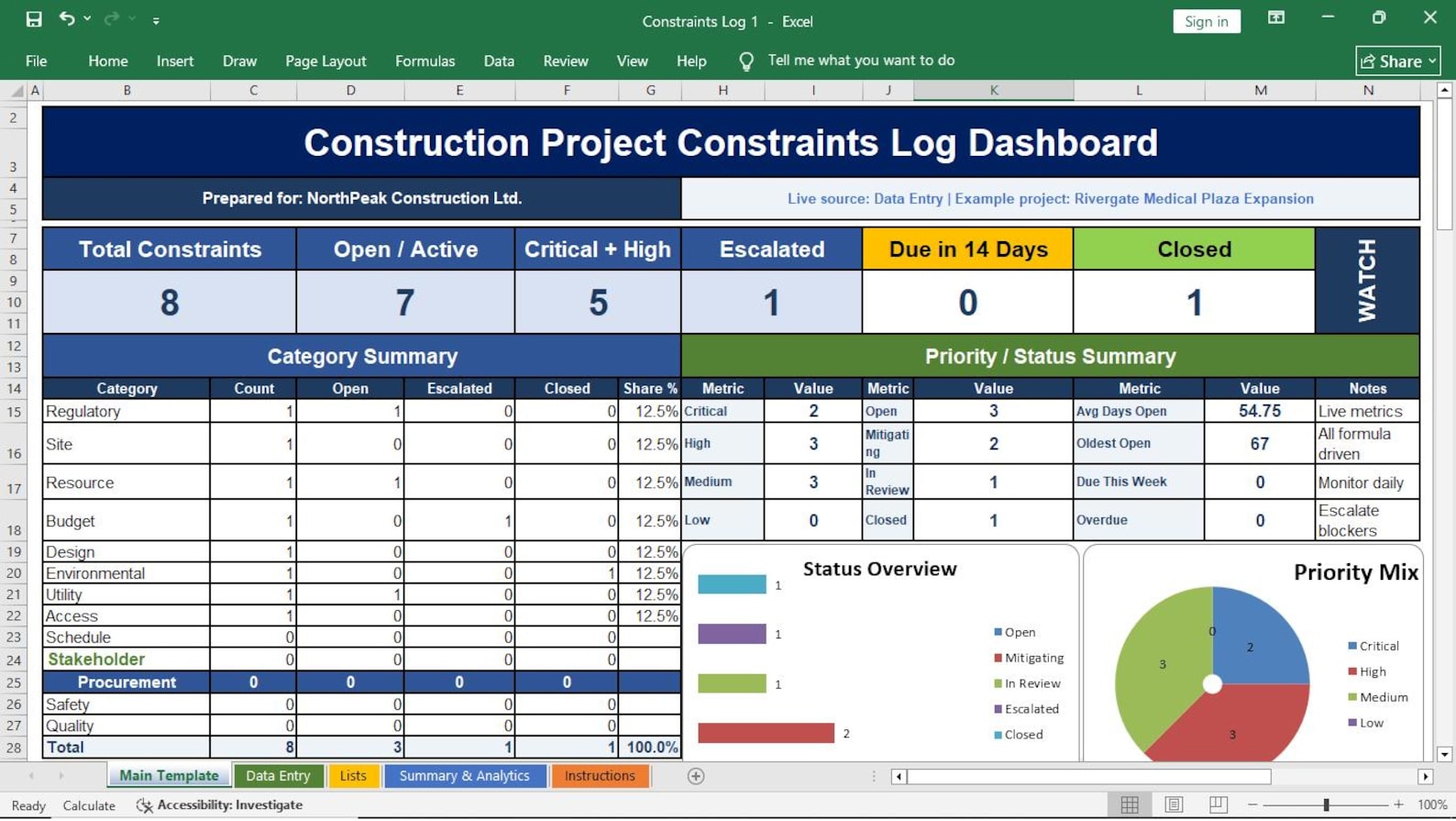
Constraints Log
Track project constraints related to budget, schedule, site access, resources, safety, permits, contracts, and client requirements.
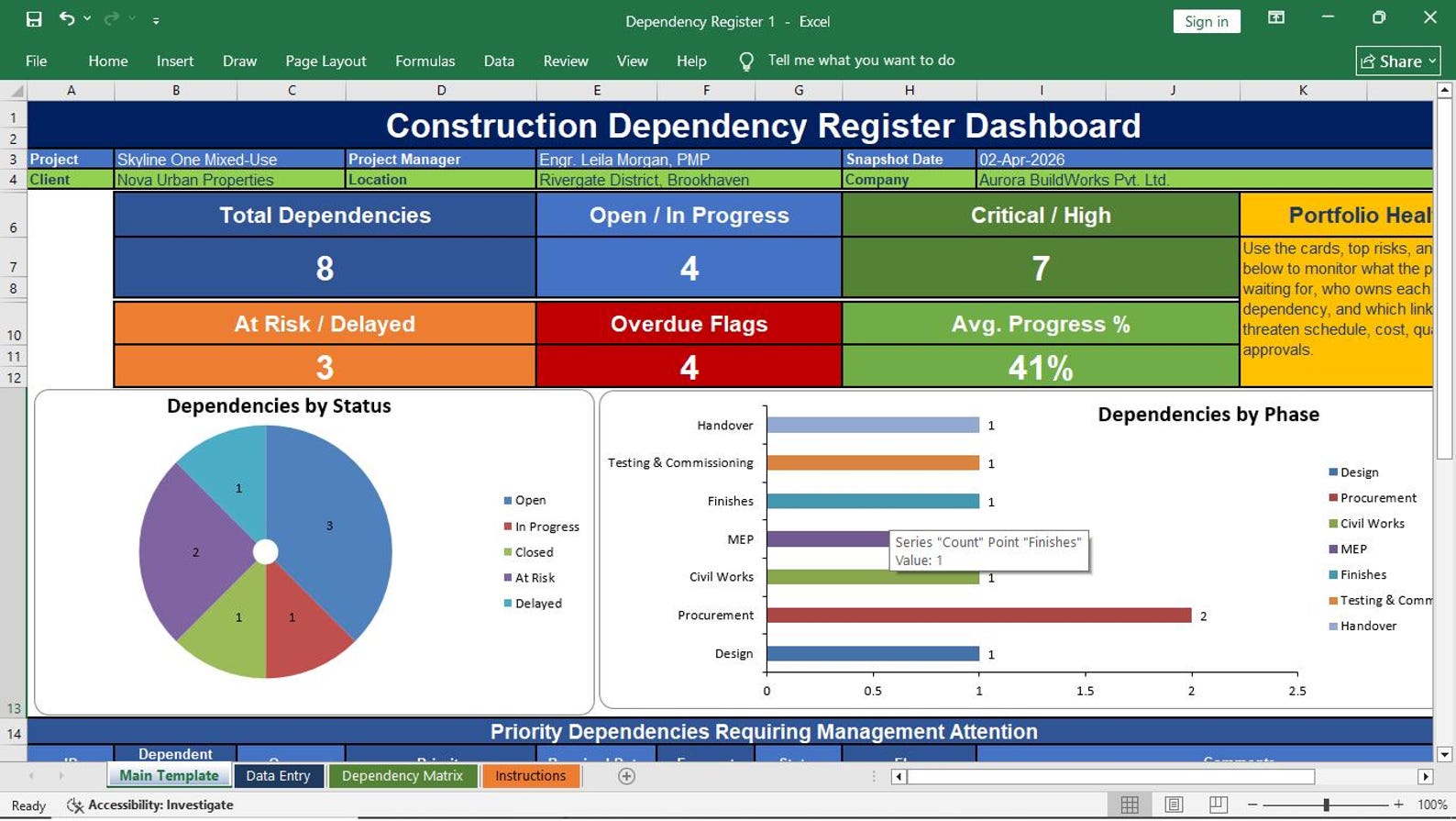
Dependency Register
Monitor task, team, contractor, design, procurement, approval, and external dependencies that affect project delivery.
Action Item Register
Assign and monitor action items, owners, due dates, priorities, progress, status, and closure remarks.
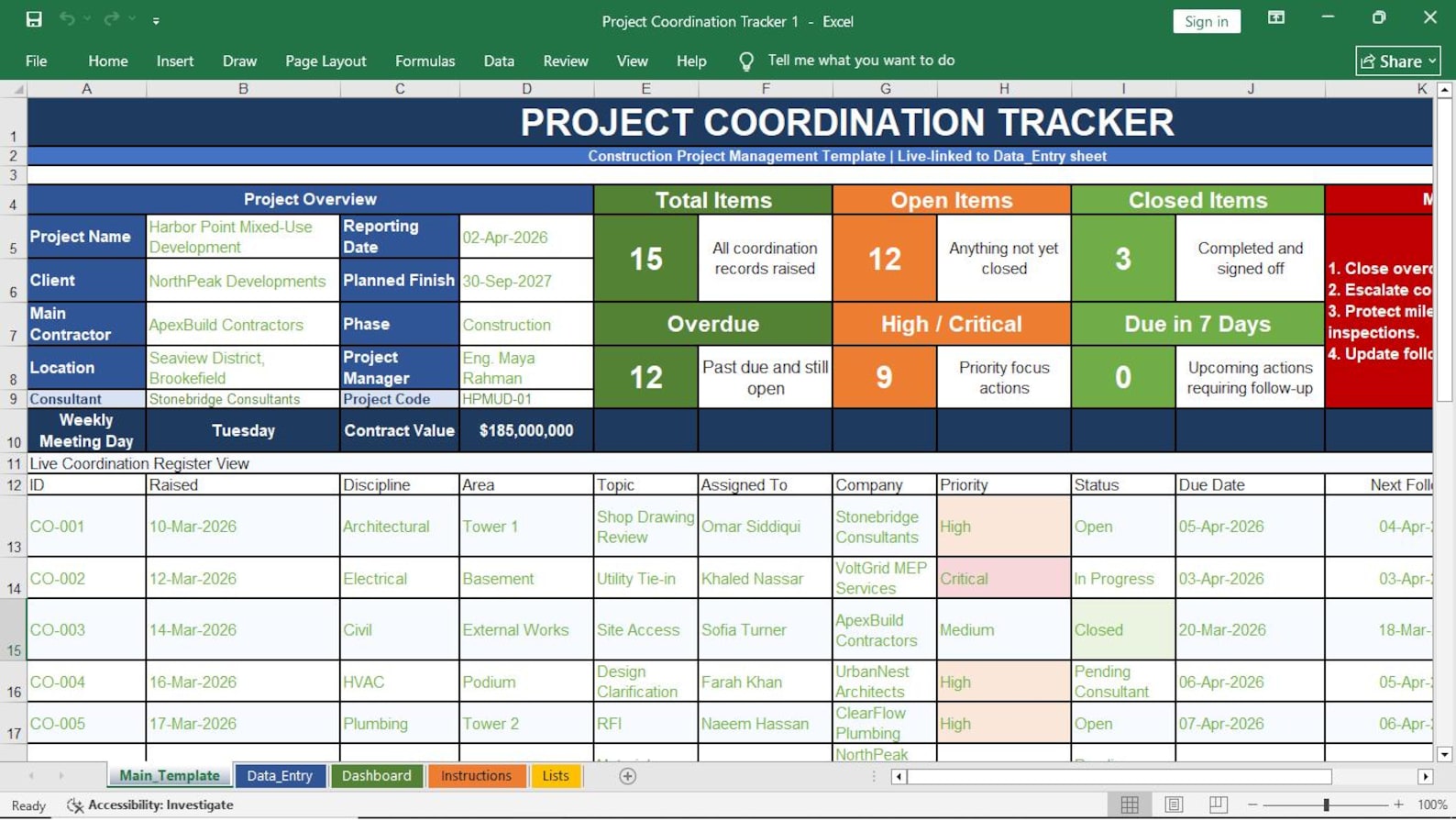
Project Coordination Tracker
Coordinate project teams, contractors, consultants, client actions, meetings, deliverables, and interface points.
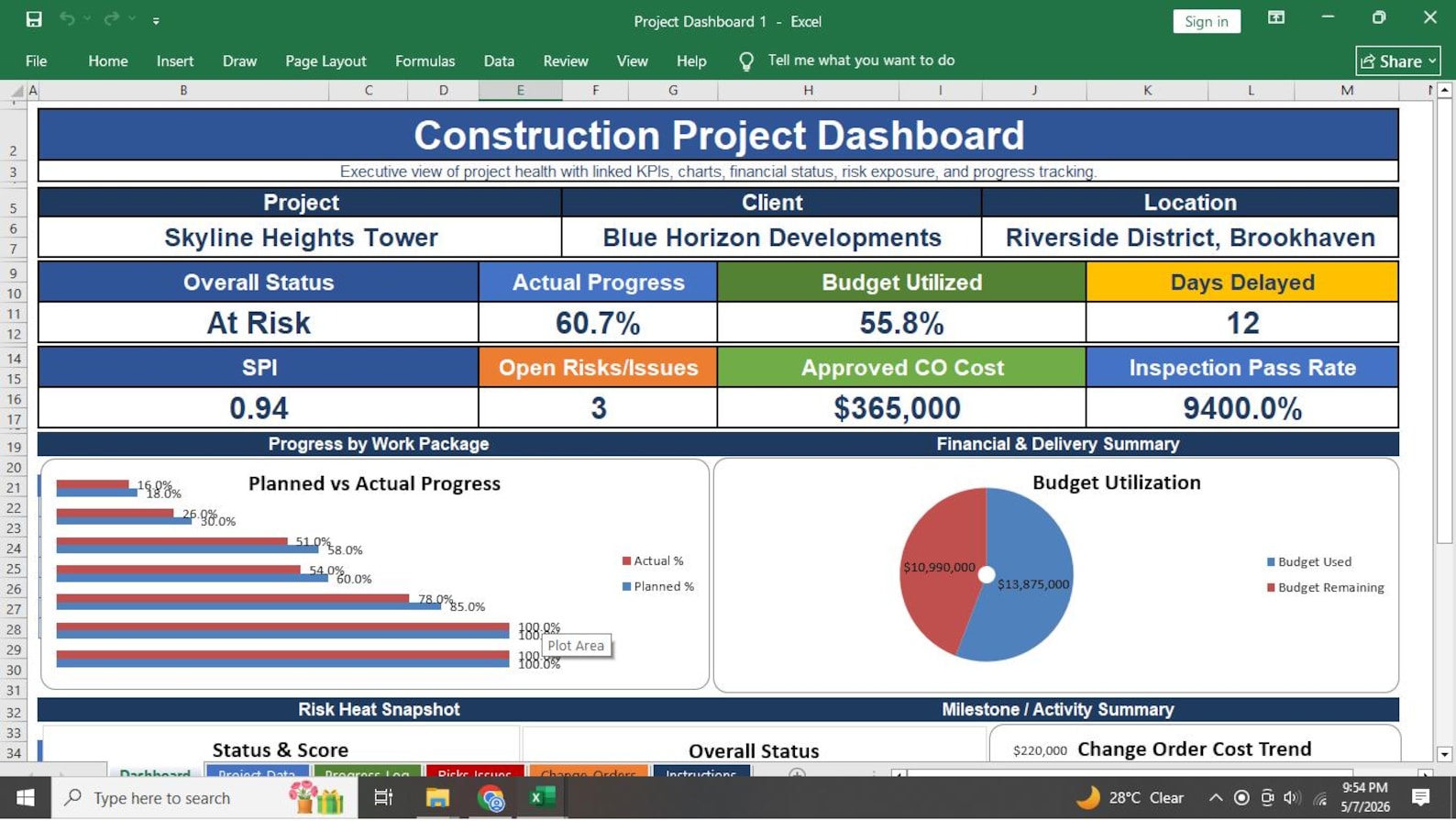
Project Dashboard
Show project health, progress, schedule status, cost status, risks, issues, actions, and executive-level summary indicators.
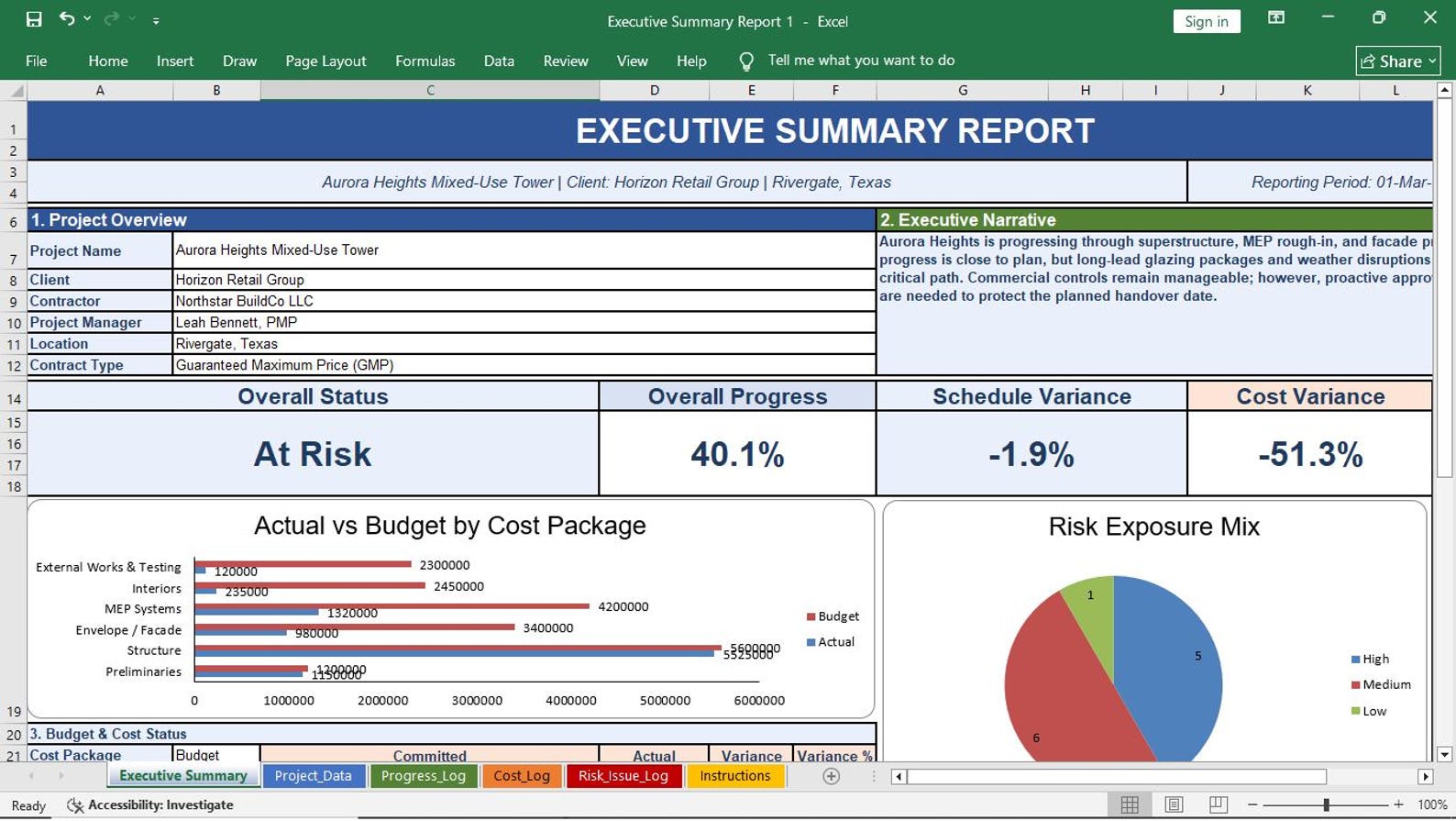
Executive Summary Report
Prepare a clean management report with project status, achievements, concerns, decisions needed, and upcoming priorities.
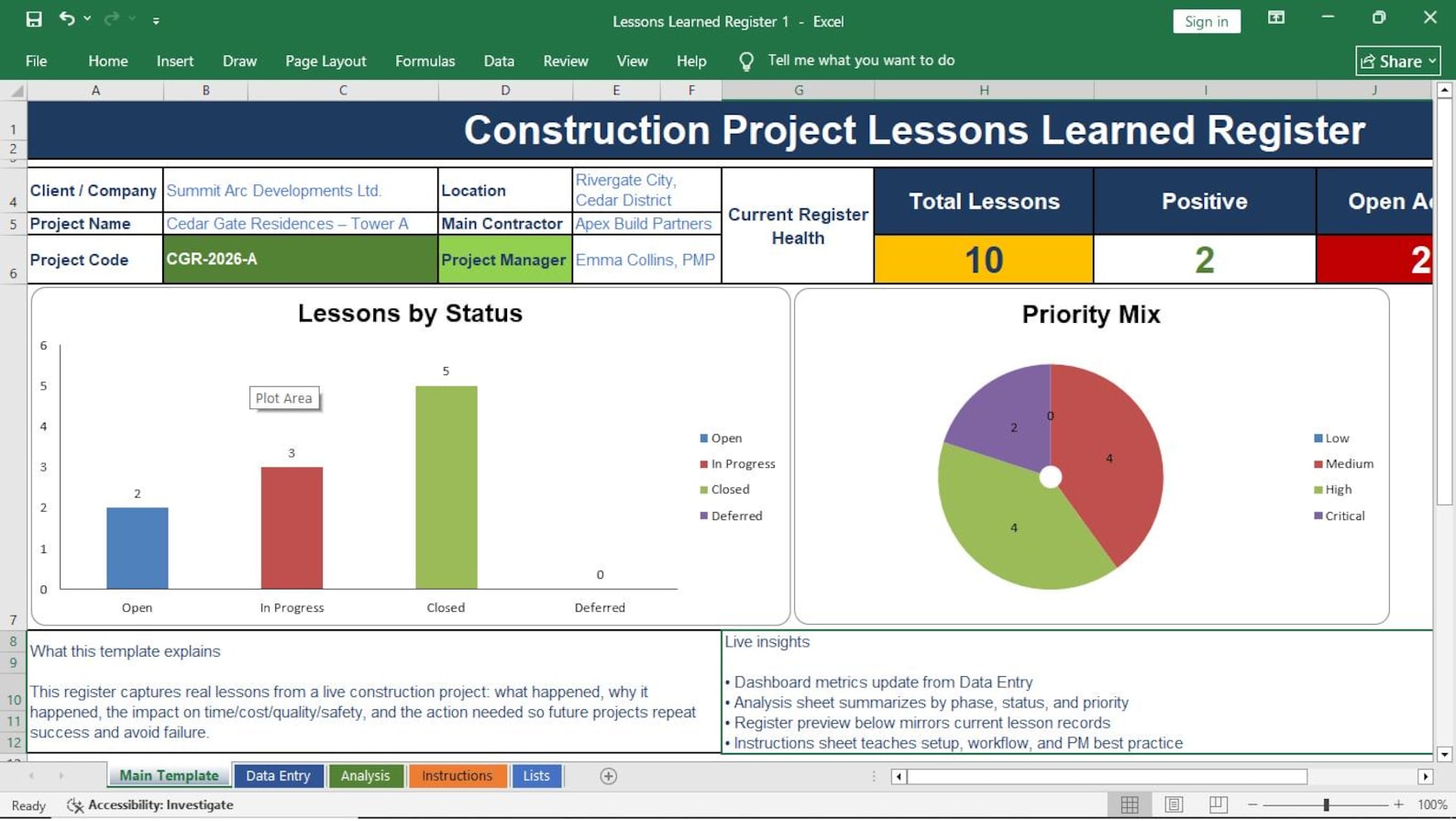
Lessons Learned Register
Capture lessons, root causes, recommendations, category, owner, project phase, and future improvement actions.
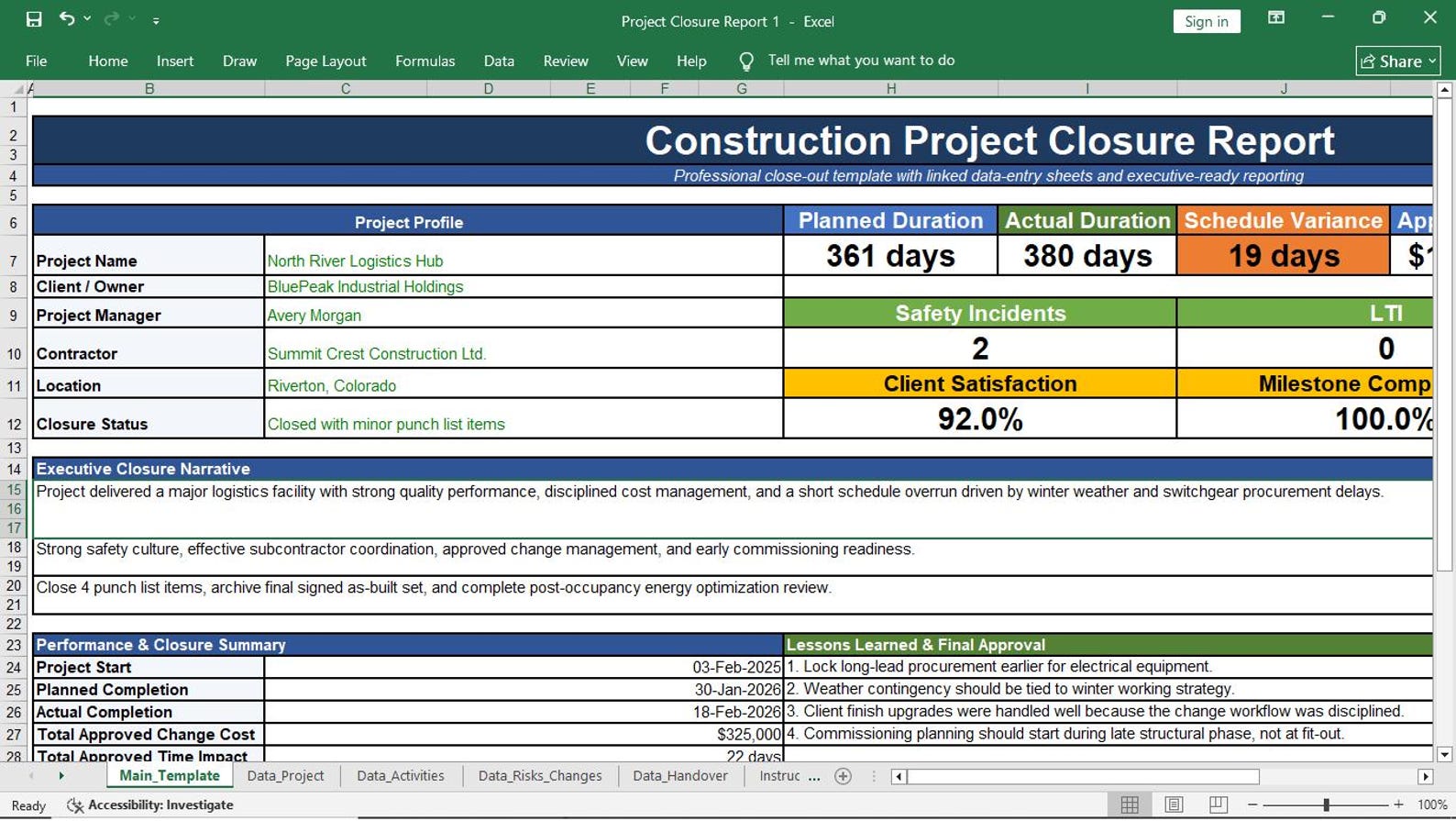
Project Closure Report
Close the project professionally with final status, deliverables, acceptance, open items, lessons, and handover confirmation.
Stop Managing Construction Integration with Scattered Files
When project charters, decisions, approvals, assumptions, changes, baselines, actions, and reports are scattered across different files and emails, the project becomes harder to control. This Excel template pack gives your team a professional structure to manage integration from one place.
Use Excel Without Expensive Software
This pack helps construction teams organize project information, improve reporting, and reduce manual document creation.
- Save hours of document preparation time
- Improve project documentation and reporting
- Track approvals, changes, assumptions, and decisions
- Control project baselines and phase gates
- Manage dashboards, executive reports, and closure records
- Use editable Excel files without monthly subscriptions
Use the Template Pack in 4 Easy Steps
Download, customize, enter project information, and start managing construction integration more professionally.
Download Files
Get the Excel templates instantly after purchase and save them to your project folder.
Customize Details
Add your company name, project name, client name, owners, dates, approvals, and reporting format.
Enter Project Data
Complete the charter, plans, registers, logs, dashboard, executive summary, and closure documents.
Report & Control
Use the templates to improve communication, control changes, track decisions, and present project status.
Who Should Use This Excel Template Pack?
This pack is designed for construction professionals who want organized project documentation, stronger integration, and better project control in Excel.
Construction Project Managers
Manage project planning, execution, coordination, reporting, change control, and closure with professional Excel documents.
Planning Engineers
Connect project schedules, baselines, milestones, dependencies, phase gates, and action items more clearly.
Contractors & Subcontractors
Improve project documentation, approvals, decision tracking, coordination, and reporting for construction delivery.
PMO Teams
Standardize integration management documents across construction projects, programs, departments, and client portfolios.
Consultants & Engineers
Use ready-made templates for client reporting, project control, governance, coordination, and project closure.
Students & Beginners
Learn how construction project integration management documents are structured and used in practical project work.
Save Time, Reduce Cost & Manage Projects Better
Choose the focused Construction Project Integration Management Template Pack or get the complete collection of 225 professional Project Management Templates.
Construction Project Integration Management Templates
A focused set of professional Excel templates for managing construction projects from initiation to closure.
- ✓ 23 editable Excel templates
- ✓ Construction project management focused
- ✓ Project charter and management plans
- ✓ Professional logs and registers
- ✓ Project dashboard and reports
- ✓ Fully customizable Excel files
- ✓ No expensive software required
- ✓ Instant digital download
Complete Set of 225 Project Management Templates
Get the complete professional Project Management Template Library covering major knowledge areas, processes, project stages, and management needs.
- ✓ Complete collection of 225 templates
- ✓ Project initiation and planning templates
- ✓ Scope, schedule, and cost management
- ✓ Risk and issue management templates
- ✓ Resource and workforce management
- ✓ Procurement and contract management
- ✓ Stakeholder and communication management
- ✓ Dashboards, trackers, logs, and reports
- ✓ Fully editable professional files
- ✓ Save hundreds of hours of work
- ✓ Best choice for PMs, PMOs, contractors & consultants
- ✓ Instant digital download
Frequently Asked Questions
Simple answers before you buy the Project Integration Management Templates Pack.
Is this template pack editable?
Yes. The templates are fully editable in Microsoft Excel. You can change text, colors, columns, rows, headings, and project information.
Do I need special software?
No. You only need Microsoft Excel. You do not need expensive construction software, cloud software, or monthly subscription tools.
Can I use these templates for real construction projects?
Yes. These templates are designed for construction project management and can be customized for building, infrastructure, engineering, contractor, and client-side projects.
Does this pack include a dashboard?
Yes. The pack includes a Project Dashboard template for tracking and reporting important project information.
Can I add my company logo and project name?
Yes. You can customize the templates with your company logo, project name, client name, project dates, team members, and reporting structure.
Is this a digital product?
Yes. This is a digital download. No physical item will be shipped.
